
No products in the cart.
WP Trove AI Assistant: The Complete Guide to Smarter WordPress Content Creation
31
Jul
Jul
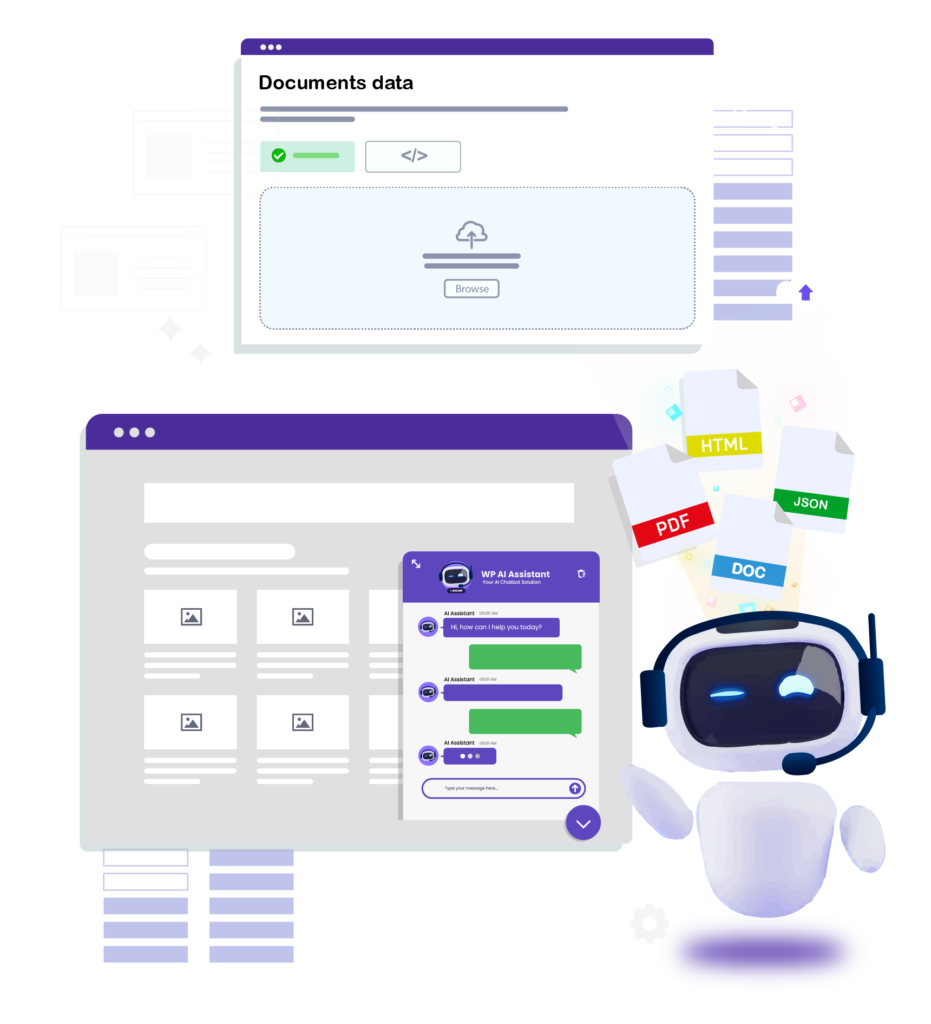
WP Trove AI Assistant is rapidly becoming a go-to tool for WordPress users who want to streamline their content workflow. This powerful plugin integrates artificial intelligence directly into the WordPress dashboard, allowing writers, marketers, and site owners to generate drafts, rewrite existing posts, and brainstorm ideas without switching between applications. In this comprehensive guide, we will break down everything you need to know about the WP Trove AI Assistant, from its core features to practical implementation strategies that can save you hours each week.
What Exactly Is the WP Trove AI Assistant?
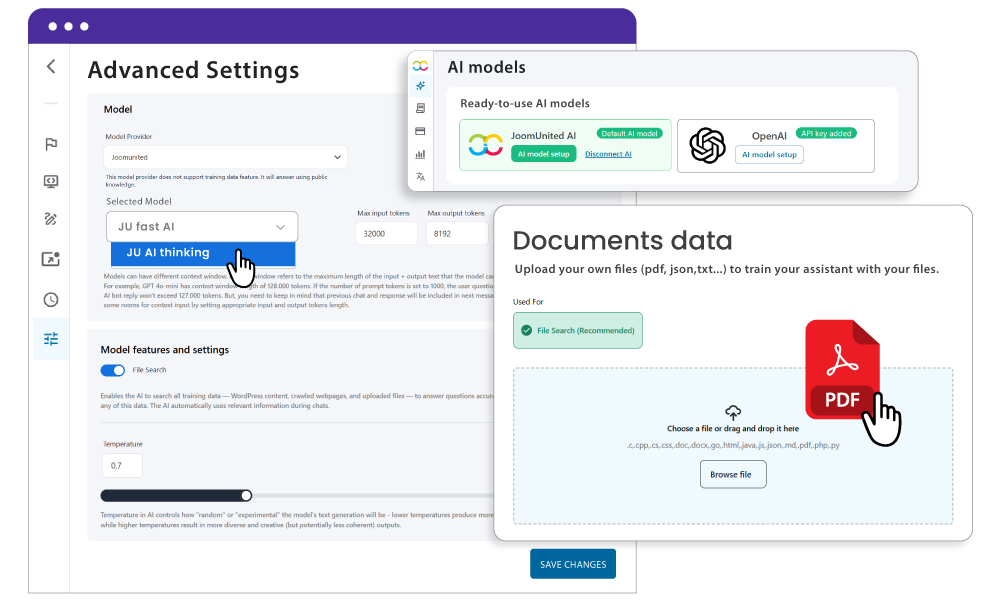
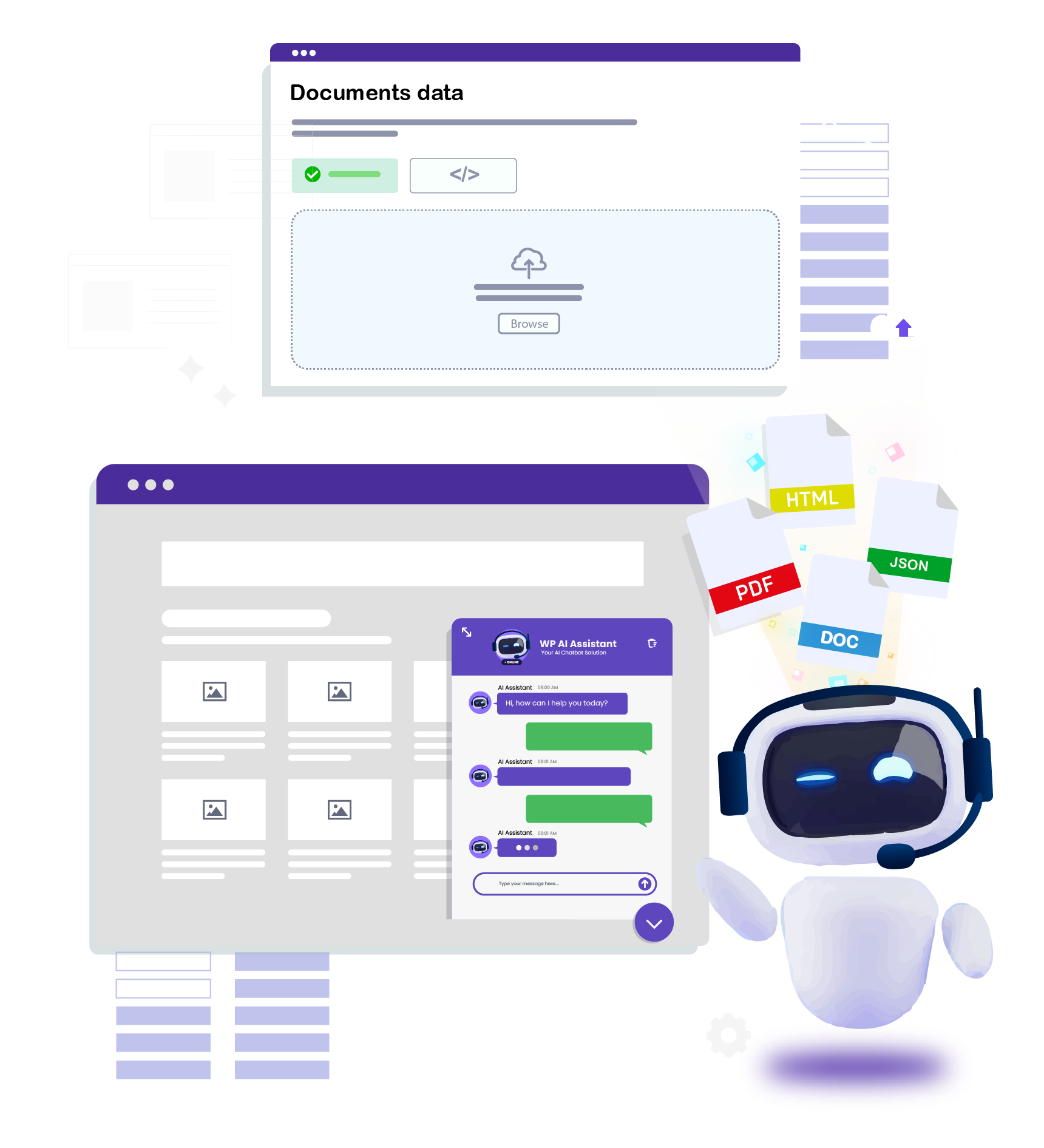
At its core, the WP Trove AI Assistant is a WordPress plugin that leverages large language models to assist with content generation and editing tasks. Unlike standalone AI writing tools that require you to copy and paste text between platforms, this assistant lives right inside your post editor. This native integration means you can highlight a paragraph, ask the AI to expand it, or generate a full outline without ever leaving the WordPress interface.
The plugin is designed to understand context. When you select a block of text and request a rewrite, the assistant analyzes the surrounding content to maintain tone and consistency. This contextual awareness sets it apart from simple text generators, making it a practical companion for bloggers who publish regularly and need to maintain a distinct voice across their site.
How the WP Trove AI Assistant Works Under the Hood
The technical architecture is straightforward. The plugin connects your WordPress site to an AI processing engine via API keys. When you type a prompt or select text, the request is sent securely to the AI model, which processes the instruction and returns the generated content to your editor. The entire process takes just a few seconds, depending on the complexity of the request and your internet connection.
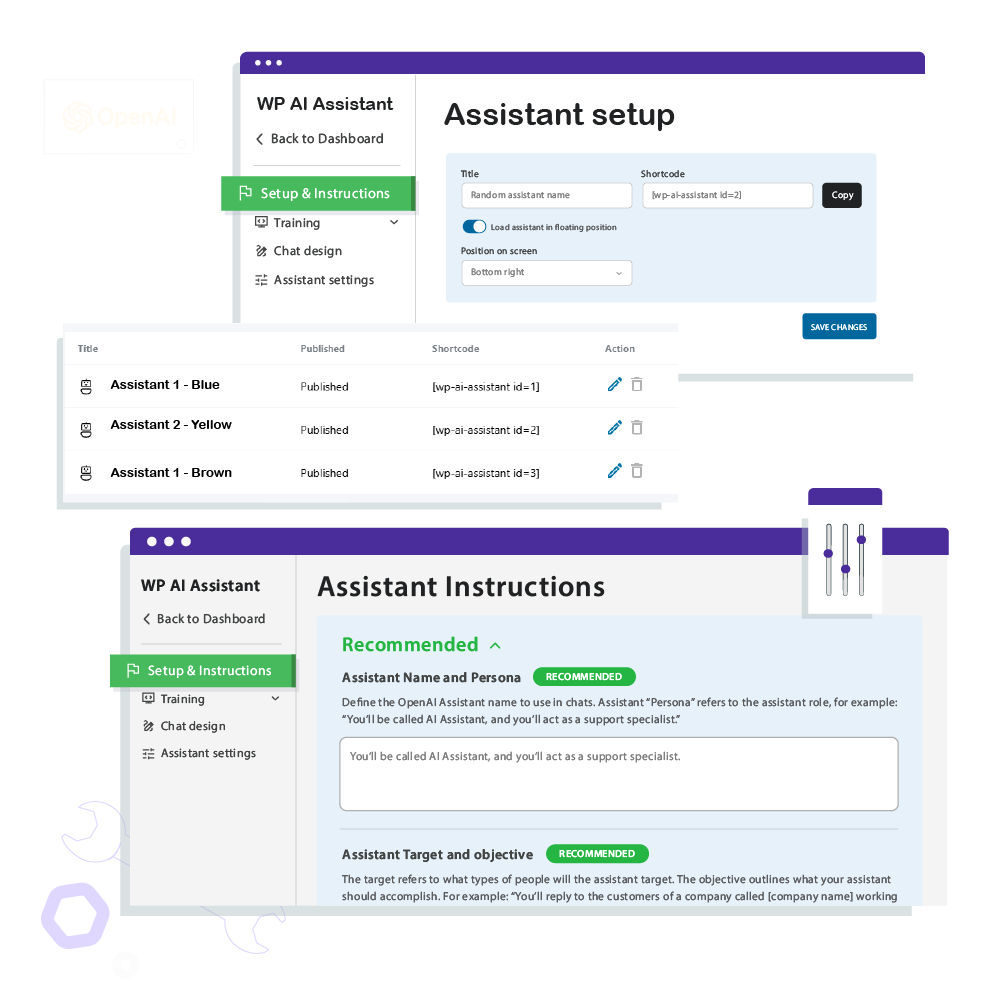
One of the key advantages is the ability to customize the AI’s behavior. You can set parameters such as creativity level, response length, and even specific writing styles. This means the WP Trove AI Assistant can adapt to produce formal business copy, casual blog posts, or technical documentation, all from the same dashboard.
Core Features of the WP Trove AI Assistant
Understanding the feature set is essential to maximizing the tool’s value. The WP Trove AI Assistant is not just a single-function plugin; it offers a suite of tools designed to cover the entire content lifecycle.
AI-Powered Content Generation
The primary function is generating new content from scratch. You can provide a simple topic or a detailed brief, and the assistant will produce a complete article draft, including headings and subheadings. This is particularly useful for overcoming writer’s block or creating initial versions of posts that you can later refine with your personal expertise.
Smart Rewriting and Paraphrasing
Updating old content is a crucial SEO strategy, and the WP Trove AI Assistant excels at this. You can select an outdated paragraph and ask the AI to modernize the language, improve clarity, or adjust the tone. This feature is also handy for repurposing content across different platforms, such as turning a blog post into a newsletter or a social media update.
Grammar and Style Enhancement
Beyond simple rewriting, the assistant can act as an advanced proofreader. It identifies grammatical errors, suggests more impactful vocabulary, and flags passive voice constructions. While it should not replace a human editor, it serves as an excellent first pass to catch obvious mistakes before publishing.
SEO Metadata Suggestions
For those focused on search engine optimization, the WP Trove AI Assistant can generate meta descriptions and title tags based on your content. It analyzes the main topic and suggests keyword-rich metadata that can improve click-through rates from search engine results pages.
Benefits of Using the WP Trove AI Assistant
Adopting this tool brings tangible advantages to your content workflow. The benefits extend beyond simple time savings, impacting content quality and consistency.
- Significant Time Savings: Generating a 1,000-word draft manually can take several hours. The WP Trove AI Assistant can produce a solid foundation in under two minutes, allowing you to focus on editing and adding unique insights.
- Overcoming Writer’s Block: Staring at a blank page is a common struggle. The assistant provides instant prompts and outlines, giving you a starting point that is often easier to refine than to create from nothing.
- Consistent Tone Across Your Site: By setting specific style parameters, you can ensure that all content generated by the assistant matches your brand voice, whether you run a professional consulting blog or a quirky lifestyle site.
- Scalability for Content Teams: For agencies or multi-author blogs, the assistant helps maintain a baseline quality level. Junior writers can use it to draft initial versions, which senior editors can then polish, increasing overall output.
- Cost-Effective Content Production: Compared to hiring freelance writers for every piece, using an AI assistant for initial drafts can significantly reduce content production costs, especially for high-volume sites.
- Focus on Search Intent: Use the assistant to help you answer the specific questions your target audience is asking. Do not just generate content for the sake of keywords; ensure it provides real value.
- Maintain Content Depth: Search engines favor comprehensive content. Use the assistant to help you cover subtopics and related questions that you might otherwise miss, adding depth to your articles.
- Update Old Posts: Use the rewriting feature to refresh your older content. This signals to search engines that your site is active and up-to-date, which can boost rankings.
- Combine with Human Expertise: Google’s E-E-A-T guidelines prioritize content created with experience and expertise. The AI can help with the “writing” part, but you must provide the “experience” part. Share your own results, screenshots, and case studies.
Limitations and Considerations
While the WP Trove AI Assistant is powerful, it is not a magic bullet. Understanding its limitations is crucial for setting realistic expectations and avoiding common pitfalls.
Factual Accuracy Requires Human Oversight
AI models generate text based on patterns in their training data, not on real-time fact-checking. The assistant may produce plausible-sounding but incorrect information. For topics involving statistics, recent events, or specialized knowledge, you must verify all facts before publishing. Relying solely on AI-generated content without review can damage your site’s credibility.
Lack of Personal Experience and Anecdotes
Search engines increasingly prioritize content that demonstrates first-hand experience. The WP Trove AI Assistant cannot share your personal story, your unique testing results, or your specific opinion on a product. To rank well and build trust with readers, you need to inject your own experiences into the AI-generated drafts. The best workflow is to use the AI for structure and baseline text, then heavily edit to add your authentic voice.
Potential for Generic Output
If you use the assistant without providing detailed prompts, the output can be generic and similar to what other users might generate. To avoid this, you must provide specific instructions, target audience details, and unique angles in your prompts. The quality of the output is directly proportional to the quality of the input.
WP Trove AI Assistant vs. Other AI Writing Tools
To understand the value proposition, it helps to compare the WP Trove AI Assistant with other common solutions in the market.
| Feature | WP Trove AI Assistant | Standalone AI Writers (e.g., ChatGPT) | Other WordPress AI Plugins |
|---|---|---|---|
| Integration | Native inside WordPress editor | Requires copy/paste between tabs | Varies, some are native |
| Context Awareness | High, analyzes surrounding content | Limited to current chat session | Moderate |
| SEO Features | Built-in metadata generation | Requires separate SEO tools | Often includes basic SEO |
| Workflow Efficiency | Excellent, no context switching | Poor, disrupts writing flow | Good |
| Learning Curve | Low, familiar WordPress interface | Medium, requires prompt engineering | Low to Medium |
The main differentiator is the seamless integration. When you are in the zone writing a post, switching to a separate tab to generate content breaks your concentration. The WP Trove AI Assistant keeps you in the editor, which is a significant workflow advantage for professional bloggers.
Practical Guide: How to Use the WP Trove AI Assistant Effectively
To get the most out of this tool, follow this step-by-step guide. This workflow is designed to maximize quality while minimizing the risk of publishing generic or inaccurate content.
Step 1: Install and Configure the Plugin
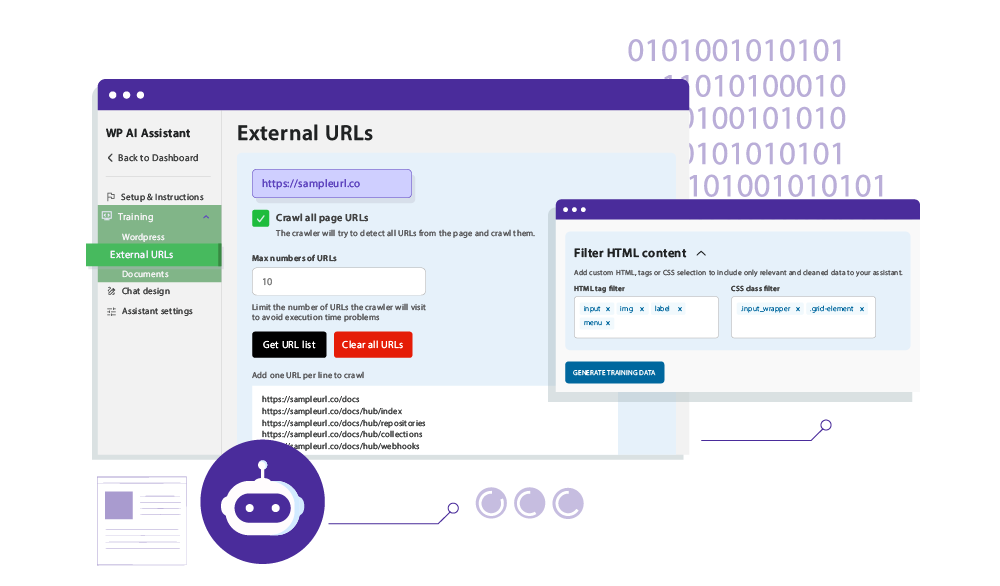
Start by installing the WP Trove AI Assistant from the WordPress plugin repository or your preferred source. After activation, navigate to the settings page to enter your API key. You will need an account with the AI provider that the plugin supports. Once the key is entered and validated, you can set your default writing style, tone, and output length.
Step 2: Create a Detailed Prompt
The secret to good AI output is a good prompt. Instead of typing “write about SEO,” provide context. For example: “Write a 500-word introduction for a blog post about local SEO strategies for small bakeries. The tone should be friendly and encouraging, targeting bakery owners with limited technical knowledge.” The more specific you are, the better the result.
Step 3: Generate an Outline First
Before asking for a full article, request an outline. This allows you to review the structure and ensure it covers all necessary points. You can then ask the assistant to expand each section one by one. This modular approach gives you more control over the final output.
Step 4: Edit and Inject Your Expertise
Once the draft is generated, your work begins. Read through the entire text and add your personal experiences, specific examples, and unique data points. Rewrite any sentences that sound robotic. This step is non-negotiable if you want to build authority and trust with your audience.
Step 5: Use the Assistant for SEO Metadata
After finalizing your content, use the assistant to generate a few options for your meta title and description. Select the one that best matches your target keyword and click-through goals. This ensures your content is optimized for search engines without spending extra time on manual metadata creation.
Common Mistakes and How to Avoid Them
Many users make avoidable errors when integrating AI into their workflow. Being aware of these pitfalls will help you use the WP Trove AI Assistant more responsibly.
Publishing AI Content Without Editing
The most common mistake is publishing the raw output directly. This leads to bland, generic content that fails to rank and can harm your brand. Always treat the AI output as a first draft, not a final product. Allocate at least 50% of your time to editing and personalizing the content.
Ignoring Fact-Checking Responsibilities
As mentioned earlier, AI can hallucinate facts. If you are writing about a specific statistic, a legal matter, or a technical specification, verify the information with a reliable source. Your reputation depends on the accuracy of your content.
Using the Same Prompts Repeatedly
If you use the same generic prompt for every article, you will get similarly structured articles. This can lead to a site full of posts that look and sound the same. Vary your prompts, ask for different structures, and experiment with different angles to keep your content fresh.
Neglecting to Set Brand Voice Parameters
Failing to configure the tone and style settings is a missed opportunity. The assistant can mimic a formal, academic tone or a casual, conversational one. If you do not specify, you will get a default tone that may not match your brand. Spend time in the settings to define your voice.
Important Notes for Maximizing SEO Value
Using the WP Trove AI Assistant can positively impact your SEO, but only if used correctly. Here are some critical notes to keep in mind.
Frequently Asked Questions (FAQ)
Is the WP Trove AI Assistant suitable for beginners?
Yes, the plugin is designed with a user-friendly interface that integrates directly into the WordPress block editor. Beginners can start with simple prompts like “rewrite this paragraph” or “generate a list of ideas.” The learning curve is minimal, and the settings allow for easy adjustments without any coding knowledge.
Can the WP Trove AI Assistant write in multiple languages?
The capability depends on the underlying AI model connected to the plugin. Most modern large language models support multiple languages, including Spanish, French, German, and others. You can specify the desired language in your prompt, and the assistant will generate content accordingly. However, the quality may vary slightly compared to English, so human review is even more critical.
Will using this plugin affect my website’s loading speed?
No, the WP Trove AI Assistant operates via API calls to external servers. It does not add significant weight to your pages or slow down your front-end. The processing happens on the AI provider’s servers, not on your hosting account. The only time you might notice a delay is during the generation process itself, which is expected.
How does the WP Trove AI Assistant handle data privacy?
Your content is sent to the AI provider’s servers for processing when you use the assistant. It is essential to review the privacy policy of both the plugin developer and the AI provider. For sensitive or unpublished content, you should be aware that it is being transmitted to a third party. Most reputable providers do not use your data for training, but you should verify this to be safe.
Can I use the WP Trove AI Assistant for client work?
Yes, this is a common use case. Agencies and freelancers use the assistant to speed up their content production. However, you must ensure that the final output is thoroughly edited and unique to avoid delivering duplicate or low-quality work to clients. The tool is a productivity booster, not a replacement for professional writing skills.
Conclusion
The WP Trove AI Assistant represents a significant step forward in WordPress content creation. Its native integration, combined with powerful AI capabilities, offers a practical solution for bloggers, marketers, and agencies looking to increase output without sacrificing quality. The key to success lies in understanding that this tool is a collaborator, not a replacement for human creativity and judgment.
By using the assistant for initial drafts, outlines, and rewrites, and then layering in your personal experiences and expertise, you can produce content that is both efficient to create and valuable to your readers. The future of content creation is a hybrid model where AI handles the heavy lifting of generation, and humans provide the soul, accuracy, and unique perspective that builds lasting authority. Adopting the WP Trove AI Assistant today positions you at the forefront of this workflow evolution, ready to scale your content efforts while maintaining the trust of your audience.
Xem thêm:
- The 2024 AI SEO Glossary: 50+ Must-Know Terms for Search Professionals
- AI Video SEO: The Ultimate Guide to Ranking AI-Generated Videos in 2025
- AI SEO Guest Post Outreach: The Complete Guide to Scaling Link Building in 2025
- AI SEO Competitor Traffic: The Complete Playbook for Outranking Rivals in 2025
- AI Copywriting Tools: The Complete Guide to Automating High-Converting Content in 2025
Bài viết cùng chủ đề:

AI SEO SEO Automation with Make: The Complete Workflow Guide

AI SEO SEO Automation with Zapier: The Complete Workflow Guide

AI SEO SEO Automation with n8n: The Complete Workflow Guide
AI SEO SEO Automation with Gemini: The Complete Guide to Scaling Organic Growth

AI SEO SEO Automation with Claude: The Complete Guide to Scaling Content in 2025

AI SEO SEO Automation with ChatGPT: The Complete Playbook for 2025

AI SEO & SEO Automation for Affiliate Sites: The 2025 Playbook for Passive Income Growth
AI SEO & SEO Automation for Bloggers: The Complete Guide to Scaling Your Content

AI SEO & SEO Automation for Agencies: The Complete 2025 Playbook

AI SEO and SEO Automation for Ecommerce: The Complete Playbook for 2025

AI SEO & SEO Automation for WordPress: The Complete Playbook for 2025
AI SEO SEO Automation Strategy: The Complete Playbook for 2025

Mastering the AI SEO SEO Automation Process: A Complete Guide to Scaling Organic Growth
AI SEO SEO Automation System: The Complete Guide to Scaling Organic Growth in 2025
AI SEO SEO Automation Platform: The Complete Guide to Scaling Organic Growth in 2025
AI SEO SEO Automation Software: The Complete Guide to Scaling Organic Growth in 2025















