
No products in the cart.
AI FAQ Generator: Automate Your Customer Support With Intelligent Self-Service

29
Jul
Jul
An AI FAQ generator transforms static question-and-answer pages into dynamic, self-improving support systems. By analyzing customer queries, support tickets, and live chat transcripts, it automatically creates, updates, and organizes frequently asked questions without manual effort. This technology is reshaping how businesses scale their help centers—reducing ticket volume by up to 70% while delivering instant, accurate answers. For any organization drowning in repetitive inquiries, an AI FAQ generator is the fastest path to efficient, 24/7 customer service.
What Is an AI FAQ Generator?
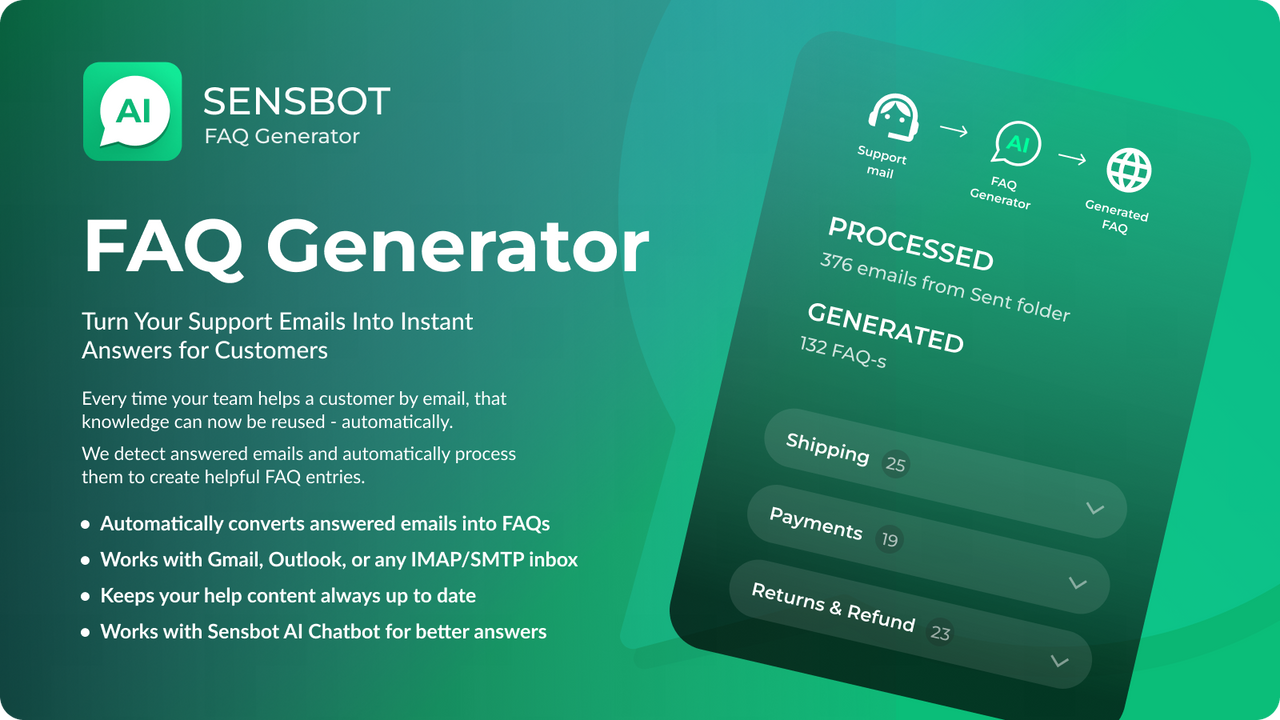
An AI FAQ generator is a software tool that uses natural language processing and machine learning to build and maintain a knowledge base of common questions and answers. Instead of manually writing every entry, you feed the system existing content—such as support emails, product documentation, chat logs, and community forums. The AI scans these sources, identifies recurring themes, extracts key question-answer pairs, and formats them into a clean FAQ section.
The most advanced generators go beyond simple extraction. They continuously learn from new interactions, detect gaps in current FAQs, and suggest fresh content before customers even ask. Some can deploy live on your website as an intelligent chatbot that pulls answers directly from the generated FAQ, while others integrate with help desk software to auto-suggest answers to agents. The underlying AI models understand context, synonyms, and even misspellings, ensuring that a single well-written FAQ article can resolve hundreds of differently worded queries.
How AI FAQ Generators Work: The Core Process
The technology behind an AI FAQ generator rests on four interconnected stages. Each stage builds on the last to create a constantly improving knowledge loop.
1. Data Ingestion and Clustering
The generator ingests historical support data from multiple channels. It then uses clustering algorithms to group similar questions—even those phrased completely differently. For example, “How do I reset my password?” and “I forgot my login, what now?” end up in the same cluster. Semantic similarity models, often based on transformer architectures, make this possible without relying on simple keyword matching.
2. Question Extraction and Answer Generation
From each cluster, the AI extracts the core question and either pulls a verified answer from existing resources or generates a draft using large language models. A human review step is often built in, but many systems now achieve accuracy levels high enough for automatic publishing on non-critical topics. The answer generation engine can also combine information from multiple sources to create a single comprehensive response.
3. Organization and Tagging
Once the FAQ entries are created, the AI organizes them into logical categories and subcategories. It assigns tags based on intent, product area, or user journey stage. This taxonomy is not static: the AI monitors search analytics and re-categorizes content to match how customers actually navigate the FAQ page.
4. Continuous Optimization
Every time a customer searches the FAQ and clicks an article—or abandons the page—the system logs that signal. The generator then re-ranks articles for specific queries, flags content that fails to resolve issues, and recommends updates. This closed-loop approach means an AI FAQ generator becomes more accurate the longer it runs.
Key Benefits and Limitations of an AI FAQ Generator

Benefits
- Dramatic reduction in support tickets: By deflecting up to 70% of common queries, support teams can focus on complex, high-value conversations.
- Faster time-to-resolution: Customers get instant answers without waiting in a queue, improving satisfaction scores and retention.
- Continuous self-improvement: Unlike a static FAQ page, an AI generator learns from every interaction, refining answers and filling content gaps automatically.
- Consistency across channels: The same accurate information powers website FAQs, in-app help widgets, chatbots, and agent-facing knowledge bases.
- Scalability: As your product line or customer base grows, the AI scales with it, creating thousands of FAQ entries without hiring more content writers.
- Multilingual support: Many generators can translate FAQs into dozens of languages, maintaining format and accuracy while expanding global reach.
- Initial data quality dependency: If your historical support data is messy, biased, or incomplete, the generated FAQs will mirror those issues. A cleanup phase is often necessary.
- Nuance and edge cases: Highly technical, legally sensitive, or deeply contextual questions may still require human oversight to ensure precision and compliance.
- Over-automation risk: Publishing AI-generated content without a review gate can lead to off-brand tone, factual errors, or answers that miss emotional cues.
- Privacy concerns: Feeding raw support conversations into an external AI model may expose sensitive customer data if proper anonymization isn’t implemented.
- Integration complexity: Connecting the generator to legacy help desks, CRMs, and proprietary databases can demand significant technical effort.
- Start with a pilot on a single product or topic area before expanding company-wide. This limits risk and provides a clear before-and-after comparison.
- Ensure your generator respects SEO best practices: it should produce pages with clean URLs, proper heading hierarchy, and structured data like FAQ schema to appear in rich results.
- Monitor for AI “hallucinations” regularly. Even advanced models sometimes fabricate plausible-sounding but incorrect facts. Periodic audits of top-traffic pages catch these rare but damaging errors.
- Combine the AI FAQ generator with a voice-of-customer feedback loop. When a user marks an answer as unhelpful, prompt them for a short explanation; the AI can use that text to refine the article.
- Leverage A/B testing on critical FAQ pages. Test different answer formats—step-by-step lists versus concise paragraphs—to find what format your audience prefers for specific question types.
Limitations
AI FAQ Generator vs. Traditional FAQ Pages: A Head-to-Head Comparison
| Feature | AI FAQ Generator | Manually Created FAQ |
|---|---|---|
| Creation speed | Hundreds of entries in hours, automatically from data | Slow, requires subject-matter experts to write each article |
| Update frequency | Continuous, triggered by new support tickets and search behavior | Periodic, usually quarterly or after major product changes |
| Answer accuracy over time | Increases with usage, self-correcting through feedback loops | Degrades without dedicated maintenance, often becomes outdated |
| Coverage of long-tail questions | Excellent, generates articles for niche queries that rarely surface | Poor, typically focuses only on top 20-30% of inquiries |
| Search relevance | Dynamic, adapts ranking based on real user click-through data | Static, relies on basic keyword matching |
| Cost over 12 months | Higher initial setup, then lower ongoing operational cost | Lower upfront, but escalating content maintenance expense |
Practical Guide: How to Implement an AI FAQ Generator Successfully

Rolling out an AI FAQ generator requires more than just plugging in a tool. The following steps ensure a smooth deployment that delivers measurable results.
Step 1: Audit and Prepare Your Data Sources
Export the last 12 months of support tickets, live chat transcripts, and email threads. Remove any personally identifiable information. Separate high-quality resolved tickets from unresolved ones—the A If your ticket system has satisfaction ratings, prioritize those marked as “solved” or “good.” A clean dataset prevents the generator from learning incorrect fixes or rude agent responses.
Step 2: Choose the Right Generator for Your Scale
For small to mid-sized businesses, lightweight AI FAQ generators built into platforms like Help Scout, Freshdesk, or Zendesk offer plug-and-play functionality with minimal setup. Enterprise teams might invest in dedicated solutions that integrate with multiple data lakes, provide granular permission controls, and support custom AI models tuned on proprietary terminology. Evaluate based on language support, integration breadth, and the depth of analytics offered.
Step 3: Set Up Human-in-the-Loop Review
Even the most accurate AI should have a review checkpoint before publishing new or modified FAQs. Assign a knowledge manager or a rotating team of support agents to verify AI-generated content. This step acts as a safety net for tone, brand alignment, and technical correctness. Many generators allow you to set confidence thresholds: articles above 95% confidence auto-publish, while those below go to a review queue.
Step 4: Embed the FAQ Across Your Customer Journey
An AI FAQ generator’s impact multiplies when answers appear where customers need them. Embed the dynamic FAQ widget on your contact page, inside your mobile app, at the bottom of product pages, and as an auto-suggest feature in your ticket submission form. The A Use proactive triggers: if a customer visits a billing page for more than 30 seconds, automatically surface billing-related FAQs.
Step 5: Measure and Iterate
Define clear KPIs from day one: deflection rate (percentage of users who find an answer without creating a ticket), search exit rate, article helpfulness score, and time saved per resolved query. Review these metrics weekly during the first quarter. Use the generator’s analytics to spot content gaps—queries with high search volume but no matching article represent immediate opportunities for new FAQs.
Common Mistakes When Using an AI FAQ Generator
Organizations often undermine their own success with a few preventable errors. Recognizing these pitfalls early keeps your self-service channel effective.
Mistake 1: Publishing unverified answers on sensitive topics. Questions related to billing, cancellations, or legal terms need human approval. An AI might generate a refund policy answer that contradicts your actual terms, creating liability. Always maintain a hard review gate for high-risk categories.
Mistake 2: Ignoring the voice and tone guidelines. Raw AI-generated text can sound robotic, overly formal, or inconsistent. Feed the generator a style guide and a few examples of your brand’s ideal FAQ tone. Most tools allow tone customization—use it. A friendly, empathetic FAQ converts better than a cold, encyclopedia-style entry.
Mistake 3: Treating the AI FAQ generator as a one-time setup. It needs ongoing management. Set aside time each month to review low-performing articles, analyze search terms that yield zero results, and update answers for product changes. The AI automates the heavy lifting, but strategic oversight still comes from a human.
Mistake 4: Neglecting to train the support team. Agents must know how the AI FAQ system works, how to update it, and when to escalate a gap. Without internal buy-in, agents might continue answering questions manually that the FAQ already handles perfectly, undermining deflection metrics.
Important Notes for Maximizing Efficiency
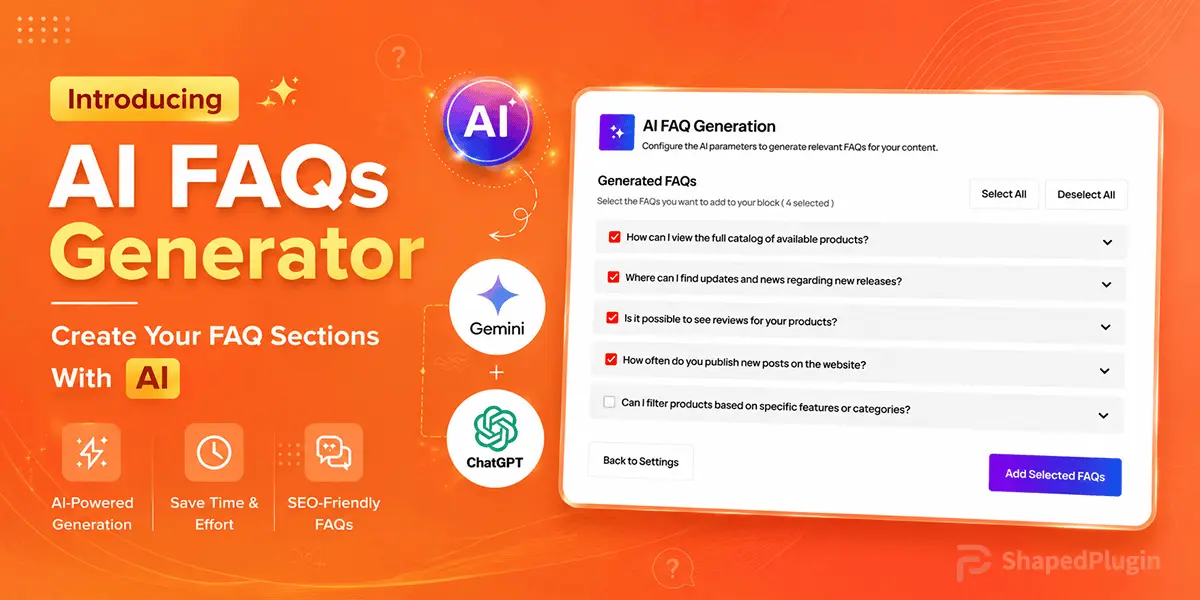
Frequently Asked Questions About AI FAQ Generators
What exactly does an AI FAQ generator do?
An AI FAQ generator automatically creates and updates frequently asked questions by analyzing your existing support content, customer emails, and chat histories. It clusters similar questions, generates answers, organizes them into categories, and continuously improves based on user feedback.
Can an AI FAQ generator replace my entire support team?
No. It handles repetitive, low-complexity questions and reduces ticket volume, but complex, sensitive, or emotionally charged issues still require human agents. The generator frees up your team to focus on higher-value interactions rather than replacing them entirely.
How long does it take to set up an AI FAQ generator?
A basic setup with a pre-trained model and clean data can go live within a week. Full integration, style customization, and initial review of generated content typically take two to four weeks, depending on the volume of source material and the complexity of your approval workflows.
Is my customer data safe with an AI FAQ generator?
Data safety depends on the vendor and your configuration. Choose a solution that offers data encryption, on-premise deployment options if needed, and fully anonymizes personally identifiable information before it is used for training. Always comply with GDPR, CCPA, or other applicable privacy regulations.
Will an AI FAQ generator work with my existing help desk software?
Most leading generators offer native integrations with popular platforms like Zendesk, Salesforce Service Cloud, Intercom, and Freshdesk. Custom API connectors can bridge almost any system, though they may require additional development time.
Can I use an AI FAQ generator for a multilingual website?
Yes, many generators include translation capabilities that maintain formatting and context. You can create a base FAQ in English and have the AI produce accurate versions in Spanish, German, Japanese, and other languages, often with quality on par with professional translation for straightforward content.
How do I measure the ROI of an AI FAQ generator?
Track cost per ticket before and after implementation, customer satisfaction scores, time saved per resolved inquiry, and agent retention. A typical mid-sized company sees full payback within six months due to reduced staffing pressure and lower churn.
Does Google rank AI-generated FAQ pages well?
Yes, when the content is unique, helpful, and formatted with proper FAQ schema, AI-generated FAQ pages can rank prominently in search results and even earn featured snippets. Quality and relevance matter far more than whether a human or machine wrote the text.
Conclusion
An AI FAQ generator is no longer an experiment—it is a proven, scalable solution that transforms customer support from a cost center into a competitive advantage. By automating the lifecycle of your frequently asked questions, you deliver instant, accurate help at scale while freeing your human team to handle conversations that truly need empathy and expertise. The key to success lies in quality data preparation, a thoughtful human review process, and a commitment to continuous improvement. As customer expectations for immediate answers keep rising, the businesses that deploy an intelligent AI FAQ generator today will set the standard for effortless, always-on support tomorrow.
Xem thêm:
- AI SEO Search Entity Optimization: The Complete Guide to Future-Proof Rankings
- AI Keyword Research: The New Standard for Search Intent Discovery and Content Strategy
- AI SEO Image Alt Text: The Complete Guide to Automated Accessibility and Rankings
- AI SEO Perplexity Optimization: The Complete Guide to Ranking in the Age of Answer Engines
- AI SEO Resource Page Links: The Complete Guide to Building High-Quality Backlinks in 2025
Bài viết cùng chủ đề:

AI SEO SEO Automation with Make: The Complete Workflow Guide

AI SEO SEO Automation with Zapier: The Complete Workflow Guide

AI SEO SEO Automation with n8n: The Complete Workflow Guide
AI SEO SEO Automation with Gemini: The Complete Guide to Scaling Organic Growth

AI SEO SEO Automation with Claude: The Complete Guide to Scaling Content in 2025

AI SEO SEO Automation with ChatGPT: The Complete Playbook for 2025

AI SEO & SEO Automation for Affiliate Sites: The 2025 Playbook for Passive Income Growth
AI SEO & SEO Automation for Bloggers: The Complete Guide to Scaling Your Content

AI SEO & SEO Automation for Agencies: The Complete 2025 Playbook

AI SEO and SEO Automation for Ecommerce: The Complete Playbook for 2025

AI SEO & SEO Automation for WordPress: The Complete Playbook for 2025
AI SEO SEO Automation Strategy: The Complete Playbook for 2025

Mastering the AI SEO SEO Automation Process: A Complete Guide to Scaling Organic Growth
AI SEO SEO Automation System: The Complete Guide to Scaling Organic Growth in 2025
AI SEO SEO Automation Platform: The Complete Guide to Scaling Organic Growth in 2025
AI SEO SEO Automation Software: The Complete Guide to Scaling Organic Growth in 2025















