
No products in the cart.
AI Page Speed: How Artificial Intelligence Transforms Your Website Into a Lightning-Fast Experience
29
Jul
Jul
Visitors abandon a website that takes more than three seconds to load. Search engines demote slow pages. Revenue falls, trust erodes, and every millisecond of delay chips away at the user experience. AI page speed is the application of machine learning and intelligent algorithms to accelerate how web pages load. Instead of relying solely on manual performance tweaks, AI examines thousands of signals in real time and applies the optimal combination of compression, delivery, and resource handling. The result is a website that feels instant while preserving visual fidelity and functionality.
What Is AI Page Speed?
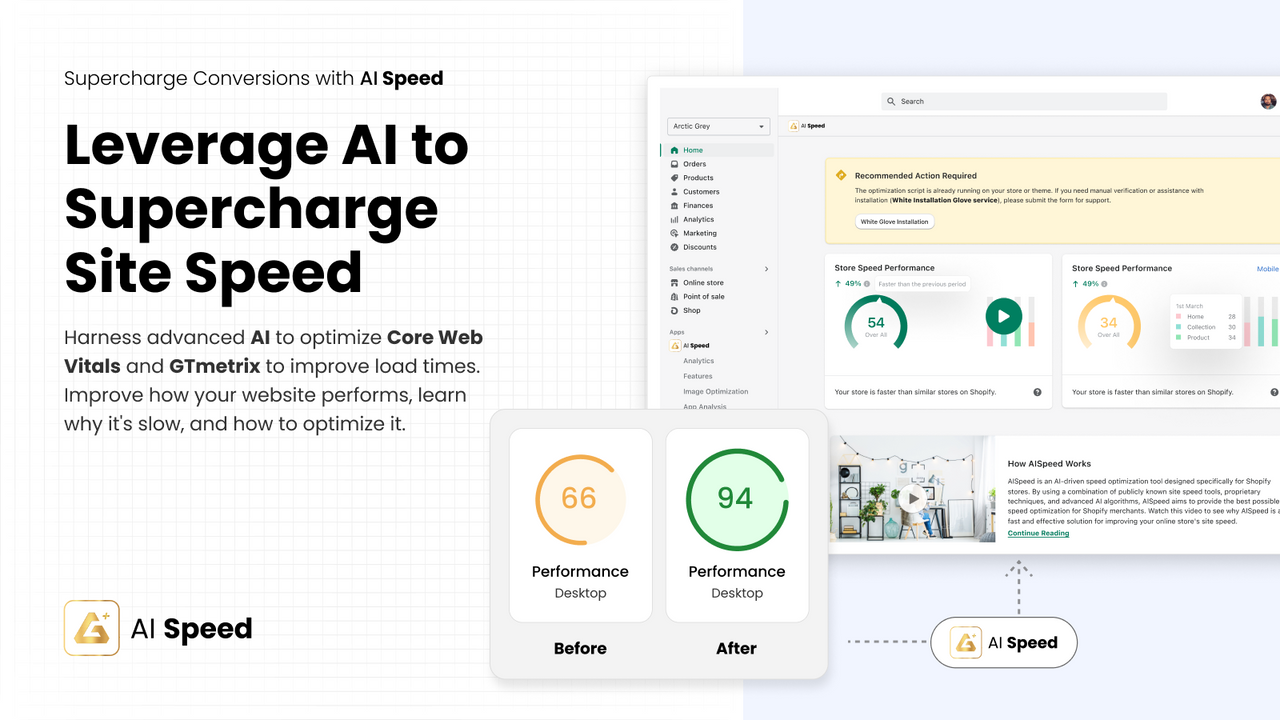
AI page speed refers to a set of technologies where artificial intelligence models analyze a page’s content, user behavior patterns, network conditions, and device characteristics to automatically enhance loading performance. Traditional speed optimization involves static rules: enable caching, minify CSS, compress images. AI-based page speed goes further by making dynamic decisions. For example, an AI engine can predict which images a visitor is likely to see and preload only those, defer the rest, or generate a low-resolution placeholder that sharpens once the full file arrives. The AI doesn’t just follow a script; it learns from real user data and continuously refines its approach.
How AI Algorithms Revolutionize Page Speed Optimization
Modern web pages are complex, often loading hundreds of resources from multiple origins. AI models can process this complexity by tackling specific performance bottlenecks in ways that static rules cannot match. The core areas where AI contributes include image intelligence, smart caching, predictive preloading, and resource prioritization.
Intelligent Image Optimization
Images are usually the heaviest elements on a webpage. AI-powered image optimization goes beyond simple compression. Algorithms analyze each image’s content to decide the best format (WebP, AVIF, JPEG XL), the ideal quality level, and the most efficient compression parameters per region of the image. Some tools can detect the main subject and apply higher compression to the background while keeping the subject sharp. These models can also generate responsive image variants on the fly, serving exactly the right size based on the user’s viewport and DPR, without needing developers to pre-create dozens of sizes.
Predictive Caching and Prefetching
AI can observe how users navigate a site and predict the next page they are likely to visit. Based on that probability, the necessary resources are fetched in advance and stored in the browser cache. This speculative loading happens in the background, using idle time, so the next page appears almost instantly. Unlike simple link prefetching, AI models weigh factors like the user’s current scroll depth, mouse hover patterns, and historical navigation paths to decide not just what to prefetch but also when to do it without wasting bandwidth.
Smart Code Splitting and Bundling
JavaScript bundles often block rendering. AI can analyze interaction patterns to split code into critical and non-critical chunks automatically. It prioritizes the download and execution of JavaScript that the user needs immediately, while delaying or lazy-loading the rest. Some advanced systems employ reinforcement learning to find the optimal chunking strategy for every page template, reducing the main-thread work and Time to Interactive.
Adaptive Quality Based on Network and Device
Artificial intelligence can detect a visitor’s effective network type (2G, 3G, 4G, Wi-Fi) and device CPU horsepower in milliseconds. It then dynamically adjusts the page payload. A 2G user might receive a version with fewer font variants, lower-resolution hero images, and disabled third-party embeds, while a desktop on fiber gets the full experience. This real-time adaptation happens without maintaining multiple separate websites.
Why AI Page Speed Matters for Your Business

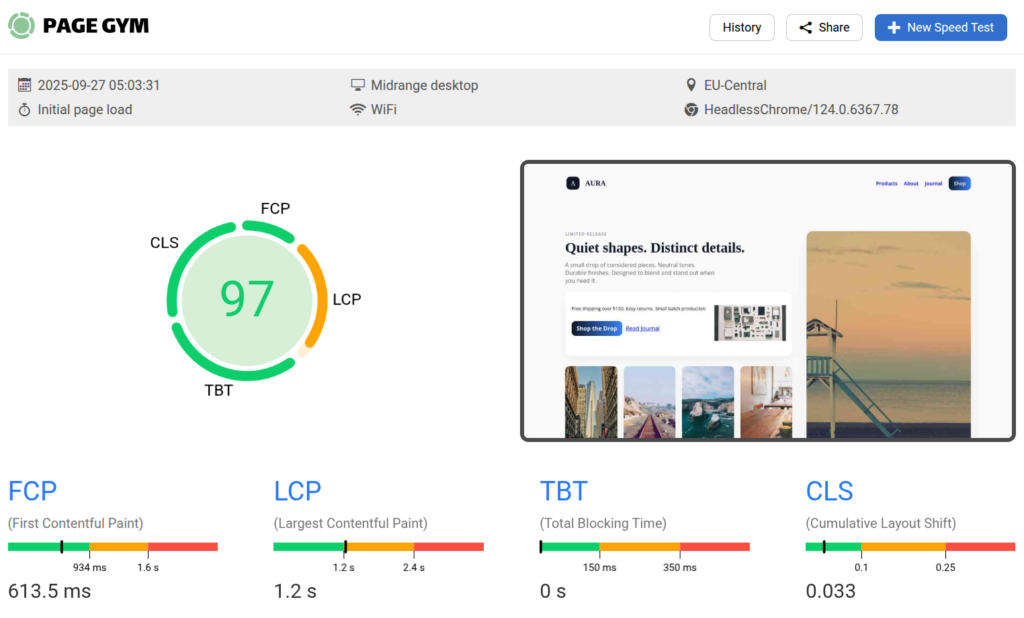
Speed is not merely a technical vanity metric. It directly influences bounce rates, conversion rates, and search rankings. Google’s Core Web Vitals – Largest Contentful Paint (LCP), First Input Delay (FID) / Interaction to Next Paint (INP), and Cumulative Layout Shift (CLS) – are ranking signals. AI-based optimization helps meet these thresholds more reliably than manual methods. Research from Deloitte found that improving mobile site speed by just 0.1 seconds can increase retail conversions by 8.4%. AI page speed solutions can consistently shave off larger margins because they respond to every user’s unique conditions rather than applying a one-size-fits-all cache policy.
AI Page Speed vs. Traditional Page Speed Optimization
To understand the leap, it helps to compare the two approaches side by side. Traditional optimization relies on predefined checklists and build-time transformations. AI optimization operates at runtime, learning from data and adapting continuously.
| Feature | Traditional Optimization | AI Page Speed |
|---|---|---|
| Image Handling | Manual resizing, fixed compression level | Content-aware compression, automatic format selection, dynamic resizing |
| Caching | Static cache rules (cache everything for X hours) | Predictive caching based on user behavior patterns |
| Resource Loading | Developers decide what to defer or preload manually | AI prioritizes critical resources per user session condition |
| Adaptation to Network | Usually none, same experience for all | Dynamic quality adjustment based on real-time network and device data |
| Maintenance Effort | High – requires constant manual tuning | Low – self-optimizing with continuous monitoring |
| Core Web Vitals Impact | Often inconsistent across different pages | More consistent passing scores with adaptive thresholds |
Real-World Benefits of Using AI for Page Speed

The advantages extend across technical performance, user experience, and business outcomes. Here are the most significant gains observed when implementing AI-driven optimization:
- Higher LCP scores: AI preloads the main content faster by identifying the actual LCP element, which might be an image, a heading, or a video poster, and giving it top network priority.
- Lower bandwidth consumption: By serving efficiently compressed images and assets suited to each device, AI reduces total bytes transferred, which is especially beneficial for mobile users on limited data plans.
- Reduced bounce rates: A fast-loading, visually stable page keeps visitors engaged. AI prevents layout shifts by guessing the final dimensions of elements before they are fully loaded.
- Improved SEO ranking: Consistent passing of Core Web Vitals signals a superior page experience, leading to better search visibility.
- Operational efficiency: Development teams spend less time on manual performance audits and tweaks; the AI continuously monitors and adjusts.
- Training data requirement: Many AI models need sufficient traffic data to learn patterns. A brand-new website with very few visitors might not see dramatic gains until the system gathers enough signals.
- Loss of control: Some marketers and designers worry that AI might over-compress hero images or alter the visual hierarchy. Striking the right balance requires setting quality thresholds and sometimes a manual override.
- Integration complexity: Integrating an AI optimization engine often means routing traffic through a CDN with AI capabilities or adding a JavaScript snippet. This can introduce a new dependency and potential point of failure.
- Cost: Enterprise-grade AI page speed services can be expensive, especially for high-traffic sites where processing costs scale with usage.
- Transparency: Understanding why a particular resource was deferred or transformed is not always obvious, making debugging performance issues harder.
- Cloudflare Automatic Platform Optimization and Polish: Uses AI to compress images and serve them in next-gen formats. Its cache reserve and tiered caching are further enhanced by intelligent routing.
- NitroPack: An all-in-one optimization service that combines image lazyload, critical CSS generation, and resource compression. It employs machine learning to adapt its rules per page.
- Google’s PageSpeed Insights and Lighthouse CI: While primarily diagnostic, the data from Google’s CrUX (Chrome User Experience Report) feeds into AI models that power solutions like the “Page Experience” signal. Google’s own rendering engine uses AI for predictive pre-launching of pages in Chrome.
- Imgix and Cloudinary: Image processing platforms that use AI for content-aware cropping, automatic quality selection, and on-the-fly format conversion.
- Fasterize and Edgemesh: Edge-based engines that use predictive preloading and AI-driven resource hints to cut load times.
- Over-optimizing visual quality: Setting the quality slider too low can degrade brand perception. Test on various devices and have designers sign off on the output.
- Ignoring third-party scripts: AI can preload and defer your assets, but heavy third-party tags (chat widgets, analytics, ad trackers) often slip through. Use a tag manager with AI-based loading triggers or defer them above the fold.
- Not verifying dynamic content: AI may cache pages that contain user-specific data (shopping cart contents) and serve them to the wrong visitor. Always exclude dynamic, authenticated sections from aggressive caching.
- Neglecting to update SEO metadata: Some optimization tools modify the HTML structure. Make sure canonical tags, hreflang, and structured data remain intact; otherwise, search rankings may suffer.
- Skipping mobile-first validation: AI adjustments often work beautifully on desktop but can introduce jank or layout shifts on slower mobile processors. Use WebPageTest on an emulated 3G mobile device.
- Measure what matters: Instead of obsessing over a perfect 100 Lighthouse score, focus on Core Web Vitals improvement and actual business metrics.
- Respect user privacy: Any AI solution that relies on user behavior data must comply with GDPR, CCPA, and other privacy regulations. Prefer solutions that anonymize and aggregate data at the edge.
- Have a fallback strategy: If the AI service experiences an outage, your site should be able to serve the original, unoptimized version. Always keep the origin server intact and functional.
- Balance automation with human oversight: AI handles the routine, but edge cases – like a critical marketing landing page that must have a specific hero image quality – deserve a manual override.
- Stay updated on browser changes: Google Chrome periodically updates its prioritization logic. AI tools that align with browser heuristics (like the “Speculation Rules API”) will deliver better results.
Limitations and Challenges of AI Page Speed
While powerful, AI page speed solutions are not a magic wand. They come with their own set of constraints that need careful consideration.
The Most Impactful AI-Powered Page Speed Tools and Services
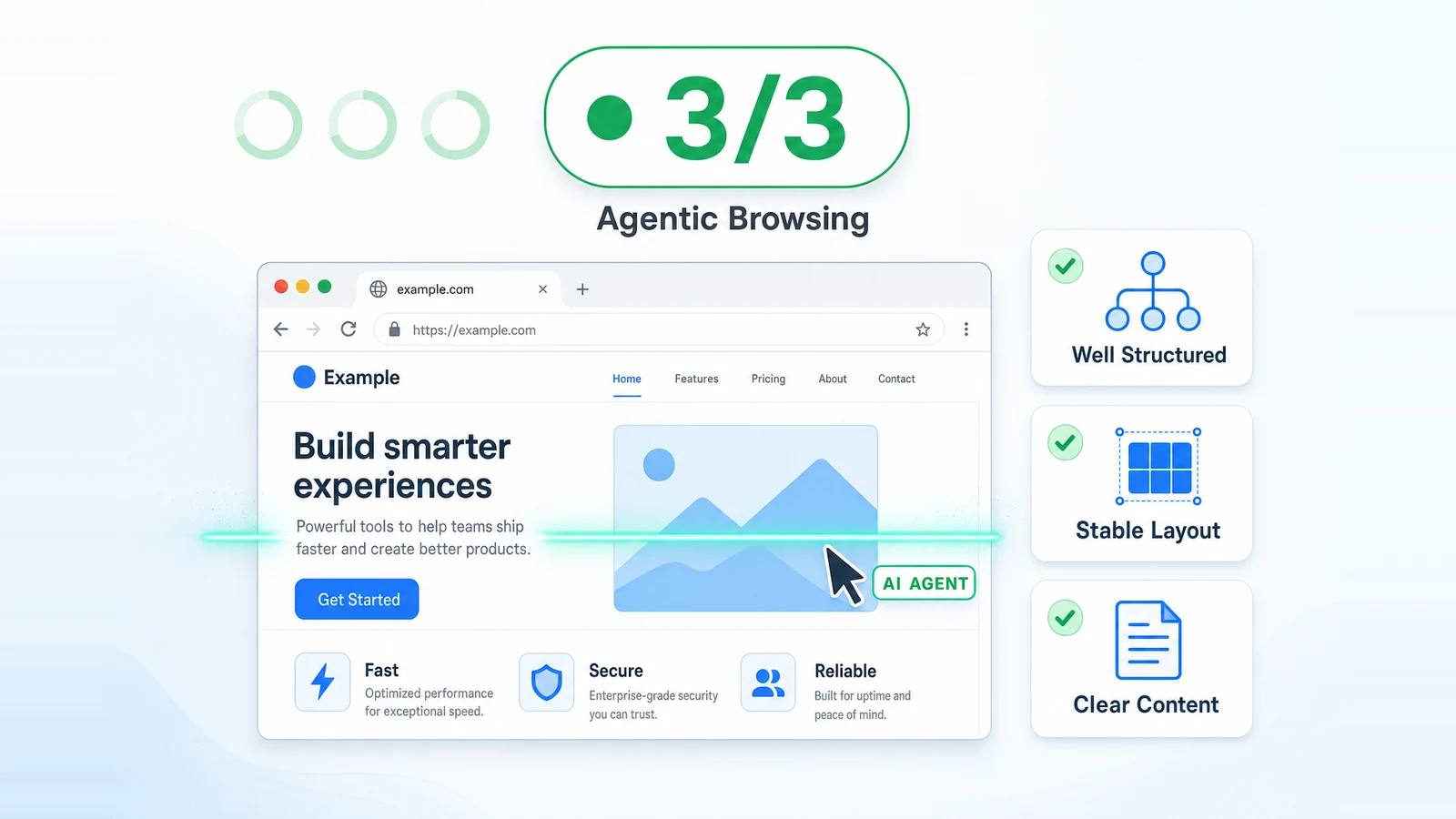
Several platforms have embedded AI into their performance stacks. These tools automate the heavy lifting while giving developers varying degrees of control.
How to Implement AI Page Speed on Your Website: A Practical Guide
Moving from traditional optimization to an AI-driven approach involves strategic planning. These steps can help you get started without disrupting the existing user experience.
Step 1: Audit Current Performance Baseline
Run Google PageSpeed Insights, GTmetrix, and WebPageTest on key templates: homepage, product page, blog post, and checkout. Note the Core Web Vitals scores, fully loaded time, and total byte weight. This baseline will help measure the impact of AI later.
Step 2: Choose the Right AI Optimization Layer
Decide between a reverse-proxy service (like NitroPack, Cloudflare APO), a standalone image CDN (Cloudinary, Imgix), or a JavaScript-based solution for resource hints. For most small to medium businesses, an all-in-one reverse proxy provides the fastest time to value because it requires no code changes. A simple DNS change points traffic through the optimizer.
Step 3: Set Quality and Performance Thresholds
Almost all AI tools let you configure the aggressiveness of optimization. For image quality, start around 80-85% visual quality; the A Disable any feature that might break interactivity, such as deeply aggressive JavaScript deferral, and test thoroughly.
Step 4: Enable Real User Monitoring (RUM)
AI models need feedback loops. Turn on real user monitoring to collect data on LCP, INP, and CLS from actual visitors. This data trains the AI to recognize patterns specific to your audience’s geography, devices, and connection types.
Step 5: Gradual Rollout and A/B Testing
Roll out the AI optimization to a subset of your traffic, perhaps 10%, and compare key metrics: conversion rate, average session duration, bounce rate, and revenue per visitor. Monitor server logs and error rates. Expand to 100% only when no negative side-effects appear.
Step 6: Continuous Fine-Tuning
Even AI needs occasional guidance. Review the “exceptions” dashboard of your tool – pages where optimization was partially bypassed. Investigate why and add custom rules if necessary. Update the tool’s settings as your site design evolves.
Common Mistakes in AI Page Speed Optimization and How to Avoid Them
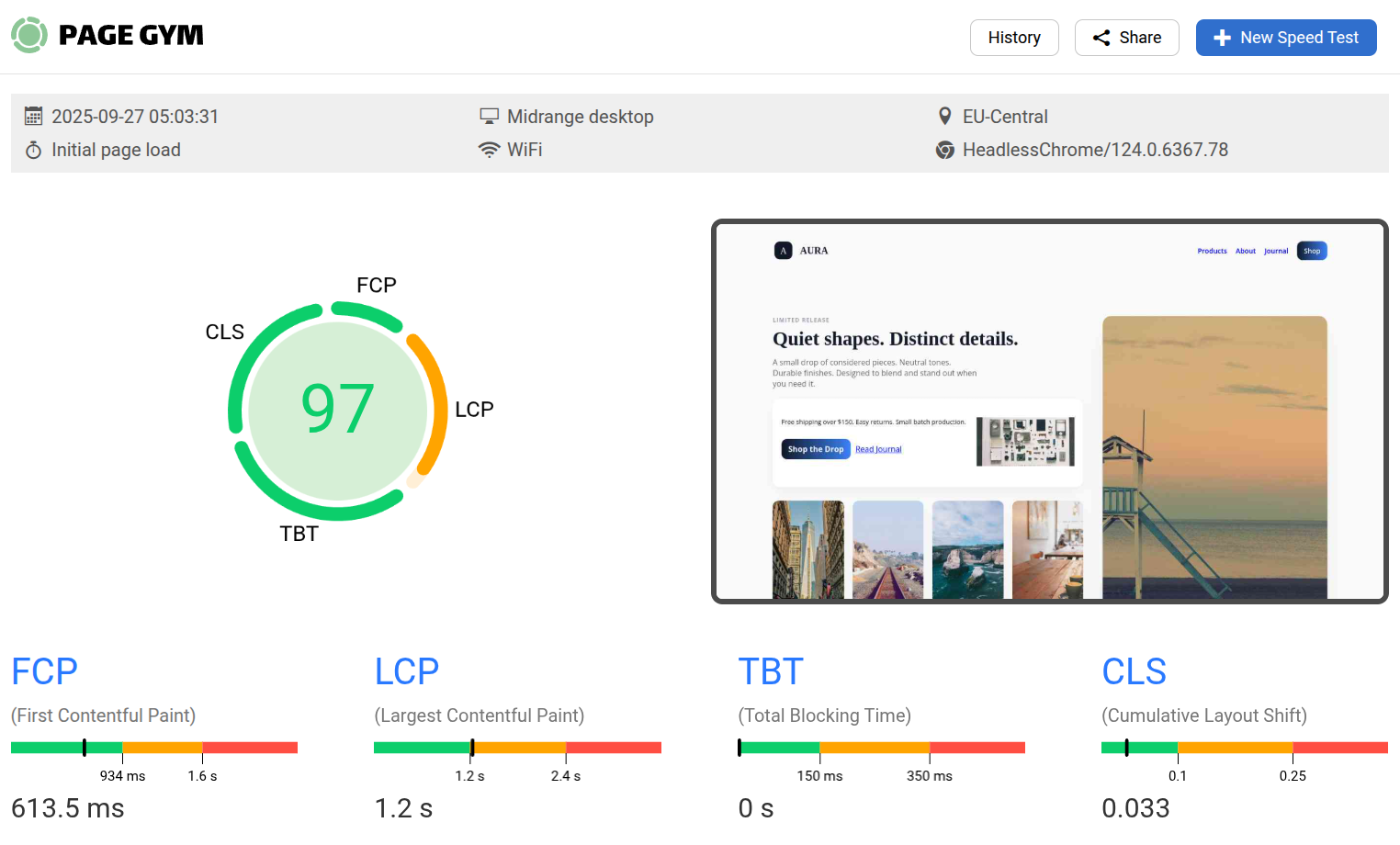
Even with intelligent automation, teams can sabotage their results. Watch out for these frequent pitfalls.
Important Notes When Working with AI Page Speed
Adopting AI for performance is a journey, not a one-time setup. Keep these principles in mind.
Frequently Asked Questions About AI Page Speed
What exactly is AI page speed optimization?
AI page speed optimization uses machine learning algorithms to automatically improve how fast a web page loads. It analyzes content, user behavior, and device conditions to dynamically compress images, prioritize resources, preload likely next pages, and adapt the payload to each visitor. The goal is to deliver the fastest possible experience without manual, rule-based tuning for every scenario.
How does AI improve Google Core Web Vitals?
AI enhances Core Web Vitals by identifying the Largest Contentful Paint element early and giving it network priority, reducing JavaScript execution time through intelligent code splitting, and minimizing Cumulative Layout Shift by predicting element dimensions before they render. It also personalizes the loading strategy per user session, leading to more consistently passing scores.
Can AI page speed tools replace a developer?
They can greatly reduce the manual performance work, but they do not replace a developer entirely. A developer is still needed to design the initial architecture, set the AI tool’s policies, handle exceptions, and ensure that dynamic or authenticated content is treated correctly. The partnership between AI and developer results in the best outcome.
Is AI page speed suitable for e-commerce sites with many images?
Yes, e-commerce sites benefit immensely. AI can compress catalog images without losing the detail shoppers need, preload product images as the user hovers over thumbnails, and adapt image quality based on network speed. This leads to faster product browsing and higher conversion rates.
Does AI page speed worsen image quality?
When tuned correctly, AI maintains visual quality while removing invisible bloat. It uses perceptual metrics to decide where to compress more aggressively. Most human eyes cannot perceive the difference between a carefully AI-compressed image and the original. The key is setting a reasonable minimum quality threshold and performing spot checks on critical images.
How much traffic do I need for AI page speed to work effectively?
Some solutions use pre-trained models and can work immediately even with low traffic. Others that learn from your specific user navigation patterns become more effective as traffic grows. Typically, a few thousand monthly visits are enough to see meaningful improvement, but many platforms demonstrate gains on brand new sites due to general web knowledge baked into the models.
Are there free AI page speed tools available?
Fully autonomous AI optimization is often a premium feature, but some platforms offer free tiers with AI components. For example, Cloudflare’s free plan includes basic Polish for image optimization with some intelligent compression, and Imgix offers limited free image processing. Google’s Lighthouse recommendations are free and can be automated with some machine learning extensions.
The Future of AI and Web Performance
The intersection of AI and page speed is still in its early stages. Upcoming developments include browser-integrated AI agents that negotiate content delivery priorities directly with servers, the use of generative AI to create ultra-compact asset representations, and edge computing nodes that personalize the entire page structure per user. The Core Web Vitals program will likely evolve to measure real user delight beyond raw speed, incorporating signals like visual completeness and perceived responsiveness – all areas where AI excels.
Conclusion
AI page speed turns a traditionally manual, trial-and-error discipline into a smart, self-adjusting system. It brings together predictive caching, content-aware image compression, dynamic resource prioritization, and real-time network adaptation under one automated umbrella. The benefits are tangible: better search rankings, lower bounce rates, and higher revenue. While it does not eliminate the need for human judgment, it lifts the heavy burden of constant monitoring and tweaking. For any business serious about its online presence, adopting AI-driven speed optimization is not a luxury – it is rapidly becoming the baseline for competing in a mobile-first, attention-scarce world.
Xem thêm:
- AI SEO Skyscraper Technique: The 2025 Guide to Dominating Search Rankings
- AI SEO Content Production: The Complete Guide to Scaling Your Rankings in 2025
- AI Outreach: The Ultimate Guide to Automating and Personalizing Your Sales Engagement
- AI SEO for Real Estate: The Complete Guide to Dominating Local Search in 2025
- AI SEO Machine Learning: The Complete Guide to Smarter Search Rankings
Bài viết cùng chủ đề:

AI SEO SEO Automation with Make: The Complete Workflow Guide

AI SEO SEO Automation with Zapier: The Complete Workflow Guide

AI SEO SEO Automation with n8n: The Complete Workflow Guide
AI SEO SEO Automation with Gemini: The Complete Guide to Scaling Organic Growth

AI SEO SEO Automation with Claude: The Complete Guide to Scaling Content in 2025

AI SEO SEO Automation with ChatGPT: The Complete Playbook for 2025

AI SEO & SEO Automation for Affiliate Sites: The 2025 Playbook for Passive Income Growth
AI SEO & SEO Automation for Bloggers: The Complete Guide to Scaling Your Content

AI SEO & SEO Automation for Agencies: The Complete 2025 Playbook

AI SEO and SEO Automation for Ecommerce: The Complete Playbook for 2025

AI SEO & SEO Automation for WordPress: The Complete Playbook for 2025
AI SEO SEO Automation Strategy: The Complete Playbook for 2025

Mastering the AI SEO SEO Automation Process: A Complete Guide to Scaling Organic Growth
AI SEO SEO Automation System: The Complete Guide to Scaling Organic Growth in 2025
AI SEO SEO Automation Platform: The Complete Guide to Scaling Organic Growth in 2025
AI SEO SEO Automation Software: The Complete Guide to Scaling Organic Growth in 2025















