
No products in the cart.
AI SEO n8n Automation: The Complete Workflow Guide for 2025
31
Jul
Jul
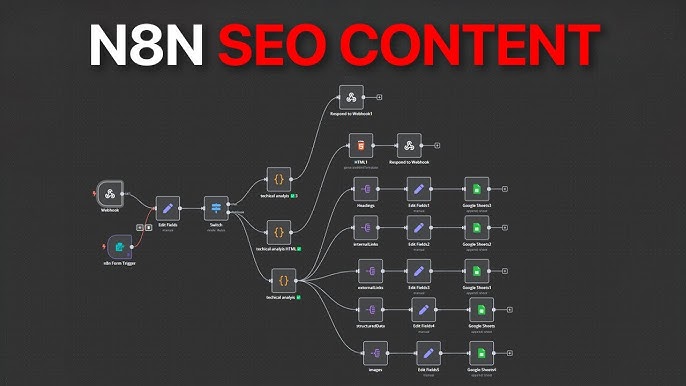
The digital marketing landscape has shifted dramatically. Manual SEO tasks that once consumed entire weekends now take minutes, thanks to the convergence of artificial intelligence and workflow automation. At the center of this revolution is AI SEO n8n automation, a powerful combination that allows marketers to build custom, self-running systems for keyword research, content optimization, rank tracking, and reporting. This guide breaks down exactly how to leverage n8n’s visual programming interface with AI models like GPT-4 and Claude to create an SEO engine that works while you sleep.
What is AI SEO n8n Automation?
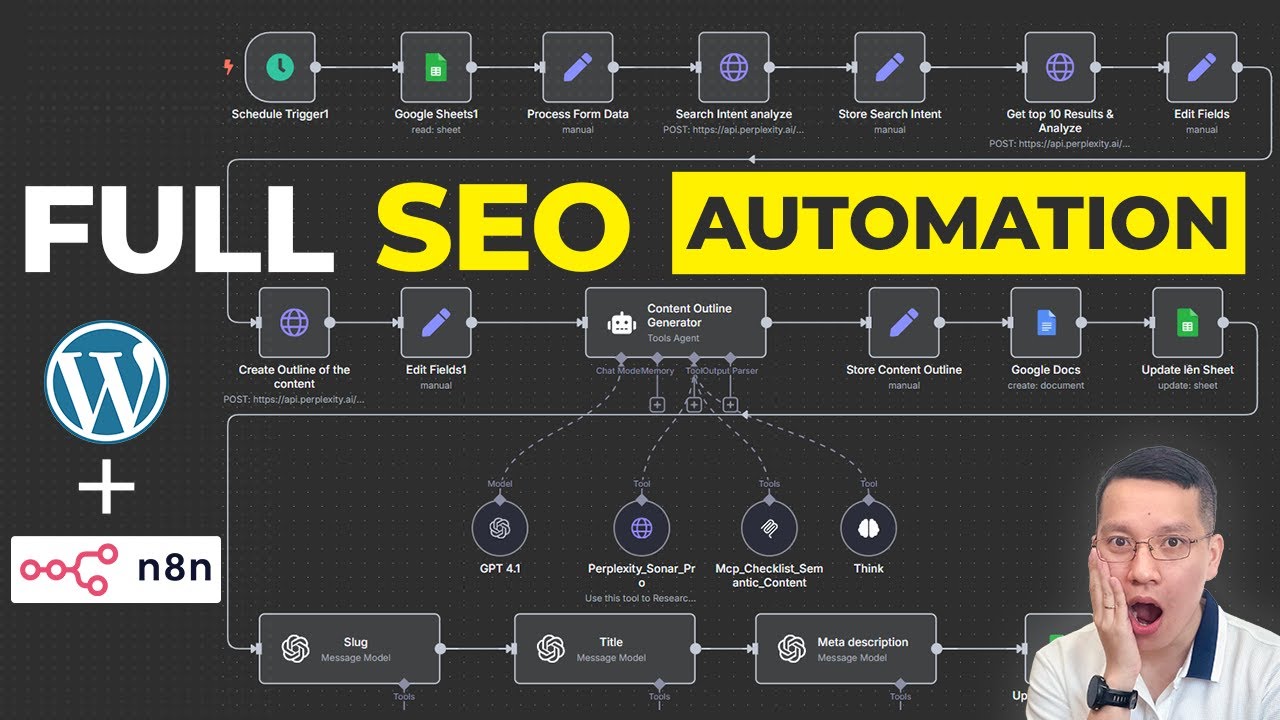
AI SEO n8n automation refers to the practice of using n8n, an open-source workflow automation tool, to connect artificial intelligence language models with various SEO data sources and APIs. Instead of manually hopping between Google Search Console, Ahrefs, Semrush, and ChatGPT, you build a single workflow that handles data collection, analysis, and action execution automatically.
n8n acts as the central nervous system. It triggers workflows based on schedules, webhooks, or database changes. The AI component provides the cognitive layer—interpreting search intent, generating content briefs, rewriting meta descriptions, or clustering keywords. This combination transforms fragmented SEO tasks into a cohesive, self-improving pipeline.
Why n8n Stands Out for SEO Workflows
Unlike Zapier or Make, n8n offers self-hosting options, which means your SEO data never leaves your server. This is critical for agencies handling multiple client accounts with strict data privacy requirements. Additionally, n8n’s code node allows for custom JavaScript or Python snippets, giving you unlimited flexibility when dealing with complex API responses from search engines.
The visual canvas of n8n makes it accessible to non-developers. You can drag and drop nodes for HTTP requests, database queries, and AI model calls without writing a single line of code. Yet, when you need advanced logic, the code node is right there. This dual nature makes n8n the preferred choice for SEO professionals who want both speed and control.
Core Components of an AI SEO n8n Automation Stack
Building a robust automation stack requires understanding the key building blocks. Each component plays a specific role in the data flow, and knowing how to connect them determines the success of your automation.
1. Data Input Nodes (Triggers and Sources)
Every workflow starts with a trigger. For SEO, the most common triggers are schedule-based (cron nodes) that run daily or weekly. You can also use webhook triggers to receive real-time notifications from Google Search Console or rank tracking tools. Data source nodes connect to APIs like Ahrefs, Semrush, or your own Google Sheets database.
2. AI Processing Nodes
This is where the magic happens. n8n integrates directly with OpenAI, Anthropic, and Google Gemini. You can send prompts that include your SEO data and receive structured responses. For example, you can feed a list of your top 50 underperforming pages to the AI and ask it to generate new title tags and meta descriptions that include target keywords.
3. Action and Output Nodes
Once the AI processes the data, the workflow needs to do something with it. Action nodes can update your CMS (WordPress, Webflow), send emails to your team, create tasks in Notion or Asana, or push data back to Google Sheets for further analysis. The output is only limited by the integrations you configure.
4. Error Handling and Logging
Automation fails. APIs return errors, rate limits are hit, and AI models occasionally produce nonsense. A professional workflow includes error-handling nodes that catch these failures, log them to a database, and send you a notification. This ensures your automation runs reliably without constant supervision.
Practical Applications: What Can You Automate?
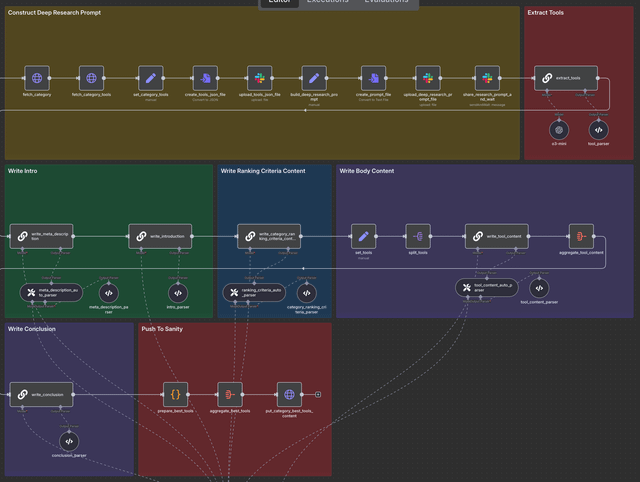
The possibilities are vast, but certain use cases deliver immediate ROI. Here are the most impactful workflows you can build today.
Automated Keyword Clustering and Content Brief Generation
Instead of manually grouping hundreds of keywords by search intent, you can automate this process. The workflow pulls keywords from your Semrush or Ahrefs account, sends them to the AI with a prompt to cluster them by topic and user intent, and then generates a detailed content brief for each cluster. The brief includes suggested headings, related questions, and semantic keywords.
This single workflow saves an average of 10 hours per week for a content team producing 20 articles monthly. The AI ensures no keyword is missed, and the briefs are consistent with your brand voice if you provide a style guide in the prompt.
Real-Time Rank Tracking with AI Insights
Rank tracking tools provide raw data, but they don’t tell you why a page dropped or what to do about it. An n8n workflow can pull daily ranking data, compare it against the previous day, and use AI to analyze the changes. The AI can correlate ranking drops with recent algorithm updates, on-page changes, or competitor activity, then generate a prioritized action list.
For example, if your workflow detects that 15 pages dropped from position 3 to position 8, the AI can analyze the current content, compare it to the top-ranking pages, and suggest specific improvements like adding a table of contents, increasing word count, or adding internal links from high-authority pages.
Automated Internal Linking Suggestions
Internal linking is tedious but crucial for SEO. An n8n workflow can crawl your entire website, extract all pages and their content, and send this data to the AI. The AI then identifies pages that are topically related but not currently linked. It generates anchor text suggestions that are natural and keyword-rich.
This workflow runs monthly and outputs a list of recommended internal links. You can either review them manually or, if you trust the system, have it automatically add the links via your CMS API. This automation alone can boost your site’s crawlability and distribute link equity more effectively.
Step-by-Step Guide: Building Your First AI SEO n8n Workflow
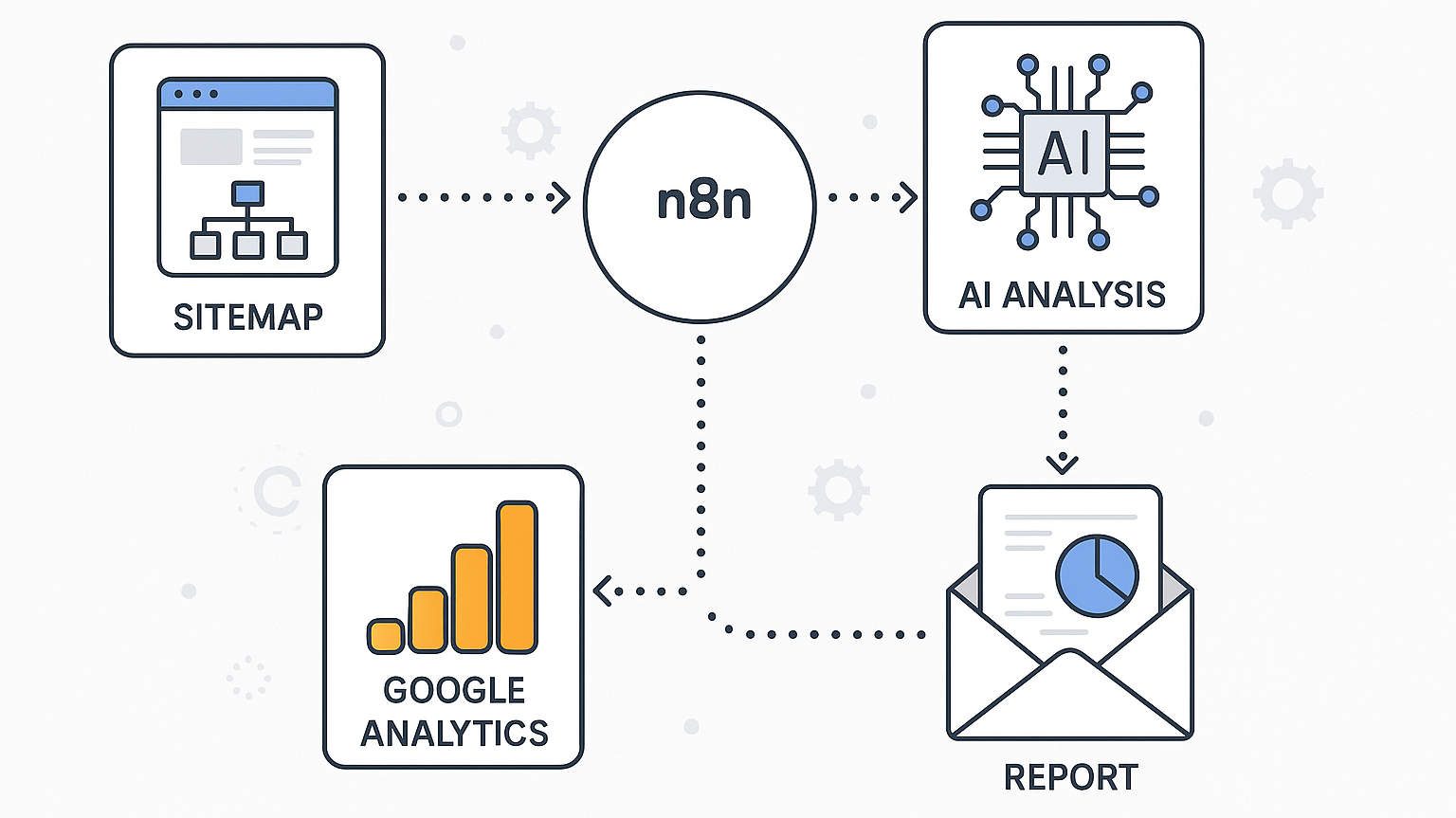
Let’s walk through a concrete example: automating weekly SEO performance reports with AI-generated recommendations. This workflow is beginner-friendly and demonstrates the core concepts.
Step 1: Set Up the Trigger
Add a Schedule Trigger node to your n8n canvas. Set it to run every Monday at 9:00 AM. This node will start the workflow automatically each week without any manual intervention.
Step 2: Fetch Data from Google Search Console
Add a Google Search Console node. Configure it to fetch the last 7 days of performance data for your property. Include metrics like clicks, impressions, average position, and CTR. Set the dimension to “page” so you get data for each URL.
Step 3: Process Data with AI
Add an OpenAI node (or any LLM node). Connect it to the output of the Search Console node. Write a prompt that instructs the AI to analyze the data. For example: “You are an SEO expert. Analyze the following search performance data. Identify pages with declining clicks and provide three specific recommendations for each page. Format the output as a JSON array.”
Pass the search console data as the context in the prompt. The A
Step 4: Generate and Send the Report
Add an HTML node to format the AI’s response into a clean, readable report. Include a summary table of the key metrics and the AI’s recommendations below it. Then, add an Email node to send this report to your team or client. You can also add a Notion node to create a new page in your SEO dashboard with the same content.
Step 5: Test and Activate
Before activating, run the workflow manually to test each node. Check that the data flows correctly and the AI output is sensible. Once everything works, activate the workflow. It will now run automatically every Monday, saving you hours of manual reporting.
Benefits and Limitations of AI SEO n8n Automation
Understanding the pros and cons helps you set realistic expectations and avoid common pitfalls.
Key Benefits
- Massive Time Savings: Tasks that take hours manually are completed in minutes. A content team can produce more articles, an SEO manager can monitor more keywords, and an agency can serve more clients without hiring additional staff.
- Consistency and Accuracy: AI does not get tired or overlook details. It processes every data point equally, ensuring no keyword or page is ignored. This leads to more thorough SEO coverage.
- Scalability: Once a workflow is built, it can handle 10 pages or 10,000 pages with the same effort. You simply adjust the API limits and rate handling.
- Data-Driven Decisions: AI provides recommendations based on actual data, not gut feeling. This reduces the risk of making changes that hurt your rankings.
- Initial Setup Complexity: Building workflows requires a learning curve. Understanding API authentication, data mapping, and prompt engineering takes time.
- AI Hallucinations: Language models can generate plausible but incorrect information. Always validate AI recommendations before implementing them, especially for technical SEO changes.
- API Costs: Running AI models on large datasets can incur significant costs. You need to monitor your usage and optimize prompts to stay within budget.
- Dependency on Third-Party APIs: If Google Search Console or your rank tracker changes its API, your workflow may break. Regular maintenance is required.
Limitations to Consider
Comparison: n8n vs. Other Automation Tools for SEO
Choosing the right tool depends on your technical skill level and budget.
| Feature | n8n | Zapier | Make (Integromat) |
|---|---|---|---|
| Self-Hosting | Yes (free) | No | No |
| Pricing Model | Free for self-hosted, paid cloud | Subscription based on tasks | Subscription based on operations |
| AI Integration | Native nodes for OpenAI, Anthropic | Available via Webhook or third-party | Available via HTTP module |
| Custom Code | JavaScript/Python nodes | Limited to Code by Zapier | Webhook and JSON only |
| Data Privacy | Full control on your server | Data passes through Zapier servers | Data passes through Make servers |
| Learning Curve | Moderate | Low | Moderate |
For agencies handling sensitive client data, n8n’s self-hosting capability is a decisive advantage. For solo marketers who want a quick setup without technical hassle, Zapier might be sufficient. However, the long-term cost of Zapier at scale often exceeds the cost of hosting n8n on a small VPS.
Common Mistakes and How to Avoid Them
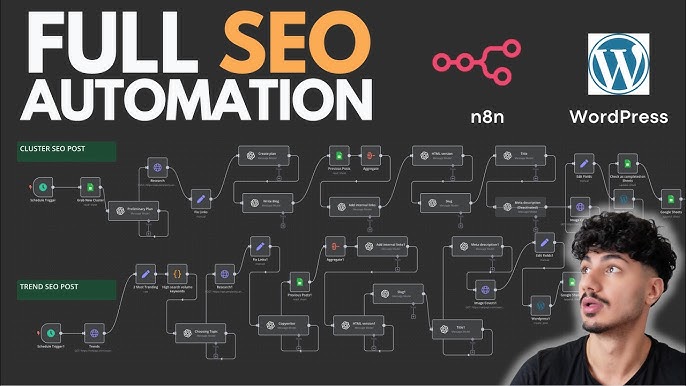
Many users abandon their automation projects due to preventable errors. Here are the most frequent mistakes and their solutions.
Mistake 1: Overloading the AI with Too Much Data
Sending 10,000 keywords in a single prompt will result in token limit errors and poor-quality responses. Break your data into smaller batches. Use n8n’s loop node to process data in chunks of 100 or 200 items. This ensures the AI maintains accuracy and stays within API limits.
Mistake 2: Ignoring Rate Limits
APIs like Google Search Console and OpenAI have strict rate limits. If your workflow makes too many requests too quickly, you will get 429 errors. Add a “Wait” node between requests or use n8n’s built-in rate limit settings. This simple step prevents workflow failures.
Mistake 3: Not Validating AI Output
AI can generate meta descriptions that exceed character limits or suggest internal links to non-existent pages. Always add a validation step in your workflow. For example, use a code node to check the length of generated meta descriptions and truncate them if necessary. For links, verify the target URL returns a 200 status code before adding it.
Mistake 4: Building Complex Workflows Without Testing
Jumping straight to a 20-node workflow without testing each step leads to debugging nightmares. Build incrementally. Test the trigger and data fetch first. Then add the AI node and test the output. Only after each component works should you connect them all.
Important Notes for Long-Term Success
Automation is not a set-and-forget solution. It requires ongoing attention to remain effective.
First, monitor your AI costs closely. Set up alerts in n8n to notify you when your monthly API spending exceeds a threshold. Optimize your prompts to be concise and specific, reducing the number of tokens used per request.
Second, keep your workflows updated. Search engine algorithms and APIs change frequently. Review your workflows quarterly to ensure they still align with current best practices. Subscribe to changelogs for n8n, OpenAI, and your SEO data providers.
Third, maintain a human review layer for critical actions. While automation can generate content briefs and suggest link changes, a human should approve publishing content or making structural changes to your website. This protects your brand reputation and prevents AI errors from causing harm.
Frequently Asked Questions
What is the best AI model to use with n8n for SEO tasks?
For most SEO tasks, GPT-4o or Claude 3.5 Sonnet provide the best balance of accuracy and cost. GPT-4o excels at content generation and summarization, while Claude is strong at following complex instructions and formatting. For simple tasks like keyword extraction, GPT-4o mini or Claude Haiku are more cost-effective.
Do I need to know how to code to use n8n for SEO automation?
No, you can build functional workflows using only the visual nodes. However, basic knowledge of JavaScript or Python is helpful for custom data transformation and handling complex API responses. The code node is optional for most standard SEO workflows.
Can n8n replace tools like Ahrefs or Semrush?
No, n8n is not a data source. It is an automation layer that connects to these tools via their APIs. You still need a subscription to Ahrefs or Semrush to get the raw data. n8n enhances these tools by automating the analysis and action steps.
How much does it cost to run AI SEO n8n automation?
The cost varies. Self-hosted n8n is free, but you need a server (around $10-20 per month on a VPS). AI API costs depend on usage. A small blog processing 100 pages per month might spend $20-50 on AI calls. An agency handling multiple clients could spend $200-500 per month. These costs are typically offset by the time savings.
Is it safe to automate changes to my WordPress site?
Yes, if you use proper authentication and test thoroughly. n8n connects to WordPress via REST API with application passwords. Always create a backup of your site before enabling automated content updates. Start with low-risk actions like updating meta descriptions before moving to content creation.
Conclusion
AI SEO n8n automation represents a significant leap forward in how digital marketers manage search optimization. By combining the analytical power of large language models with the reliability of automated workflows, you can achieve a level of efficiency that was impossible just a few years ago. The key is to start small, focus on high-impact tasks like reporting and keyword clustering, and gradually expand your automation footprint as you gain confidence.
The workflows described in this guide are proven and practical. They save time, reduce errors, and provide actionable insights that drive organic growth. Whether you are a solo blogger or a large agency, the investment in learning n8n will pay dividends in the form of higher rankings, more traffic, and a leaner operation. The future of SEO is automated, and the time to build your system is now.
Xem thêm:
- AI SEO Contextual Search: The Complete Guide to Ranking in the New Search Era
- AI SEO Generative Search Optimization Tools: The Complete Guide to Winning SGE in 2025
- AI SEO Entity Authority: The Complete Guide to Dominating Search in 2025
- AI SEO Blogger Outreach: The Complete Guide to Scaling Digital PR in 2025
- Best AI SEO Software: The Ultimate Guide to Automating Your Search Growth in 2025
Bài viết cùng chủ đề:

AI SEO SEO Automation with Make: The Complete Workflow Guide

AI SEO SEO Automation with Zapier: The Complete Workflow Guide

AI SEO SEO Automation with n8n: The Complete Workflow Guide
AI SEO SEO Automation with Gemini: The Complete Guide to Scaling Organic Growth

AI SEO SEO Automation with Claude: The Complete Guide to Scaling Content in 2025

AI SEO SEO Automation with ChatGPT: The Complete Playbook for 2025

AI SEO & SEO Automation for Affiliate Sites: The 2025 Playbook for Passive Income Growth
AI SEO & SEO Automation for Bloggers: The Complete Guide to Scaling Your Content

AI SEO & SEO Automation for Agencies: The Complete 2025 Playbook

AI SEO and SEO Automation for Ecommerce: The Complete Playbook for 2025

AI SEO & SEO Automation for WordPress: The Complete Playbook for 2025
AI SEO SEO Automation Strategy: The Complete Playbook for 2025

Mastering the AI SEO SEO Automation Process: A Complete Guide to Scaling Organic Growth
AI SEO SEO Automation System: The Complete Guide to Scaling Organic Growth in 2025
AI SEO SEO Automation Platform: The Complete Guide to Scaling Organic Growth in 2025
AI SEO SEO Automation Software: The Complete Guide to Scaling Organic Growth in 2025















