
No products in the cart.
AI SEO WCAG: The Complete Guide to Accessible, AI-Optimized Content
31
Jul
Jul
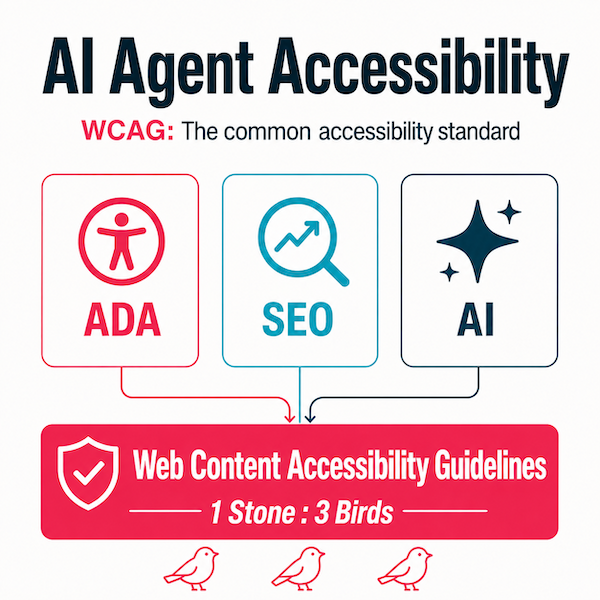
The digital landscape is shifting beneath our feet. Search engines now use artificial intelligence to rank content, while web accessibility standards ensure that everyone, including people with disabilities, can use your site. The intersection of these three forces—AI, SEO, and WCAG—is no longer optional. It is a strategic necessity. This guide explains how AI SEO WCAG work together, why they matter for your rankings, and how to implement them without sacrificing performance or user experience.
What Is AI SEO WCAG and Why Does It Matter?
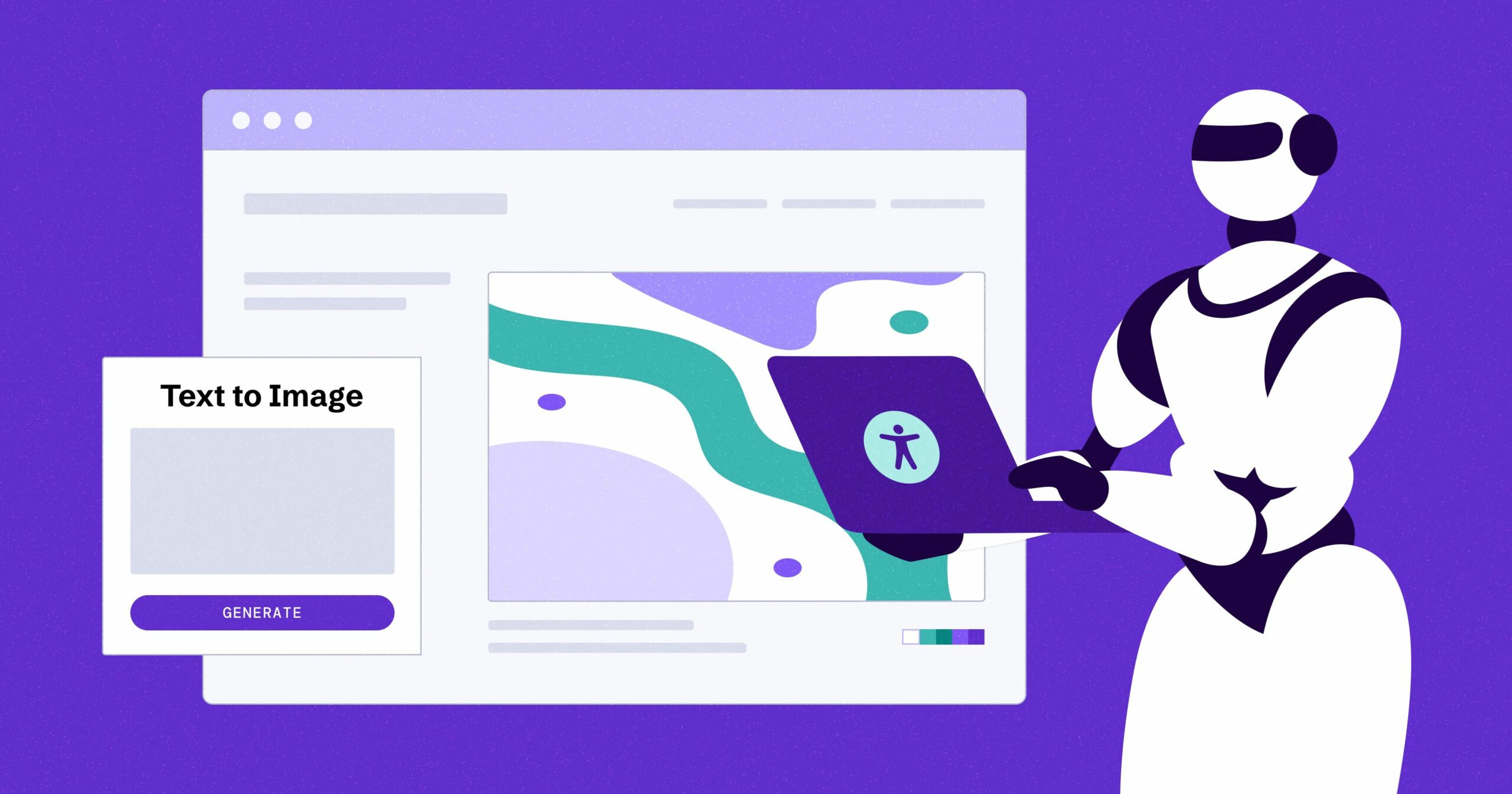
AI SEO WCAG refers to the practice of optimizing websites for both artificial intelligence algorithms (like Google’s RankBrain, BERT, and MUM) and the Web Content Accessibility Guidelines (WCAG). It is a holistic approach that treats machine readability and human accessibility as two sides of the same coin. When you align these elements, you create content that is easier for search engines to crawl, understand, and rank, while also making it usable for people with visual, auditory, motor, or cognitive impairments.
The importance of this convergence is growing. Google’s algorithms increasingly reward sites that offer clear structure, semantic HTML, and descriptive text—all of which are core WCAG principles. Meanwhile, legal requirements in many countries, such as the Americans with Disabilities Act (ADA) and the European Accessibility Act, are pushing businesses to comply with WCAG 2.1 or face lawsuits. Ignoring AI SEO WCAG means losing both organic traffic and potential legal protection.
The Core Principles of WCAG That Overlap with SEO
WCAG is built on four foundational principles: Perceivable, Operable, Understandable, and Robust (POUR). Each principle has direct SEO implications that AI algorithms now evaluate.
Perceivable: Content That AI and Users Can See
Perceivable content means providing text alternatives for non-text elements. For SEO, this translates to writing descriptive alt text for images, providing transcripts for videos, and using proper heading hierarchy. AI crawlers cannot interpret images or audio without these text cues. When you add alt text that describes the image’s purpose and context, you give the AI a semantic signal about your page’s topic. This improves image search rankings and helps visually impaired users who rely on screen readers.
Operable: Navigation That Works for Everyone
Operable principles require that all users can navigate your site using a keyboard, mouse, or assistive technology. From an AI SEO perspective, this means having a logical link structure, descriptive anchor text, and a clear sitemap. AI algorithms use link context to understand relationships between pages. If your links say “click here” instead of “read our guide on accessible web design,” the AI has less context. Descriptive links improve crawlability and user experience simultaneously.
Understandable: Readable Content for Humans and Bots
Understandable content is readable and predictable. This includes using plain language, defining abbreviations, and ensuring that the page’s reading level matches the target audience. AI models like BERT are trained to understand natural language nuances. If your content is convoluted or filled with jargon, the AI may misinterpret your main topic. Clear, concise writing with proper use of headings and lists helps both the algorithm and the reader grasp the core message quickly.
Robust: Code That Works Across All Platforms
Robustness means your content works with current and future user agents, including assistive technologies. For SEO, this means using valid HTML, proper ARIA labels, and avoiding deprecated tags. AI crawlers are essentially user agents. If your code is broken or has duplicate IDs, the AI may struggle to parse your content correctly. Clean, semantic HTML is the backbone of both accessibility and technical SEO.
How AI Algorithms Evaluate Accessibility Signals
Modern search engines do not have a single “accessibility score” that directly boosts rankings. However, AI algorithms indirectly measure accessibility through user behavior and content quality. For example, if a page is difficult to navigate on a mobile device or has poor contrast, users will bounce quickly. High bounce rates and low dwell time signal to the AI that the page is not satisfying the search intent. Over time, this can lower your rankings.
Additionally, Google’s Core Web Vitals, which are part of the ranking system, overlap with WCAG. Metrics like Largest Contentful Paint (LCP) measure loading speed, which affects users with slow connections. Cumulative Layout Shift (CLS) measures visual stability, which is critical for users with cognitive disabilities who may be disoriented by moving elements. By optimizing for these metrics, you are simultaneously improving accessibility and SEO performance.
Practical Steps to Implement AI SEO WCAG on Your Website
Implementing AI SEO WCAG is not a one-time task. It requires a systematic approach that touches design, content, and technical infrastructure. Below is a step-by-step guide to get you started.
Step 1: Conduct an Accessibility and SEO Audit
Start by running your site through automated tools like WAVE, Lighthouse, or axe. These tools will identify missing alt text, heading structure issues, color contrast problems, and broken ARIA attributes. Simultaneously, use SEO tools like Screaming Frog or Ahrefs to check for duplicate content, missing meta descriptions, and broken links. The overlap between these two audits will reveal your highest-priority fixes.
Step 2: Optimize Heading Structure for AI and Screen Readers
Use a single H1 tag per page that accurately describes the main topic. Then, use H2 tags for major sections and H3 tags for subsections. This hierarchy helps AI understand the relative importance of content blocks. Screen readers also rely on this structure to allow users to jump between sections. Avoid skipping levels, such as going from H2 directly to H4, as this confuses both humans and bots.
Step 3: Write Descriptive Alt Text and Link Text
Alt text should be specific and include relevant keywords when natural. For example, instead of “image1.jpg,” write “close-up of a keyboard with braille keys for accessible web design.” For links, use the destination page’s title or a clear description of what the user will find. This practice improves contextual relevance for AI and provides clarity for screen reader users.
Step 4: Ensure Keyboard Navigability
Test your site by tabbing through it without a mouse. All interactive elements, including forms, dropdowns, and modals, must be reachable and operable via keyboard. For AI, this ensures that crawlers can access all content without encountering JavaScript barriers. If you use JavaScript to load content dynamically, ensure that the content is also available in the raw HTML or that you use server-side rendering.
Step 5: Improve Color Contrast and Readability
WCAG 2.1 requires a contrast ratio of at least 4.5:1 for normal text and 3:1 for large text. Low contrast makes text unreadable for users with low vision and can increase bounce rates. Use tools like WebAIM’s Contrast Checker to verify your color choices. Additionally, use relative font sizes (em or rem) instead of fixed pixels so that users can zoom in without breaking the layout.
Step 6: Provide Transcripts and Captions for Media
Video and audio content are increasingly popular, but they are invisible to AI unless you provide text alternatives. Add closed captions to videos and include a full transcript below the media. This not only helps deaf or hard-of-hearing users but also allows AI to index the spoken content. Transcripts are a goldmine for long-tail keywords and can significantly boost your content’s relevance.
Benefits of Combining AI SEO and WCAG
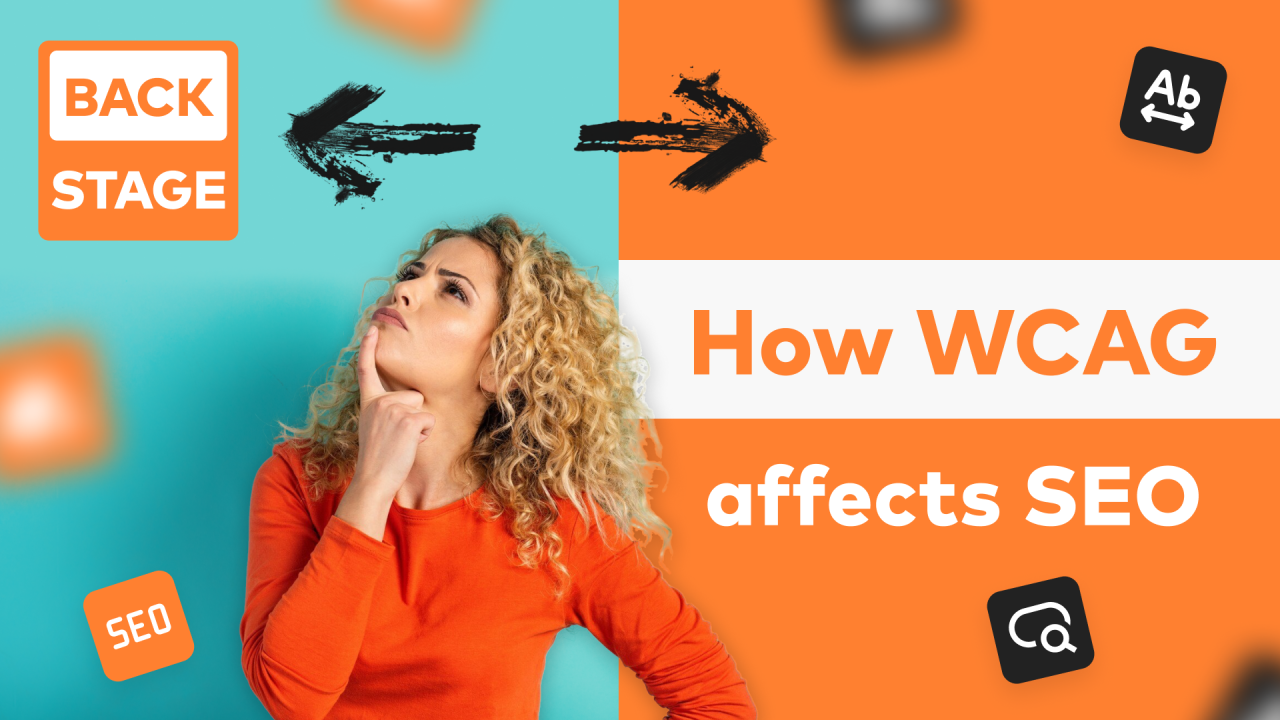
The benefits of this integration extend beyond compliance.
| Benefit | Impact on SEO | Impact on Users |
|---|---|---|
| Improved crawlability | AI bots can index all content without errors | Screen readers can navigate the page logically |
| Higher engagement metrics | Lower bounce rates and longer dwell time signal relevance | Users find information quickly without frustration |
| Enhanced semantic relevance | Descriptive text and headings match search intent better | Users understand the page structure at a glance |
| Future-proofing | Aligned with Google’s focus on user experience | Compatible with new assistive technologies |
| Legal protection | Reduces risk of ADA-related lawsuits | Ensures equal access to information |
Limitations and Challenges of AI SEO WCAG
While the benefits are clear, there are challenges that require careful management. One major limitation is the technical complexity. Implementing ARIA labels, managing focus states, and ensuring dynamic content is accessible requires skilled developers. Small businesses with limited resources may struggle to keep up with both SEO and accessibility demands.
Another challenge is the potential conflict between design aesthetics and accessibility. For example, a designer may prefer a low-contrast, minimalist look, but this fails WCAG standards. Balancing brand identity with accessibility requires compromise and creative problem-solving. Additionally, automated testing tools cannot catch every issue. Manual testing with real assistive technology users is essential but time-consuming.
Finally, the AI algorithms themselves are not perfect. They may misinterpret certain accessibility features or fail to understand the context of a page. This means you cannot rely solely on AI to evaluate your accessibility. You must use human judgment and user feedback to ensure your site truly meets the needs of all visitors.
Common Mistakes and How to Avoid Them
Even well-intentioned teams make mistakes when trying to merge AI SEO and WCAG. Here are the most frequent errors and practical solutions.
Mistake 1: Over-Optimizing Alt Text with Keywords
Stuffing alt text with keywords is a spammy practice that hurts both accessibility and SEO. Screen readers will read the entire alt text aloud, which is annoying for users. Instead, write alt text that describes the image naturally. If the image is decorative, use an empty alt attribute (alt=””) so that screen readers skip it.
Mistake 2: Using Invisible Text for SEO
Some SEO practitioners hide text using CSS (e.g., font-size:0 or text-indent:-9999px) to stuff keywords. This is a violation of WCAG because it hides content from users but not from bots. Google penalizes this practice. Always ensure that any text on your page is visible and readable by humans.
Mistake 3: Ignoring Mobile Accessibility
Mobile devices are the primary way many users access the web. If your mobile site has tiny touch targets or requires hover interactions, it fails WCAG and frustrates users. Ensure that buttons are at least 44×44 pixels and that all functionality is available on touch screens. Google’s mobile-first indexing means your mobile site is the primary version for ranking.
Mistake 4: Forgetting About Focus Indicators
When users navigate with a keyboard, they need a visible focus indicator (usually a blue outline) to know where they are. Removing this outline for aesthetic reasons is a common mistake. It makes the site unusable for keyboard-only users and confuses AI crawlers that simulate keyboard navigation. Always keep a clear focus style.
Mistake 5: Treating Accessibility as a One-Time Project
Websites change constantly. New content, plugins, and design updates can introduce accessibility issues. Treat accessibility as an ongoing process. Schedule regular audits, include accessibility checks in your content publishing workflow, and train your team on WCAG principles.
Important Notes for Advanced Implementation
For those ready to go beyond the basics, consider these advanced strategies. First, use structured data (Schema.org) to help AI understand your content’s context. For example, use the “VideoObject” schema for videos and include the transcript in the “transcript” property. This provides explicit signals to search engines about your accessible media.
Second, implement a Content Security Policy (CSP) that allows assistive technologies to inject necessary scripts. Some accessibility tools rely on JavaScript to modify the DOM. A strict CSP can block these tools, making your site less accessible. Test your site with popular screen readers like NVDA or VoiceOver to ensure compatibility.
Third, monitor your server logs for AI crawler behavior. Look for patterns where the crawler cannot access certain pages or resources. This can indicate JavaScript rendering issues or blocked CSS files. Use Google Search Console’s URL Inspection tool to see how Google renders your page and whether any resources are missing.
Frequently Asked Questions
Does WCAG compliance directly improve Google rankings?
T However, the user experience improvements that come with accessibility—such as faster loading, clearer navigation, and lower bounce rates—indirectly boost your SEO performance. Google’s AI algorithms are designed to reward pages that satisfy user intent, and accessible pages tend to do this better.
What is the difference between WCAG 2.0, 2.1, and 2.2?
WCAG 2.0 was published in 2008 and established the core POUR principles. WCAG 2.1, published in 2018, added success criteria for mobile devices, cognitive disabilities, and low vision. WCAG 2.2, released in 2023, introduced additional criteria for focus appearance, dragging movements, and accessible authentication. Most legal standards currently reference WCAG 2.1, but aiming for 2.2 is recommended for future-proofing.
Can AI tools automatically fix accessibility issues?
AI-powered tools like accessiBe or UserWay can automatically adjust contrast, add alt text, and modify keyboard navigation. However, these tools are not a complete solution. They cannot understand the context of your content or make nuanced design decisions. They are best used as a supplement to manual testing and human oversight.
How long does it take to make a website WCAG compliant?
The timeline varies based on your site’s size and complexity. A small marketing site with 20 pages might take 2-4 weeks. An e-commerce platform with thousands of products and dynamic features could take several months. The key is to prioritize fixes based on impact. Start with critical issues like missing alt text and heading structure, then move to more complex problems like form accessibility.
Is it necessary to hire an accessibility consultant?
For large organizations or those in regulated industries, hiring a consultant is wise. They can conduct manual audits, train your team, and provide legal documentation of your compliance efforts. For small businesses, using automated tools combined with the guidance in this article may be sufficient to address the most common issues.
Conclusion
AI SEO WCAG is not a passing trend. It represents the maturation of the web into a space that is both machine-readable and human-friendly. By aligning your content strategy with accessibility principles, you satisfy the demands of AI algorithms while opening your doors to a wider audience. The process requires effort, but the payoff is substantial: higher rankings, lower legal risk, and a reputation for inclusivity. Start with an audit, fix the critical issues, and build accessibility into your ongoing workflow. The future of search is accessible, and the time to adapt is now.
Xem thêm:
- AI SEO Ecommerce Content Generator: The Complete Guide to Scaling Product Pages in 2025
- Mastering the AI SEO SEO Automation Process: A Complete Guide to Scaling Organic Growth
- How to Use ChatGPT for SEO: A Complete Blueprint for AI-Driven Search Success
- AI SEO Web Scraping: The Complete Guide to Automating Search Insights in 2025
- AI SEO for Small Business: The Complete Guide to Smarter Rankings on a Budget
Bài viết cùng chủ đề:

AI SEO SEO Automation with Make: The Complete Workflow Guide

AI SEO SEO Automation with Zapier: The Complete Workflow Guide

AI SEO SEO Automation with n8n: The Complete Workflow Guide
AI SEO SEO Automation with Gemini: The Complete Guide to Scaling Organic Growth

AI SEO SEO Automation with Claude: The Complete Guide to Scaling Content in 2025

AI SEO SEO Automation with ChatGPT: The Complete Playbook for 2025

AI SEO & SEO Automation for Affiliate Sites: The 2025 Playbook for Passive Income Growth
AI SEO & SEO Automation for Bloggers: The Complete Guide to Scaling Your Content

AI SEO & SEO Automation for Agencies: The Complete 2025 Playbook

AI SEO and SEO Automation for Ecommerce: The Complete Playbook for 2025

AI SEO & SEO Automation for WordPress: The Complete Playbook for 2025
AI SEO SEO Automation Strategy: The Complete Playbook for 2025

Mastering the AI SEO SEO Automation Process: A Complete Guide to Scaling Organic Growth
AI SEO SEO Automation System: The Complete Guide to Scaling Organic Growth in 2025
AI SEO SEO Automation Platform: The Complete Guide to Scaling Organic Growth in 2025
AI SEO SEO Automation Software: The Complete Guide to Scaling Organic Growth in 2025















