
No products in the cart.
How to Use Gemini for SEO: The Ultimate Guide to Boosting Rankings with AI

29
Jul
Jul
Search engine optimization is no longer a purely manual grind. The rise of generative AI has reshaped how we research, create, and optimize content. Google’s Gemini, formerly known as Bard, stands at the intersection of these advancements. Understanding how to use Gemini for SEO gives marketers, content creators, and business owners a powerful, free assistant that can accelerate keyword discovery, content structuring, technical audits, and more. This comprehensive guide breaks down every practical application, from basic research to advanced workflow integration, so you can leverage Gemini without sacrificing quality or falling into common AI pitfalls.
What Is Gemini and Why It Matters for SEO

Gemini is Google’s multimodal large language model designed to understand and generate text, images, code, and more. Unlike standalone keyword tools, Gemini can interpret context, brainstorm creative angles, and mimic the reasoning an SEO strategist applies. For SEO professionals, it isn’t a replacement for dedicated platforms like Ahrefs or Semrush; it’s a complementary brain that speeds up ideation, drafting, and analysis.
Key capabilities that directly impact SEO include natural language generation for meta descriptions and headings, the ability to analyze content structure, on-the-fly keyword clustering, and real-time feedback on readability. Because Gemini is built by Google, it also reflects a deep understanding of search intent, though it has no access to live search ranking data. That nuance is critical: use Gemini to simulate user questions and intent patterns, not to pull ranking metrics.
Getting Started with Gemini for SEO
To begin, you need a Google account. Visit gemini.google.com, log in, and you can start prompting immediately with the free version. Gemini Advanced, part of the Google One AI Premium plan, offers more sophisticated reasoning and longer context windows, which helps when analyzing entire articles or large data sets. For most SEO tasks, the free tier is surprisingly effective.
Once inside, the interface works like a chat. You can upload files, including CSV exports from SEO tools, or paste full articles. The real power emerges when you give structured prompts. Instead of a vague “help with SEO,” you’ll get actionable output by framing each request with context: target keyword, desired tone, content type, and specific deliverables. Treat Gemini as a junior SEO analyst that needs clear instructions.
How to Use Gemini for Keyword Research
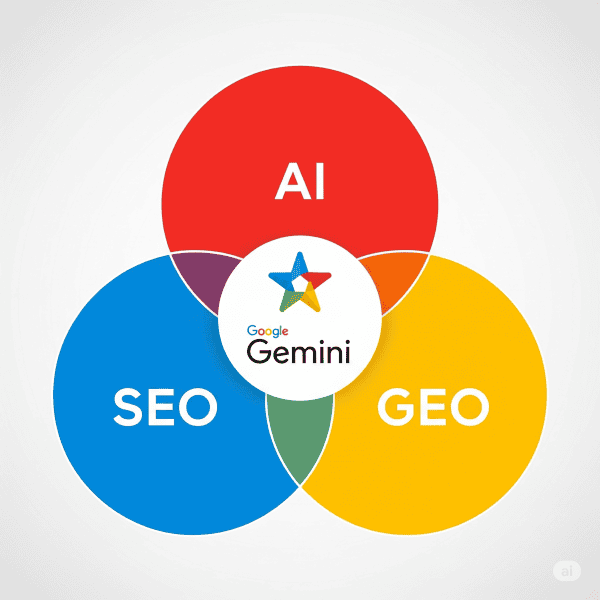
Keyword research is more than extracting a list of terms. Gemini excels at generating topically related keyword clusters, long-tail variations, and question-based queries that reflect modern search behavior. Start with a seed keyword like “best running shoes.” Prompt Gemini to act as a keyword researcher and output a table with columns for primary keyword, search intent, estimated competition (conceptual, not numerical), and content angle.
An example prompt: “You are an SEO keyword strategist. Based on the seed keyword ‘sustainable fashion brands,’ generate 20 long-tail keywords grouped by informational, commercial, and transactional intent. For each, suggest a content title and the user’s likely pain point.” The model will not provide search volume data, so you should cross-verify with Google Keyword Planner or your preferred tool. However, the cluster you receive often uncovers angles you hadn’t considered, such as “sustainable fashion brands for petites” or “affordable sustainable fashion brands that ship internationally.”
Another underrated technique is using Gemini to identify semantic entities. Ask it to list entities, attributes, and related topics Search Engine might expect to see in a comprehensive article about a topic. This builds a topical authority map, ensuring your content covers subtopics that signal depth to search algorithms.
Creating SEO-Optimized Content with Gemini
Content creation is where Gemini shines, but the process requires a human-led workflow to avoid generic output. Instead of asking for a full article, break the task into structured steps.
Step 1: Content Outlining and Brief Creation
Provide your target keyword and ask for a detailed content outline with H2 and H3 headings, a compelling introduction hook, and recommended internal linking opportunities. Prompt: “Create a detailed blog outline for the keyword ‘how to start a home garden.’ Include an H1 title optimized for CTR, 8 H2 sections, supporting H3s, and a suggested FAQ section. Make sure each section addresses a distinct search intent.” The output becomes your blueprint, ensuring the article answers real user questions rather than drifting off-topic.
Step 2: Drafting Sections with E-E-A-T in Mind
Write section by section, feeding Gemini specific instructions that incorporate experience and authority. For a section on “soil preparation,” you might prompt: “Write 200 words on soil preparation for a home vegetable garden. Use a conversational tone, include a tip based on personal gardening experience, and mention pH testing kits. Avoid fluff.” Then heavily edit the output to inject unique anecdotes, data from your own tests, or expert quotes. Gemini often provides a solid skeleton that needs your expertise to become truly helpful content.
Step 3: Optimizing Title Tags and Meta Descriptions
Feed Gemini your page’s core content and ask for five variations of a title tag under 60 characters and a meta description under 155 characters. Prompt like this: “I have a page about vintage car restoration. The main keyword is ‘classic car restoration tips.’ Generate 5 title tag options that include the keyword, evoke curiosity, and stay under 60 characters. Then create 5 meta description snippets that summarize the value and include a call to action.” You’ll get a range of click-worthy options that you can A/B test in Google Search Console later.
Using Gemini for Technical SEO
Technical SEO often involves repetitive, pattern-based tasks that Gemini handles well. While it cannot crawl a website directly, you can paste source code snippets, URL structures, or schema markup templates for review and optimization.
For schema markup, describe the type of content (recipe, product, FAQ) and ask Gemini to generate a JSON-LD snippet. For instance: “Create FAQPage schema for a page that answers ‘what is zero-waste living’ and ‘how to start a zero-waste lifestyle.’ Include the necessary fields.” The generated code is a strong starting point, but always validate it with Google’s Rich Results Test tool.
Gemini also aids in hreflang tag generation, robots.txt analysis, and generating XML sitemap logic descriptions. Paste a messy list of URLs and request categorization by content type or topic cluster. This manual review can reveal orphan pages or thin content gaps. Although you can’t automate a full site audit, you can feed exported crawl data and get interpretation suggestions, like identifying pages with similar titles that might compete against each other.
Enhancing Local SEO with Gemini
Local SEO relies on consistency and relevance across Google Business Profile, citations, and localized content. Gemini can brainstorm a month’s worth of hyper-local blog post ideas based on a city and business type. Prompt: “I run a pet grooming salon in Austin, Texas. Suggest 15 local SEO blog topics that target neighborhood names and pet owner questions, such as ‘best dog parks near South Congress’ or ‘how to keep your dog cool during Austin summers.’”
For managing Google Business Profile posts, have Gemini generate a weekly schedule of short updates, offers, and event announcements. It can also draft responses to common customer reviews, but you must personalize them to avoid sounding robotic. Additionally, when optimizing a location page, ask Gemini to list city-specific landmarks and colloquial phrases that signal local relevance to both users and search engines.
Analyzing SEO Performance with Gemini

While Gemini cannot pull live analytics data, you can export reports from Google Search Console or Google Analytics and upload the CSV to Gemini for analysis. A powerful use case: export a list of queries that drive impressions but have low CTR. Paste the data and prompt: “Analyze this CSV of search queries with impressions > 1000 and CTR < 2%. Group the queries by intent, suggest title tag improvements for each group, and identify any page that might need a stronger meta description.” Gemin
Similarly, feed it a list of top-performing pages and ask for content refresh ideas. For example, if a blog post from 2022 still ranks but has declining clicks, Gemini can suggest updated statistics, new sections, and revised images to bring it up to date. This keeps your content fresh without starting from scratch every time.
Gemini vs ChatGPT for SEO: A Practical Comparison
Both tools serve SEO professionals, but their strengths differ. The table below highlights key aspects to help you decide when to use Gemini and when to reach for ChatGPT.
| Feature | Gemini | ChatGPT (GPT-4o) |
|---|---|---|
| Free access to powerful model | Yes, Gemini 1.5 Flash free | Limited free tier (GPT-3.5), GPT-4o behind Plus |
| Deep Google ecosystem integration | Strong — drafts directly in Gmail, Docs, Google Drive | Plugins and third-party extensions |
| Multimodal understanding (images, files) | Excellent, supports uploads in free tier | Image and file uploads available in paid plans |
| Web browsing capability | Built-in via toggle, respects Google search features | Browse feature with Bing, available in Plus |
| SEO-specific content refinement | Understands Search quality guidelines nuances well | Slightly more generic, requires more prompting to match Google’s style |
| Handling long-form content | Up to 1 million token context window (Advanced) | 128k context window |
| Code and schema generation | Reliable, but often needs validation | Equally reliable, widely community-tested |
For SEO professionals heavily invested in Google Workspace, Gemini often integrates more seamlessly. However, ChatGPT’s extensive plugin ecosystem and larger user base mean you’ll find more third‑party workflows. Ideally, use both: Gemini for keyword clustering, content structuring, and Google-specific insights; ChatGPT for creative brainstorming and tasks that benefit from its broader training data patterns.
Common Mistakes When Using Gemini for SEO and How to Avoid Them

Relying on AI without oversight leads to mediocre or even harmful SEO outcomes. The most frequent pitfalls can be avoided with a disciplined approach.
- Blindly publishing AI-generated drafts. Gemini writes coherently but often lacks firsthand experience and unique data. Always infuse the content with original research, case studies, or personal stories. Google’s helpful content system penalizes unoriginal, information‑gain‑free material. Use AI as a first draft, never the final product.
- Ignoring factual inaccuracies. Gemini can confidently state incorrect statistics or outdated facts, a phenomenon known as hallucination. Every claim must be fact‑checked against authoritative sources. For YMYL (Your Money or Your Life) topics, this is non‑negotiable.
- Over‑optimizing for keywords. When you ask Gemini to “include the keyword 10 times,” it may produce unnatural, keyword‑stuffed text. Instead, ask it to cover the topic comprehensively. Search engines now prioritize semantic relevance over exact‑match frequency.
- Neglecting the human editorial layer. The AI cannot understand your brand’s tone, audience nuances, or the latest industry gossip. A thorough human edit ensures the content sounds like your brand and connects emotionally with readers.
- Using Gemini for live ranking data. Gemini is not a real‑time SEO tool. It will generate plausible but invented metrics if asked for keyword difficulty scores or search volume. Always use actual SEO platforms for numbers.
Best Practices and Important Notes for Using Gemini in Your SEO Workflow
Adopt Gemini as a creative partner rather than an autopilot. Begin each task with a well‑defined prompt that includes context, output format, and the persona you want it to adopt. For example, start with “You are an experienced technical SEO consultant analyzing a website’s hreflang setup.” This framing significantly improves output quality.
Iterate conversationally. The first answer is rarely the best. Refine by saying “make it more concise” or “add a statistic about mobile traffic.” This back‑and‑forth mimics the way you’d collaborate with a team member. Also, keep a library of effective prompts. SEO tasks are repetitive; a saved set of go‑to prompts for keyword clustering, content briefs, and meta descriptions will save you enormous time.
Respect data privacy. Never upload sensitive client data or proprietary company information into the free public version of Gemini. If you use Gemini Advanced, review Google’s data usage policies. For enterprise SEO, consider Google’s enterprise AI solutions with stronger data governance.
Finally, stay updated. Google continuously improves Gemini, and features like deeper Search Console integration or direct analytics APIs may become available. Follow Google’s official blog and SEO news outlets to adapt your workflows. Using Gemini for SEO is not a set‑and‑forget tactic; it’s an evolving skill.
Frequently Asked Questions
Can Gemini replace traditional SEO tools like Ahrefs or Semrush?
No. Gemini lacks access to real‑time ranking data, backlink profiles, and keyword search volumes. It serves as a strategic assistant for content creation, ideation, and analysis, but dedicated SEO tools remain essential for competitive research and performance tracking.
Is the content generated by Gemini considered duplicate content by Google?
Content that is directly copied from Gemini without significant modification can be classified as unoriginal and may not perform well. Google’s focus is on helpful, people‑first content. As long as you substantially edit, personalize, and add unique value, AI‑assisted content can rank. The key is the final output quality, not the tool used.
How do I get the most accurate keyword suggestions from Gemini?
Provide clear seed keywords, specify search intent categories (informational, commercial, navigational, transactional), and ask for output in a structured format like a table. Cross‑check the list with Google Keyword Planner to verify search demand. The best results come from combining AI brainstorming with hard data validation.
Does Gemini understand the latest Google algorithm updates?
Gemini’s training data has a knowledge cutoff, and it cannot browse the web in real time unless the browsing feature is activated and working correctly. For the most recent algorithm changes, you need to supplement with official Google announcements and SEO news websites. Use Gemini to interpret how those updates might affect content strategies based on known guidelines, not as a news alert.
Can I use Gemini to write meta descriptions at scale for an e-commerce site?
Yes, but with a structured approach. Prepare a spreadsheet with product names, key features, and target keywords. Paste batches of this data into Gemini and prompt it to generate unique meta descriptions for each product within character limits. Always review for brand voice consistency and accuracy. Automation without oversight leads to generic, unappealing snippets.
What’s the biggest advantage of using Gemini over other AI models for SEO?
Gemini’s deep integration with Google’s ecosystem and its design philosophy aligned with Google’s search quality guidelines give it an edge in understanding what might be considered “helpful” content. Its massive context window also allows you to analyze entire documents in one go without breaking them into chunks, which streamlines content optimization workflows.
Conclusion
Mastering how to use Gemini for SEO transforms a free AI tool into a 24/7 brainstorming partner, content outliner, and technical assistant. The real value emerges when you stop seeing Gemini as a content factory and start treating it as a collaborative analyst that accelerates the grunt work—keyword clustering, schema generation, meta tag drafting—while you focus on strategy, originality, and human expertise. By scrubbing every output for accuracy, injecting unique data, and following the detailed prompts and workflows in this guide, you’ll build a more efficient SEO operation that produces content search engines want to rank and users genuinely find helpful. Start small, refine your prompting skills, and watch your organic visibility grow with the support of AI that understands the language of search.
Xem thêm:
- AI SEO Blog Outline Generator: The Complete Guide to Faster, Smarter Content Planning
- AI SEO Content Outlines: The Complete Guide to Smarter Content Planning
- AI SEO Screaming Frog: The Complete Guide to Smarter Technical Audits
- AI SEO Integrations: The Complete Guide to Smart Automation and Higher Rankings
- AI SEO AI Copilots: The Complete Guide to Autonomous Search Optimization
Bài viết cùng chủ đề:

AI SEO SEO Automation with Make: The Complete Workflow Guide

AI SEO SEO Automation with Zapier: The Complete Workflow Guide

AI SEO SEO Automation with n8n: The Complete Workflow Guide
AI SEO SEO Automation with Gemini: The Complete Guide to Scaling Organic Growth

AI SEO SEO Automation with Claude: The Complete Guide to Scaling Content in 2025

AI SEO SEO Automation with ChatGPT: The Complete Playbook for 2025

AI SEO & SEO Automation for Affiliate Sites: The 2025 Playbook for Passive Income Growth
AI SEO & SEO Automation for Bloggers: The Complete Guide to Scaling Your Content

AI SEO & SEO Automation for Agencies: The Complete 2025 Playbook

AI SEO and SEO Automation for Ecommerce: The Complete Playbook for 2025

AI SEO & SEO Automation for WordPress: The Complete Playbook for 2025
AI SEO SEO Automation Strategy: The Complete Playbook for 2025

Mastering the AI SEO SEO Automation Process: A Complete Guide to Scaling Organic Growth
AI SEO SEO Automation System: The Complete Guide to Scaling Organic Growth in 2025
AI SEO SEO Automation Platform: The Complete Guide to Scaling Organic Growth in 2025
AI SEO SEO Automation Software: The Complete Guide to Scaling Organic Growth in 2025















