
No products in the cart.
WP Trove AI Plugin: The Complete Guide to Automating Your WordPress Content Workflow

31
Jul
Jul
The WP Trove AI Plugin has emerged as a significant tool for WordPress users looking to streamline content creation, SEO optimization, and site management through artificial intelligence. In an era where digital presence dictates business success, this plugin promises to bridge the gap between manual, time-consuming tasks and automated efficiency. This comprehensive guide examines the plugin’s core functionalities, practical applications, and how it compares to other AI solutions in the market. Whether you are a blogger, an e-commerce manager, or a digital agency owner, understanding the capabilities of the WP Trove AI Plugin is essential for staying competitive in 2025.
What is the WP Trove AI Plugin?

The WP Trove AI Plugin is a native WordPress solution designed to integrate large language models directly into your dashboard. Unlike standalone AI writing tools that require copying and pasting text between platforms, this plugin operates within the WordPress ecosystem. It allows users to generate articles, rewrite existing content, create meta descriptions, and even suggest internal linking structures without leaving the admin panel.
The plugin acts as a bridge between the WordPress database and AI processing engines. It sends prompts based on your site’s context—such as post titles, categories, and existing tags—and returns structured content that adheres to your formatting preferences. This native integration reduces friction and ensures that the generated output is immediately compatible with your theme and plugins.
Core Features and Capabilities
The WP Trove AI Plugin is not a single-purpose tool. It bundles several distinct features that cater to different aspects of website management. Understanding these modules is the first step toward leveraging the plugin effectively.
AI-Powered Content Generation
The primary function of the plugin is generating long-form articles, product descriptions, and social media snippets. Users can input a keyword or a brief outline, and the plugin will produce a draft complete with headings and paragraphs. The quality of the output depends heavily on the prompt structure and the underlying AI model configuration.
For instance, a user managing a fitness blog can input the keyword “high-protein vegetarian meals” and specify a tone of voice (e.g., “professional but friendly”). The plugin will then generate a 1,500-word article draft, including an introduction, subheadings, and a conclusion. This draft serves as a foundation that the human editor can refine, fact-check, and personalize.
Content Rewriting and Paraphrasing
Updating legacy content is a critical SEO strategy, but rewriting entire articles manually is labor-intensive. The WP Trove AI Plugin includes a rewriting module that can transform an existing post into a fresh version. This feature is particularly useful for refreshing old blog posts to improve their search rankings without triggering duplicate content penalties.
The rewriting process analyzes the original text’s semantic meaning and produces a new version with different sentence structures and vocabulary. It is not a simple synonym swap; the AI understands context and maintains the core message while altering the expression.
SEO Meta Tag Generation
Search engine optimization extends beyond the body text. The plugin automates the creation of SEO titles and meta descriptions based on the content of the page. It analyzes the primary keyword density, the article’s structure, and the user’s search intent to generate compelling snippets that improve click-through rates.
For example, if you write a review about “best running shoes for flat feet,” the plugin will generate a title like “Best Running Shoes for Flat Feet (2025): Expert Tested & Reviewed” and a meta description that highlights key benefits and includes a call to action.
Schema Markup Suggestions
Structured data helps search engines understand your content better. The plugin can suggest appropriate schema types—such as Article, Product, or FAQ—based on the content type. It provides the necessary code snippets that you can insert into your page’s header or use with a dedicated schema plugin.
How the WP Trove AI Plugin Works: A Technical Overview

To use the plugin effectively, it helps to understand the underlying process. The plugin operates in a three-step pipeline: prompt construction, API communication, and output formatting.
- Prompt Construction: The plugin gathers context from your WordPress environment. This includes the post title, selected category, tags, and any custom instructions you have set in the plugin settings. It then constructs a structured prompt that includes these variables.
- API Communication: The plugin sends the prompt to a designated AI service (such as OpenAI’s GPT-4 or Anthropic’s Claude) via an API key. You must have a valid API key and sufficient credits to use this feature. The plugin does not host the AI models itself; it relies on third-party services.
- Output Formatting: Once the AI returns the response, the plugin parses the text and inserts it into the WordPress editor. It preserves the heading structure (H2, H3), paragraph breaks, and lists. The output is then ready for human review and publication.
This architecture means that the plugin’s performance is directly tied to the quality of the AI model you choose and the clarity of your prompts.
Benefits of Using the WP Trove AI Plugin
Adopting this plugin can yield significant advantages for content teams and solo entrepreneurs alike. The benefits extend beyond simple time savings.
- Accelerated Production Speed: A task that typically takes two hours to research and write can be reduced to thirty minutes. The AI handles the initial drafting, allowing you to focus on editing and adding unique insights.
- Consistent Brand Voice: The plugin allows you to save “tone profiles.” Once configured, every piece of generated content adheres to your specified style guide, ensuring consistency across all posts and pages.
- Overcoming Writer’s Block: Staring at a blank page is a common hurdle. The plugin can generate outlines, introductory paragraphs, and even bullet points for sections you are struggling with, providing a creative springboard.
- Scalability for Agencies: Digital marketing agencies managing multiple client websites can use the plugin to produce initial drafts for all clients quickly. This allows the team to allocate more time to strategy and client communication.
- On-Page SEO Optimization: The meta tag generation and schema suggestions help ensure that your content is technically optimized for search engines, which is often overlooked by non-technical writers.
Limitations and Considerations
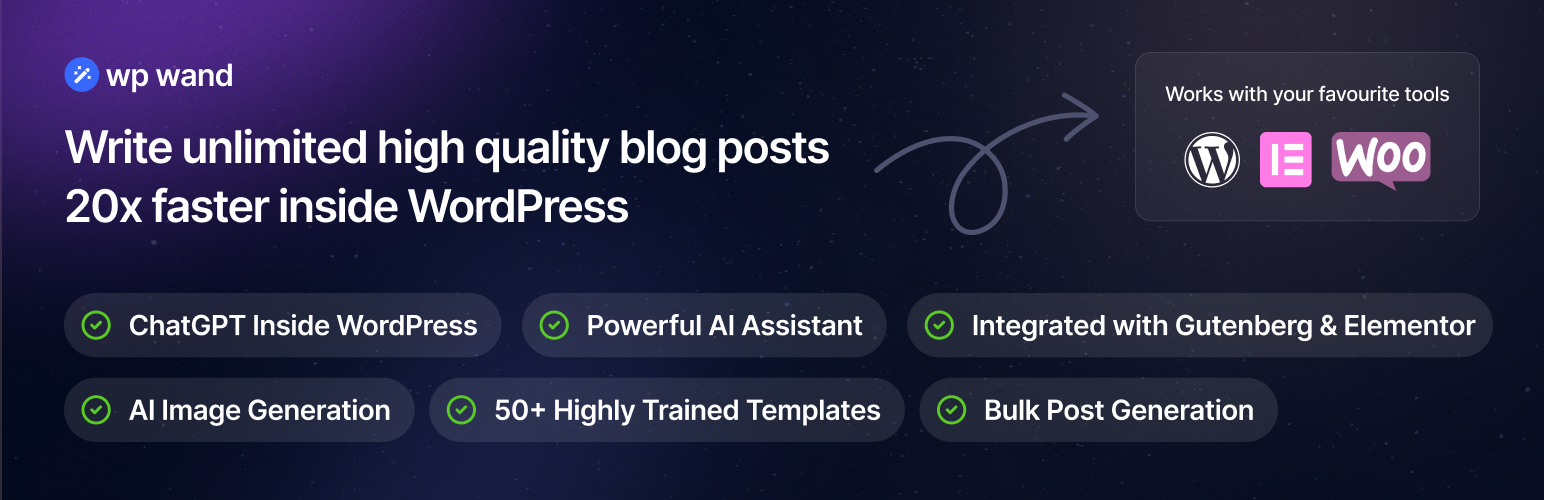
While the WP Trove AI Plugin is powerful, it is not a magic bullet. There are inherent limitations that users must acknowledge to avoid pitfalls.
- Factual Accuracy: AI models can generate plausible-sounding but incorrect information. The plugin does not verify facts against a live database. You must fact-check all statistics, quotes, and claims before publishing.
- Lack of Personal Experience: The AI cannot test products, visit locations, or share personal anecdotes. Content that requires first-hand experience (e.g., “my journey with keto”) will sound generic if fully generated by the AI.
- API Costs: The plugin itself may be free or freemium, but you are responsible for the API usage costs. High-volume content generation can lead to significant monthly expenses.
- Generic Output Risk: Without detailed prompts, the AI tends to produce generic, surface-level content that lacks depth. This can harm your E-E-A-T (Experience, Expertise, Authoritativeness, Trustworthiness) score if published without substantial human editing.
WP Trove AI Plugin vs. Other AI Content Tools
The market is flooded with AI writing assistants. To understand the value proposition of the WP Trove AI Plugin, it is useful to compare it against two other popular categories: standalone SaaS tools and competing WordPress plugins.
| Feature | WP Trove AI Plugin | Standalone SaaS (e.g., Jasper) | Other WP Plugins (e.g., AI Engine) |
|---|---|---|---|
| Integration | Native within WP admin | Requires copy-paste | Native within WP admin |
| Pricing Model | Plugin cost + API fees | Monthly subscription | Plugin cost + API fees |
| Content Storage | Directly in WP database | Cloud-based | Directly in WP database |
| Customization | High (code filters available) | Medium (template-based) | High |
| Learning Curve | Moderate | Low | Moderate |
The primary advantage of the WP Trove AI Plugin over SaaS tools is the elimination of context switching. You do not need to open a separate tab, generate content, copy it, and then paste it into WordPress, which often breaks formatting. The plugin handles the entire workflow in the background.
Compared to other WordPress AI plugins, the WP Trove AI Plugin often distinguishes itself through its user interface simplicity and the granularity of its prompt controls. Some competitors offer more advanced features like image generation or chat interfaces, but the WP Trove AI Plugin focuses specifically on content and SEO tasks.
Practical Guide: How to Set Up and Use the Plugin

Getting started with the WP Trove AI Plugin requires a systematic approach. The following steps outline the setup process and a typical content creation workflow.
Step 1: Installation and API Configuration
After purchasing and installing the plugin, navigate to the settings page. You will need to enter your API key from a supported AI provider. The plugin typically supports multiple providers, so you can choose based on your budget and quality preferences. It is recommended to start with a smaller, cheaper model to test the workflow before committing to a premium model.
Step 2: Setting Up Tone Profiles
Define your brand voice. Create a profile named “Professional” or “Casual” and provide a description of your target audience. This profile will be attached to every generation request. For example, a legal blog might set a tone profile that says: “Use formal language, avoid contractions, cite legal statutes where possible.”
Step 3: Generating a Draft Article
Create a new post in WordPress. Enter your working title. Scroll down to the WP Trove AI Plugin meta box. Select the content type (Blog Post, Product Review, etc.), choose your tone profile, and input your target keywords. Click “Generate Draft.” The plugin will take a few seconds to process and then populate the editor with the generated content.
Step 4: Editing and Fact-Checking
This is the most critical step. Read the entire draft. Verify any statistics or claims using external sources. Add your personal insights, screenshots, or examples. Adjust the tone to match your unique perspective. The AI provides a skeleton; you must add the flesh and blood.
Step 5: Generating SEO Meta Data
Once the content is finalized, use the plugin’s SEO module. It will analyze the final text and generate a title tag and meta description. You can regenerate these options until you find one that fits your click-through rate goals.
Common Mistakes and How to Avoid Them
Many users fail to get the desired results from the WP Trove AI Plugin due to a few recurring errors. Recognizing these pitfalls will save you time and frustration.
- Publishing AI Content Without Editing: This is the most damaging mistake. Search engines penalize low-quality, unedited AI content. Always treat the output as a first draft. Add unique data, quotes from experts, and your own analysis.
- Ignoring Prompt Specificity: A prompt like “write about SEO” will yield a generic, useless article. Instead, provide a detailed outline: “Write a 2000-word guide on local SEO for plumbers, covering Google Business Profile optimization, review generation, and citation building.”
- Using the Plugin for YMYL Topics: Your Money or Your Life (YMYL) topics—such as health, finance, and legal advice—require high levels of expertise. Using AI to generate medical advice or investment tips without professional review is dangerous and unethical.
- Neglecting API Cost Monitoring: Long articles consume many tokens. Set a monthly budget limit in your API provider’s dashboard to avoid surprise bills.
- Forgetting to Update the Tone Profile: If your brand pivots or you start a new project, update the tone profile. Using an outdated profile will result in content that does not resonate with your new audience.
Important Notes on Compliance and Ethics

Using AI in content creation raises questions about transparency and originality. Google’s guidelines state that AI-generated content is not inherently against its policies, provided it is helpful and created for people, not just to manipulate search rankings. However, you should disclose the use of AI to your audience if you are in a regulated industry or if your readers expect full transparency.
Furthermore, the WP Trove AI Plugin does not check for plagiarism against the live web. It is possible that the generated text closely resembles existing content. Run every final draft through a plagiarism checker like Copyscape or Grammarly Premium before publishing.
Finally, be aware of your API provider’s data retention policies. Do not send sensitive, unpublished business information through the API if you are concerned about data privacy. Review the terms of service of both the plugin developer and the AI provider.
Frequently Asked Questions
Is the WP Trove AI Plugin free to use?
The plugin may offer a free tier with limited features or a trial period. However, the full functionality requires a paid license for the plugin itself, plus a separate API key from an AI provider like OpenAI or Anthropic. The API usage is billed based on the number of tokens processed.
Does the WP Trove AI Plugin work with any WordPress theme?
Yes, the plugin operates at the content editor level and does not interfere with your theme’s front-end design. It works with the classic editor and the block editor (Gutenberg). The generated content uses standard HTML tags that are compatible with all modern themes.
Can the plugin generate content in multiple languages?
Yes, the underlying AI models are multilingual. You can specify the output language in the prompt settings. The plugin will instruct the AI to respond in the selected language, whether it is Spanish, French, German, or another supported language.
How does the plugin handle SEO optimization?
The plugin focuses on generating SEO-friendly meta titles, descriptions, and suggesting schema markup. It does not replace a full SEO plugin like Yoast or Rank Math. For best results, use the WP Trove AI Plugin in conjunction with a dedicated SEO plugin to manage sitemaps, canonical URLs, and readability scores.
Is it safe to use the plugin on a live website?
Yes, the plugin is safe to use on a live website. It does not modify your database structure or core files. However, it is always a best practice to test new plugins on a staging site first to ensure there are no conflicts with your existing plugin stack.
Conclusion
The WP Trove AI Plugin represents a practical evolution in WordPress content management. It successfully automates the tedious aspects of content creation—drafting, rewriting, and meta data generation—while leaving the critical tasks of fact-checking and personalization in the hands of the human editor. The plugin’s value is maximized when used as an assistant rather than a replacement for human creativity and expertise.
For content teams facing tight deadlines, the time savings are substantial. For solo bloggers, it removes the barrier of the blank page. However, the responsibility for quality remains with the user. By adhering to a strict editing workflow, respecting ethical guidelines, and understanding the underlying API costs, you can leverage the WP Trove AI Plugin to scale your content operations without sacrificing trust with your audience. The future of WordPress content is hybrid—human-led and AI-assisted—and this plugin is a capable vehicle for that journey.
Xem thêm:
- AI SEO AI Mention Tracking: The Complete Guide to Monitoring Brand Visibility in the Age of Generative Search
- AI SEO GEO Ranking: The Complete Guide to Winning Generative Engine Optimization
- AI SEO Search Entity Optimization: The Complete Guide to Future-Proof Rankings
- AI SEO & SEO Automation for Affiliate Sites: The 2025 Playbook for Passive Income Growth
- AI SEO for Agencies: The Complete Blueprint to Scale, Automate, and Dominate Search Rankings
Bài viết cùng chủ đề:

AI SEO SEO Automation with Make: The Complete Workflow Guide

AI SEO SEO Automation with Zapier: The Complete Workflow Guide

AI SEO SEO Automation with n8n: The Complete Workflow Guide
AI SEO SEO Automation with Gemini: The Complete Guide to Scaling Organic Growth

AI SEO SEO Automation with Claude: The Complete Guide to Scaling Content in 2025

AI SEO SEO Automation with ChatGPT: The Complete Playbook for 2025

AI SEO & SEO Automation for Affiliate Sites: The 2025 Playbook for Passive Income Growth
AI SEO & SEO Automation for Bloggers: The Complete Guide to Scaling Your Content

AI SEO & SEO Automation for Agencies: The Complete 2025 Playbook

AI SEO and SEO Automation for Ecommerce: The Complete Playbook for 2025

AI SEO & SEO Automation for WordPress: The Complete Playbook for 2025
AI SEO SEO Automation Strategy: The Complete Playbook for 2025

Mastering the AI SEO SEO Automation Process: A Complete Guide to Scaling Organic Growth
AI SEO SEO Automation System: The Complete Guide to Scaling Organic Growth in 2025
AI SEO SEO Automation Platform: The Complete Guide to Scaling Organic Growth in 2025
AI SEO SEO Automation Software: The Complete Guide to Scaling Organic Growth in 2025















