
No products in the cart.
Unlock the Power of AI Prompt Templates: A Complete Guide to Crafting Perfect Prompts Every Time
29
Jul
Jul
Working with large language models can feel like a conversation with an incredibly smart colleague who occasionally needs very specific instructions. Without structure, you might waste time rephrasing the same request, get inconsistent results, or miss out on the model’s full potential. AI prompt templates solve exactly this. They turn chaotic, one-off prompts into reusable, scalable, and high-performance blueprints that deliver reliable outputs across tasks like content writing, code generation, translation, and data analysis. This guide explores what makes a great prompt template, the distinct types you can use today, step-by-step creation methods, and how to avoid the subtle mistakes that undermine your results.
What Are AI Prompt Templates?
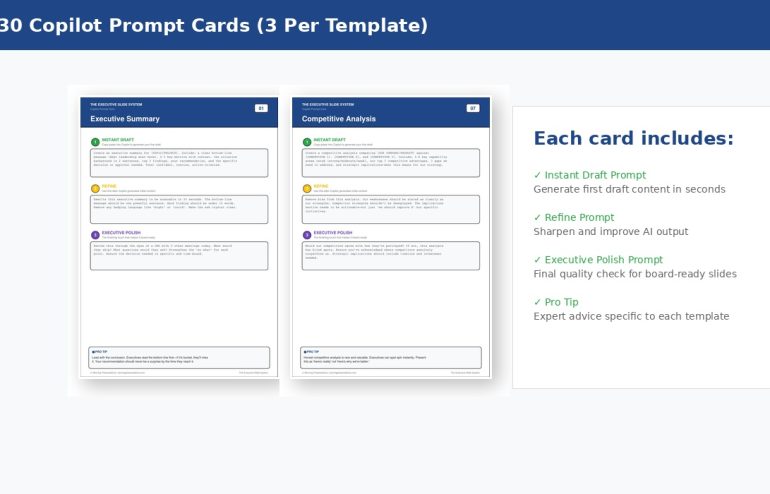
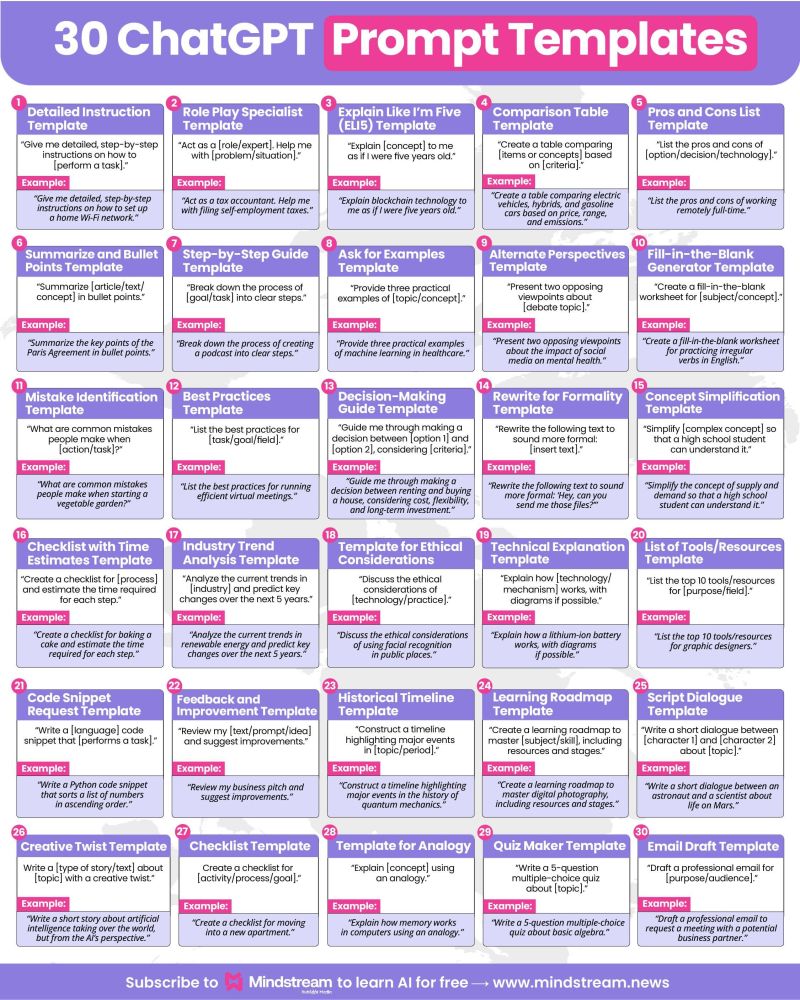
An AI prompt template is a pre-structured framework that contains static instructional language mixed with dynamic placeholders. Instead of typing a full prompt from scratch every time, you design a master pattern where only key variables change. Think of it as a smart form: define the role, the context, the output style, and leave slots for the specific topic, tone, or data. When you need a result, you fill in the blanks, and the AI receives a consistently engineered prompt.
The real power lies in reducing cognitive load and enforcing best practices. Templates embed proven prompt engineering techniques such as clear role assignment, step-by-step reasoning directives, and output format constraints into a repeatable structure. This makes advanced prompting accessible to team members without deep AI expertise, ensures brand voice consistency, and dramatically speeds up workflow. Whether you’re generating product descriptions, debugging code, or summarizing meeting notes, a well-crafted template turns guesswork into a repeatable system.
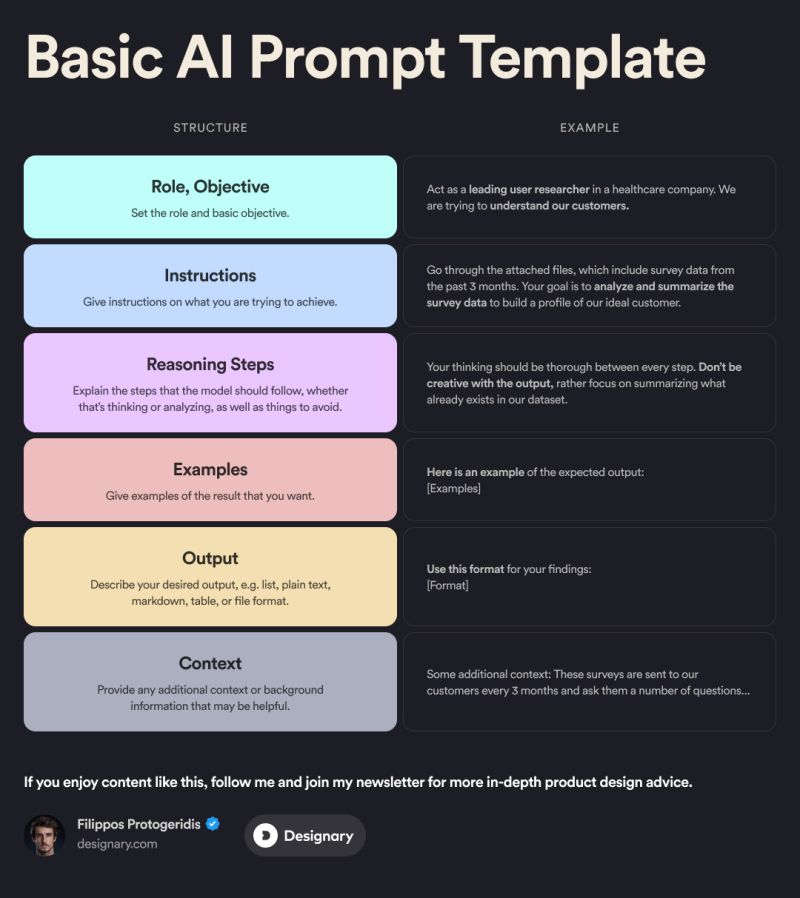
The Core Components of a Prompt Template
- System or role instruction: “You are an expert marketing copywriter…” Sets the persona and domain knowledge.
- Task description: A clear imperative statement of what to produce.
- Input placeholders: Variables denoted by brackets like [topic], [target_audience], or [word_count].
- Context and constraints: Length limits, prohibited words, tone guidelines, or mandatory keywords.
- Output format specification: “Return a JSON object with keys…” or “Use bullet points with Markdown headings.”
- Examples (optional): One or more input-output pairs that illustrate the desired pattern.
- Consistency at scale: Every output follows the same structure, tone, and quality criteria, no matter who fills in the variables.
- Time efficiency: The heavy lifting of prompt engineering is done once. Teams can generate dozens of outputs in minutes without rewriting the context.
- Onboarding non-experts: Colleagues unfamiliar with prompt engineering can still produce professional results by simply inputting the topic.
- Version control and improvement: Templates can be systematically A/B tested, refined, and stored in a shared library, turning organizational knowledge into a reusable asset.
- Cost optimization: Efficiently designed templates with precise instructions often require fewer tokens per interaction and reduce the need for lengthy follow-up corrections.
- Safety and compliance: Pre-approved phrasing in templates can prevent the model from generating unwanted content, adhering to brand guidelines or regulatory constraints.
- Vague placeholders: Using [thing] instead of [customer_complaint] introduces ambiguity. Precise variable names guide the model.
- Overloading the template: Cramming every possible edge case into one monolithic template makes it brittle. Create separate, focused templates instead.
- Ignoring model drift: After a model update, test your top templates. A prompt that relied on a specific behavior may break.
- No output validation logic: Even the best template needs a sanity check. Integrate simple validation, especially for structured outputs like JSON, to catch malformed responses.
- Forgetting the context window: A few-shot template with four lengthy examples plus a long user input can exceed the token limit, silently causing the model to forget earlier instructions.
- Using contradictory instructions: Telling the model “be creative” and “strictly follow the format” in the same template without clarification leads to confused outputs.
Types of AI Prompt Templates
Zero-Shot Templates
A zero-shot template gives the model a task without any examples. It relies purely on the clarity of the instruction. These are quick to write and work well for straightforward tasks where the model already possesses strong learned patterns. For instance, a zero-shot summarization template might read: “Summarize the following meeting transcript in three concise bullet points, focusing on decisions and action items. Transcript: [transcript]” The model understands “summarize” and “bullet points” without seeing a demonstration. This simplicity makes zero-shot templates the most common entry point for many AI workflows.
Few-Shot Templates
When the output requires a very specific style, format, or reasoning pattern, a few-shot template includes one or more complete examples before the final placeholder. The examples condition the model to mimic the pattern exactly. For customer support email generation, a few-shot template might show two examples of a complaint email and the corresponding empathetic response, then present a new customer query. This approach is indispensable for niche tasks or when you need output that deviates from the model’s default tendencies. The trade-off is increased token usage and the need to maintain high-quality, consistent examples.
Chain-of-Thought (CoT) Templates
Chain-of-thought templates explicitly instruct the model to break down reasoning into intermediate steps before delivering the final answer. Instead of “Solve this math problem,” the template says, “Think step by step. First, identify the variables. Next, outline the formula. Then, perform the calculation. Finally, present the answer.” This technique drastically improves accuracy on complex logical, mathematical, and analytical tasks. For business applications like budget optimization or risk assessment, a CoT template ensures the model shows its work, making outputs auditable and easier to trust.
Role-Based Templates
These templates assign a specific professional persona to the model, contextually priming all subsequent responses. “You are a senior Python developer with 20 years of experience in security audits” will produce different explanations, code suggestions, and warnings than a generic prompt. Role-based templates are highly effective for specialized content creation, expert-level technical assistance, and training simulations. They reduce the need to constantly reiterate the desired level of expertise within the conversation.
The Benefits of Using AI Prompt Templates
Limitations and When Templates Fall Short
AI prompt templates are not a silver bullet. Over-standardization can stifle creativity when a task genuinely benefits from open-ended exploration. Templates built for one model version may produce unexpected results after a model update, as underlying behaviors shift. They also require regular maintenance; a template that worked perfectly last month might need tweaking today. Context window limits constrain how much template scaffolding, examples, and actual input you can include before the model loses earlier details. Additionally, some high-variance tasks like generating truly novel artistic concepts resist being templated and demand ad-hoc human-AI dialogue.
Comparing Prompt Template Approaches: A Quick Overview
| Template Type | Best For | Example Use Case | Token Efficiency |
|---|---|---|---|
| Zero-Shot | Simple, well-understood tasks | Summarize a short article | Very high |
| Few-Shot | Stylistic mimicry, format-sensitive output | Generate social media posts in a specific brand voice | Moderate |
| Chain-of-Thought | Multi-step reasoning, math, analysis | Financial report insight generation | Low (longer reasoning chains) |
| Role-Based | Expert-level advice, persona-driven content | Mock code review by a security architect | High |
How to Create Effective AI Prompt Templates: Step-by-Step
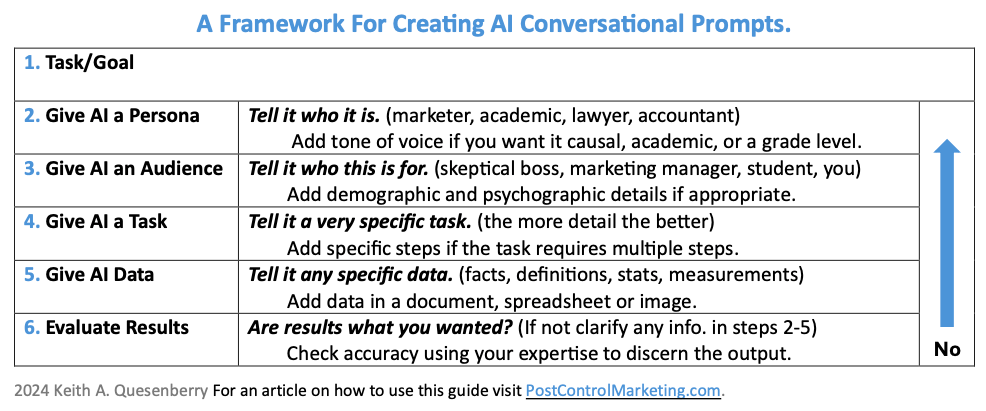
1. Define Your Goal and Output Format
Start with the end in mind. Are you generating a blog introduction, a product specification table, a JSON object for an API call? Specify the exact format, word count, languages, or data schema. An ambiguous goal leads to an ambiguous template. Write down: “Output must be a valid JSON array of 5 objects, each with ‘name’, ‘description’, and ‘estimated_effort’ fields.” This clarity becomes the anchor of your template.
2. Choose the Right Template Type
Match the complexity. If the AI already performs the task reliably with a simple command, a zero-shot template saves tokens. If you need a highly specific style, invest in a few-shot template with carefully curated examples that represent the edge cases. For analytical tasks, build the chain-of-thought steps. Many templates benefit from combining approaches: a role-based instruction with a zero-shot task and a clear output specification often hits the sweet spot.
3. Write Clear Instructions with Placeholders
Draft the static portion as if instructing a bright but literal junior colleague. Use active voice and imperative mood: “Analyze,” “Generate,” “Extract.” Avoid ambiguous terms. Delineate variables with square brackets and descriptive names: [customer_name], [product_description], [pain_point]. Keep the instruction concise; overly long context can dilute focus. A robust template might read: “You are a technical support lead. Write a troubleshooting response for a customer reporting [error_code] on [device_model]. Provide three possible causes, ranked by likelihood, and a step-by-step fix for the most probable one. End with a short reassurance. Do not use jargon the customer may not understand.”
4. Test and Iterate
Run the template with at least ten varied placeholder inputs. Check for consistency, factual accuracy, and adherence to constraints. Watch for failures like ignoring the output format or misunderstanding the context when placeholder values are unusual. Refine the instruction until edge cases are handled gracefully. Document the version and intended model for future reference.
Practical Applications Across Industries
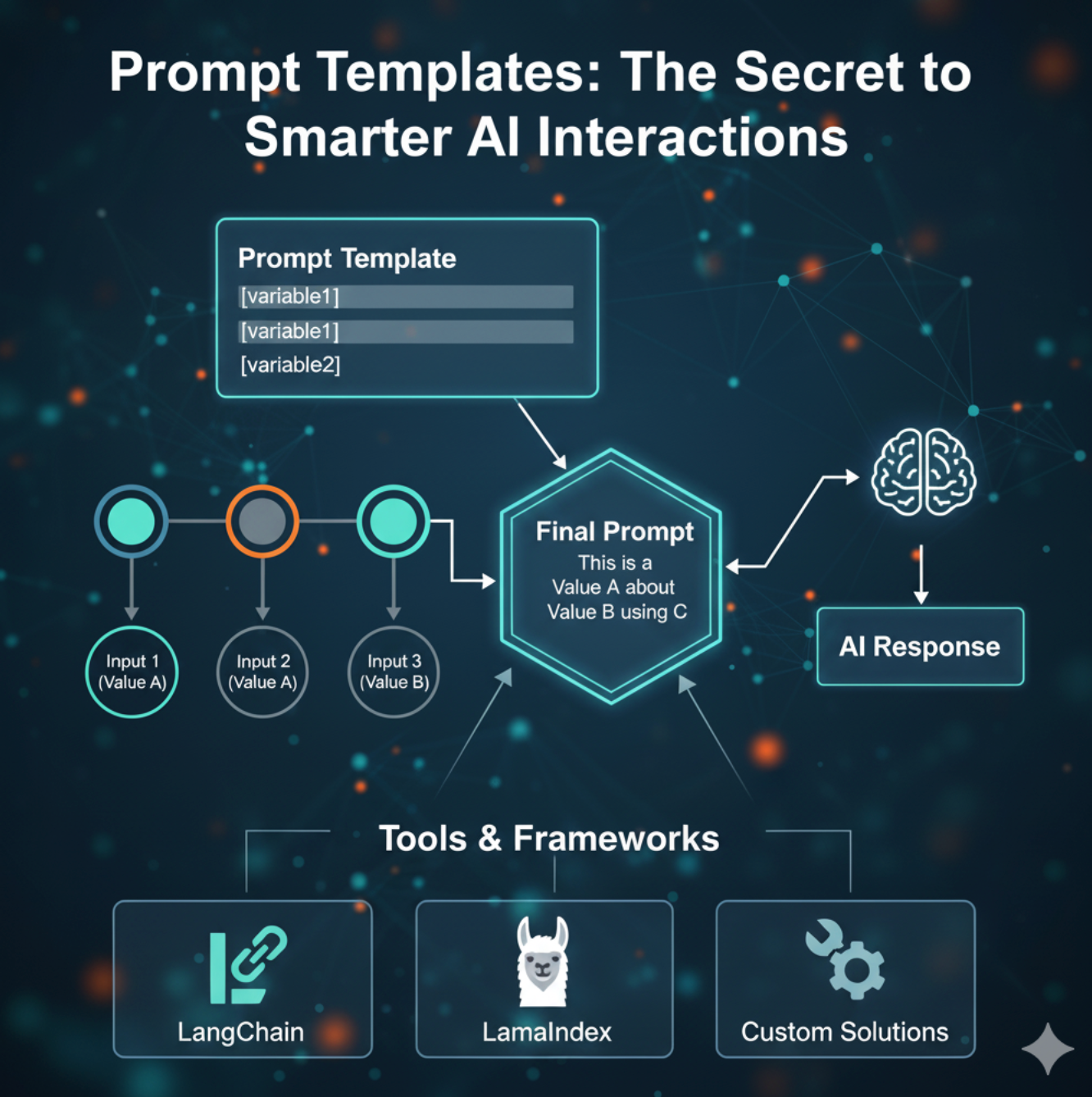
AI prompt templates transform workflows in nearly every domain. In e-commerce, they generate hundreds of product descriptions with consistent tone and SEO keywords from a single template containing [product_name], [material], [feature_list]. Customer service teams use them to automatically draft first-response emails that pull in [customer_issue] and [order_number] while maintaining empathy. Software development teams leverage templates for code review summaries, unit test generation given a [function_signature], and technical documentation drafts. In education, instructors create quiz question banks by providing a template with [topic] and [difficulty_level]. The common thread is taking a repetitive cognitive task and making it instantaneous and standardized.
Common Mistakes to Avoid When Using AI Prompt Templates
Important Notes for Long-Term Success
Treat your template library as a living product. Organize templates by use case, model version, and performance rating. Share them across teams with clear documentation on what each variable expects and what a “good” output looks like. Invest time in prompt version control so you can roll back if a new variant underperforms. Remember that the most powerful templates often emerge from studying where human experts repeatedly correct or adjust raw AI outputs. Those friction points are where a template can lock in the expert adjustment permanently. Finally, always balance efficiency with ethical considerations: templates for content generation should include guardrails against harmful, biased, or misleading content.
Frequently Asked Questions
What is an AI prompt template?
An AI prompt template is a reusable prompt structure that combines static instructions with dynamic placeholders. You fill in the blanks with specific inputs like a topic, name, or data point, and the AI processes the full structured prompt consistently. It’s the backbone of reliable, scalable AI interactions.
Why should I use a prompt template instead of a single prompt?
Templates save time by eliminating repeated re-writing of the same instruction. They ensure consistent quality and format across dozens or hundreds of outputs, reduce errors from manual prompt variation, and allow non-experts to generate expert-level results.
Can I use the same template for different AI models?
Often yes, but results may vary. Template patterns that work on one model might need slight adjustment for another. Test each template across the models you use and maintain a compatibility note. Cross-model testing is especially important when jumping between providers or model generations.
How do I store and organize my prompt templates?
Many teams use shared documents, internal wikis, or dedicated prompt management tools. Tag templates by task type (summarization, generation, classification), model, and department. Include example input-output pairs and last-tested dates so colleagues can confidently reuse them.
What is the difference between a prompt template and a prompt library?
A prompt template is the individual reusable pattern, while a prompt library is a curated collection of multiple templates, often organized, searchable, and version-controlled. The library is the organizational asset; templates are the building blocks within it.
Conclusion
AI prompt templates transform the way individuals and organizations interact with language models. They distill the art of prompt engineering into shareable, testable, and instantly usable assets that turn inconsistent, one-off attempts into a reliable production line of high-quality outputs. By understanding the different template types, following a disciplined creation process, and avoiding common pitfalls, you unlock the full potential of AI while saving enormous amounts of time. Start small with a single high-impact template for a repetitive task, refine it through iteration, and gradually build a library that captures your team’s collective intelligence. With a solid template strategy, every prompt becomes a precision tool rather than a shot in the dark.
Xem thêm:
- AI Content Pruning: The Complete Strategy to Remove Weak Pages and Skyrocket SEO Performance
- The Ultimate Guide to AI Comparison Articles That Actually Help Readers Decide
- AI SEO Unlinked Mentions: The Complete Guide to Turning Brand Mentions into Backlinks
- AI SEO Entity Authority: The Complete Guide to Dominating Search in 2025
- AI SEO AI Search Audit: The Complete Guide to Future-Proofing Your Rankings
Bài viết cùng chủ đề:

AI SEO SEO Automation with Make: The Complete Workflow Guide

AI SEO SEO Automation with Zapier: The Complete Workflow Guide

AI SEO SEO Automation with n8n: The Complete Workflow Guide
AI SEO SEO Automation with Gemini: The Complete Guide to Scaling Organic Growth

AI SEO SEO Automation with Claude: The Complete Guide to Scaling Content in 2025

AI SEO SEO Automation with ChatGPT: The Complete Playbook for 2025

AI SEO & SEO Automation for Affiliate Sites: The 2025 Playbook for Passive Income Growth
AI SEO & SEO Automation for Bloggers: The Complete Guide to Scaling Your Content

AI SEO & SEO Automation for Agencies: The Complete 2025 Playbook

AI SEO and SEO Automation for Ecommerce: The Complete Playbook for 2025

AI SEO & SEO Automation for WordPress: The Complete Playbook for 2025
AI SEO SEO Automation Strategy: The Complete Playbook for 2025

Mastering the AI SEO SEO Automation Process: A Complete Guide to Scaling Organic Growth
AI SEO SEO Automation System: The Complete Guide to Scaling Organic Growth in 2025
AI SEO SEO Automation Platform: The Complete Guide to Scaling Organic Growth in 2025
AI SEO SEO Automation Software: The Complete Guide to Scaling Organic Growth in 2025















