
No products in the cart.
AI Proofreading: The Complete Guide to Flawless, Professional Writing at Scale
29
Jul
Jul
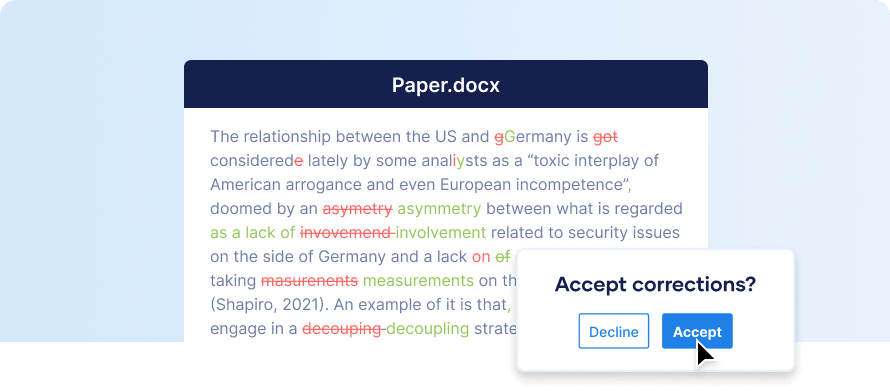
The way we polish written content has changed forever. AI proofreading combines advanced natural language processing with deep learning models to catch errors, enhance clarity, and refine tone in seconds—far beyond simple spell-check. Whether you’re drafting a business email, finalizing an academic paper, or publishing website copy, AI proofreading tools have become an essential layer of quality control that works quietly in the background, saving you from embarrassing typos and subtle grammar slips.
This article unpacks exactly how AI proofreading functions, what separates a good tool from a mediocre one, and how you can integrate it into your daily writing workflow for consistently crisp, error-free text. We cover the technology, the real-world benefits, limitations that still require human judgment, comparisons among popular solutions, and practical steps to get the most out of these intelligent assistants.
What Is AI Proofreading? Understanding the Core Mechanism

AI proofreading refers to the use of machine learning algorithms and language models to scan text and identify mistakes in grammar, spelling, punctuation, word choice, style, and even tone. Unlike traditional spell checkers that rely on a fixed dictionary and simple rule-based patterns, modern AI proofreading platforms analyze the entire sentence context to understand intent and suggest corrections that maintain or improve meaning.
At the heart of these systems lies a mixture of deep neural networks trained on enormous corpora of human language—books, articles, websites, and edited manuscripts. The AI learns what “correct” and “natural” writing looks like across formal and informal registers. When you paste a paragraph, the tool tokenizes each word, maps syntactic relationships, checks for anomaly scores against its trained model, and produces alternative phrasings when a segment appears non-standard or erroneous.
Key technologies powering AI proofreading include:
- Natural Language Processing (NLP): The branch of AI that enables computers to parse human language structure.
- Transformer architectures: Models like GPT, BERT, and their variants process text with attention mechanisms, making them highly context-aware.
- Sequence-to-sequence models: For tasks such as rephrasing awkward sentences, these models transform an input sequence (the original text) into an improved output sequence.
- Generative AI: Some advanced proofreaders can rewrite entire paragraphs to be more concise or to match a desired tone.
- Radical speed improvement: What used to take a human proofreader an hour per 1,000 words can be done in seconds. For high-volume content operations, this is transformative.
- Consistent quality: AI doesn’t have off days. It applies the same rules every time, eliminating the variability that comes with different human editors.
- Enhanced language learning: Writers consistently see their common mistakes highlighted and learn to avoid them. The tool becomes a personal tutor, not just a fixer.
- Scalability: A solo blogger or a global marketing team can proofread millions of words across dozens of languages without hiring an army of editors.
- Multilingual support: Many AI proofreaders now cover English variations (US/UK/AU), plus Spanish, German, French, and more, helping non-native speakers write with confidence.
- Tone assurance: Advanced AI can flag sentences that unintentionally sound aggressive or too casual for a given audience, aligning brand voice across communications.
- Nuance and sarcasm: AI often misses ironic or intentionally unconventional phrasing, flagging it as an error or sterilizing the voice.
- Creative writing: In poetry, literary fiction, or highly stylized marketing copy, AI suggestions can flatten the artistic effect. A human ear is still needed for rhythm and deliberate rule-breaking.
- Context-heavy industry jargon: If a term is rare or newly coined, the AI might suggest a “correction” that is wrong. Always double-check technical content manually.
- Privacy concerns: Free-tier AI proofreaders may store and analyze your text on their servers. For confidential legal or business documents, on-premise solutions or strict data policies are crucial.
- Over-correction: Some tools with generative capability rewrite sentences so aggressively that the original intent shifts. A subtle change in wording can alter legal meaning or brand messaging.
- Not a substitute for content knowledge: The AI can’t verify facts, logical flow, or correctness of figures. That remains a human responsibility.
- Blindly accepting all changes: This is the most damaging habit. A single accepted suggestion can turn a technically correct medical term into a common word, altering meaning.
- Ignoring the style guide mismatch: Default settings often prefer American English and a semi-formal tone. If your audience expects British spelling or a casual voice, adjust preferences before proofreading, not after.
- Skipping the privacy check: Pasting sensitive information into a free cloud-based AI proofreader without reading the data usage policy can violate confidentiality agreements. Seek enterprise-grade or self-hosted versions when security is paramount.
- Assuming the tool understands specialized formatting: Tables, code snippets, and references in academic papers often trip up AI. They may introduce spaces, break formatting, or flag entire lines as errors. Always isolate such elements or use a tool designed to handle them.
- Overusing generative rewrite on every sentence: This can produce text that sounds polished but lacks a human touch—too generic, missing the writer’s unique fingerprint. Use generative suggestions sparingly, as a last resort for truly awkward passages.
- Real-time collaborative AI proofreading: Live suggestions within shared documents during editing sessions, akin to having an AI proofreader sitting in the room.
- Voice-to-text proofreading: As voice dictation becomes more common, A
- Hyper-personalization: AI models that learn your unique writing style over time, flagging not generic mistakes but deviations from your personal norm.
- Multimodal proofreading: Tools that check text within images, infographics, and presentations, ensuring brand consistency across visual and written media.
- Explainability layers: More transparent suggestions that show the chain of reasoning, building trust and enabling better human decisions.
How AI Proofreading Differs from Traditional Grammar Checkers
Many people confuse AI proofreading with the basic grammar check built into word processors. The gap is substantial. Traditional checkers use pre-programmed rules: “i before e except after c,” subject-verb agreement pattern matching, and a static dictionary. They often flag false positives in complex sentences and miss errors that require semantic understanding, such as homophone confusion (“their” vs. “there”) when the error is grammatically plausible but logically wrong.
AI proofreading performs a deeper linguistic analysis. It can distinguish between “The new employee affects great enthusiasm” (incorrect—should be “effects”) and “The new policy affects everyone” (correct). It weighs the probability of a word in context by comparing against its training data, leading to far fewer false alerts and more nuanced suggestions. Moreover, AI proofreaders can adapt to style guides and offer consistency checks that rule-based systems can’t handle—like ensuring all headings use title case or that Oxford commas are uniformly applied.
The Classification of AI Proofreading Systems
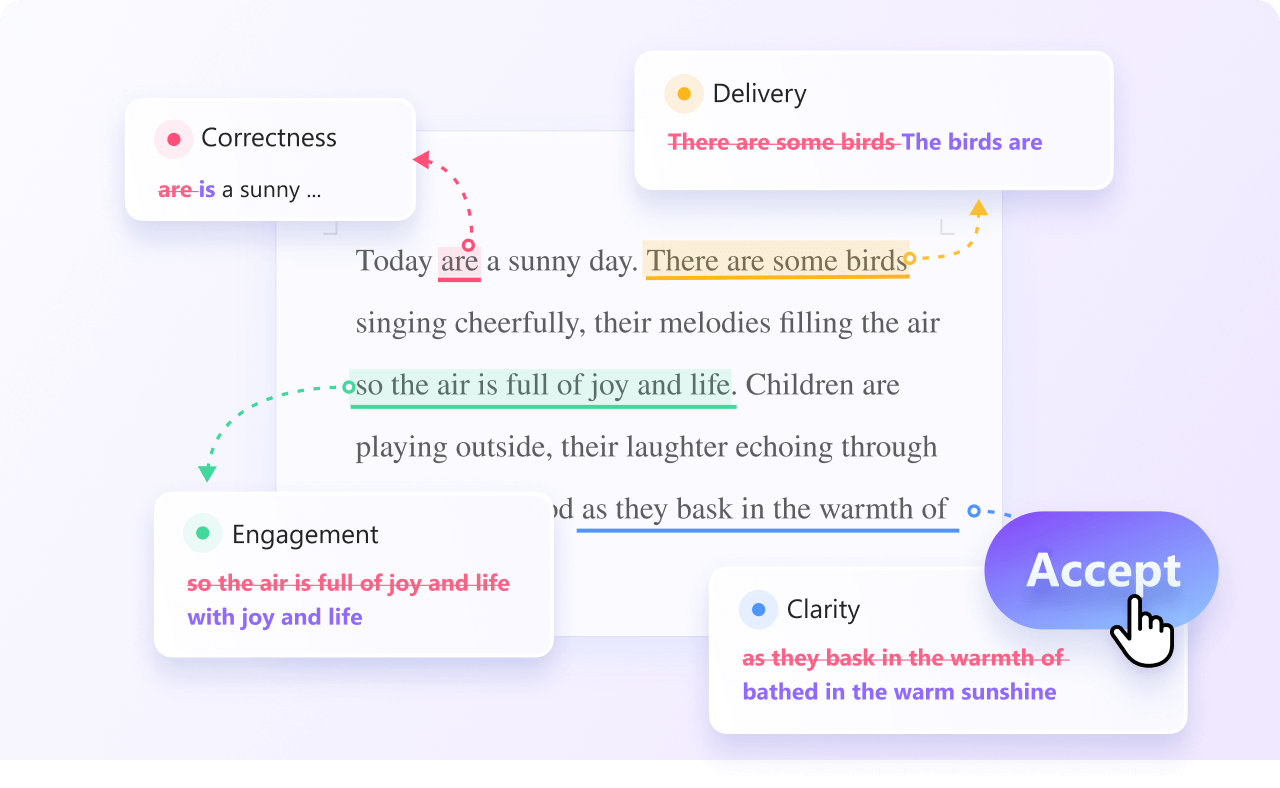
Not all AI proofreading tools are built the same way. Understanding their types helps you pick the right assistant for your needs.
1. Grammar-Centric AI Proofreaders
These focus primarily on syntactical correctness: verb tense, subject-verb agreement, article usage, preposition errors, and punctuation. Grammarly’s original engine and ProWritingAid’s grammar module fall here. They excel at catching discrete mistakes and are typically fast enough to operate in real-time while you type.
2. Style and Clarity AI Proofreaders
Going beyond errors, these tools assess readability, sentence length, passive voice usage, and jargon density. They often integrate with Hemingway-like algorithms but enhanced by AI to avoid oversimplification. They score your writing and recommend rephrasing that boosts engagement. Sapling and Wordtune emphasize clarity while preserving your voice.
3. Full-Suite Writing Assistants with Generative Capabilities
This category includes the latest generation of AI proofreading that can completely rewrite paragraphs, adjust tone (professional, friendly, persuasive), and even generate content from prompts. They combine proofreading with AI copywriting. ChatGPT in editing mode, Jasper’s tone dial, and newcomer tools like QuillBot’s fluency modes are prime examples. These are powerful but may overcorrect if not supervised.
4. Domain-Specific AI Proofreaders
Some tools are fine-tuned for specialized writing. Academic AI proofreaders like Writefull or Trinka are trained on scientific manuscripts and adhere to journal conventions. Legal and medical proofreaders check for compliance language, citation formats, and field-specific terminology. These niche tools reduce false flags that a general proofreader would raise on technical vocabulary.
Benefits of Integrating AI Proofreading into Your Workflow
Adopting AI proofreading is not just about saving a few minutes. The value compounds across teams and projects.
Real Limitations and When to Rely on Human Judgment
Despite remarkable advances, AI proofreading is not infallible. Recognizing its limits will prevent over-reliance and potential embarrassments.
Comparing Leading AI Proofreading Platforms
The table below summarizes key attributes of popular tools to help you decide based on your primary use case.
| Tool | Best For | Key Features | Contextual AI | Free Tier |
|---|---|---|---|---|
| Grammarly | General writing, business emails | Tone detector, full-sentence rewrites, plagiarism checker | High | Yes (basic) |
| ProWritingAid | Long-form fiction, book manuscripts | Detailed style reports, over 20 writing critiques, integration with Scrivener | High | Yes (limited) |
| LanguageTool | Multilingual proofreading | Open-source option, supports 30+ languages, self-hosted possible | Medium-High | Yes (generous) |
| QuillBot | Paraphrasing and fluency | Multiple rewriting modes, summarizer, citation generator | Medium | Yes (limited words) |
| Wordtune | Clarity and tone adjustment | Sentence-level rewrites, “spice” feature for creative rewording, Chrome extension | High | Yes |
| Hemingway Editor + AI | Readability, bold minimalist style | Readability score, passive voice highlighter, adverb flagging, now with AI sentence tightening | Low-Medium | Yes (online free) |
Practical Guide: How to Use AI Proofreading Effectively Step by Step
Simply pasting text into a tool and accepting all changes is not a strategy. For the best results, follow a methodical approach.
Step 1: Choose the Right Assistant for the Task
Match the tool to your content type. A legal contract requires different sensitivities than a social media post. If you deal with multiple languages, pick a multilingual AI proofreader. If you write extensively in a single domain, test domain-specific alternatives first. Setting up style guide preferences early prevents blanket corrections that conflict with your guidelines.
Step 2: Complete Your Draft First, Proofread Second
Don’t let real-time correction disrupt your creative flow. Write your first draft without interruption. Once your ideas are on the page, engage the AI proofreading pass. This separation helps you maintain voice and avoid the stop-start pattern that can block productivity.
Step 3: Run the Initial AI Scan and Review Suggestions Categorically
Most tools group suggestions: critical grammar, spelling, punctuation, style improvements, and enhancements. Process critical errors first—those are usually high-confidence fixes. Then move to clarity suggestions. For each change, read the full sentence aloud if needed. Accepting all style rephrasings can homogenize your writing, so be selective.
Step 4: Use the “Explain” Feature to Learn
Many AI proofreaders offer a brief grammatical explanation for flagged errors. Spending a few seconds on this transforms the tool into a constant learning resource. Over weeks, you’ll notice fewer errors originating from your own patterns.
Step 5: Do a Final Human Pass for Tone, Facts, and Nuance
After the AI’s corrections, read the entire piece one more time, preferably after a short break. Check logical flow, data accuracy, and whether any rewriting suggestions changed the intended meaning. Pay special attention to humor, wordplay, and brand-specific terms that the AI may have “corrected” to something dull.
Common Mistakes When Relying Solely on AI Proofreading
Even experienced users fall into predictable traps. Awareness is the first defense.
How to Train Your Own Eye While Using AI Proofreading
One underrated benefit is the ability to improve your own proofreading skills. Every time an AI flags a comma splice, a dangling modifier, or a subtly misused word, take a mental note. Over months, you’ll internalize these patterns. You can accelerate this by keeping a personal error log: note the mistake type, the original sentence, and the correction. Review it weekly. This transforms the AI from a crutch into a coach, gradually reducing dependence.
Important Notes on Data Security and AI Proofreading
Text you input into an AI proofreader typically passes through remote servers for processing. If you’re handling classified material, financial reports, or sensitive client data, verify that the provider offers end-to-end encryption and a zero-data-retention policy. Some tools, like LanguageTool, can be installed on-premises or as a local server, eliminating external data transfer. For enterprise environments, look for SOC 2 compliance, GDPR alignment, and administrative controls that disable data storage for model training.
Future Trends in AI Proofreading
The field is rapidly evolving. Upcoming developments include:
Frequently Asked Questions About AI Proofreading
What exactly does AI proofreading do better than human proofreaders?
AI proofreading processes text at an unmatched speed and applies consistent rules tirelessly. It never gets distracted or tired, so it catches tiny typos that human eyes might skim over after reading the same paragraph multiple times. It also offers instant feedback on readability and tone at scale, which a single human editor can’t replicate across thousands of documents simultaneously.
Can AI proofreading completely replace human editors?
Not entirely. AI lacks the cultural context, creative judgment, and deep subject-matter expertise that human editors bring. For final checks on high-stakes content—like legal contracts, literary manuscripts, or nuanced marketing campaigns—human oversight remains essential. The best approach usually pairs AI for the first pass and a human for the final review.
Is AI proofreading safe for confidential documents?
It depends on the provider. Many free services use text to improve their models, which may expose your content. For confidential work, choose AI proofreaders that offer enterprise-level security, on-premise deployment, or a legal agreement guaranteeing no data retention. Always read the privacy policy and, when in doubt, strip sensitive details before uploading.
How accurate is AI proofreading compared to a professional proofreader?
For standard grammar, spelling, and punctuation errors, top-tier AI tools catch over 90% of issues, often more than a tired human. However, accuracy drops for subtle semantic errors, tone mismatches, and context-heavy jargon. A professional proofreader still beats AI in nuanced editing where intent and subtext matter, but the combination of both yields the highest overall accuracy.
Does AI proofreading work with languages other than English?
Yes. Many AI proofreading platforms now support multiple languages, with European languages like Spanish, German, and French leading. Some, like LanguageTool, cover over 30 languages. Quality varies by language, however; English receives the most training data and thus typically enjoys the most polished suggestions.
Will using AI proofreading make my writing sound robotic?
Not if you use it wisely. Accept the critical grammar fixes, but carefully evaluate style and rephrasing suggestions. If you click “accept” on every rewrite, your writing may indeed lose personality. Use the AI to catch technical errors, then read through yourself to ensure the voice remains distinctly yours. The tool is a safety net, not the author.
Conclusion
AI proofreading has matured from a handy grammar checker into a sophisticated writing partner that elevates clarity, catches hidden errors, and scales editing across entire teams. It empowers non-native speakers, accelerates professional workflows, and raises the baseline quality of everything from tweets to annual reports. Yet, the most effective users treat it as a co-pilot—not an autopilot. By combining rapid AI analysis with deliberate human judgment, you produce writing that is both technically flawless and authentically compelling. Integrate the steps outlined here, choose your tools based on genuine need, and you’ll soon find that AI proofreading becomes an invisible but indispensable layer in your creative process.
Xem thêm:
- AI SEO Product Reviews: The Complete Guide to Smarter Buying Decisions
- AI SEO Best Examples: How Leading Brands Use Artificial Intelligence to Conquer Search Rankings
- The Future of AI SEO: How Artificial Intelligence Is Reshaping Search Optimization
- AI SEO Topic Clustering: The Complete Guide to Building Topical Authority in 2025
- WP Trove AI Templates: The Complete Guide to Smarter WordPress Design
Bài viết cùng chủ đề:

AI SEO SEO Automation with Make: The Complete Workflow Guide

AI SEO SEO Automation with Zapier: The Complete Workflow Guide

AI SEO SEO Automation with n8n: The Complete Workflow Guide
AI SEO SEO Automation with Gemini: The Complete Guide to Scaling Organic Growth

AI SEO SEO Automation with Claude: The Complete Guide to Scaling Content in 2025

AI SEO SEO Automation with ChatGPT: The Complete Playbook for 2025

AI SEO & SEO Automation for Affiliate Sites: The 2025 Playbook for Passive Income Growth
AI SEO & SEO Automation for Bloggers: The Complete Guide to Scaling Your Content

AI SEO & SEO Automation for Agencies: The Complete 2025 Playbook

AI SEO and SEO Automation for Ecommerce: The Complete Playbook for 2025

AI SEO & SEO Automation for WordPress: The Complete Playbook for 2025
AI SEO SEO Automation Strategy: The Complete Playbook for 2025

Mastering the AI SEO SEO Automation Process: A Complete Guide to Scaling Organic Growth
AI SEO SEO Automation System: The Complete Guide to Scaling Organic Growth in 2025
AI SEO SEO Automation Platform: The Complete Guide to Scaling Organic Growth in 2025
AI SEO SEO Automation Software: The Complete Guide to Scaling Organic Growth in 2025















