
No products in the cart.
WP Trove AI Templates: The Complete Guide to Smarter WordPress Design

31
Jul
Jul
Building a WordPress website has never been more demanding. Visitors expect fast loading times, flawless mobile responsiveness, and personalized content that speaks directly to their needs. Traditional page builders require hours of manual adjustment, while coding from scratch demands technical expertise that many business owners simply do not have. This is where WP Trove AI Templates enter the picture, offering a transformative approach to website creation. These templates leverage artificial intelligence to generate, customize, and optimize WordPress designs in a fraction of the time. This comprehensive guide explores everything about WP Trove AI Templates, from their core functionality to practical implementation strategies that deliver measurable results.
What Are WP Trove AI Templates?
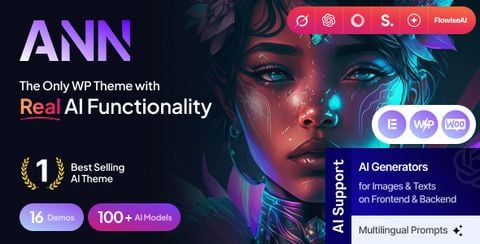
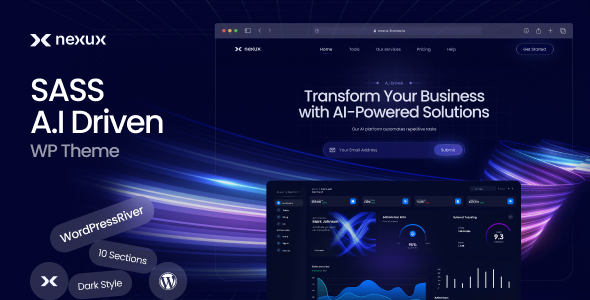
WP Trove AI Templates represent a new generation of WordPress design assets that integrate machine learning algorithms directly into the template creation and customization process. Unlike static themes or traditional page builder templates, these AI-powered solutions analyze your content, industry, and design preferences to generate layouts that align with your brand identity and conversion goals.
The core innovation lies in the adaptive nature of these templates. When you input your website’s purpose, target audience, and content structure, the AI engine processes this information and produces a tailored design framework. This includes color schemes, typography pairings, spacing systems, and component arrangements that follow established UX principles while maintaining visual uniqueness.
WP Trove positions itself as a comprehensive resource hub for WordPress users, and their AI template collection stands out because it bridges the gap between generic templates and fully custom designs. The templates are not merely static files; they are intelligent starting points that evolve based on user input and content integration.
How WP Trove AI Templates Work
Understanding the underlying mechanics of these templates helps you maximize their potential. The process typically follows a structured workflow that combines user input with AI-driven design decisions.
The Template Generation Process
When you select a WP Trove AI Template, the system initiates a multi-step generation sequence. First, you provide basic information about your project, including industry category, brand personality, and primary goals. The AI then references a vast database of design patterns, conversion benchmarks, and accessibility standards to construct a base layout.
Next, the system analyzes your existing content or placeholder text to determine optimal content hierarchy. Headlines, body copy, and calls-to-action are positioned based on reading patterns and engagement data. The AI also considers technical factors such as page speed implications and mobile viewport behavior during this phase.
Finally, the template generates a complete WordPress-ready package. This includes theme files, custom post type definitions, widget areas, and integration hooks for popular plugins. The output is a functional website skeleton that you can populate with your specific content and branding elements.
AI Customization Features
Beyond initial generation, WP Trove AI Templates offer ongoing customization through AI-assisted editing. You can describe design changes in natural language, such as “make the header more prominent” or “use a warmer color palette,” and the system adjusts the template accordingly. This eliminates the need to navigate complex styling panels or write custom CSS for common adjustments.
The AI also learns from your editing patterns over time. If you consistently adjust certain elements, the system begins incorporating those preferences into future template suggestions. This creates a personalized design ecosystem that improves with each project.
Key Benefits of Using WP Trove AI Templates
Adopting AI-driven templates delivers tangible advantages across multiple dimensions of website development and management.
Time Efficiency and Productivity
Traditional template customization can consume days of work. WP Trove AI Templates compress this timeline dramatically. A complete website structure that might take 20 hours to build manually can be generated and refined in under two hours. This efficiency allows agencies and freelancers to take on more projects without sacrificing quality.
For business owners managing their own websites, the time savings translate directly into cost reduction. Instead of paying developers for hours of layout adjustments, you can achieve professional results through AI-guided customization.
Consistency Across Pages
Maintaining visual consistency across dozens of pages presents a significant challenge in web design. WP Trove AI Templates enforce design tokens and component standards throughout the entire site. Typography scales, button styles, card layouts, and spacing values remain uniform, creating a cohesive user experience that builds brand trust.
This consistency extends to content presentation as well. The AI ensures that similar content types are displayed using identical structures, making navigation intuitive for visitors and reducing cognitive load.
Conversion-Optimized Layouts
WP Trove AI Templates incorporate conversion rate optimization principles directly into their design DNA. Call-to-action placement follows eye-tracking heatmap data, form fields are positioned for maximum completion rates, and trust signals are integrated at critical decision points. These elements are not afterthoughts; they are fundamental components of the generated layouts.
The AI continuously updates its design recommendations based on aggregated performance data from thousands of websites. This means your template benefits from collective learning about what drives user engagement and conversions across different industries.
Accessibility and SEO Readiness
Modern websites must comply with accessibility standards and search engine requirements. WP Trove AI Templates ship with semantic HTML structure, proper heading hierarchy, and ARIA labels where needed. The AI also generates optimized meta descriptions, schema markup suggestions, and image alt text frameworks.
Technical SEO elements such as canonical URLs, Open Graph tags, and structured data are pre-configured within the template settings. This reduces the risk of common technical errors that can harm search rankings.
Limitations and Considerations
While WP Trove AI Templates offer substantial benefits, understanding their limitations ensures realistic expectations and proper implementation.
Learning Curve for Advanced Customization
The AI handles standard design tasks exceptionally well, but highly unique or experimental layouts may require manual intervention. Users who want complete control over every pixel might find the AI’s design decisions restrictive. However, most templates provide override options that allow direct CSS editing for advanced users.
Dependency on Template Quality
The output quality depends heavily on the underlying template architecture. WP Trove maintains high standards, but users should review the code quality and update frequency of any template before committing to it. Regular updates ensure compatibility with the latest WordPress core versions and popular plugins.
Content Input Requirements
The AI performs best when provided with clear, structured content. Vague or incomplete input can result in generic layouts that fail to capture your brand’s unique value proposition. Taking time to prepare your content strategy before generating templates yields significantly better outcomes.
WP Trove AI Templates vs. Traditional Templates
Comparing AI-powered templates with conventional options clarifies the value proposition and helps you decide which approach suits your needs.
| Feature | WP Trove AI Templates | Traditional Templates |
|---|---|---|
| Setup Time | Minutes to hours | Hours to days |
| Customization Method | Natural language and AI suggestions | Manual settings and code editing |
| Design Adaptability | Automatically adjusts to content | Requires manual layout changes |
| Learning Capability | Improves with usage patterns | Static functionality |
| Technical Skill Required | Minimal | Moderate to advanced |
| Consistency Enforcement | Built-in design tokens | Depends on user discipline |
| Conversion Optimization | Data-driven defaults | Generic best practices |
Traditional templates still hold value for projects with very specific design requirements or when a designer wants complete creative freedom. However, for most business websites, the efficiency and intelligence of WP Trove AI Templates provide a superior return on investment.
Practical Guide: Implementing WP Trove AI Templates
Successfully deploying these templates requires a systematic approach. Follow this practical guide to achieve optimal results.
Step 1: Define Your Website Goals
Before generating any template, clearly articulate what your website must accomplish. Are you driving e-commerce sales, generating leads, publishing educational content, or building a portfolio? Your primary goal influences every design decision the AI makes. Write down your top three website objectives and your target audience’s key characteristics.
Step 2: Prepare Your Content Assets
Gather your logo, brand colors, fonts, and representative content samples. The AI uses these assets to align the template with your existing brand identity. Having real content ready also allows you to see how the template performs with actual text lengths, image dimensions, and media types.
Step 3: Generate and Review Initial Output
Input your requirements into the WP Trove AI system and generate your first template version. Review the output critically, focusing on content hierarchy, navigation structure, and visual balance. Identify elements that feel misaligned with your brand or goals.
Step 4: Refine Through AI Commands
Use natural language commands to adjust the template. Request specific changes like “shorten the hero section,” “add a testimonial carousel,” or “change the button style to rounded.” The AI processes these requests and regenerates the affected components while maintaining overall design coherence.
Step 5: Integrate Plugins and Functionality
Once the design meets your approval, integrate necessary WordPress plugins. WP Trove AI Templates are built to work seamlessly with popular tools for forms, e-commerce, SEO, and analytics. The template’s code structure ensures compatibility and optimal performance.
Step 6: Test Across Devices and Browsers
Thoroughly test your completed website on desktop, tablet, and mobile devices. Verify that the AI-generated responsive breakpoints function correctly and that all interactive elements work as intended. Use browser developer tools to check for any layout anomalies.
Common Mistakes and How to Avoid Them

Users often encounter predictable challenges when working with AI templates. Recognizing these pitfalls in advance saves time and frustration.
Ignoring Content Structure
One of the most frequent errors involves feeding the AI disorganized content. When your content lacks clear headings, consistent formatting, or logical flow, the generated template inherits these problems. Solution: structure your content with proper heading tags and descriptive text before template generation.
Over-Customization
Some users attempt to modify every aspect of the template, defeating the purpose of AI assistance. This often results in design inconsistencies and performance issues. Solution: trust the AI’s design decisions for standard elements and focus your customization efforts on brand-specific areas like colors, imagery, and unique value propositions.
Neglecting Performance Optimization
AI templates can include numerous features and components that impact page speed. Failing to optimize images, enable caching, or use a content delivery network undermines the template’s performance potential. Solution: implement standard WordPress performance best practices after template installation.
Skipping Accessibility Checks
While the AI generates accessible code, custom modifications can introduce accessibility barriers. Solution: run automated accessibility audits after any manual changes and address any flagged issues promptly.
Important Notes for Maximizing Template Value
Several strategic considerations enhance the long-term value of your WP Trove AI Templates investment.
Regularly update your templates to benefit from AI improvements and WordPress compatibility fixes. The AI’s design intelligence evolves, and newer template versions incorporate the latest UX research and performance techniques.
Maintain a consistent brand asset library. Store your logos, color codes, and typography specifications in a centralized location. This ensures that future template generations remain aligned with your brand as it evolves.
Document your customization decisions. When you make manual adjustments, record the reasoning behind them. This documentation proves invaluable when you generate new templates or onboard team members who need to understand your design system.
Monitor user behavior after launching your AI-generated website. Use heatmaps, session recordings, and analytics to identify areas where visitors struggle or disengage. Feed these insights back into your template preferences to improve future iterations.
Frequently Asked Questions

Are WP Trove AI Templates suitable for complete beginners?
Yes, these templates are designed with user-friendliness in mind. The AI handles complex design decisions automatically, allowing beginners to create professional websites without coding knowledge. The natural language customization interface makes adjustments intuitive and accessible.
Can I use WP Trove AI Templates with any WordPress theme?
WP Trove AI Templates are typically standalone solutions that include their own theme framework. They are optimized to work independently, though they also integrate with popular page builders if you prefer a hybrid approach. Check the specific template documentation for compatibility details.
How do WP Trove AI Templates affect website loading speed?
When properly configured, these templates are performance-optimized. The AI prioritizes efficient code and minimal resource usage. However, adding excessive plugins or unoptimized media can still slow down your site. Follow standard performance optimization practices to maintain fast loading times.
Do I need to renew my WP Trove AI Template license?
Licensing terms vary depending on the specific template and plan you choose. Some offer lifetime licenses, while others require annual renewals for continued updates and support. Review the licensing agreement carefully before purchase to understand your obligations.
Can I migrate my existing WordPress site to a WP Trove AI Template?
Migration is possible but requires careful planning. You will need to export your content, generate a new template, and then import your content into the new structure. The AI can assist with content mapping, but you should budget time for manual adjustments to ensure everything transfers correctly.
What happens if the AI generates a design I do not like?
You can regenerate the template with different input parameters or use the customization tools to modify specific elements. The AI is designed to iterate quickly, so you can experiment with multiple design directions without significant time investment.
Conclusion
WP Trove AI Templates represent a significant advancement in WordPress website creation, merging the efficiency of automation with the nuance of professional design. These templates empower users to build sophisticated, conversion-focused websites without requiring deep technical expertise or extensive design experience. The AI-driven approach reduces production time, enforces design consistency, and incorporates data-backed optimization strategies that benefit both user experience and search engine performance.
The key to success lies in understanding the technology’s capabilities and limitations. By preparing quality content, providing clear direction to the AI, and following established implementation practices, you can leverage these templates to create websites that stand out in a crowded digital landscape. Whether you are a business owner managing your own site or a professional developer seeking to streamline your workflow, WP Trove AI Templates offer a compelling solution that balances innovation with practicality. As AI technology continues to evolve, these templates will only become more sophisticated, making now the ideal time to integrate them into your web development toolkit.
Xem thêm:
- AI SEO Conversion Tracking: The Complete Guide to Smarter Analytics in 2025
- AI SEO Internal Linking Strategy: The Complete Guide to Smarter Link Architecture
- AI Content Optimization: The Complete Guide to Boosting Rankings with Smart Automation
- AI SEO Traffic Prediction: The Complete Guide to Forecasting Organic Growth
- AI SEO Fundamentals: The Complete Guide to Mastering Search in the Age of Artificial Intelligence
Bài viết cùng chủ đề:

AI SEO SEO Automation with Make: The Complete Workflow Guide

AI SEO SEO Automation with Zapier: The Complete Workflow Guide

AI SEO SEO Automation with n8n: The Complete Workflow Guide
AI SEO SEO Automation with Gemini: The Complete Guide to Scaling Organic Growth

AI SEO SEO Automation with Claude: The Complete Guide to Scaling Content in 2025

AI SEO SEO Automation with ChatGPT: The Complete Playbook for 2025

AI SEO & SEO Automation for Affiliate Sites: The 2025 Playbook for Passive Income Growth
AI SEO & SEO Automation for Bloggers: The Complete Guide to Scaling Your Content

AI SEO & SEO Automation for Agencies: The Complete 2025 Playbook

AI SEO and SEO Automation for Ecommerce: The Complete Playbook for 2025

AI SEO & SEO Automation for WordPress: The Complete Playbook for 2025
AI SEO SEO Automation Strategy: The Complete Playbook for 2025

Mastering the AI SEO SEO Automation Process: A Complete Guide to Scaling Organic Growth
AI SEO SEO Automation System: The Complete Guide to Scaling Organic Growth in 2025
AI SEO SEO Automation Platform: The Complete Guide to Scaling Organic Growth in 2025
AI SEO SEO Automation Software: The Complete Guide to Scaling Organic Growth in 2025















