
No products in the cart.
AI SEO Crawl Budget: The Complete Guide to Smarter Crawling in 2025
31
Jul
Jul
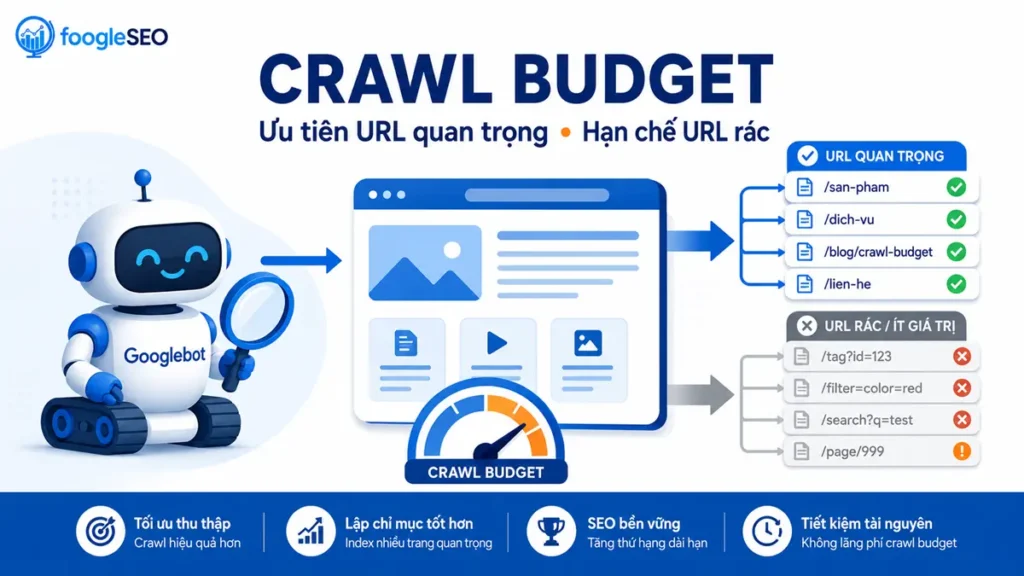
Search engines are shifting from simple link-following bots to AI-driven systems that decide which pages deserve attention. The concept of an AI SEO crawl budget has transformed how websites allocate server resources and prioritize content. Google’s crawler, now powered by machine learning models, evaluates page importance, content freshness, and site architecture in real time. This guide breaks down everything about managing crawl efficiency in an era where artificial intelligence dictates indexing priorities.
What Is an AI SEO Crawl Budget?
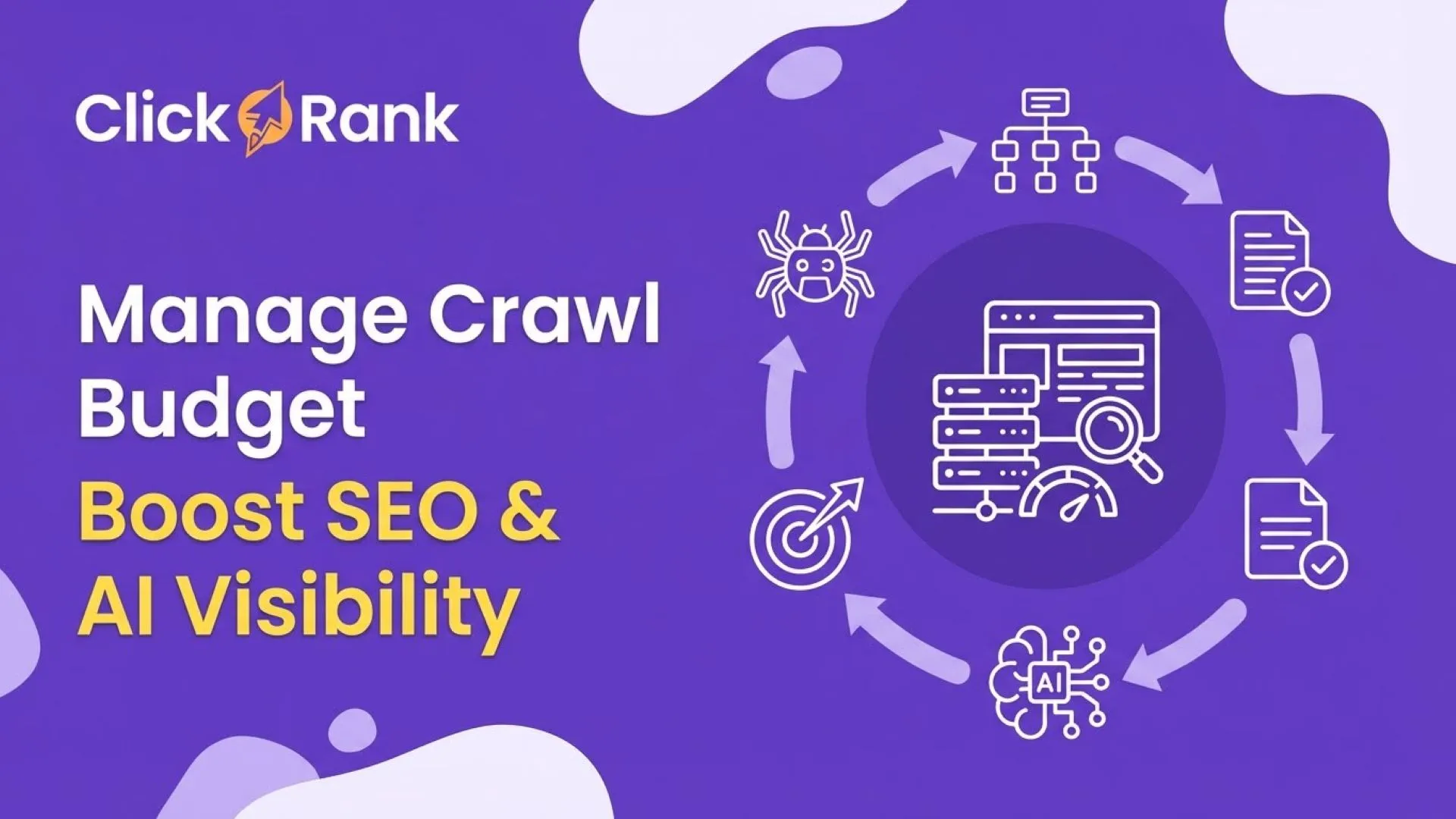
An AI SEO crawl budget refers to the number of times search engine bots, particularly Googlebot, will crawl a website within a specific timeframe, as determined by algorithmic assessments. Traditional crawl budgets relied on static rules like server response times and sitemap submissions. Modern AI systems analyze user behavior patterns, content decay rates, and link equity distribution to allocate crawl frequency dynamically.
The core components of crawl budget include crawl demand and crawl capacity. Crawl demand measures how much Google wants to crawl your site based on content value and popularity. Crawl capacity is your server’s ability to handle bot requests without slowing down for real users. AI algorithms continuously adjust both factors, making it essential for site owners to monitor technical health and content quality simultaneously.
How AI Changed Crawl Budget Management
Before AI, webmasters could manually control crawl rates through robots.txt and meta tags. Those methods still work, but they no longer guarantee indexing. Google’s DeepRank and other neural network systems now evaluate semantic relevance across entire site clusters. A page with high engagement signals might get crawled daily, while a similar page with outdated information could wait weeks.
Machine learning models also predict which new pages will gain traction. If your site publishes breaking news, AI crawlers prioritize those URLs within minutes. For evergreen content, the crawl frequency depends on historical performance metrics like click-through rates and dwell time. This shift means crawl budget is no longer a technical checkbox but a strategic SEO asset.
The Role of Core Web Vitals in AI Crawl Decisions
Core Web Vitals directly influence AI crawl budget allocation. Pages with poor Largest Contentful Paint (LCP) scores signal low user experience, prompting crawlers to reduce visit frequency. Conversely, fast-loading pages with stable Cumulative Layout Shift (CLS) receive more frequent bot visits. Google’s AI uses these metrics to estimate server load and user satisfaction, creating a feedback loop between performance and crawl priority.
Server response times under 200ms are ideal for maintaining high crawl capacity. If your hosting infrastructure struggles during traffic spikes, AI algorithms automatically lower crawl demand to protect user experience. This is why many enterprises migrate to cloud hosting with auto-scaling capabilities before launching large-scale SEO campaigns.
Key Factors That Determine Your AI Crawl Budget

Several technical and content-related elements influence how AI systems allocate crawl resources. Understanding these factors helps you prioritize optimization efforts effectively.
- Site Architecture: Flat hierarchies with fewer clicks from the homepage get crawled faster. AI models favor logical internal linking structures that distribute PageRank evenly.
- Content Freshness: Regularly updated pages receive higher crawl frequency. AI detects timestamps, content changes, and user interaction patterns to assess freshness.
- Duplicate Content: Thin or scraped content wastes crawl budget. AI systems identify near-duplicate pages and deprioritize them, sometimes excluding them from indexing entirely.
- Canonical Tags: Proper canonicalization prevents AI from crawling multiple versions of the same page, conserving resources for unique content.
- XML Sitemaps: While not a direct ranking factor, sitemaps help AI discover new URLs faster. Prioritize sitemap entries with lastmod dates to signal freshness.
- Robots.txt Rules: Overly restrictive rules can confuse AI crawlers. Use allow and disallow directives sparingly, focusing on blocking low-value parameters.
- Blocking CSS and JavaScript: Some developers block these resources to speed up crawling, but AI needs them to render pages accurately. Blocking them leads to incomplete indexing and lower crawl priority.
- Using Noindex on Important Pages: Applying noindex tags to pages that should rank, even temporarily, confuses AI systems. Once removed, it can take weeks for crawlers to revisit.
- Ignoring Orphan Pages: Pages with no internal links are rarely crawled. AI discovers them only through external links or sitemaps, and even then, they receive minimal crawl frequency.
- Overloading Sitemaps: Including thousands of low-value URLs in your sitemap dilutes the importance of high-priority pages. Keep sitemaps under 10,000 URLs and update them frequently.
- Slow Server Response: If your server takes over 500ms to respond, AI reduces crawl capacity. This creates a vicious cycle where fewer pages get indexed, reducing organic traffic.
- Botify: Offers real-time crawl simulation and log analysis, helping you visualize AI decision paths.
- Lumar (formerly Screaming Frog): Provides crawl budget reports that highlight wasted requests and indexing gaps.
- OnCrawl: Correlates crawl data with SEO performance metrics, showing which pages deserve more attention.
- Cloudflare Logs: If you use Cloudflare, its analytics reveal bot behavior patterns, including crawl frequency by user agent.
- Custom Python Scripts: For advanced users, parsing server logs with Python allows custom segmentation and trend detection.
Server Log Analysis for AI Crawl Insights
Server logs remain the most reliable source for understanding actual crawl behavior. AI-driven tools like Screaming Frog Log File Analyser and OnCrawl process millions of log entries to reveal patterns. Look for URLs that Googlebot requests frequently but return 404 errors. These wasted requests drain crawl capacity without providing indexing value.
Analyze crawl frequency by content type. Product pages might get crawled hourly during sales events, while blog posts settle into weekly schedules. Use this data to align your content production calendar with AI expectations. If certain sections receive zero crawls for months, investigate whether they are orphaned or blocked by JavaScript rendering issues.
Practical Strategies to Optimize AI SEO Crawl Budget
Optimizing for AI-driven crawling requires a combination of technical fixes and content governance. Start by auditing your current crawl statistics in Google Search Console under the Crawl Stats report. This shows total crawl requests, average response time, and host status. Set a baseline, then implement the following strategies systematically.
1. Eliminate Crawl Waste
Identify and remove URLs that provide no search value. This includes parameter-based filters, session IDs, internal search results, and archived pages. Use robots.txt to block obvious junk paths, but remember that AI may still crawl blocked URLs to verify their status. Instead, focus on removing or consolidating low-value pages through 301 redirects or noindex tags.
For e-commerce sites, faceted navigation creates thousands of duplicate URLs. Implement canonical tags pointing to the main category page, or use JavaScript to hide filters from crawlers. AI systems recognize these patterns and reward sites that maintain clean URL structures with higher crawl efficiency.
2. Improve Internal Linking Signals
AI crawlers follow links to discover new content. Pages with more internal links receive higher crawl priority. Audit your site’s link distribution using tools like Ahrefs or Sitebulb. Ensure every important page has at least three contextual internal links from relevant pages. Avoid linking to the same target from every page, as this dilutes signal strength.
Dynamic internal linking based on user behavior can also help. If AI detects that users frequently move from a blog post to a product page, it may increase crawl frequency for both URLs. Use heatmaps and session recordings to identify these natural pathways and reinforce them with permanent links.
3. Optimize JavaScript Rendering
AI crawlers execute JavaScript, but they prioritize server-side rendered content. If your site relies heavily on client-side rendering, use dynamic rendering or prerendering for critical pages. Google’s AI uses a two-wave indexing system: first it crawls the raw HTML, then it renders the page. Slow rendering delays indexing and reduces crawl frequency.
Test your pages using Google’s URL Inspection tool. Check the rendered HTML to ensure all text and links are visible without JavaScript execution. If you use React or Angular, consider static site generation for marketing pages while keeping dynamic features for logged-in areas.
4. Monitor Crawl Stats Regularly
Set up weekly alerts for sudden drops in crawl requests. A significant decrease often indicates a technical issue like a server outage or a robots.txt error. Conversely, a spike might signal that AI found a new high-value section of your site. Track crawl requests by response code: 200s are good, 404s indicate broken links, and 500s point to server problems.
Use Google’s Search Console API to automate this monitoring. Build a dashboard that combines crawl stats with indexing data and organic traffic. This holistic view helps you correlate crawl changes with ranking fluctuations, allowing proactive adjustments.
Common Mistakes That Waste AI Crawl Budget
Many site owners unknowingly sabotage their crawl efficiency through well-intentioned but misguided practices. Recognizing these mistakes is the first step toward correction.
How to Recover from a Crawl Budget Crisis
If you notice a sudden drop in crawl frequency, act quickly. First, check your server logs for error spikes. Then, review recent changes to robots.txt or site structure. Use the URL Inspection tool to manually request indexing for your top 20 pages. This signals to AI that your site is active and worth recrawling.
For long-term recovery, focus on rebuilding content quality. Publish new, original research or data-driven articles that attract natural backlinks. AI systems reward sites that demonstrate expertise and freshness. Over time, crawl frequency will normalize as trust is restored.
AI SEO Crawl Budget vs. Traditional Crawl Budget
Understanding the differences between AI-driven and traditional crawl management helps you adapt your strategy. The table below highlights key distinctions.
| Aspect | Traditional Crawl Budget | AI SEO Crawl Budget |
|---|---|---|
| Decision Basis | Static rules, server capacity | Machine learning, user behavior |
| Update Frequency | Manual adjustments | Real-time algorithmic changes |
| Content Evaluation | Keyword matching | Semantic relevance, entity analysis |
| Error Handling | Log file analysis | Predictive modeling, anomaly detection |
| Optimization Focus | Technical fixes | Technical + content + UX integration |
Traditional methods focused on reducing server load. AI methods focus on maximizing the value of each crawl request. This means investing in content that answers user questions comprehensively, rather than publishing thin pages for keyword coverage.
Tools to Monitor and Improve AI Crawl Budget
Several tools provide actionable insights into how AI crawlers interact with your site. Google Search Console remains the free baseline. For deeper analysis, consider these options:
Setting Up a Crawl Budget Dashboard
Create a dashboard that tracks five key metrics: total crawl requests, average response time, pages crawled per day, indexation rate, and crawl waste percentage. Update this dashboard weekly and review it during team meetings. A healthy crawl budget shows consistent or growing requests with a waste percentage below 10%.
Use Google Data Studio or a simple spreadsheet to visualize trends. When you launch a new campaign or redesign your site, monitor this dashboard closely for 30 days. Early detection of crawl anomalies prevents long-term indexing problems.
Important Notes for Large Websites
Enterprise sites with over 100,000 pages face unique crawl budget challenges. AI systems prioritize sections with high user engagement, often ignoring older content. Conduct a content audit to identify pages with zero organic traffic in the last six months. Consider consolidating them into comprehensive guides or removing them entirely.
For e-commerce platforms, product variants and filter combinations create exponential URL growth. Implement a crawl budget strategy that focuses on money pages: product detail pages, category pages, and brand pages. Use noindex on internal search results and tag pages that don’t drive revenue.
International sites with hreflang tags must ensure proper implementation. AI crawlers need to see consistent language signals to avoid crawling duplicate content across regions. Use x-default hreflang and maintain separate sitemaps for each language version.
Frequently Asked Questions
Does crawl budget affect SEO rankings directly?
Crawl budget does not directly influence rankings, but it indirectly affects them. If AI crawlers don’t visit your pages, they won’t be indexed, and unindexed pages cannot rank. Efficient crawl budget ensures your best content gets discovered and evaluated regularly.
How often does Google crawl a typical website?
T High-authority news sites might get crawled every few minutes, while small blogs could wait weeks. AI determines frequency based on content freshness, site authority, and user engagement signals. Check your server logs to see actual crawl intervals.
Can I increase my crawl budget?
You cannot directly increase crawl budget, but you can improve crawl efficiency. By eliminating waste, improving server speed, and publishing high-quality content, you signal to AI that your site deserves more frequent visits. Over time, crawl demand naturally increases.
Is robots.txt still important for AI crawlers?
Yes, but with caveats. AI crawlers respect robots.txt directives, but they also use it to understand site structure. Blocking resources like CSS can harm rendering. Use robots.txt only for clearly low-value paths, and test changes carefully.
What is the difference between crawl budget and indexation?
Crawl budget refers to how often bots visit your site. Indexation is whether those visited pages are stored in the search index. A page can be crawled but not indexed if it lacks quality or has noindex tags. Both factors work together for SEO success.
Conclusion
AI SEO crawl budget is no longer a technical afterthought but a strategic pillar of modern search optimization. Search engines now use machine learning to allocate crawl resources based on content value, user experience, and site health. By understanding how AI makes these decisions, you can align your technical infrastructure and content strategy to maximize visibility.
Start by auditing your current crawl stats, eliminating waste, and improving server performance. Monitor your logs regularly and adapt to algorithmic changes. The sites that thrive in this new era are those that treat crawl budget as a dynamic resource, continuously refined through data-driven decisions. Implement the strategies outlined here, and your site will earn the crawl attention it deserves.
Xem thêm:
- AI SEO AI Citation Tracking: The Complete Guide to Mastering Digital Visibility in 2025
- AI SEO Semantic Keywords: The Complete Guide to Smarter Content Optimization
- AI SEO SEO Automation with ChatGPT: The Complete Playbook for 2025
- Google AI Overviews: The Ultimate Guide to Understanding, Optimizing, and Thriving in Search
- AI SEO Content Updates: The Complete Guide to Staying Ahead in 2025
Bài viết cùng chủ đề:

AI SEO SEO Automation with Make: The Complete Workflow Guide

AI SEO SEO Automation with Zapier: The Complete Workflow Guide

AI SEO SEO Automation with n8n: The Complete Workflow Guide
AI SEO SEO Automation with Gemini: The Complete Guide to Scaling Organic Growth

AI SEO SEO Automation with Claude: The Complete Guide to Scaling Content in 2025

AI SEO SEO Automation with ChatGPT: The Complete Playbook for 2025

AI SEO & SEO Automation for Affiliate Sites: The 2025 Playbook for Passive Income Growth
AI SEO & SEO Automation for Bloggers: The Complete Guide to Scaling Your Content

AI SEO & SEO Automation for Agencies: The Complete 2025 Playbook

AI SEO and SEO Automation for Ecommerce: The Complete Playbook for 2025

AI SEO & SEO Automation for WordPress: The Complete Playbook for 2025
AI SEO SEO Automation Strategy: The Complete Playbook for 2025

Mastering the AI SEO SEO Automation Process: A Complete Guide to Scaling Organic Growth
AI SEO SEO Automation System: The Complete Guide to Scaling Organic Growth in 2025
AI SEO SEO Automation Platform: The Complete Guide to Scaling Organic Growth in 2025
AI SEO SEO Automation Software: The Complete Guide to Scaling Organic Growth in 2025















