
No products in the cart.
AI SEO Extensions: The Smart Way to Automate and Supercharge Your Search Rankings
29
Jul
Jul
AI SEO extensions are reshaping how digital marketers, content creators, and business owners approach search engine optimization. Instead of juggling multiple standalone tools, these lightweight browser add-ons bring advanced artificial intelligence directly into your workflow. Whether you need real-time on-page analysis, keyword clustering, content scoring, or competitor insights, AI SEO extensions promise to eliminate guesswork and accelerate decision-making. The core idea is simple: combine the power of large language models and machine learning with the convenience of a browser extension that works wherever you browse. As of 2025, the landscape has exploded with options ranging from free keyword research assistants to full-fledged AI co-pilots that rewrite meta tags, generate schema markup, and audit technical SEO flaws in seconds. This guide covers everything you need to know about AI SEO extensions, from how they function under the hood to practical ways you can use them to outpace competitors.
What Exactly Are AI SEO Extensions?
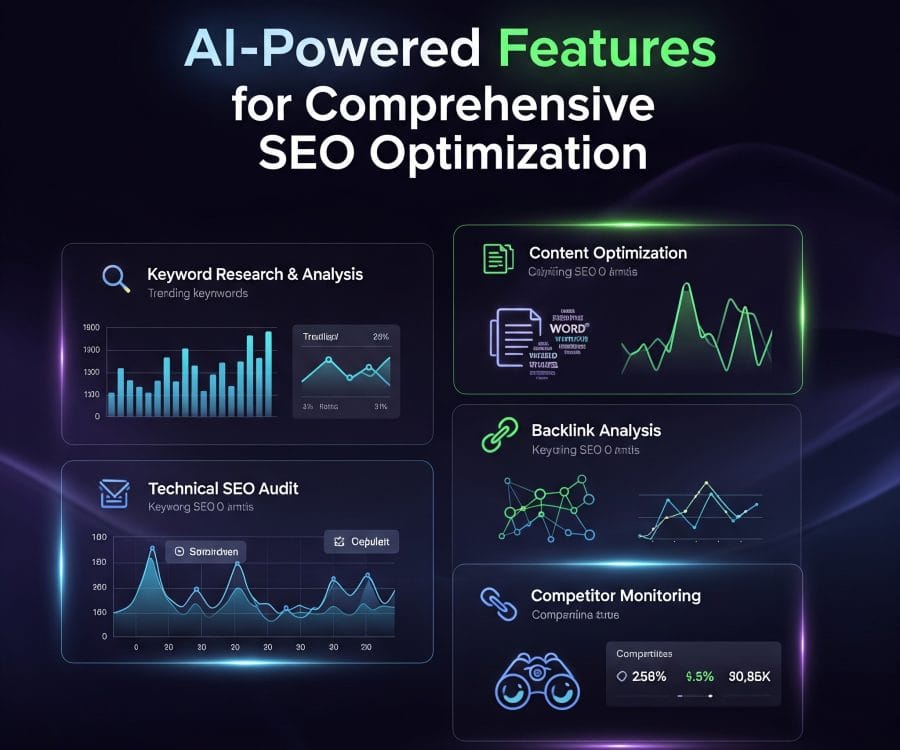
An AI SEO extension is a small software module that integrates with your web browser, most commonly Google Chrome, to provide SEO insights and actions enhanced by artificial intelligence. Unlike traditional SEO toolbars that only display static metrics like domain authority or word count, these extensions leverage natural language processing (NLP) and machine learning algorithms to analyze content context, user intent, and semantic relevance. They can suggest improvements in real time as you browse a page, generate optimized copy snippets, extract key entities, and even predict ranking opportunities. Many of them connect to cloud-based AI models trained on massive datasets of search behavior, enabling features like automated meta description generation, internal linking suggestions, and readability assessments that adapt to the target audience. The extension acts as an intelligent layer between you and the webpage, interpreting raw data and turning it into actionable advice without forcing you to leave the browser tab.
How AI SEO Extensions Work Under the Hood
At a technical level, most AI SEO extensions operate through a combination of on-device processing and API calls to remote servers. When you visit a URL, the extension scans the page’s DOM (Document Object Model) to extract text content, headings, images, structured data, and other SEO-relevant elements. This raw data is then sent to a backend service where AI models, often based on transformer architectures, analyze factors like topic coverage, keyword density, sentiment, and semantic gaps. The results are returned to the extension interface in milliseconds, overlaying highlights, scores, and suggestions directly onto the page. Some advanced extensions also tap into real-time search engine results page (SERP) data to compare your content against top-ranking pages, identifying missing subtopics or questions that Google’s “People also ask” feature reveals. This feedback loop helps you refine content to match search intent more precisely.
The AI component distinguishes these tools sharply from older SEO extensions. Instead of simply counting keywords, the AI understands that “best budget smartphones 2025” and “affordable mobile phones this year” share the same intent, and it can recommend semantically related terms you might have overlooked. It can also evaluate your title’s emotional appeal or estimate its click-through rate based on historical performance patterns. This level of analysis would normally require a human SEO specialist and significant time; an AI SEO extension can deliver it instantly.
Key Categories of AI SEO Extensions

The market for AI SEO extensions is diverse, and each type addresses a different part of the optimization lifecycle. Understanding these categories will help you choose the right tool for your specific needs. We can group them into four main buckets:
- On-Page Analysis and Content Optimization: These extensions evaluate the current page’s content quality, keyword usage, heading structure, and readability. They often provide a content score and specific recommendations, such as adding more subheadings, improving meta descriptions, or increasing internal links. AI models within these tools compare your content to top-ranking pages and suggest missing semantic keywords.
- Keyword Research and SERP Analysis: Designed to work directly on search result pages, these extensions overlay data like search volume, keyword difficulty, and cost-per-click next to each result. The AI component can automatically cluster related queries, generate long-tail variations, and identify content gaps that your competitors are not addressing. They transform a simple Google search into a rich keyword discovery session.
- Technical SEO Auditors: While not purely AI in every function, many technical SEO extensions now embed machine learning to detect issues such as broken links, missing alt text, slow-loading resources, and incorrect canonical tags. Some go further by using AI to estimate Core Web Vitals scores or predict how Google’s crawler will render the page.
- Content Generation and Rewriting Assistants: A newer breed of extensions uses generative AI to produce meta titles, descriptions, social media cards, or even complete paragraph rewrites to better match a target keyword. They can instantly adjust tone and style, making them invaluable for teams managing multiple brands or languages.
- Speed and Efficiency: Traditional SEO audits can take hours. An AI SEO extension performs a comprehensive on-page analysis in seconds, delivering a prioritized checklist of fixes. This speed allows you to test and iterate content much faster.
- Context-Aware Recommendations: Instead of generic advice like “add more keywords,” the AI understands your niche. It can suggest a specific cluster of terms that Google associates with the topic, or tell you that your page lacks a clear answer to a common user question.
- Competitor Intelligence at a Glance: When you open a competitor’s page, the extension can instantly break down their keyword strategy, heading architecture, and even estimate the word count of their highest-ranking content. This real-time espionage is a game-changer for competitive analysis.
- Reduced Reliance on Multiple Tools: A capable AI SEO extension can replace several standalone software subscriptions, bringing keyword data, content scoring, and technical checks into one interface. This consolidation saves money and reduces tab clutter.
- Learning and Skill Development: For beginners, these extensions serve as interactive tutors. Each suggestion explains a principle of SEO, helping users internalize best practices without attending formal training.
- Improved Content Consistency: AI can apply a uniform style and optimization standard across all your pages, ensuring that every blog post, product page, and landing page meets the same quality bar.
- Data Accuracy and Freshness: The AI models behind these extensions depend on training data that may not reflect the latest algorithm updates. A keyword difficulty score might be based on old competition metrics, misleading your targeting decisions.
- Generic Content Risks: If you use AI to generate all your meta descriptions or headings, you risk blending in with competitors who rely on the same models. Search engines value originality; overusing AI-generated templates can harm click-through rates.
- Privacy and Security Concerns: Many extensions send page content to external servers for processing. If you work with sensitive, unpublished content or proprietary intranet pages, you must carefully review the extension’s privacy policy. Data leaks are a real business risk.
- Context Blindness: AI can miss nuances like sarcasm, cultural references, or highly specialized industry jargon. A recommendation might push you to simplify language that your expert audience actually values.
- Performance Overhead: Some feature-rich AI SEO extensions consume significant memory and CPU resources, slowing down your browser. Running multiple extensions simultaneously can make the browsing experience sluggish.
- Define Your Target Keyword and Intent: Before opening the extension, be clear about the primary keyword and what the user wants to achieve. An informational query like “how to change a tire” demands a different structure than a commercial query like “best jack stands 2025.”
- Run a Competitor SERP Scan: Navigate to Google, search for your target keyword, and activate the extension. Look at the first three organic results. The extension will display their keyword themes, word count, heading structure, and common questions. Note the semantic keywords you might be missing.
- Scan Your Existing Content or Draft: Open your page and let the AI analyze it. Pay close attention to the content score and any red flags like missing meta description, low text-to-HTML ratio, or insufficient keyword usage. Do not change everything immediately; evaluate each suggestion.
- Optimize in Layers: Start with structural elements: title tag, meta description, H1, and H2s. Use the AI’s rewrite suggestions if they match your brand voice. Next, address content depth: add paragraphs that cover subtopics the AI identified as gaps. Finally, fine-tune readability and internal links.
- Add Unique Value: The AI can tell you what topics to include, but it cannot inject original research, expert quotes, or proprietary data. After following AI-driven structural advice, layer in your unique insights. This is what will differentiate your content and please both users and search engines.
- Re-scan and Compare: After making changes, run the extension’s analysis again to see your score improve. Then compare your page against the competitor data. If you now cover all the same semantic topics with added original value, you have a strong candidate for high rankings.
- Chasing Perfect Scores: A content score of 100 does not guarantee ranking success. Obsessing over hitting every single recommendation can lead to over-optimized, unnatural content. Prioritize user experience over score maximization.
- Ignoring Search Intent Nuance: An extension might suggest adding commercial keywords to an informational guide. Blindly following that turns your helpful article into a sales pitch that drives visitors away. Always evaluate suggestions against the real intent behind the query.
- Using AI-Generated Copy Without Editing: Meta descriptions or headings straight from a generative AI often sound generic. Failing to inject your brand’s personality makes your search snippet indistinguishable from competitors. Always customize AI output.
- Relying on a Single Tool: No single AI SEO extension captures every dimension of SEO. Using only a content optimizer ignores technical issues that a standalone technical audit tool would catch. A toolkit approach is safer.
- Neglecting Mobile and Speed: Many extensions focus on content and keywords, but Google’s algorithms heavily weight page experience. If you optimize text obsessively while ignoring a 6-second load time, your rankings will suffer regardless of the AI’s approval.
- Regularly Update Your Extensions: AI models evolve, and extension developers push updates to reflect new search engine behaviors. An outdated extension can give harmful advice based on deprecated practices. Check for updates weekly.
- Test Recommendations on a Staging Site First: If an AI suggests major structural changes like rewriting all your H1 tags, test the changes on a small subset of pages before rolling out sitewide. Monitor rankings and traffic for at least two weeks.
- Balance AI Suggestions with Your Own Analytics: Your Google Search Console data and internal analytics are primary truth sources. If an extension claims your page lacks a certain keyword but your page already ranks well for it, your data should override the AI’s suggestion.
- Check Permissions Carefully: During installation, review what data the extension can access. A tool claiming to need access to all websites and data you enter might be overreaching. Stick to extensions with clear, minimal permission requests and transparent privacy policies.
- Combine with Human Creativity: AI is a pattern-matching engine. It cannot conceive a groundbreaking content angle or an emotional storytelling arc. Use extensions to handle the repetitive science of SEO, and reserve your creative energy for what makes your brand memorable.
Top Benefits of Using AI SEO Extensions
Adopting AI-powered extensions for SEO brings measurable advantages that go far beyond simple convenience. Here are the standout benefits you can expect:
Limitations and Potential Pitfalls to Watch
Despite their impressive capabilities, AI SEO extensions are not infallible. Relying on them blindly can lead to over-optimization, outdated advice, or even penalties if you follow every suggestion uncritically.
Popular AI SEO Extensions Compared
Selecting the right tool requires understanding the unique strengths of each major player. The table below summarizes six leading AI SEO extensions available today, focusing on their core AI capabilities, ideal use cases, and pricing structures. This comparison draws from verified feature sets and user experiences as of early 2025.
| Extension Name | Key AI Features | Best For | Pricing Model |
|---|---|---|---|
| Surfer SEO Extension | Real-time content editor, NLP-based topic analysis, content score, keyword density mapping | Content teams writing blog posts that need to match top-ranking pages | Starts at $89/month (core plan); the extension is a companion to the web app |
| Frase AI Extension | SERP analysis, automated content briefs, question extraction, AI-generated answer suggestions | SEO writers building comprehensive articles based on search intent | From $14.99/month; extension is free with any plan |
| WordLift | Entity recognition, schema markup automation, internal linking suggestions using knowledge graphs | Publishers and e-commerce sites focusing on semantic SEO and structured data | €59/month and up; extension integrates with the platform |
| SEO Minion | On-page analysis, broken link checking, SERP preview, schema validation; now adds basic AI for content suggestions | Freelancers needing a lightweight, free tool for daily checks | Free, with optional premium features |
| Detailed SEO Extension | AI-powered meta generation, content readability grading, instant technical audit including Core Web Vitals indicators | Small business owners managing SEO without deep technical knowledge | Free, with paid AI add-ons |
| AIPRM for ChatGPT | Prompt management, curated SEO templates, one-click content generation for meta tags, FAQs, and outlines | Marketers who rely heavily on ChatGPT for content workflows | Free tier; premium from $99/year |
These examples illustrate the range of possibilities. A content-heavy blog might lean toward Surfer SEO or Frase, while an e-commerce site needing schema support would benefit more from WordLift. Many professionals stack a free extension like Detailed SEO with a dedicated AI content tool to cover all bases.
Practical Guide: How to Use AI SEO Extensions Effectively
Installing an extension is only the first step. To extract maximum value, you need a workflow that balances AI suggestions with human judgment. Follow this step-by-step approach for content optimization using an AI SEO extension:
Common Mistakes When Using AI SEO Extensions
Even experienced marketers fall into traps that undermine their results. Knowing these mistakes upfront will save you from wasting effort and potentially damaging your rankings.
Important Notes for Maximizing Value
These insights will help you integrate AI SEO extensions into a sustainable, long-term strategy without falling into common traps.
Frequently Asked Questions About AI SEO Extensions
What is the main advantage of an AI SEO extension over a regular SEO toolbar?
The main advantage lies in context. A regular toolbar might show you keyword density or character count. An AI SEO extension understands meaning, identifies semantic gaps by comparing your content to top-ranking pages, and offers rewrite suggestions that align with user intent. It essentially acts as an intelligent coach rather than a static meter.
Can AI SEO extensions replace hiring an SEO specialist?
They can reduce the need for routine, repetitive tasks, but they cannot replace strategic thinking. An SEO specialist understands your business goals, industry dynamics, and brand voice. The AI is excellent for on-page optimization and data gathering, but a human expert is required for content strategy, link building outreach, and adapting to subtle algorithm shifts.
Are free AI SEO extensions sufficient for professional use?
Free versions often have limitations in analysis depth, number of queries, or access to fresh data. For a freelancer or a small website, a free tool like Detailed SEO Extension or SEO Minion can provide significant value. For competitive markets, paid options like Surfer SEO or Frase deliver the comprehensive data and NLP models needed to compete effectively.
How do I ensure my data stays private when using an AI SEO extension?
Read the privacy policy before installing. Avoid extensions that state they can share data with third parties. Choose tools that allow you to process data locally when possible, or those with strong encryption and GDPR compliance. If you handle highly confidential pre-release content, consider using an extension that offers an on-premises or private cloud option, though those are rare.
Can Google penalize my site if I use AI SEO extensions to create content?
No, if you use them wisely. Google penalizes low-quality, mass-produced AI content that offers no value. Using an extension to get suggestions for headings, meta tags, or topic gaps is indistinguishable from using any other SEO tool. The risk comes when you let AI generate entire articles without adding substantial human editing, fact-checking, and unique insight.
Do these extensions work on browsers other than Chrome?
Most are built for Chrome and compatible Chromium-based browsers like Microsoft Edge and Brave. Firefox and Safari support is limited, though some developers offer cross-browser versions. Always check the installation page for browser compatibility before committing to a tool.
Conclusion: The Future of SEO Workflows Is AI-Augmented
AI SEO extensions have moved from novelty to necessity for anyone serious about organic search performance. They condense hours of manual analysis into moments of clarity, delivering strategic recommendations exactly when and where you need them—right on the page you’re trying to optimize. The best results come from treating these tools as intelligent assistants, not autopilots. Use them to identify opportunities, speed up tedious tasks, and validate your decisions. Then apply your own expertise to create content that genuinely serves users. As search algorithms grow more sophisticated in understanding intent and quality, the synergy between human creativity and AI-powered precision will be the defining factor that separates top-ranking pages from the rest. Now is the time to experiment with a few of the extensions covered here, see which one fits your workflow, and start building smarter, faster SEO processes.
Xem thêm:
- AI SEO Product Schema: The Complete Guide to Structured Data That Ranks
- AI SEO Anchor Text Generator: The Complete Guide to Smarter Internal Linking
- AI SEO Entity Recognition: The Complete Guide to Mastering Semantic Search
- AI SEO Broken Links: The Complete Guide to Automated Link Repair in 2025
- AI SEO Review Schema: The Complete Guide to Structured Data in 2025
Bài viết cùng chủ đề:

AI SEO SEO Automation with Make: The Complete Workflow Guide

AI SEO SEO Automation with Zapier: The Complete Workflow Guide

AI SEO SEO Automation with n8n: The Complete Workflow Guide
AI SEO SEO Automation with Gemini: The Complete Guide to Scaling Organic Growth

AI SEO SEO Automation with Claude: The Complete Guide to Scaling Content in 2025

AI SEO SEO Automation with ChatGPT: The Complete Playbook for 2025

AI SEO & SEO Automation for Affiliate Sites: The 2025 Playbook for Passive Income Growth
AI SEO & SEO Automation for Bloggers: The Complete Guide to Scaling Your Content

AI SEO & SEO Automation for Agencies: The Complete 2025 Playbook

AI SEO and SEO Automation for Ecommerce: The Complete Playbook for 2025

AI SEO & SEO Automation for WordPress: The Complete Playbook for 2025
AI SEO SEO Automation Strategy: The Complete Playbook for 2025

Mastering the AI SEO SEO Automation Process: A Complete Guide to Scaling Organic Growth
AI SEO SEO Automation System: The Complete Guide to Scaling Organic Growth in 2025
AI SEO SEO Automation Platform: The Complete Guide to Scaling Organic Growth in 2025
AI SEO SEO Automation Software: The Complete Guide to Scaling Organic Growth in 2025















