
No products in the cart.
AI SEO Microsoft Clarity: The Complete Guide to Smarter User Behavior Analysis

31
Jul
Jul
Search engine optimization has evolved far beyond keyword density and backlink counts. Modern SEO demands a deep understanding of how users actually interact with your website, and that is where AI SEO Microsoft Clarity becomes a game-changer. Microsoft Clarity is a free analytics tool that provides heatmaps, session recordings, and behavior insights. When combined with artificial intelligence, it transforms raw user data into actionable SEO strategies that improve rankings, user experience, and conversion rates. This guide explores how AI-powered analysis of Microsoft Clarity data can elevate your SEO efforts to a new level.
What Is Microsoft Clarity and Why Does It Matter for SEO?

Microsoft Clarity is a free, privacy-focused analytics platform launched by Microsoft in 2020. It offers website owners a window into real user behavior through features like click maps, scroll depth tracking, and session replays. Unlike traditional analytics tools that show you what pages get traffic, Clarity shows you why users stay, leave, or get frustrated.
For SEO professionals, this behavioral data is gold. Google’s ranking algorithms increasingly consider user engagement signals such as dwell time, bounce rate, and pogo-sticking. When you understand how visitors interact with your content, you can optimize pages to keep them engaged longer, reduce friction, and signal relevance to search engines. The integration of AI into this process takes it further by automatically identifying patterns that human analysts might miss.
The Role of AI in Enhancing Microsoft Clarity for SEO
Artificial intelligence adds a layer of predictive and prescriptive analysis to Microsoft Clarity’s raw data. While Clarity provides the “what” (users clicked here, scrolled there), AI helps answer the “why” and “what next.” Machine learning algorithms can process thousands of session recordings to detect common frustration signals, such as rapid mouse movements, excessive scrolling, or repeated clicks on non-clickable elements.
AI-powered tools can also segment your audience automatically based on behavior patterns. For example, AI can identify that users from organic search behave differently than users from social media. This segmentation allows you to tailor your SEO strategy for each traffic source. Furthermore, AI can predict which pages are likely to lose rankings based on declining engagement metrics, giving you a proactive edge in content optimization.
How AI Interprets Heatmap Data for SEO Decisions
Heatmaps from Microsoft Clarity show where users click, move, and scroll. AI algorithms analyze these heatmaps to identify content zones that attract attention and areas that are ignored. For SEO, this means you can restructure your content to place important keywords and internal links in high-attention zones. AI can also detect “dead zones” where users expect interactive elements but find none, which often leads to frustration and higher bounce rates.
For instance, if your heatmap shows users clicking on an image that is not linked, AI flags this as a missed opportunity. You can then add a relevant internal link to that image, improving navigation and distributing link equity. This level of automated insight is impossible to achieve manually at scale, making AI SEO Microsoft Clarity a powerful combination for large websites.
Key Features of Microsoft Clarity That AI Can Amplify
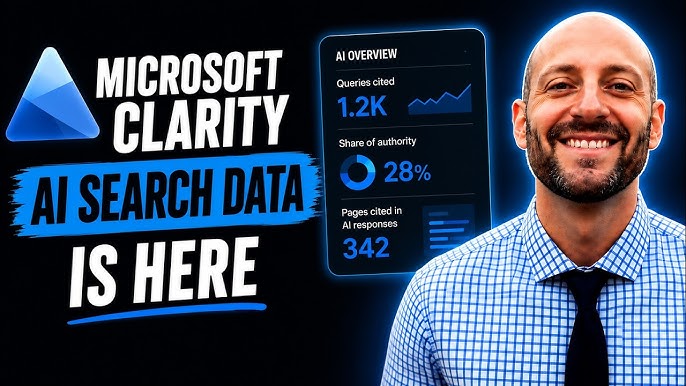
Microsoft Clarity comes with several built-in features that are already useful for SEO. When AI is applied to these features, their value multiplies exponentially. Below is a breakdown of the core features and how AI enhances them.
Session Recordings and AI Pattern Recognition
Session recordings show you exactly what a user did on your page, including mouse movements, clicks, and scrolls. Watching hundreds of recordings is time-consuming. AI can analyze these recordings in bulk and categorize them into behavior clusters. For example, AI can group sessions where users abandoned the page within five seconds, then identify common elements across those sessions, such as slow loading images or intrusive pop-ups.
This automated analysis helps you pinpoint UX issues that hurt your SEO performance. Fixing these issues leads to longer dwell times and lower bounce rates, which are positive signals for search engines. AI can also detect rage clicks, which occur when users click repeatedly in frustration, indicating a broken element or confusing layout.
Click Maps and AI-Driven Content Optimization
Click maps display where users click on your page, including clicks on non-link elements. AI takes this data and correlates it with your on-page SEO elements. It can tell you whether users are clicking on your primary call-to-action, your internal links, or your navigation menu. If users are not clicking on your important links, AI suggests repositioning them or changing their anchor text.
For SEO, this means your internal linking structure can be optimized based on actual user behavior rather than guesswork. AI can also identify which images or headings attract the most clicks, helping you decide where to place your target keywords for maximum visibility.
Scroll Depth Tracking and AI Content Structuring
Scroll depth shows how far down the page users scroll before leaving. AI analyzes this data to determine the optimal length for your content. If most users drop off at 50% of the page, AI might suggest condensing your content or moving critical information higher up. Conversely, if users scroll to 90% consistently, AI might recommend expanding the content with more detailed sections to capture additional long-tail keywords.
This AI-driven content structuring ensures that your page satisfies user intent, which is a core component of modern SEO. Search engines reward pages that keep users engaged, and scroll depth is a direct indicator of engagement.
Benefits of Combining AI with Microsoft Clarity for SEO
The synergy between AI and Microsoft Clarity offers numerous benefits that directly impact your search engine rankings. These advantages go beyond simple analytics and provide a competitive edge in the crowded digital landscape.
- Automated UX Audits: AI continuously monitors user behavior and flags issues without manual effort, ensuring your site remains optimized at all times.
- Predictive Analytics: AI can forecast which pages are at risk of losing rankings based on declining engagement trends, allowing you to refresh content proactively.
- Personalized SEO Strategies: AI segments users by behavior, enabling you to create content that resonates with different audience groups, improving relevance and authority.
- Time Efficiency: Instead of manually reviewing session recordings, AI summarizes key insights, saving hours of work each week.
- Improved Conversion Rates: By fixing UX issues that cause frustration, you not only improve SEO but also increase the likelihood of conversions, which indirectly boosts your site’s overall value.
- Ignoring Data Privacy: While Clarity is privacy-focused, AI tools may have different data policies. Ensure you comply with GDPR and CCPA regulations when processing user data.
- Over-Automating Decisions: AI provides recommendations, but it should not replace human judgment entirely. Always validate AI suggestions with your own knowledge of your audience.
- Focusing Only on High-Traffic Pages: AI can reveal valuable insights on low-traffic pages too. Ignoring them means missing opportunities to improve long-tail keyword rankings.
- Not Setting Up Funnels: Without defining conversion funnels, AI cannot accurately attribute behavior changes to SEO outcomes. Set up funnels for key actions like newsletter signups or purchases.
- Checking Data Too Frequently: Behavioral data is noisy. Checking daily leads to overreaction to random fluctuations. Review AI insights on a weekly or bi-weekly basis.
Limitations and Challenges of AI SEO Microsoft Clarity
While the combination of AI and Microsoft Clarity is powerful, it is not without limitations. Understanding these challenges helps you set realistic expectations and avoid common pitfalls.
First, AI analysis is only as good as the data it receives. If your website has low traffic, the behavioral data may be too sparse for AI to identify meaningful patterns. You need a minimum volume of sessions to generate statistically significant insights. Second, AI algorithms can sometimes misinterpret user behavior. For example, a user might scroll quickly because they are reading fast, not because they are disengaged. Human oversight is still necessary to validate AI recommendations.
Third, Microsoft Clarity does not provide demographic data by default. While AI can segment by behavior, it cannot tell you the age, gender, or location of your users unless you integrate additional tools. This limits the depth of audience analysis. Finally, t Implementing AI-powered analysis requires some technical knowledge, and the initial setup can be overwhelming for beginners.
Comparison: Microsoft Clarity vs. Traditional Analytics Tools for SEO
To understand the unique value of AI SEO Microsoft Clarity, it helps to compare it with traditional analytics platforms like Google Analytics. The table below highlights the key differences.
| Feature | Microsoft Clarity + AI | Google Analytics |
|---|---|---|
| Heatmaps | Built-in, AI-analyzed | Not available natively |
| Session Recordings | Unlimited, AI-clustered | Not available natively |
| Frustration Signals | AI detects rage clicks, dead clicks | Not available |
| User Demographics | Limited, requires integration | Comprehensive demographic data |
| Cost | Free | Free (standard version) |
| AI Integration | Native and third-party AI tools | Requires separate AI tools |
| SEO Focus | Directly optimizes UX signals | Focuses on traffic and conversions |
As the table shows, Microsoft Clarity excels in behavioral analysis, while Google Analytics excels in audience demographics and acquisition data. The best approach is to use both tools together, with AI bridging the gap between behavioral insights and traffic data.
Practical Guide: How to Implement AI SEO Microsoft Clarity
Implementing AI-powered analysis of Microsoft Clarity data involves several steps. This practical guide walks you through the process from setup to actionable insights.
Step 1: Install Microsoft Clarity on Your Website
Start by creating a free Microsoft Clarity account and adding the tracking code to your website. The installation process is straightforward. You can add the code manually to your HTML header or use a plugin if you are on WordPress, Shopify, or another popular CMS. Once installed, Clarity will start collecting data immediately, but you should wait at least a week to accumulate enough sessions for meaningful analysis.
Step 2: Connect AI-Powered Analytics Tools
To apply AI to your Clarity data, you have several options. Some AI tools, like Microsoft’s own Azure Cognitive Services, can be integrated directly. Alternatively, you can export Clarity data and import it into AI platforms like Google Cloud AI or specialized SEO tools that offer AI-driven behavior analysis. Many modern SEO suites, such as Semrush or Ahrefs, have started incorporating behavior metrics, but dedicated AI tools like Hotjar with AI features or FullStory are also viable.
Step 3: Define Your SEO Goals and KPIs
Before diving into the data, establish clear SEO objectives. Are you trying to reduce bounce rate on blog posts? Increase clicks on internal links? Improve dwell time on product pages? Define specific KPIs such as average scroll depth, click-through rate on CTAs, or session duration. AI algorithms work best when they have a clear target to optimize for.
Step 4: Let AI Identify Behavioral Patterns
Once you have sufficient data, use your AI tools to analyze session recordings and heatmaps. Look for patterns such as common drop-off points, frequent rage clicks, or pages with unusually high scroll abandonment. AI can automatically generate reports that highlight these issues, saving you from manual review. Pay special attention to pages that rank on page two of Google, as improving their UX could push them to page one.
Step 5: Implement Changes and Monitor Results
Based on AI insights, make targeted changes to your pages. This could involve rewriting headings, adding internal links, improving page speed, or restructuring content layout. After implementing changes, monitor your SEO metrics over the next few weeks. Use A/B testing where possible to confirm that the changes positively impact user behavior. AI can help you set up these tests and analyze the results statistically.
Common Mistakes to Avoid When Using AI with Microsoft Clarity
Many website owners make avoidable errors when integrating AI with Microsoft Clarity. Being aware of these mistakes ensures you get the most out of your investment.
Important Notes for Maximizing AI SEO Microsoft Clarity
To truly leverage this powerful combination, keep several important considerations in mind. First, always combine behavioral data with keyword data. Knowing that users scroll deeply is useful, but knowing which keywords brought them t Use tools like Google Search Console alongside Clarity to connect search queries with user behavior.
Second, prioritize mobile user experience. Microsoft Clarity shows you mobile-specific behavior, and AI can identify mobile-only issues like accidental clicks or slow rendering. With mobile-first indexing, optimizing for mobile behavior is non-negotiable for SEO success.
Third, remember that AI is a tool, not a magic bullet. The quality of your content and the relevance of your keywords still matter. AI helps you refine and present that content better, but it cannot create value where none exists. Focus on producing high-quality, authoritative content that satisfies user intent, and use AI to polish the delivery.
Frequently Asked Questions
Is Microsoft Clarity really free for unlimited use?
Yes, Microsoft Clarity is completely free with no traffic limits. You can record unlimited sessions and view unlimited heatmaps. This makes it an attractive option for businesses of all sizes, especially when combined with AI tools that may have their own costs.
Can AI replace manual analysis of Microsoft Clarity data?
AI can automate the heavy lifting of pattern detection and anomaly identification, but it cannot fully replace human analysis. Strategic decisions about content, branding, and user experience still require human insight. AI is best used as an assistant that surfaces critical data points for your review.
How long does it take to see SEO improvements from AI-driven Clarity analysis?
SEO improvements from UX changes typically take 2 to 4 weeks to reflect in search rankings. This is because search engines need time to recrawl and reindex your pages. Behavioral improvements like reduced bounce rate can be seen immediately in Clarity, but ranking changes lag behind.
Does Microsoft Clarity work with single-page applications (SPAs)?
Yes, Microsoft Clarity supports SPAs and automatically tracks route changes. AI analysis can then segment behavior based on different views within the SPA, providing granular insights into how users navigate your dynamic content.
What is the minimum traffic needed for AI to provide useful insights?
For AI to detect statistically significant patterns, you generally need at least 1,000 sessions per month. With lower traffic, the data is too sparse for reliable pattern recognition. If you have less traffic, focus on qualitative analysis of individual session recordings instead.
Conclusion
AI SEO Microsoft Clarity represents a significant leap forward in how website owners understand and optimize user behavior. By combining the rich behavioral data of Microsoft Clarity with the pattern recognition capabilities of artificial intelligence, you gain a comprehensive view of what works and what fails on your website. This approach directly addresses the user engagement signals that modern search engines prioritize, leading to improved rankings, higher organic traffic, and better conversion rates.
The key to success lies in thoughtful implementation. Start with a clear understanding of your SEO goals, integrate AI tools that complement Clarity’s strengths, and always validate AI recommendations with human judgment. Avoid the common pitfalls of over-automation and data privacy neglect. When used correctly, this powerful combination gives you a competitive edge that is difficult to replicate with traditional analytics alone.
As search engines continue to refine their algorithms to prioritize user experience, the importance of behavioral analytics will only grow. Embracing AI SEO Microsoft Clarity today positions your website for long-term success in an increasingly competitive digital landscape. The data is there, the tools are free, and the insights are waiting to be unlocked.
Xem thêm:
- Mastering AI Pillar Pages: The Future of Topic Cluster Architecture in SEO
- How to Find Keywords with AI: The Modern Marketer’s Blueprint for Smarter Research
- AI SERP Analysis: Unleashing the Power of Artificial Intelligence to Decode Search Results
- AI SEO Duplicate Pages: The Complete Guide to Detection, Prevention, and Fixes
- AI SEO Behavioral Analytics: The Complete Guide to Understanding User Intent
Bài viết cùng chủ đề:

AI SEO SEO Automation with Make: The Complete Workflow Guide

AI SEO SEO Automation with Zapier: The Complete Workflow Guide

AI SEO SEO Automation with n8n: The Complete Workflow Guide
AI SEO SEO Automation with Gemini: The Complete Guide to Scaling Organic Growth

AI SEO SEO Automation with Claude: The Complete Guide to Scaling Content in 2025

AI SEO SEO Automation with ChatGPT: The Complete Playbook for 2025

AI SEO & SEO Automation for Affiliate Sites: The 2025 Playbook for Passive Income Growth
AI SEO & SEO Automation for Bloggers: The Complete Guide to Scaling Your Content

AI SEO & SEO Automation for Agencies: The Complete 2025 Playbook

AI SEO and SEO Automation for Ecommerce: The Complete Playbook for 2025

AI SEO & SEO Automation for WordPress: The Complete Playbook for 2025
AI SEO SEO Automation Strategy: The Complete Playbook for 2025

Mastering the AI SEO SEO Automation Process: A Complete Guide to Scaling Organic Growth
AI SEO SEO Automation System: The Complete Guide to Scaling Organic Growth in 2025
AI SEO SEO Automation Platform: The Complete Guide to Scaling Organic Growth in 2025
AI SEO SEO Automation Software: The Complete Guide to Scaling Organic Growth in 2025















