
No products in the cart.
AI SEO Reporting Workflow: The Complete Guide to Automated Insights
31
Jul
Jul
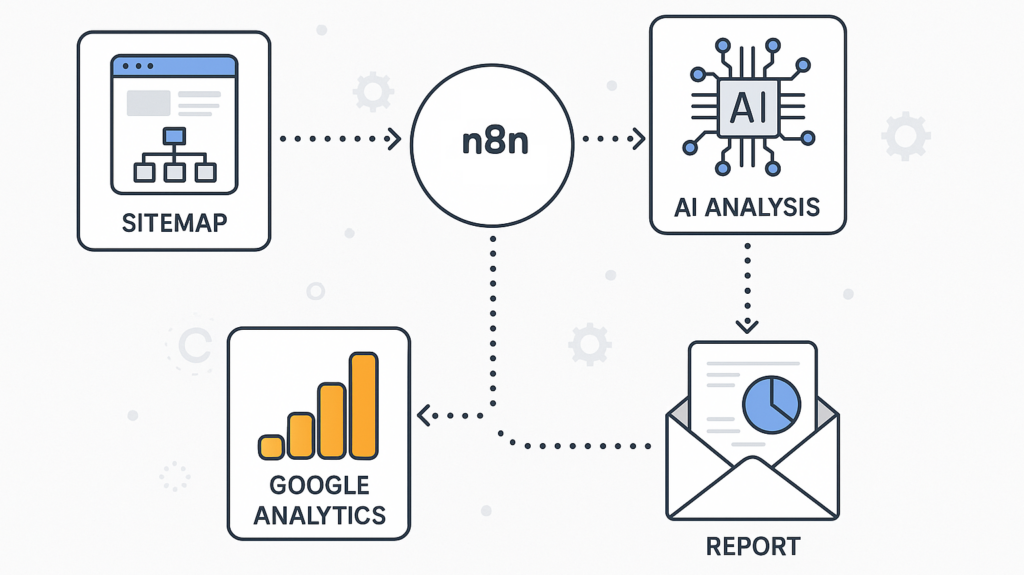
An AI SEO reporting workflow transforms raw analytics data into actionable intelligence without the manual grind of pulling spreadsheets. Modern marketing teams use artificial intelligence to automate data collection, detect ranking fluctuations, and generate narrative reports that stakeholders actually read. This guide breaks down the essential components, practical steps, and common pitfalls of building a reporting system that saves hours each week while improving decision quality.
What Is an AI SEO Reporting Workflow?
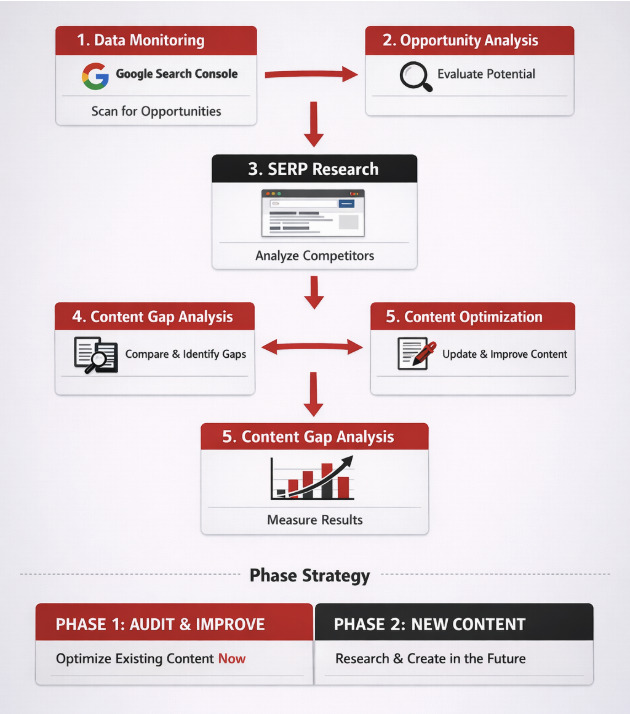
An AI SEO reporting workflow is a structured process where machine learning algorithms handle the heavy lifting of gathering, organizing, and interpreting search performance data. Instead of manually exporting metrics from Google Search Console, Ahrefs, or Semrush, the workflow connects these tools through APIs and uses AI to identify patterns, anomalies, and opportunities.
The core difference from traditional reporting lies in the interpretation layer. Standard reports show numbers; AI-powered workflows explain what those numbers mean. For instance, a sudden drop in organic traffic might be flagged as a core algorithm update, a technical crawl issue, or a competitor’s content surge—all based on contextual data analysis.
Key Components of an Automated Reporting System
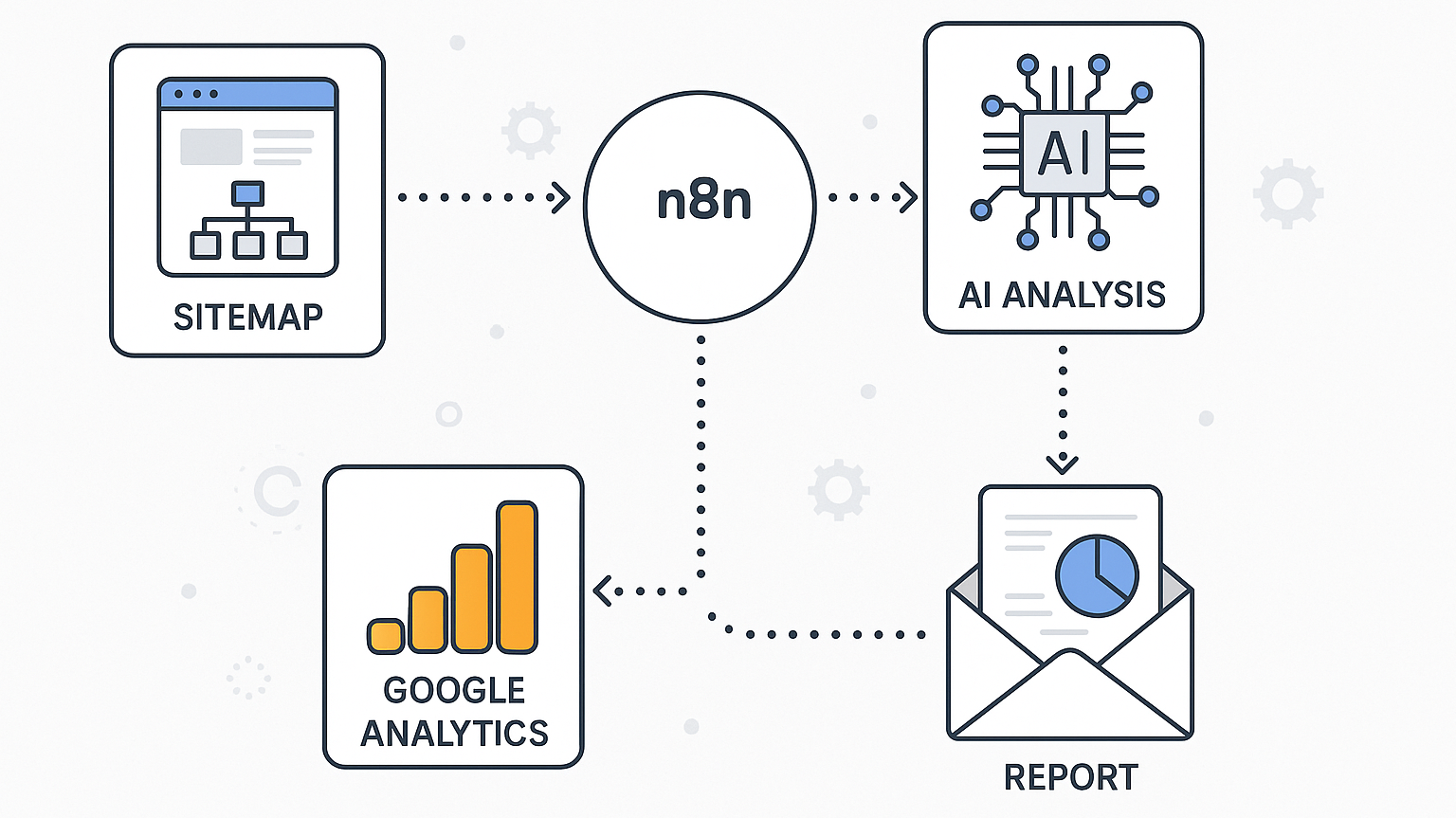
Building a robust AI SEO reporting workflow requires five essential elements working in harmony:
- Data ingestion layer: API connections to Google Analytics 4, Search Console, rank trackers, and backlink databases
- Processing engine: Scripts or platforms that clean, normalize, and merge datasets from multiple sources
- AI analysis module: Natural language processing (NLP) models that interpret trends and generate insights
- Visualization dashboard: Interactive charts and graphs that make complex data digestible
- Delivery mechanism: Automated email reports, Slack notifications, or PDF generation on a set schedule
- Anomaly detection: Statistical models flag unusual spikes or drops in traffic, rankings, or crawl rates
- Trend analysis: Time-series forecasting identifies upward or downward trajectories before they become obvious
- Content gap analysis: AI compares your top-performing pages against competitors to suggest new topics
- Automated narrative generation: Templates convert data points into plain-English summaries like “Organic traffic increased 12% week-over-week, driven primarily by a 30% jump in long-tail keyword impressions.”
Each component plays a distinct role. The data layer ensures accuracy, the processing engine handles volume, the AI module adds intelligence, and the delivery system ensures the right people see the insights at the right time.
Why Traditional SEO Reporting Fails in 2025
Manual reporting methods break down when data volume explodes. A typical mid-sized e-commerce site generates thousands of keyword rankings, hundreds of landing pages, and dozens of backlink profiles. Compiling this into a coherent weekly report takes 4-6 hours of repetitive work.
More critically, human analysts suffer from confirmation bias. They tend to notice what they expect to see, missing subtle shifts in search intent or emerging competitor threats. AI models process every data point without fatigue, catching correlations that would take a human days to spot.
Traditional reports also suffer from lag time. By the time a manual report lands in a stakeholder’s inbox, the data is often 7-10 days old. An AI-driven workflow can deliver real-time alerts when key metrics deviate from expected ranges, enabling faster responses to ranking volatility.
Step-by-Step Guide to Building Your AI SEO Reporting Workflow
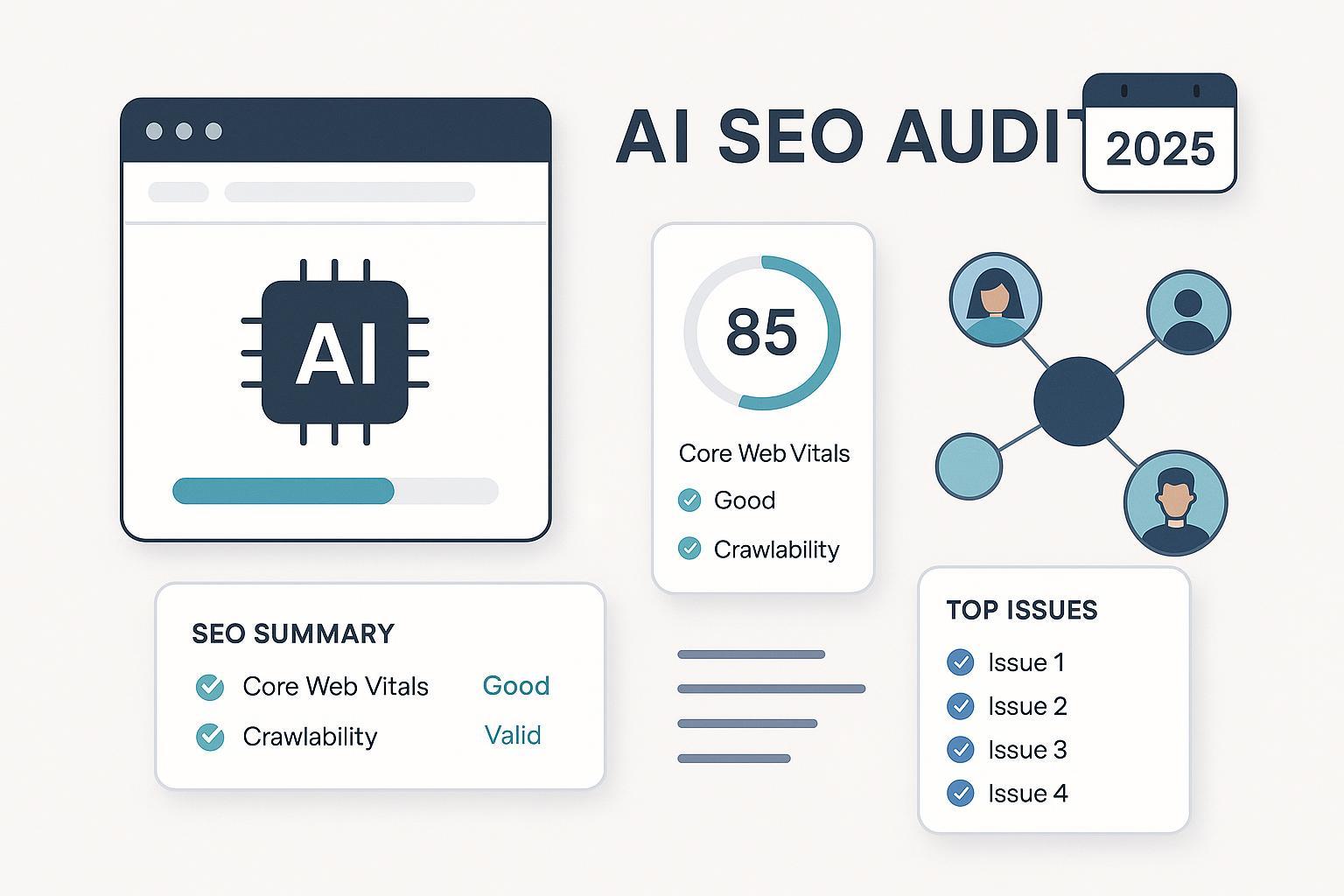
Implementing an automated reporting system doesn’t require a data science degree. Follow these practical steps to create a workflow that scales with your needs.
Step 1: Define Your Core Metrics and KPIs
Start by identifying the metrics that truly drive business outcomes. Organic sessions, keyword positions, conversion rates, and revenue attribution top the list for most companies. Avoid vanity metrics like raw page views that don’t correlate with business goals.
Create a metric hierarchy that distinguishes between leading indicators (keyword rankings, crawl frequency) and lagging indicators (revenue, leads). Your AI workflow should prioritize leading indicators for early warning signals while reporting lagging indicators for executive summaries.
Step 2: Select Your Data Sources and APIs
Choose tools that offer robust API access. Google Search Console and Google Analytics 4 provide free, comprehensive data. Paid tools like Ahrefs, Semrush, and Moz offer richer competitive intelligence but require API credits.
Map out your data sources in a simple table:
| Data Source | Key Metrics | API Access |
|---|---|---|
| Google Search Console | Queries, impressions, CTR, position | Free, generous limits |
| Google Analytics 4 | Sessions, engagement, conversions | Free, event-based |
| Ahrefs/Semrush | Backlinks, competitor rankings, content gaps | Paid, credit-based |
| Server logs | Crawl frequency, bot behavior | Requires log file parser |
Document your API endpoints and authentication methods. Most modern tools use OAuth 2.0 or API keys that you can store securely in environment variables.
Step 3: Automate Data Collection and Storage
Use cloud functions or scheduled scripts to pull data at regular intervals. Python with libraries like requests and pandas works well for this purpose. Alternatively, no-code platforms like Zapier or Make can handle basic integrations without programming.
Store your data in a centralized warehouse. Google BigQuery, Snowflake, or even a simple PostgreSQL database work fine. The key is maintaining a historical record so your AI models can detect long-term trends and seasonal patterns.
Set collection frequency based on data volatility. Keyword rankings change daily, so pull them every 24 hours. Backlink data updates less frequently, so a weekly pull suffices.
Step 4: Implement AI Analysis and Insight Generation
This is where the magic happens. Use natural language processing models to analyze your stored data. Several approaches work:
OpenAI’s GPT models, Google’s Gemini, or open-source alternatives like Llama 2 can generate these narratives. Fine-tune prompts with your specific metrics and industry context for better accuracy.
Step 5: Design the Reporting Dashboard and Delivery
Visualize your AI-generated insights in a dashboard that executives can understand at a glance. Tools like Looker Studio, Tableau, or custom React frontends all work. Prioritize clarity over complexity—use line charts for trends, bar charts for comparisons, and heatmaps for keyword clusters.
Automate delivery through multiple channels. Schedule a comprehensive PDF report for Monday mornings. Send a Slack digest for daily updates. Trigger email alerts only when AI detects a significant anomaly requiring immediate attention.
Benefits of an AI-Powered Reporting Workflow
The advantages extend far beyond time savings. Teams that adopt AI reporting consistently report better outcomes across several dimensions.
Time Efficiency and Resource Allocation
Automating the reporting process frees up 10-15 hours per month for a typical SEO manager. That time redirects toward strategy, content creation, and link building—activities that directly impact rankings. Agencies particularly benefit, as they can service more clients without hiring additional analysts.
Enhanced Accuracy and Reduced Human Error
Manual data entry introduces typos, formula errors, and misaligned date ranges. AI workflows pull data directly from source APIs, eliminating transcription mistakes. The result is a single source of truth that all team members trust.
Deeper Insights Through Pattern Recognition
Machine learning models excel at finding correlations across large datasets. An AI might discover that pages with a specific word count and internal link structure consistently outperform others, or that rankings drop when page load time exceeds 2.5 seconds. These insights drive proactive optimization rather than reactive fixes.
Scalability Across Multiple Projects
Whether you manage one website or fifty client accounts, the same AI workflow scales without proportional increases in effort. Once the pipeline is built, adding a new site requires only configuring new API credentials and data source mappings.
Limitations and Challenges to Consider
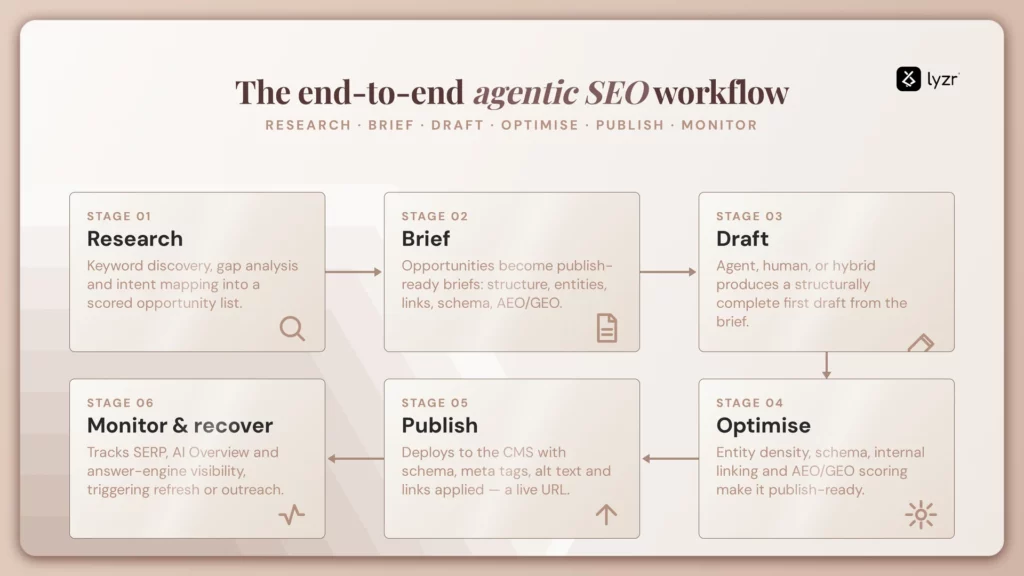
AI reporting is not a silver bullet. Understanding its constraints helps you set realistic expectations and avoid costly mistakes.
Data Quality Dependency
Garbage in, garbage out remains the fundamental law. If your tracking codes are misconfigured or your API connections break silently, the A Regular data validation checks are essential.
Contextual Blind Spots
AI models lack business context. A traffic drop might be perfectly normal during a seasonal lull, but the algorithm flags it as a crisis. You must train your models with historical seasonality data and set appropriate thresholds for alerts.
Implementation Complexity
Building a custom workflow requires technical skills in APIs, databases, and basic machine learning. Teams without these capabilities may need to invest in specialized SaaS platforms that offer AI reporting out of the box, which adds subscription costs.
AI SEO Reporting Workflow vs. Traditional Manual Reporting
Comparing the two approaches clarifies the value proposition for stakeholders deciding whether to invest in automation.
| Aspect | Traditional Manual Reporting | AI-Powered Workflow |
|---|---|---|
| Time per report | 4-6 hours | 15-30 minutes (review only) |
| Data freshness | Weekly or monthly snapshots | Real-time or daily updates |
| Insight depth | Surface-level observations | Predictive and prescriptive analysis |
| Error rate | Moderate (human mistakes) | Low (automated validation) |
| Scalability | Linear (more sites = more hours) | Exponential (one pipeline, many sites) |
| Cost | High labor cost | Initial setup + tool subscriptions |
The table illustrates that while the initial setup of an AI workflow requires investment, the long-term return on that investment compounds rapidly as your portfolio of tracked keywords and pages grows.
Common Mistakes in AI SEO Reporting Workflows
Even well-intentioned implementations often stumble on predictable obstacles. Recognizing these pitfalls early saves significant troubleshooting time.
Mistake 1: Over-Automation Without Human Oversight
Fully trusting AI-generated narratives without review leads to embarrassing errors. An algorithm might misinterpret a data glitch as a major trend, producing a report that misleads executives. Always designate a human reviewer to validate critical insights before distribution.
Mistake 2: Ignoring Data Governance and Privacy
Storing raw user data in third-party AI tools raises compliance concerns under GDPR and CCPA. Anonymize personal data before sending it to external APIs. Ensure your data processing agreements with AI vendors cover your specific use case.
Mistake 3: Focusing Only on Rankings, Not Revenue
Keyword position reports are easy to generate but often meaningless without revenue context. A keyword ranking at position 5 might drive zero conversions, while another at position 15 generates significant sales. Tie your AI analysis to business outcomes, not just search metrics.
Mistake 4: Neglecting Alert Fatigue
Setting overly sensitive anomaly detection thresholds results in dozens of daily alerts. Teams quickly ignore all notifications, defeating the purpose. Calibrate your alert system to fire only on statistically significant changes that warrant action.
Important Notes for Implementation Success
Several practical considerations separate successful AI reporting implementations from failed experiments.
Start small and iterate. Begin with one data source and a single report type. Once that workflow runs smoothly for two weeks, add another source or a new analysis module. Rapid, incremental improvements beat a monolithic launch that overwhelms your team.
Document everything. Your future self will thank you for clear documentation of API endpoints, data schemas, and prompt templates. Team turnover becomes less disruptive when knowledge is codified.
Invest in prompt engineering. The quality of AI-generated insights depends heavily on how you phrase your prompts. Include specific metrics, desired output format, and examples of good analysis in your prompt templates.
Monitor API costs. AI model calls and premium data APIs accrue charges quickly. Set budget alerts and cache results where possible to avoid surprise bills.
Frequently Asked Questions
What is the best tool for building an AI SEO reporting workflow?
T For non-technical teams, platforms like AgencyAnalytics or SE Ranking offer built-in AI reporting features. For developers, a custom stack using Python, Google BigQuery, and OpenAI’s API provides maximum flexibility and control.
How long does it take to set up an automated reporting system?
A basic workflow connecting Google Search Console and Analytics can be operational in 2-3 days using no-code tools. A fully customized system with multiple data sources, custom AI models, and a branded dashboard typically takes 2-4 weeks of development and testing.
Can AI SEO reporting replace human SEO analysts?
No. AI excels at data processing and pattern recognition, but human analysts provide strategic judgment, creative problem-solving, and client relationship management. The most effective teams use AI to handle repetitive tasks, freeing humans to focus on high-level strategy and execution.
How often should AI SEO reports be generated?
Daily automated alerts for critical metrics like traffic spikes or ranking crashes are valuable. Comprehensive weekly reports work well for most teams. Monthly deep-dive reports should cover long-term trends, content performance, and competitive analysis. Adjust frequency based on your site’s traffic volume and business velocity.
What are the typical costs associated with AI SEO reporting?
Costs vary widely. No-code platforms range from $100 to $500 per month. Custom development involves initial engineering costs of $5,000 to $20,000 plus ongoing API usage fees. AI model inference costs typically run $50 to $200 per month for moderate reporting volumes.
Conclusion
An AI SEO reporting workflow fundamentally changes how marketing teams interact with performance data. By automating the tedious collection and interpretation processes, organizations gain faster insights, reduced errors, and the ability to scale reporting across multiple properties without proportional resource increases.
The transition from manual spreadsheets to intelligent automation requires upfront investment in tooling and process design, but the payoff in time savings and strategic clarity is substantial. Start by auditing your current reporting pain points, select one high-impact metric to automate, and build from there. The future of SEO reporting belongs to teams that harness AI to turn raw data into decisive action.
Xem thêm:
- AI News SEO: The Ultimate Guide to Ranking News Content with Artificial Intelligence
- AI SEO Competitor Backlinks: The Complete Guide to Automated Link Gap Analysis
- AI SEO H3 Optimization: The Complete Guide to Structuring Content for AI Search
- AI SEO Dashboard: The Ultimate Guide to Smarter, Faster Search Optimization
- AI Backlink Analysis: Smarter Link Audits, Stronger Rankings, Faster Growth
Bài viết cùng chủ đề:

AI SEO SEO Automation with Make: The Complete Workflow Guide

AI SEO SEO Automation with Zapier: The Complete Workflow Guide

AI SEO SEO Automation with n8n: The Complete Workflow Guide
AI SEO SEO Automation with Gemini: The Complete Guide to Scaling Organic Growth

AI SEO SEO Automation with Claude: The Complete Guide to Scaling Content in 2025

AI SEO SEO Automation with ChatGPT: The Complete Playbook for 2025

AI SEO & SEO Automation for Affiliate Sites: The 2025 Playbook for Passive Income Growth
AI SEO & SEO Automation for Bloggers: The Complete Guide to Scaling Your Content

AI SEO & SEO Automation for Agencies: The Complete 2025 Playbook

AI SEO and SEO Automation for Ecommerce: The Complete Playbook for 2025

AI SEO & SEO Automation for WordPress: The Complete Playbook for 2025
AI SEO SEO Automation Strategy: The Complete Playbook for 2025

Mastering the AI SEO SEO Automation Process: A Complete Guide to Scaling Organic Growth
AI SEO SEO Automation System: The Complete Guide to Scaling Organic Growth in 2025
AI SEO SEO Automation Platform: The Complete Guide to Scaling Organic Growth in 2025
AI SEO SEO Automation Software: The Complete Guide to Scaling Organic Growth in 2025















