
No products in the cart.
AI SEO Table Generator: The Complete Guide to Smarter Content in 2025
10
Aug
Aug
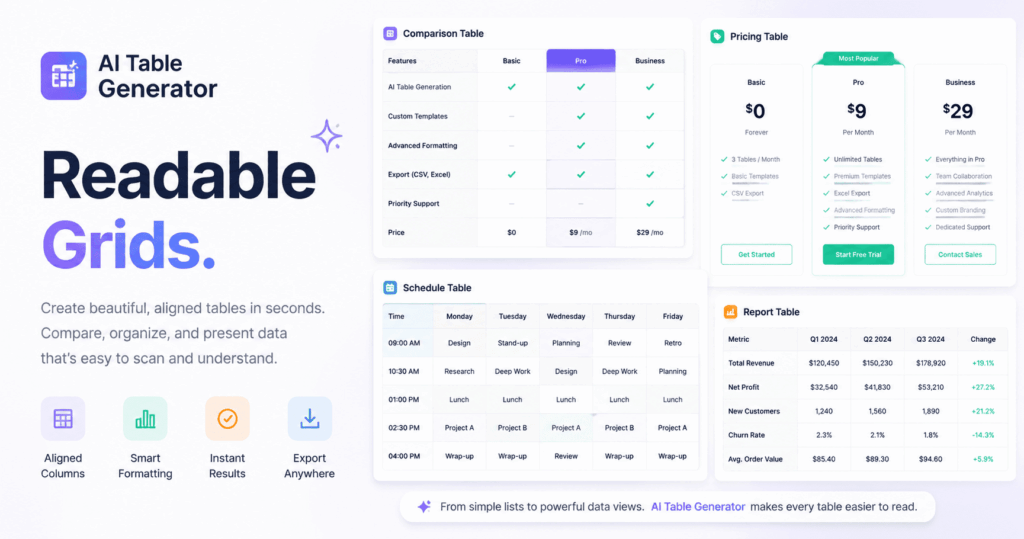
An AI SEO Table Generator is transforming how digital marketers structure data, compare products, and capture featured snippets. This technology uses machine learning to automatically create HTML tables that are both user-friendly and search-engine optimized. Instead of manually formatting rows and columns, you can now generate comprehensive comparison charts, pricing matrices, and specification tables in seconds. This guide explores how these tools work, their benefits, and the exact strategies to leverage them for higher rankings and better user engagement.
What Is an AI SEO Table Generator?
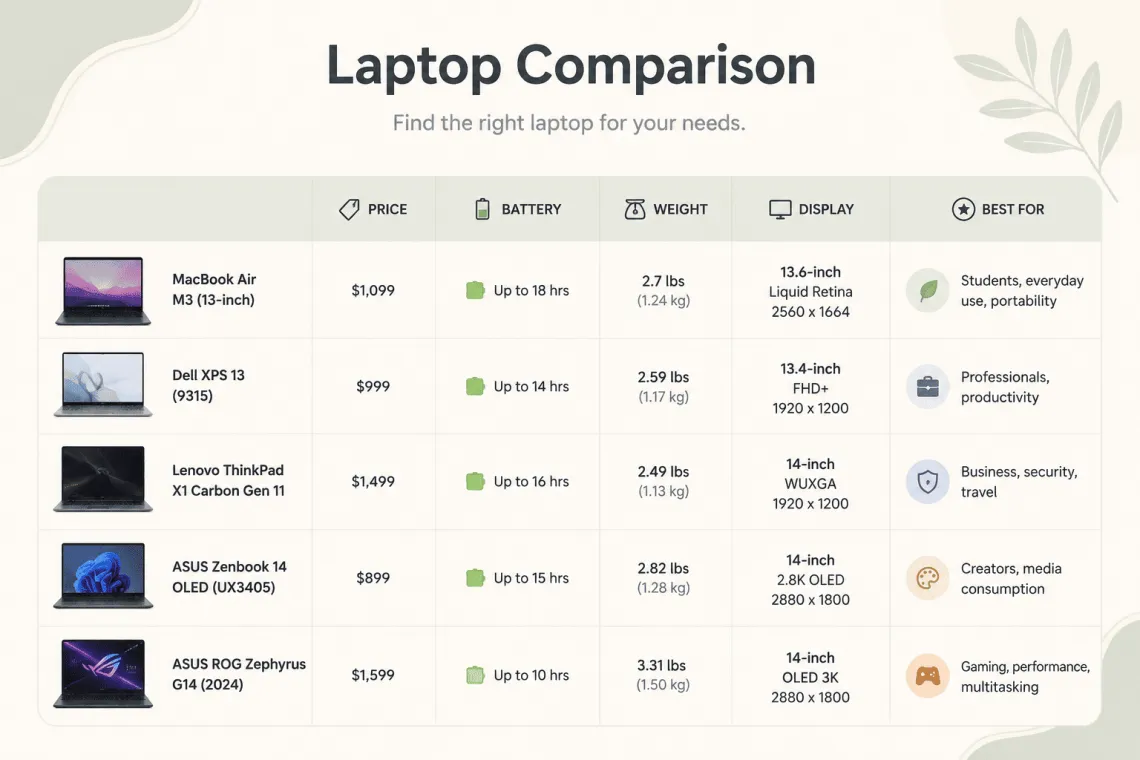
An AI SEO Table Generator is a software tool that uses natural language processing and machine learning algorithms to create structured data tables from unstructured text, URLs, or raw data inputs. These tools analyze the context of your content, identify key attributes, and automatically generate HTML tables that are semantically relevant and visually appealing.
The core purpose is twofold: improving user experience by presenting complex information in digestible formats, and enhancing SEO by creating content that search engines can easily crawl and understand. Tables are excellent for featured snippet opportunities, especially for “vs” queries, product comparisons, and step-by-step guides.
How AI Table Generators Differ from Traditional Table Builders
Traditional table builders require manual input of every cell, row, and column. An AI SEO Table Generator automates this entire process. You provide the source material, and the AI identifies the relationships between data points. It determines which columns are most relevant, which rows should be compared, and how to structure the information for maximum readability.
For example, if you input a paragraph about different CRM software, the A It then creates a table with these as columns and each CRM as a row. This automation saves hours of manual work and reduces the risk of human error.
Why Tables Matter for SEO Performance
Search engines prioritize content that provides clear, structured answers to user queries. Tables are a powerful way to achieve this because they organize information logically. Google’s algorithms can parse table data effectively, especially when the HTML is clean and properly marked up.
Tables increase the likelihood of earning a featured snippet, which is the boxed information that appears at the top of Google’s search results. For queries like “best project management tools” or “iPhone vs Samsung comparison,” a well-structured table is often the preferred format for this coveted position.
The Connection Between Tables and User Engagement
Users scan content quickly. A wall of text is intimidating, but a table breaks down information into scannable chunks. This improves dwell time, reduces bounce rate, and signals to search engines that your content is valuable. When users find answers quickly, they are more likely to trust your site and return for future queries.
Mobile users also benefit significantly. Responsive tables that adapt to smaller screens provide a better browsing experience. Many AI SEO Table Generator tools automatically create mobile-friendly tables with horizontal scrolling or collapsible rows, ensuring usability across all devices.
Key Features of a High-Quality AI SEO Table Generator

Not all AI table generators are created equal. The best tools share several core features that make them indispensable for content teams.
Natural Language Processing Capabilities
The AI must understand context, synonyms, and intent. For instance, if your source text mentions “cost,” “price,” and “monthly fee,” the AI should recognize these as related attributes and group them under a single column. Advanced NLP ensures the generated table is coherent and not just a random collection of data points.
Schema Markup Integration
Top-tier tools automatically add Schema.org markup to your tables. This structured data helps search engines understand the type of content in your table, such as product information, reviews, or FAQs. Schema markup can enable rich results, which display additional information like star ratings or prices directly in the search results.
Customization Options
You should be able to control the style, color scheme, and layout of your table. Some tools offer templates that match your brand identity. Customization also extends to data selection, allowing you to include or exclude specific rows and columns before publishing.
Bulk Generation and API Access
For large-scale content operations, the ability to generate multiple tables at once is crucial. API access allows developers to integrate the tool directly into their content management system or workflow. This streamlines production and ensures consistency across all published articles.
How to Use an AI SEO Table Generator: A Step-by-Step Guide
Implementing this technology into your workflow is straightforward. Follow these steps to create optimized tables that drive results.
Step 1: Identify the Right Content for Tables
Not every article needs a table. Focus on content that involves comparisons, lists of features, pricing structures, or step-by-step processes. Common candidates include product roundups, software reviews, specification sheets, and “X vs Y” articles.
Step 2: Gather Your Source Data
Collect the raw information you want to present. This could be a list of products with their specs, a paragraph describing different service tiers, or data from a spreadsheet. The quality of your input directly affects the quality of the AI-generated output.
Step 3: Input Data into the Generator
Paste your text, upload a document, or provide a URL to the AI tool. Most generators allow you to choose the type of table you want, such as a comparison matrix, a pricing table, or a feature checklist. Select the option that best fits your content goal.
Step 4: Review and Refine the Output
AI is not perfect. Always review the generated table for accuracy. Check that the data is correctly assigned to the right columns and rows. Make any necessary edits to ensure the information is factually correct and logically organized.
Step 5: Add Schema Markup and Publish
If your tool does not automatically add schema markup, use a plugin or manual code to add it. Then, insert the table into your article at the most relevant point. Ensure the table is responsive and displays correctly on all devices before publishing.
Benefits of Using AI for Table Generation
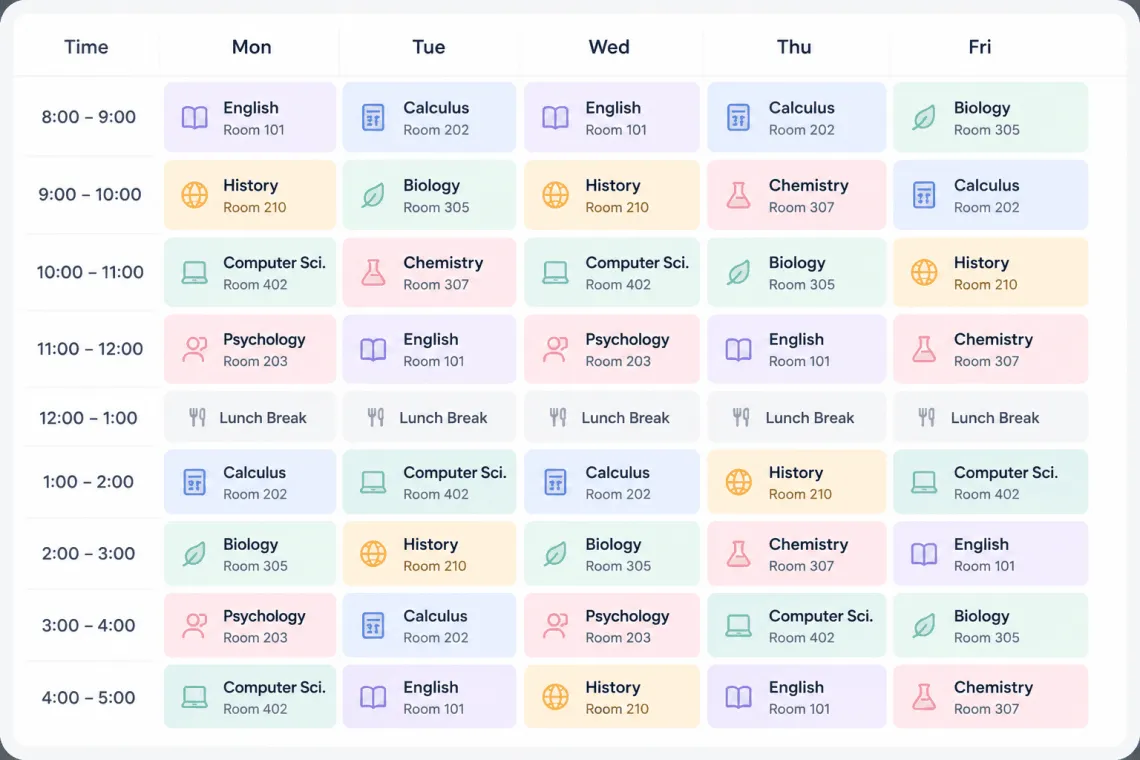
The advantages extend beyond just saving time. Here are the primary benefits that content teams experience.
- Time Efficiency: What takes 30 minutes to format manually takes 30 seconds with AI. This allows teams to produce more content without increasing headcount.
- Consistency: AI follows the same logic every time, ensuring all tables across your site have a uniform structure and style.
- Error Reduction: Manual data entry is prone to typos and misalignments. AI reduces these errors by automating the placement of data.
- Scalability: You can generate hundreds of tables for large projects, such as creating comparison pages for thousands of products.
- SEO Optimization: Built-in schema markup and clean HTML code give your tables the best chance of ranking in featured snippets.
Limitations and Challenges to Consider
While powerful, AI table generators have limitations that you must manage.
Data Accuracy and Context
AI can misinterpret ambiguous data. For example, if a product has a “starting price” and a “renewal price,” the AI might merge them into one column. Always verify the data against your original source to avoid publishing incorrect information.
Lack of Creative Judgment
AI follows patterns. It may not know that a particular column is more important than another or that certain data points should be highlighted. You need to apply human judgment to prioritize information and make the table truly useful for your audience.
Dependency on Input Quality
Garbage in, garbage out. If your source text is disorganized or contains errors, the A Clean, structured input is essential for generating high-quality tables.
AI SEO Table Generator vs. Manual HTML Coding
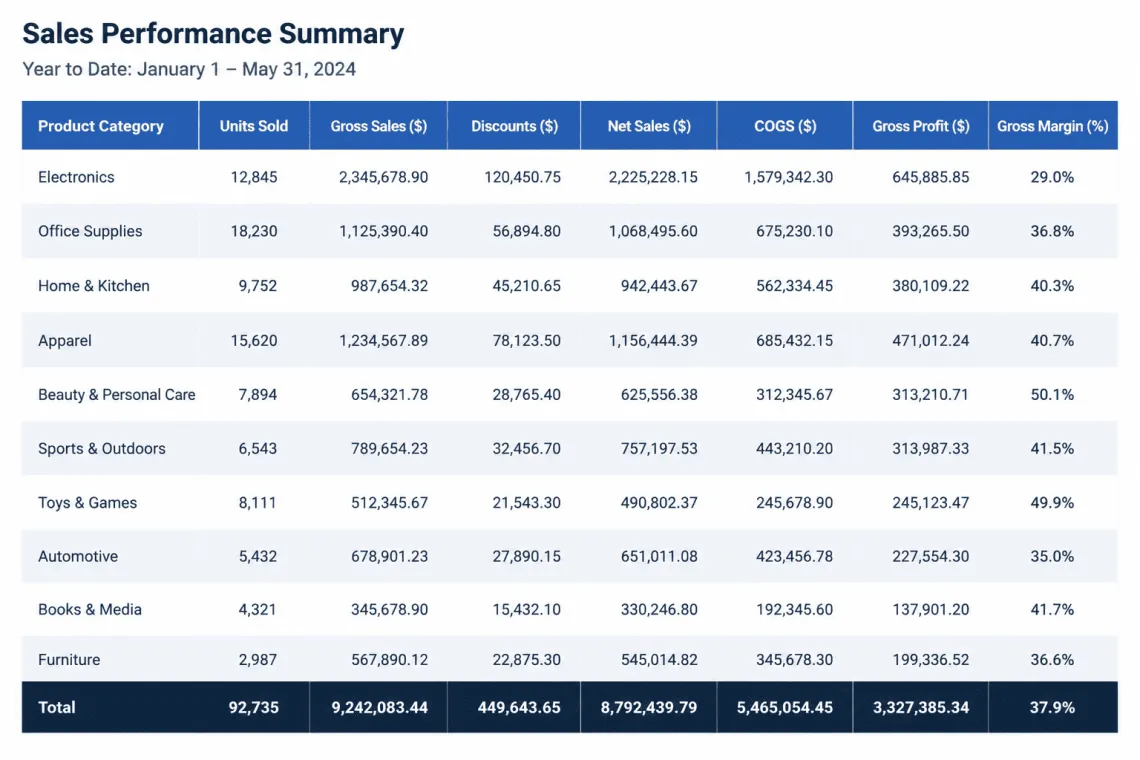
Understanding the difference helps you decide when to use each approach.
| Factor | AI SEO Table Generator | Manual HTML Coding |
|---|---|---|
| Speed | Seconds to minutes | 10-30 minutes per table |
| Error Rate | Low, but requires review | High, prone to typos |
| Schema Markup | Automatic or one-click | Requires manual code insertion |
| Scalability | High, bulk generation possible | Low, time-consuming |
| Customization | Limited to tool templates | Unlimited with CSS |
| Cost | Subscription or per-use fee | Free, but requires developer time |
For most content teams, the AI generator is the superior choice due to speed and built-in SEO features. Manual coding remains relevant for highly custom tables that require unique styling or complex merging of cells.
Common Mistakes When Using AI Table Generators
Avoid these pitfalls to get the most out of your tool.
Ignoring Data Verification
Publishing a table with incorrect pricing or outdated specifications damages your credibility. Always cross-check the AI output with the original source or official websites before hitting publish.
Overloading Tables with Too Many Columns
A table with 15 columns is overwhelming on desktop and nearly unusable on mobile. Limit your tables to 5-7 columns maximum. If you have more data, split it into multiple tables or use tabs to organize the information.
Using Tables for Simple Content
Do not force a table where a simple list works better. If you only have three data points, a bulleted list is more readable. Tables are for comparing multiple items across multiple attributes.
Neglecting Mobile Responsiveness
Always test your table on a smartphone. If the tool does not automatically create a responsive design, you need to add custom CSS or use a plugin that enables horizontal scrolling on small screens.
Best Practices for SEO-Optimized Tables
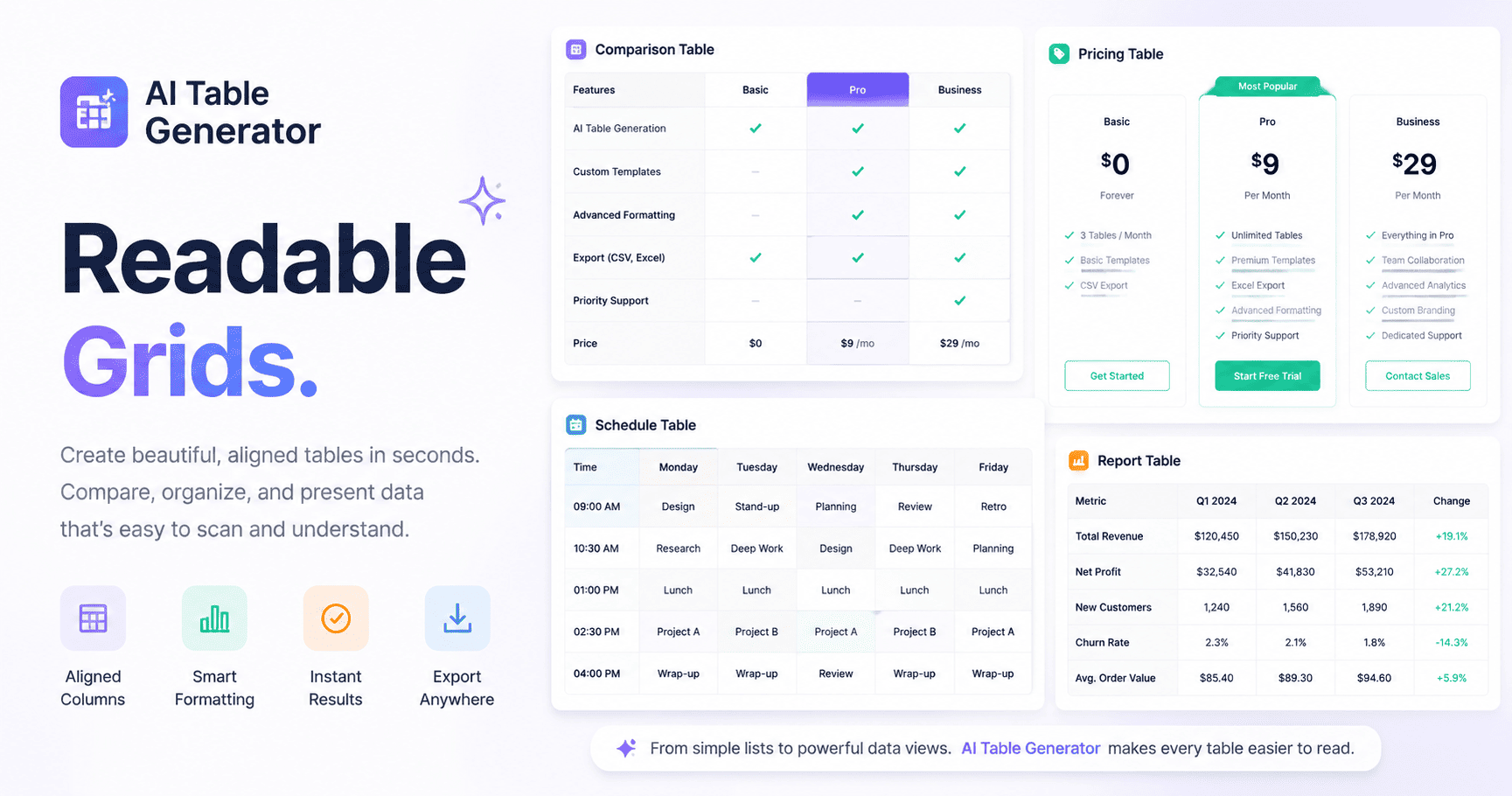
Follow these guidelines to ensure your tables rank well and satisfy users.
Use Descriptive Headers
Column headers should be clear and contain relevant keywords. Instead of “Price,” use “Monthly Pricing (USD).” This helps search engines understand the context and helps users find what they need quickly.
Keep Data Current
Outdated tables harm your E-E-A-T score. Set a schedule to review and update your tables regularly, especially for pricing, features, and product availability. Search engines favor fresh content.
Place Tables Near Relevant Text
Do not just drop a table anywhere. Introduce it with a paragraph that explains what the table shows. This provides context for both users and search engine crawlers. The surrounding text should include the main keywords related to the table’s content.
Add a Summary or Key Takeaway
After the table, include a brief summary of the most important findings. This helps users who do not want to read the entire table and provides additional text for SEO purposes.
Practical Applications Across Industries
AI SEO Table Generators are versatile and useful in many sectors.
E-commerce and Product Comparisons
Online stores use tables to compare product specifications, prices, and customer ratings. This helps shoppers make informed decisions without leaving the site, reducing bounce rates and increasing conversion potential.
SaaS and Software Reviews
Tech blogs and review sites generate tables comparing software features, integrations, and pricing tiers. This content often ranks for high-intent keywords like “best CRM for small business” or “project management software comparison.”
Financial Services
Banks and fintech companies use tables to compare interest rates, fees, and account benefits. Clear, accurate tables build trust and help customers choose the right financial products.
Educational Content
Educators and e-learning platforms use tables to summarize historical events, scientific classifications, or language grammar rules. This improves comprehension and retention for students.
Important Notes on Data Privacy and Copyright
When using an AI SEO Table Generator, be mindful of the data you input. Do not paste proprietary or confidential information into a third-party tool unless you have verified its privacy policy. Some tools use your data to train their models, which could expose sensitive information.
Also, ensure that the data you use to generate tables is not copyrighted. If you are extracting data from competitor websites or published reports, verify that you have the right to reproduce that information. Creating original tables based on your own research is always the safest approach.
Frequently Asked Questions
What is the best AI SEO Table Generator?
The best tool depends on your specific needs. Popular options include TablePress with AI extensions, WP Table Builder, and specialized SaaS tools like Table Generator Pro. Evaluate each based on features, pricing, and ease of integration with your content management system.
Can AI tables help me get a featured snippet?
Yes, tables are one of the most common formats for featured snippets, especially for comparison queries. Using an AI SEO Table Generator with proper schema markup increases your chances of being selected for this prominent position.
Do I need coding skills to use an AI table generator?
No. Most tools are designed for non-technical users. They provide a visual interface where you paste your data and the tool generates the HTML code for you. You can then copy and paste this code into your website editor.
How often should I update my SEO tables?
Update your tables whenever the underlying data changes. For pricing and product features, check at least quarterly. For evergreen content like historical facts or mathematical formulas, updates are rarely needed.
Are AI-generated tables considered duplicate content?
No, as long as the data and the surrounding text are original. The AI is a formatting tool, not a content generator. The information you input should be your own or properly sourced. The table structure itself is not copyrighted, but the specific data presentation can be.
Conclusion
An AI SEO Table Generator is an essential tool for modern content creators who want to produce structured, high-ranking content efficiently. By automating the tedious process of table creation, these tools free up time for strategic tasks like research and analysis. The benefits of improved user experience, higher engagement, and increased featured snippet opportunities make them a worthwhile investment for any serious SEO strategy.
To succeed, focus on inputting high-quality data, reviewing AI outputs for accuracy, and following best practices for table design and schema markup. Avoid common mistakes like overloading tables or neglecting mobile users. When used correctly, AI-generated tables can significantly enhance your content’s visibility and authority in search engine results.
Start by identifying one or two articles that could benefit from a comparison table. Test a few tools, find one that fits your workflow, and integrate it into your content production process. The time saved and the SEO gains will quickly justify the adoption of this technology.
Xem thêm:
- AI SEO Data Visualization: Turning Complex Rankings into Actionable Insights
- AI SEO AI Citation Optimization: The Complete Guide to Dominating Local Search in 2025
- AI SEO Attribution: The Complete Guide to Measuring What Actually Drives Rankings
- AI SEO GEO Visibility: The Complete Guide to Winning AI Search in 2025
- AI SEO SEO Automation with n8n: The Complete Workflow Guide
Bài viết cùng chủ đề:

AI SEO SEO Automation with Make: The Complete Workflow Guide

AI SEO SEO Automation with Zapier: The Complete Workflow Guide

AI SEO SEO Automation with n8n: The Complete Workflow Guide
AI SEO SEO Automation with Gemini: The Complete Guide to Scaling Organic Growth

AI SEO SEO Automation with Claude: The Complete Guide to Scaling Content in 2025

AI SEO SEO Automation with ChatGPT: The Complete Playbook for 2025

AI SEO & SEO Automation for Affiliate Sites: The 2025 Playbook for Passive Income Growth
AI SEO & SEO Automation for Bloggers: The Complete Guide to Scaling Your Content

AI SEO & SEO Automation for Agencies: The Complete 2025 Playbook

AI SEO and SEO Automation for Ecommerce: The Complete Playbook for 2025

AI SEO & SEO Automation for WordPress: The Complete Playbook for 2025
AI SEO SEO Automation Strategy: The Complete Playbook for 2025

Mastering the AI SEO SEO Automation Process: A Complete Guide to Scaling Organic Growth
AI SEO SEO Automation System: The Complete Guide to Scaling Organic Growth in 2025
AI SEO SEO Automation Platform: The Complete Guide to Scaling Organic Growth in 2025
AI SEO SEO Automation Software: The Complete Guide to Scaling Organic Growth in 2025















