
No products in the cart.
AI WordPress SEO: Your Complete Blueprint for Automated Organic Growth

29
Jul
Jul
Artificial intelligence is no longer a futuristic concept for website owners. In the world of WordPress, AI has become the engine that powers smarter content creation, sharper keyword analysis, and technical audits that would take humans days to complete. AI WordPress SEO combines machine learning, natural language processing, and automation to turn your WordPress site into a search-optimized powerhouse without requiring dozens of expensive experts. The result is faster indexing, higher rankings, and significantly more qualified traffic—all managed through tools you can control. This guide walks you through every layer of the AI-driven SEO workflow, from the foundational concepts to advanced plug‑in configuration, so you can build a sustainable, self‑improving organic presence.
What Exactly Is AI WordPress SEO?
At its core, AI WordPress SEO refers to the practice of using artificial intelligence tools, plugins, and platforms to handle key search engine optimization tasks on a WordPress site. Instead of manually writing meta descriptions, researching long‑tail keywords, or monitoring hundreds of Core Web Vitals scores, you let intelligent algorithms do the heavy lifting. These algorithms learn from massive datasets—search trends, competitor analyses, user behavior signals—and then apply that knowledge to your content and technical structure.
Think of it as a three‑part system. First, the AI ingests billions of search queries and page signals to understand what Google truly wants. Second, it benchmarks your WordPress pages against the top‑ranking URLs. Third, it generates specific, actionable recommendations: “Add this related keyword to your H2,” “Your page loads in 4.2 seconds; 5,” or “This paragraph does not match search intent; rewrite it with these terms.” This happens in minutes, not days.
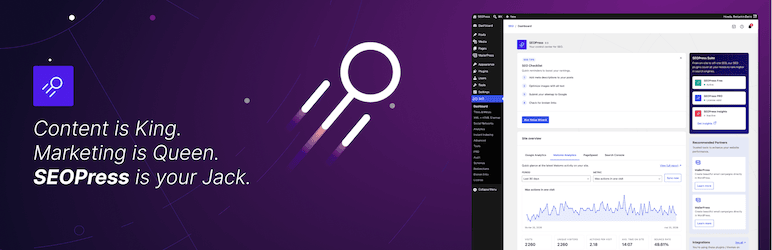
For WordPress users, AI integrates directly into the dashboard through plugins like Rank Math PRO (with its Content AI module), All in One SEO (aioseo), or third‑party tools such as SurferSEO, Frase, and NeuronWriter. Many now connect via API, syncing keyword data, content briefs, and audit reports straight into the block editor. This marriage of AI and the world’s most popular CMS has democratized top‑tier SEO—small business owners can now compete with large digital agencies.
Core Components of AI‑Powered WordPress SEO
To understand how to leverage AI effectively, break the ecosystem down into its fundamental building blocks. Each component automates or enhances a traditional SEO pillar, but together they create a self‑learning loop that continuously refines your strategy.
AI‑Driven Keyword Research and Topic Clustering
Classic keyword research involves staring at spreadsheets and manually grouping terms by intent. AI tools like Semrush’s Keyword Magic Tool, Ahrefs’ AI insights, or dedicated WordPress plugins with AI research modules now scan semantic relationships. They identify not just a single “money” keyword, but entire topic clusters—primary terms, secondary modifiers, question‑based queries, and entities Google expects to see on a top‑ranking page. The AI then suggests a content blueprint: “Create a pillar page about sustainable gardening, supported by 12 cluster articles covering soil health, water conservation, and native plants.” This clusters strategy builds topical authority far faster than disjointed blogging.
Content Optimization with NLP and Semantic Analysis
Modern search engines no longer match exact keywords; they interpret meaning. AI‑powered WordPress plugins embed natural language processing (NLP) engines that score your draft against the top 10 results. They extract commonly used terms, optimal word count, heading structure, and even readability levels. Tools like SurferSEO’s Grow Flow or the Content AI inside Rank Math analyze your live editor and display real‑time feedback: “Use the phrase ‘slow‑release organic fertilizer’ at least 3 times,” or “Your readability is grade 12; aim for grade 8.” This ensures your content aligns with Google’s understanding of the topic without unnatural keyword stuffing. Some AI writers (Jasper, Copy.ai) can even generate entire first drafts based on a target keyword, saving hours of blank‑page paralysis.
Automated Technical SEO Audits and Schema Markup
Technical foundations are where many WordPress sites fail. AI scanners crawl your entire site just like a bot, instantly flagging broken links, duplicate content, missing alt tags, hreflang issues, slow‑loading pages, and mobile usability errors. Plugins like AIOSEO’s TruSEO or Yoast with its AI preview use these scans to auto‑generate structured data (schema)—product reviews, FAQ markup, article schema, local business details—without touching a single line of code. The AI even monitors your site’s Core Web Vitals via real‑user data and suggests practical fixes: “Replace this heavy hero image with a WebP version,” or “Lazy‑load these YouTube embeds.” This relentless technical hygiene keeps your WordPress site in Google’s good graces.
AI‑Assisted Internal Linking and Content Decay Prevention
Internal links distribute PageRank and help visitors navigate. But manually searching for relevant old posts to link to is tedious. AI tools now scan your entire published library and recommend contextual internal links right inside the Gutenberg editor. The algorithm understands the semantic relationship between articles—not just matching keywords, but topic overlap. When you finish a new post about “email marketing for nonprofits,” the plugin might suggest linking to your earlier “donor segmentation guide” because they share the same user intent. Furthermore, AI detects “content decay”—pages that are slowly losing rankings—and recommends refreshing them by adding updated statistics, new sections, or better media. This prevents the silent traffic drain that plagues large blogs.
Benefits and Limitations of AI WordPress SEO
Like any transformative technology, AI brings enormous advantages but also constraints you must navigate carefully. The key is using it as an accelerant, not a replacement for strategic thinking.
Major Benefits
- Exponential time savings: A comprehensive site audit that once took a consultant 20 hours can be completed in under 15 minutes. Content briefs that required a whole morning are generated in seconds.
- Data‑driven precision: AI’s recommendations are rooted in patterns from millions of pages, eliminating guesswork around keyword density, content length, or which entities to mention.
- Scalability: A single content manager can now oversee hundreds of blog posts because AI handles the repetitive optimization tasks. This is transformative for e‑commerce sites with thousands of product descriptions.
- Continuous learning: AI models update as search engines evolve. Your on‑page optimizations automatically adapt to Google’s helpful content updates without you needing to study the fine print.
- Cost efficiency: Hiring an agency for ongoing technical SEO and content optimization can cost thousands per month. AI plugin subscriptions (often the cost of a dinner) deliver a similar baseline of performance.
- Contextual nuance gaps: AI can score content against competitors, but it doesn’t truly understand your unique brand voice, storytelling, or the emotional nuances that build reader trust. Blindly following an AI content optimizer can produce technically “correct” but soulless text.
- Over‑optimization risk: Chasing a perfect NLP score can lead to keyword‑stuffed, robotically structured copy that Google’s algorithms now flag as over‑engineered. The human reader still comes first.
- Dependency on tool quality: Not all AI tools are created equal. A poorly trained model may offer outdated advice or suggest adding irrelevant terms, harming your rankings. Validation is always required.
- EEAT blind spots: Expertise, authoritativeness, and trustworthiness signals—author credentials, citations from reputable sources, genuine user reviews—are something AI cannot fabricate. Google’s human raters look for these, and AI alone cannot build true authority.
- Plugin bloat: Adding too many AI‑heavy WordPress plugins can slow down your site, ironically damaging the technical SEO you’re trying to improve. A careful selection of one or two comprehensive tools is preferable.
Critical Limitations to Keep in Mind
AI vs Traditional WordPress SEO: A Comparative Analysis
To truly appreciate the shift, side‑by‑side comparison clarifies where AI excels and where human expertise still rules supreme. The table below breaks down key SEO tasks.
| SEO Task | Traditional Approach | AI‑Powered Approach |
|---|---|---|
| Keyword research | Manual spreadsheets; brainstorming based on intuition; competitor reverse‑engineering by hand. | Algorithm scans entire SERPs for semantic clusters; automatically groups by intent; predicts difficulty score and “value per click.” |
| Content creation | Writer drafts from brief; editor checks for quality; SEO overlays keywords post‑writing (often awkwardly). | AI drafts first version using NLP‑based brief; real‑time optimization suggestions as you type; automatically includes related entities. |
| Meta tags and schema | Manually written titles and descriptions; schema added via developer or complex JSON‑LD generators. | AI generates multiple A/B title options based on search intent; auto‑populates all relevant schema markup (Article, Product, FAQ) with no coding. |
| Technical audits | Periodic manual crawling with tools like Screaming Frog; time‑consuming log file analysis; fixing issues one by one. | Continuous monitoring; instant alerts for new 404s, slow queries, or index bloat; one‑click fixes for common WordPress misconfigurations. |
| Internal linking | Editor scans old posts manually; often misses deep, relevant connections. | AI suggests links from the block editor based on semantic topic mapping; can auto‑link specific anchor texts across the site. |
| Rank tracking & decay detection | Weekly rank checks; noticing a drop means you lost traffic for days before reacting. | Real‑time alerts for any significant ranking shift; AI identifies content decay patterns and suggests specific refresh actions before major losses. |
The comparison reveals a clear pattern: AI does not eliminate the need for human judgment, but it shatters the time and knowledge barriers that kept high‑quality WordPress SEO out of reach for non‑experts. The best results consistently come from a hybrid model—AI as the data‑driven co‑pilot, humans as the creative, empathetic pilots.
Step‑by‑Step Guide to Implementing AI WordPress SEO
Moving from theory to execution requires a structured approach. The following roadmap integrates AI directly into your WordPress workflow without overwhelming your site or your team.
Step 1: Choose One Central AI SEO Plugin
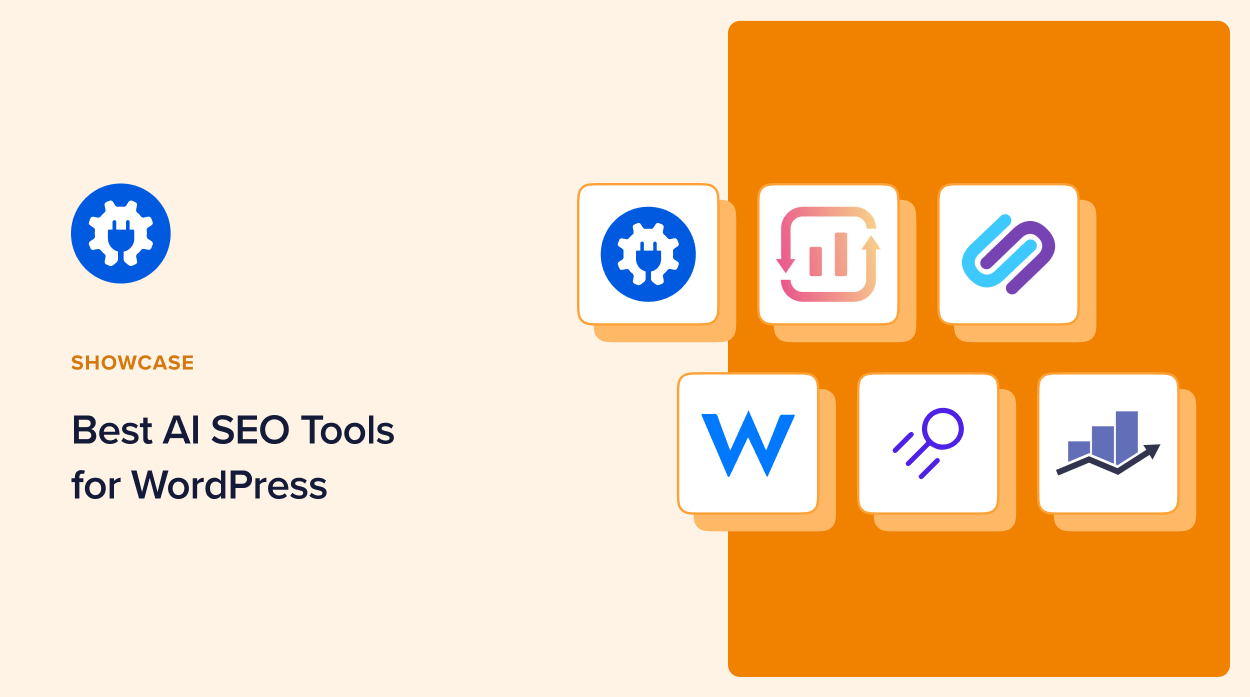
Instead of installing five fragmented tools, select one robust plugin that covers multiple AI functions. Rank Math PRO with its Content AI module is a leading option—it bakes keyword analysis, schema generation, 404 monitoring, and automatic image SEO into a familiar WordPress interface. AIOSEO Pro offers similar capabilities with its Smart Meta Keywords and Link Assistant. For those on a tighter budget, the free versions still provide basic SEO analysis, then you can supplement with a standalone AI writer. Install, activate, and connect to the AI backend (usually via an API key). Run the initial site scan to establish your technical baseline.
Step 2: Integrate an AI Content Optimization Tool
If your plugin’s built‑in AI is insufficient, connect an external optimizer. SurferSEO integrates with WordPress via a dedicated plugin that opens a content editor overlay. Frase offers a similar workflow. Both compare your draft in real time to the top‑20 results. NeuronWriter allows you to paste your target keyword and receive a detailed content plan that you can import into WordPress. The goal: every new post or page you create gets scored and guided to match search intent before you hit publish.
Step 3: Automate Keyword Cluster Mapping
Manual keyword grouping is the old way. Use an AI tool like Semrush’s Topic Research or the Ahrefs Content Gap AI to identify your domain’s missing topics. Export the cluster suggestions into a content calendar plugin (like Editorial Calendar or a simple spreadsheet). For WordPress‑native management, plugins like LeanSEO and WordLift use AI to suggest internal linking structures based on these clusters—essentially building your site’s knowledge graph automatically. Prioritize pillar pages first, then a regular cadence of supporting content.
Step 4: Let AI Handle Repetitive On‑Page Elements
Enable auto‑generation of meta descriptions and title tags for archive pages, category archives, and product pages. Many AI SEO plugins now write these based on the actual page content, not just a formula. For e‑commerce stores, AI can generate unique product descriptions for hundreds of SKUs, avoiding duplicate content penalties. However, always review and tweak the most important landing pages—the AI might get the nuance wrong for your brand’s high‑value pages. Use the bulk SEO preview to spot any issues quickly.
Step 5: Deploy AI for Technical Monitoring and Schema
Activate automated schema markup. If you run a blog, ensure Article schema is present. For a local business, add LocalBusiness and Review schema. Plugin AI can infer the correct type from your page content. Next, set up daily AI crawls that email a report of broken links, missing alt attributes, slow pages, and indexing problems. Many AI plugins also integrate with Google PageSpeed Insights and suggest specific image compression or caching solutions right from the WordPress dashboard. Implementing these fixes one by one will noticeably boost your Core Web Vitals scores within weeks.
Step 6: Create an AI‑Assisted Content Refresh Cycle
Old content is an overlooked asset. Set a calendar reminder to run your AI plugin’s “content decay” or “performance drop” report monthly. The AI flags posts that have slipped from position 4 to 12 and recommends exactly which sections to update: “Add 2024 industry stats to the introduction,” or “Include a case study section below the bullet points.” Assign the quick refreshes to a junior writer or do them yourself. This process can recover lost traffic far cheaper than creating new content.
Common Mistakes When Using AI for WordPress SEO (and How to Avoid Them)
Even the best tools produce poor outcomes when used without strategic restraint. Here are the pitfalls that damage rankings and how to sidestep them.
1. Trusting AI Scores Over Human Readability. You might craft a page that scores 95/100 on an NLP tool but reads like a machine‑generated brochure. Google’s helpful content system penalizes unoriginal, unhelpful text. Fix: Write for humans first, then use AI suggestions as a checklist to adjust—not rebuild. Keep your unique voice, storytelling, and examples intact.
2. Generating Massive AI Content Without Editing. Pumping out 50 unedited AI blog posts in a week is a sure‑fire way to trigger spam filters. Google can identify purely synthetic content patterns. Fix: Treat AI as a research assistant. Have a knowledgeable human review, fact‑check, and add original insights. The combination of AI efficiency and human expertise is the winning formula.
3. Over‑Optimizing Anchor Text with AI Auto‑Linking. Some AI internal link tools aggressively add exact‑match anchor text links across dozens of pages. This looks unnatural. Fix: Set your internal linking tool to use varied, natural phrasing. Limit the number of auto‑links per page to avoid a link‑stuffed appearance.
4. Ignoring Site Speed While Adding AI Plugins. Each AI plugin adds scripts, API calls, and database queries. If your hosting is already mediocre, an overloaded plugin suite will make your site crawl, hurting rankings. Fix: Use a lightweight theme, quality hosting with PHP 8+, a CDN, and only one or two properly coded AI SEO plugins. Test TTFB (time to first byte) before and after installation.
5. Failing to Align AI Content with Real EEAT Signals. An AI‑optimized page may lack author bios, external citations to authoritative sources, or evidence of real‑world experience. Google’s emphasis on experience, expertise, authoritativeness, and trustworthiness (E‑E‑A‑T) demands that you manually add these. Fix: Always include author credentials, link to original studies, and add customer testimonials or case studies that no AI could invent.
Important Notes for Long‑Term AI WordPress SEO Success
As AI becomes more embedded in WordPress SEO, a few strategic principles will keep your site durable against algorithm changes. First, understand that AI learns from patterns; it does not invent truth. Fact‑check any statistical claims, date references, and source attributions the AI suggests. A single error can erode trust.
Second, maintain a healthy ratio of automated to hand‑crafted content. For timely news, AI‑generated blurbs might be acceptable as long as they are clearly labeled and reviewed. For cornerstone content—your main pillar pages—invest in deep human research, expert interviews, and original data that AI cannot replicate. This is what earns editorial backlinks and long‑term authority.
Third, watch for algorithmic thinning. When every website uses the same AI tool to optimize for the same keyword targets, content becomes homogenized. Google will evolve to reward distinctiveness. Use AI to handle the foundation, but build on top with unique media: custom graphics, videos, interactive tools, and proprietary survey data. This differentiates your WordPress site in a crowded AI‑optimized world.
Finally, never hand over your entire SEO strategy to a black‑box algorithm. Regularly audit the AI’s output. Export a sample of the meta descriptions it wrote—do they make sense? Check the internal links it created—are they truly helpful? The most successful adopters of AI WordPress SEO treat the technology as a tireless assistant while retaining the final approval and strategic direction.
Frequently Asked Questions
How does AI improve WordPress SEO?
AI improves WordPress SEO by automating complex, data-intensive tasks such as keyword research, content optimization, technical audits, and schema markup generation. It analyzes patterns from top‑ranking pages to guide your content structure, meta tags, and internal linking. This reduces human error, saves hours of manual work, and adapts recommendations based on evolving search engine algorithms. The result is faster achievement of higher rankings with less effort, provided the output is reviewed by a human for originality and accuracy.
What are the best AI SEO plugins for WordPress?
Leading AI SEO plugins include Rank Math PRO (with its Content AI that scores articles against competitors and suggests optimizations), All in One SEO Pro (AIOSEO) with its Link Assistant and smart meta tag generation, and Yoast SEO Premium (which offers AI‑powered readability and internal linking suggestions). For writers, integrations with NeuronWriter, SurferSEO, or Frase provide direct AI content optimization inside the WordPress editor. Choose based on your primary need—technical SEO management, content scoring, or automated schemas—and avoid installing multiple overlapping plugins.
Can AI completely replace a human SEO expert?
No. AI can execute repetitive tasks and provide data‑driven suggestions far faster than a human, but it cannot replace strategic thinking, emotional intelligence, brand understanding, or the ethical judgment required for true E‑E‑A‑T compliance. A human expert verifies AI suggestions for accuracy, ensures content aligns with brand voice, and creates unique storytelling that builds trust. The optimal setup combines AI automation for efficiency with human oversight for creativity, authority, and long‑term strategy.
Is AI‑generated content penalized by Google?
Google does not ban AI content outright, but it penalizes content created solely to manipulate rankings without providing real value. Its helpful content system targets text that is unoriginal, unhelpful, or produced at scale without human review. If you use AI responsibly—editing, fact‑checking, adding unique insights, and focusing on reader satisfaction—your content will not be penalized. The key is using AI as a tool, not as a replacement for genuine subject matter expertise.
How do I use AI for keyword research on WordPress?
Use an SEO plugin that integrates AI keyword research directly into your WordPress dashboard. Plugins like Rank Math PRO let you enter a focus keyword and instantly see related keywords, search volume, and trend data without leaving the editor. Alternatively, connect a third‑party tool like Semrush or Ahrefs via its WordPress integration. The AI then suggests primary and secondary keywords, question‑based queries, and intent clusters. From there, you can create new posts or optimize existing ones using the generated keyword map—all orchestrated from your WordPress admin area.
Does AI WordPress SEO work for e‑commerce sites?
Absolutely. AI excels at handling the scale of e‑commerce SEO. It can automatically generate unique product descriptions, category page meta tags, and rich snippets (price, availability, reviews) for hundreds of products. AI also monitors for duplicate content issues across product variants and suggests internal links between complementary items. For large WooCommerce stores, AI‑driven plugins can significantly reduce manual work while improving each product page’s visibility in search results, provided the generated content is enhanced with real customer reviews and unique photos.
Conclusion
AI WordPress SEO is not a passing trend—it is the new operating standard for anyone serious about organic growth on a budget. By weaving intelligent automation into keyword discovery, content creation, technical hygiene, and ongoing maintenance, you can free up countless hours and compete with far larger publishers. The approach described here—choose a central plugin, enrich with an external content optimizer, automate the technical grunt work, and always keep a human hand on the creative wheel—gives you the best odds of ranking high and staying there. Start small, audit your results weekly, and let the AI learn from your site’s real performance data. As search engines grow smarter, the synergy between human insight and machine precision will be the only sustainable advantage. Embrace it now and watch your WordPress site claim the search visibility it deserves.
Xem thêm:
- AI SEO Content Formatting: The Complete Guide to Higher Rankings in 2025
- AI SEO Outreach Automation: The Complete Guide to Scaling Link Building in 2025
- AI SEO Monitoring: The Ultimate Guide to Smarter Search Performance Tracking
- AI SEO Competitor Content: The Complete Playbook for Outranking Rival Sites
- AI SEO Webinars: How Virtual Training Is Reshaping Modern Search Strategy
Bài viết cùng chủ đề:

AI SEO SEO Automation with Make: The Complete Workflow Guide

AI SEO SEO Automation with Zapier: The Complete Workflow Guide

AI SEO SEO Automation with n8n: The Complete Workflow Guide
AI SEO SEO Automation with Gemini: The Complete Guide to Scaling Organic Growth

AI SEO SEO Automation with Claude: The Complete Guide to Scaling Content in 2025

AI SEO SEO Automation with ChatGPT: The Complete Playbook for 2025

AI SEO & SEO Automation for Affiliate Sites: The 2025 Playbook for Passive Income Growth
AI SEO & SEO Automation for Bloggers: The Complete Guide to Scaling Your Content

AI SEO & SEO Automation for Agencies: The Complete 2025 Playbook

AI SEO and SEO Automation for Ecommerce: The Complete Playbook for 2025

AI SEO & SEO Automation for WordPress: The Complete Playbook for 2025
AI SEO SEO Automation Strategy: The Complete Playbook for 2025

Mastering the AI SEO SEO Automation Process: A Complete Guide to Scaling Organic Growth
AI SEO SEO Automation System: The Complete Guide to Scaling Organic Growth in 2025
AI SEO SEO Automation Platform: The Complete Guide to Scaling Organic Growth in 2025
AI SEO SEO Automation Software: The Complete Guide to Scaling Organic Growth in 2025















