
No products in the cart.
WP Trove AI Landing Pages: The Complete Guide to High-Converting WordPress Pages
31
Jul
Jul
Building a high-converting landing page in WordPress traditionally requires a mix of design skills, coding knowledge, and copywriting expertise. WP Trove AI Landing Pages changes that equation entirely. This AI-powered tool integrates directly with WordPress to generate complete, conversion-focused landing pages in minutes. Instead of staring at a blank page or wrestling with page builders, you provide a few prompts and the system handles layout, copy, and structure. This guide breaks down everything about WP Trove AI Landing Pages, from core functionality to advanced optimization tactics, ensuring you get the most from this powerful automation.
What Exactly Are WP Trove AI Landing Pages?
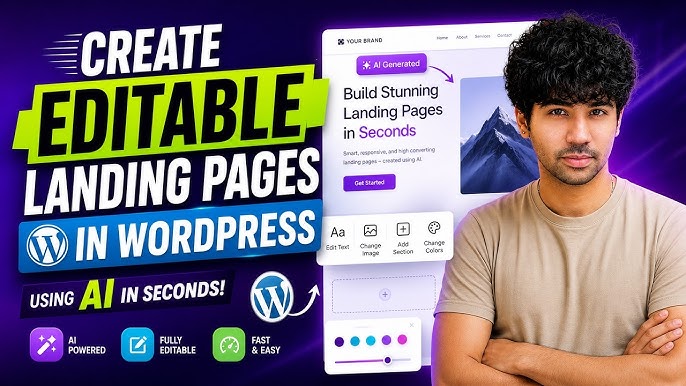
WP Trove AI Landing Pages is a specialized feature within the WP Trove ecosystem, designed to automate the creation of landing pages inside WordPress. It uses artificial intelligence to generate page copy, select layouts, and structure sections based on your input. The primary goal is to eliminate the friction between having an idea and publishing a live, optimized page. You describe your offer, target audience, and desired outcome, and the AI produces a complete page draft that you can refine.
The system is not a simple template filler. It analyzes your input for context, tone, and persuasive triggers. It then constructs a page with a clear hierarchy: a compelling headline, supporting subheadline, benefit-driven copy, social proof sections, and a strong call-to-action. This approach ensures that every generated page follows proven conversion principles, not just aesthetic appeal.
The Core Technology Behind the Tool
Under the hood, WP Trove AI Landing Pages leverages large language models trained on vast datasets of marketing copy and web design patterns. It understands the nuances of persuasive writing, such as urgency, scarcity, and benefit articulation. When you input your product details, the AI cross-references its training to suggest phrasing that resonates with specific demographics. It also considers mobile responsiveness and load speed, generating clean code that aligns with WordPress best practices.
This technology is continuously updated. The developers regularly feed new marketing trends and algorithm changes into the model, ensuring that the generated pages remain effective as search engine and user behavior evolves. This means you are not stuck with static templates; the AI adapts to current standards.
Why Use AI for Landing Page Creation in WordPress?
The traditional approach to landing pages involves multiple steps: selecting a theme, installing a page builder, choosing a template, writing copy, sourcing images, and testing responsiveness. Each step introduces potential delays and requires specific skills. WP Trove AI Landing Pages collapses this process into a single workflow. This speed is critical in a digital environment where market conditions change rapidly, and being first to launch a campaign can determine its success.
Beyond speed, consistency is a major advantage. Human-created pages often vary in quality based on the creator’s mood, energy, and inspiration. AI generates a consistent baseline of quality every time. It adheres to copywriting formulas like AIDA (Attention, Interest, Desire, Action) without needing to be reminded. This consistency allows you to A/B test different offers with confidence, knowing that the page structure itself is not a variable.
Cost efficiency is another factor. Hiring a professional copywriter and designer for a single landing page can cost hundreds of dollars. WP Trove AI Landing Pages provides a subscription-based model where you can generate unlimited pages. For agencies and freelancers managing multiple clients, this drastically reduces overhead and increases profit margins.
Key Features of WP Trove AI Landing Pages
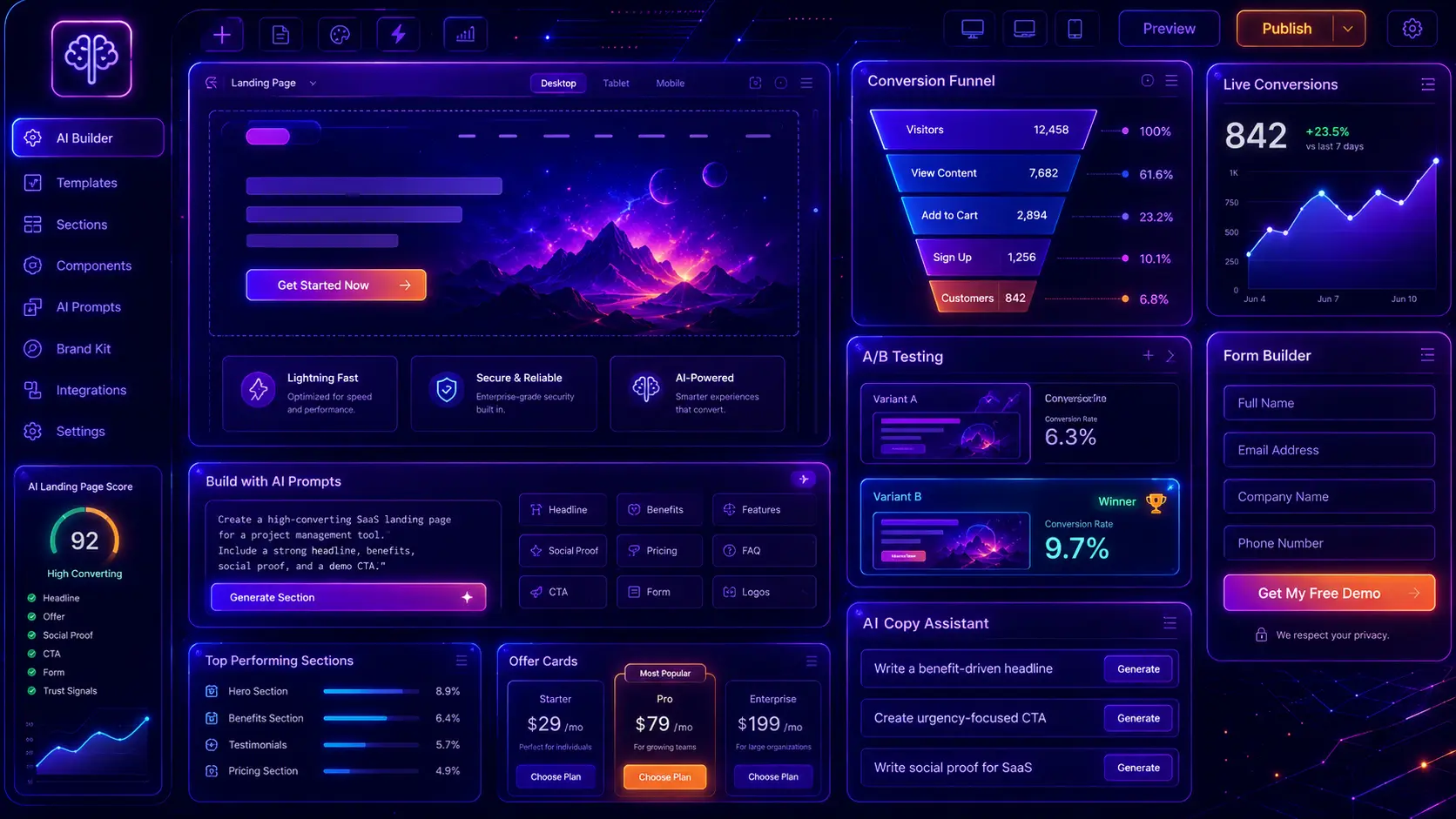
Understanding the feature set is essential to leveraging the tool effectively. The platform is not a one-trick pony; it offers a range of options that cater to different marketing scenarios.
AI-Powered Copy Generation
The core feature is the ability to generate complete, grammatically correct, and persuasive copy. You can specify the tone (professional, casual, urgent), the length (short and punchy vs. detailed), and the primary emotion to target (fear of missing out, excitement, trust). The AI then produces headlines, body text, bullet points, and button text that align with your specifications. This is not generic lorem ipsum; it is tailored to your specific product or service.
Smart Layout Selection
Instead of manually dragging and dropping elements, the AI selects an optimal layout based on your content type. If you are selling a physical product, it may suggest a layout with large imagery and a prominent “Buy Now” button. If you are collecting email signups, it will prioritize a simple form with minimal distractions. The system understands the goal of the page and structures the visual hierarchy accordingly.
Integration with WordPress Native Blocks
WP Trove AI Landing Pages does not require a separate page builder plugin. It works with the native WordPress block editor (Gutenberg). This is a significant advantage because it reduces plugin bloat and ensures compatibility with future WordPress updates. The generated content is composed of standard blocks (headings, paragraphs, buttons, columns), which you can easily edit or rearrange after generation.
Conversion Element Suggestions
The tool goes beyond basic copy and suggests conversion elements. It might recommend adding a countdown timer for a limited-time offer, a trust badge section for credibility, or a testimonial slider. These suggestions are based on the type of offer you are promoting. This proactive approach helps you build a more effective page without needing to research conversion rate optimization (CRO) tactics separately.
Step-by-Step Guide to Creating a Landing Page
Getting started with WP Trove AI Landing Pages is straightforward. The interface is designed for users of all skill levels, from beginners to seasoned developers.
Step 1: Define Your Campaign Goal
Before opening the tool, clarify what you want the page to achieve. Are you generating leads, selling a product, or registering attendees for a webinar? Your goal dictates the entire structure. In the WP Trove dashboard, you will select a campaign type. This initial selection tells the AI which elements to prioritize. For a lead generation page, it will focus on form placement and value proposition. For a sales page, it will emphasize pricing and checkout links.
Step 2: Input Your Offer Details
You will be prompted to enter information about your offer. This includes the product name, key benefits, target audience, and any specific selling points. The more detailed your input, the more accurate the AI’s output. Instead of writing “software for project management,” write “cloud-based project management software for remote teams that need real-time collaboration and automated reporting.” This specificity allows the AI to generate copy that speaks directly to your audience’s pain points.
Step 3: Select Tone and Style
Choose the voice of your brand. Options typically include professional, friendly, authoritative, or innovative. You can also specify the reading level. A B2B software product might require a more technical tone, while a consumer fashion brand might use a casual, enthusiastic voice. The AI adjusts its vocabulary and sentence structure based on this selection.
Step 4: Generate and Review
Click the generate button. Within seconds, the AI produces a complete landing page draft. Review the content carefully. Check for factual accuracy, brand alignment, and clarity. The AI is a starting point, not a final product. You should edit the copy to inject your unique brand personality and ensure all claims are verifiable. The generated page is fully editable in the WordPress block editor, so making changes is intuitive.
Step 5: Optimize for SEO
After generating the page, you need to set your SEO meta title and description. WP Trove AI Landing Pages may suggest these based on your input, but you should customize them to include your target keywords. Ensure the page URL is clean and descriptive. Use the generated content as a base, but add internal links to other relevant pages on your site. This helps search engines understand the context of your landing page.
Comparing WP Trove AI Landing Pages to Traditional Page Builders

To fully appreciate the value of this tool, it helps to compare it against the standard alternatives. The table below outlines the key differences between using WP Trove AI and a traditional page builder like Elementor or Beaver Builder.
| Feature | WP Trove AI Landing Pages | Traditional Page Builders |
|---|---|---|
| Setup Time | 2-5 minutes per page | 1-3 hours per page |
| Copywriting | AI-generated, requires light editing | Written manually from scratch |
| Design Skills | None required | Basic understanding of layout and spacing |
| Learning Curve | Minimal | Moderate to steep |
| Consistency | High, follows proven formulas | Variable, depends on the creator |
| Cost | Included in WP Trove subscription | Premium plugins cost $59-$199/year |
| Flexibility | High, but within AI-generated structure | Unlimited, pixel-perfect control |
Traditional builders offer granular control, which is excellent for custom designs. However, they require significant time investment and a certain level of design acumen. WP Trove AI Landing Pages prioritizes speed and efficiency. It is the better choice for marketers who need to launch campaigns quickly and iterate based on performance data, rather than spending hours tweaking padding and margins.
Benefits of Using WP Trove AI Landing Pages
The advantages extend beyond just saving time. The tool fundamentally changes how you approach landing page creation.
- Rapid Prototyping: You can generate multiple variations of a landing page in minutes. This allows you to test different headlines, offers, and structures without waiting for a designer. Rapid prototyping leads to faster data collection and better optimization.
- Overcoming Writer’s Block: Even experienced copywriters face creative blocks. The AI provides a starting point that can spark new ideas. You can take the generated copy and twist it, expand it, or combine it with your own concepts.
- Scalability: For agencies managing dozens of clients, creating a landing page for each campaign manually is unsustainable. WP Trove AI Landing Pages allows you to scale your services without proportionally increasing your workload. You can deliver high-quality pages to every client, regardless of project size.
- Data-Driven Suggestions: The AI’s suggestions are not random. They are based on patterns observed in high-performing pages across the web. This means you are implementing best practices without having to research them yourself.
- Reduced Plugin Dependency: Since the tool works with native blocks, you avoid installing heavy page builder plugins that can slow down your site. This contributes to better Core Web Vitals scores, which are a ranking factor for Google.
Limitations and How to Mitigate Them
No tool is perfect, and WP Trove AI Landing Pages has its limitations. Being aware of these allows you to work around them effectively.
Generic Tone Risk
AI-generated copy can sometimes sound generic or formulaic. If you do not provide specific input, the output may lack the unique voice that differentiates your brand. To mitigate this, always provide detailed input about your brand’s personality. After generation, spend time rewriting the introduction and conclusion to inject your unique perspective. Use specific anecdotes or case studies that the AI cannot know about.
Lack of Visual Creativity
The AI selects layouts based on functionality, not artistic flair. The resulting pages are clean and professional but may not be visually groundbreaking. If your brand relies on avant-garde design, you will need to customize the layout manually after generation. Use the AI-generated structure as a skeleton and then apply your custom CSS or design elements.
Factual Accuracy
The AI does not know your specific product specifications, pricing, or company history. It may generate plausible-sounding but incorrect information. It is crucial to review every factual claim before publishing. Check product names, feature lists, and any statistics mentioned. Never publish AI-generated content without a thorough human review.
Common Mistakes to Avoid When Using WP Trove AI Landing Pages
Users often make predictable errors when first adopting this tool. Avoiding these pitfalls will ensure your pages perform well.
Mistake 1: Using Vague Prompts
Inputting “sell my course” will produce a generic page. The AI needs context. Provide information about the course content, the target student, the outcome they will achieve, and the price point. The quality of the output is directly proportional to the quality of the input. Spend time crafting detailed prompts.
Mistake 2: Skipping the Editing Phase
Publishing the page exactly as generated is a recipe for mediocrity. The AI provides a draft, not a finished product. You must edit for brand voice, add personal insights, and ensure the copy flows naturally. A human touch is essential for building trust with your audience. Readers can often detect purely AI-generated content, which can harm credibility.
Mistake 3: Ignoring Mobile Optimization
While the AI generates responsive layouts, you should still preview the page on mobile devices. Check that text is not too small, buttons are easily tappable, and images load correctly. User experience on mobile is critical for conversion rates, as a significant portion of web traffic comes from smartphones.
Mistake 4: Neglecting A/B Testing
Just because the AI creates a good page does not mean it is the best page. You should use the tool to generate two or three different variations of your landing page. Then, run A/B tests to see which version converts better. This data-driven approach will yield better results over time than relying on a single AI output.
Important Notes for Maximizing Conversion Rates
To get the most out of WP Trove AI Landing Pages, consider these advanced strategies.
First, integrate your analytics tools. Connect Google Analytics and Google Search Console to track user behavior on your AI-generated pages. Monitor bounce rates, time on page, and conversion events. This data will tell you if the AI’s copy is resonating with your audience or if adjustments are needed.
Second, focus on the headline. The headline is the first thing visitors see, and it determines whether they stay or leave. Use the AI to generate ten different headline options. Then, select the one that is most specific and benefit-oriented. Test different variations to see which drives the most engagement.
Third, use high-quality images. The AI generates text, not images. You must supply your own visuals. Avoid generic stock photos. Use images of your actual product, your team, or your customers. Authentic visuals build trust and increase the perceived value of your offer.
Fourth, ensure your call-to-action (CTA) is clear. The A Instead of “Submit,” use “Get My Free Trial” or “Download the Guide Now.” The CTA should tell the user exactly what they will receive.
Frequently Asked Questions
Is WP Trove AI Landing Pages suitable for beginners?
Yes, it is designed for users with no coding or design experience. The interface is intuitive, and the AI handles the technical aspects of page creation. You simply input your text and the system generates a functional page. Beginners can publish a professional-looking landing page within their first hour of using the tool.
Can I edit the pages after the AI generates them?
Absolutely. The generated pages are composed of standard WordPress blocks. You can edit any text, change images, rearrange sections, or delete elements entirely. The AI provides a starting point, but you have full control over the final output. This flexibility ensures the page matches your exact requirements.
Does WP Trove AI Landing Pages work with any WordPress theme?
Yes, the tool generates content that works within the WordPress block editor, which is compatible with all modern themes. However, for optimal results, it is recommended to use a lightweight, fast-loading theme. Some complex themes with custom post types may require minor adjustments, but generally, compatibility is not an issue.
How does the AI handle SEO optimization?
The AI generates content that is structurally sound for SEO, using proper heading hierarchy and keyword-rich copy based on your input. However, you should still use an SEO plugin like Yoast or Rank Math to set meta titles, descriptions, and schema markup. The AI assists with on-page content, but technical SEO is still your responsibility.
What is the cost of using WP Trove AI Landing Pages?
The feature is included in the WP Trove subscription plans. There are different tiers based on the number of pages you need to generate per month and the level of AI features. You should check the official WP Trove website for the most current pricing structure, as it may change based on the features included.
Conclusion
WP Trove AI Landing Pages represents a significant shift in how WordPress users approach page creation. It democratizes access to high-quality copywriting and conversion-focused design, allowing anyone to launch effective marketing campaigns. The tool excels at speed, consistency, and scalability, making it an invaluable asset for freelancers, agencies, and in-house marketing teams. While it does not replace the need for human oversight and brand input, it dramatically reduces the time and skill required to produce a functional landing page. By understanding its features, limitations, and best practices, you can leverage this AI tool to improve your conversion rates and streamline your content production workflow. The future of landing page creation is here, and it is powered by AI.
Xem thêm:
- AI SEO Competitor Research: The Complete Guide to Outranking Your Rivals in 2025
- AI Search Intent: How Artificial Intelligence Transforms Query Understanding and Content Relevance
- AI SEO HTTPS Optimization: The Complete Guide to Securing Higher Rankings in 2025
- AI SEO AI Search Discovery: The Complete Guide to Winning Generative Search
- AI SEO GEO Citations: The Complete Guide to Future-Proofing Your Local Search Strategy
Bài viết cùng chủ đề:

AI SEO SEO Automation with Make: The Complete Workflow Guide

AI SEO SEO Automation with Zapier: The Complete Workflow Guide

AI SEO SEO Automation with n8n: The Complete Workflow Guide
AI SEO SEO Automation with Gemini: The Complete Guide to Scaling Organic Growth

AI SEO SEO Automation with Claude: The Complete Guide to Scaling Content in 2025

AI SEO SEO Automation with ChatGPT: The Complete Playbook for 2025

AI SEO & SEO Automation for Affiliate Sites: The 2025 Playbook for Passive Income Growth
AI SEO & SEO Automation for Bloggers: The Complete Guide to Scaling Your Content

AI SEO & SEO Automation for Agencies: The Complete 2025 Playbook

AI SEO and SEO Automation for Ecommerce: The Complete Playbook for 2025

AI SEO & SEO Automation for WordPress: The Complete Playbook for 2025
AI SEO SEO Automation Strategy: The Complete Playbook for 2025

Mastering the AI SEO SEO Automation Process: A Complete Guide to Scaling Organic Growth
AI SEO SEO Automation System: The Complete Guide to Scaling Organic Growth in 2025
AI SEO SEO Automation Platform: The Complete Guide to Scaling Organic Growth in 2025
AI SEO SEO Automation Software: The Complete Guide to Scaling Organic Growth in 2025















