
No products in the cart.
WP Trove AI Tutorials: The Complete Guide to Mastering AI-Powered WordPress Workflows
31
Jul
Jul
WP Trove has emerged as a significant hub for WordPress enthusiasts, and its AI tutorials are quickly becoming the go-to resource for site owners who want to leverage artificial intelligence without drowning in technical complexity. The phrase “WP Trove AI Tutorials” represents a growing library of practical, step-by-step guides designed to help users integrate AI tools directly into their WordPress dashboards. Whether you are a blogger looking to automate content drafts or a developer seeking to streamline code generation, these tutorials bridge the gap between raw AI capability and real-world WordPress application. This comprehensive guide breaks down everything you need to know about these tutorials, from core concepts to advanced implementation strategies.
What Exactly Are WP Trove AI Tutorials?

WP Trove AI Tutorials are structured learning modules that focus on applying artificial intelligence within the WordPress ecosystem. Unlike generic AI courses that cover theory, these tutorials are intensely practical. They walk you through specific plugins, API integrations, and custom code snippets that allow you to use AI models like GPT-4, Claude, or Gemini directly on your website. The tutorials are curated by WP Trove, a platform known for aggregating high-quality WordPress resources, themes, and plugins. The AI tutorial section specifically filters out the noise and provides actionable steps for tasks such as generating SEO meta descriptions, creating image alt texts, automating customer support responses, and even building custom AI blocks for the Gutenberg editor.
The core value proposition Instead of scouring YouTube or Reddit for fragmented advice, users get a centralized, logical progression of lessons. Each tutorial typically includes a clear objective, a list of required tools, a step-by-step walkthrough, and a troubleshooting section. This format ensures that even a beginner with minimal coding knowledge can follow along and achieve a functional result. For advanced users, the tutorials often include hooks and filters that allow for deeper customization, making the content scalable from hobbyist blogs to enterprise-level WooCommerce stores.
Why the Demand for AI Tutorials in WordPress Is Surging
The intersection of AI and WordPress is not a passing trend; it is a fundamental shift in how digital content is produced and managed. Recent industry data indicates that over 40% of WordPress site owners have experimented with some form of AI tool in the past year. The primary driver is content production speed. Traditional blogging requires hours of research and drafting, but AI-assisted workflows can reduce that time by up to 70%. WP Trove AI Tutorials tap directly into this need by showing users how to set up these automated pipelines correctly. Furthermore, Google’s evolving algorithms now prioritize helpful, people-first content, which means using AI blindly without human oversight can hurt rankings. The tutorials address this by teaching prompt engineering strategies that produce high-quality, factually accurate drafts that still require human editorial review.
Another factor is the cost-effectiveness of AI. Many premium AI writing tools charge monthly fees that can be prohibitive for small site owners. The tutorials often demonstrate how to use open-source models or API credits more efficiently, potentially saving users hundreds of dollars annually. This economic angle, combined with the tangible productivity gains, makes the demand for these tutorials not just a fad but a long-term strategic investment for serious webmasters.
Core Components of a Typical WP Trove AI Tutorial
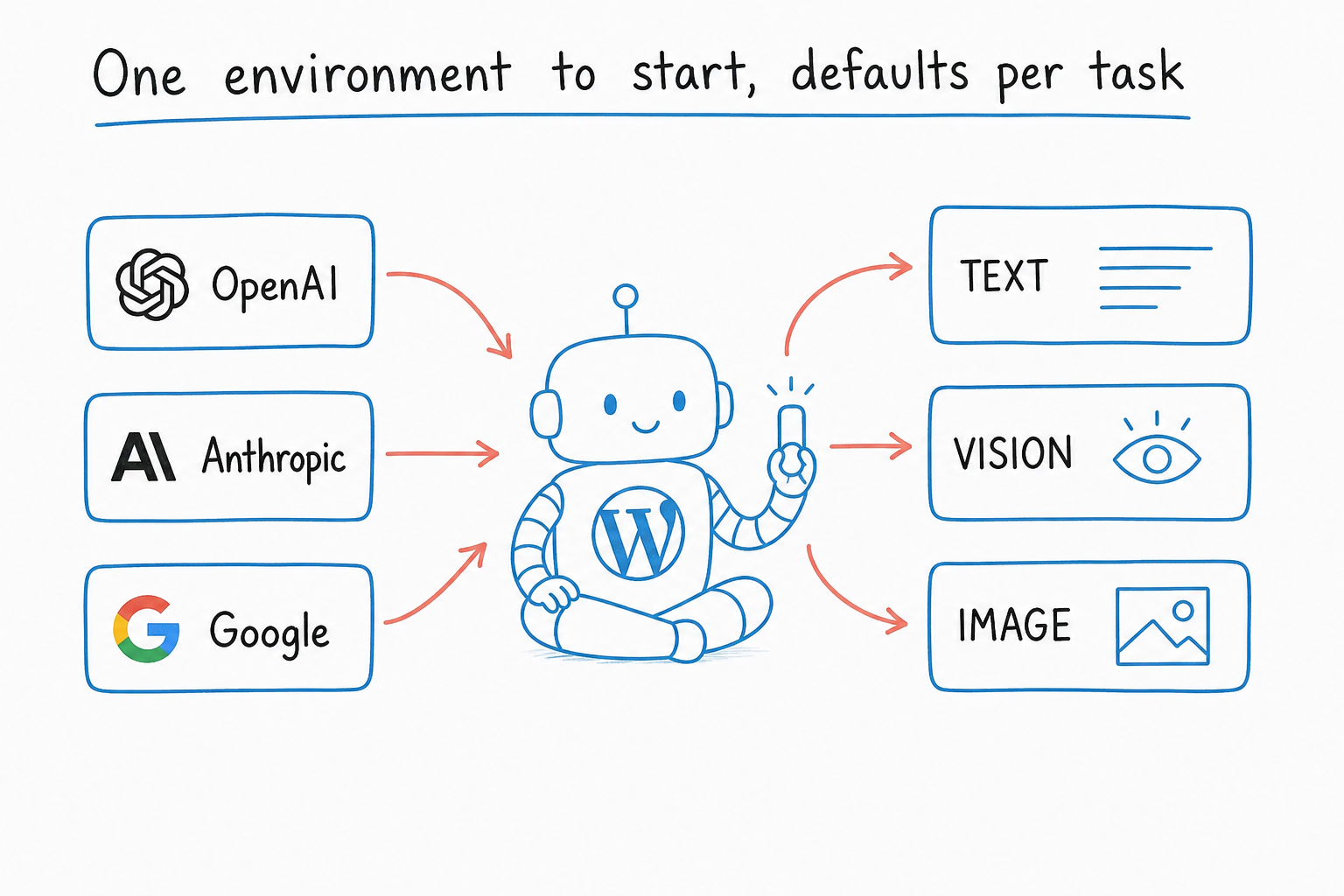
To get the most out of these resources, it helps to understand their standard structure. While each tutorial is unique, they generally share a common framework that ensures consistency and learning efficacy. The components are designed to take you from zero to a working implementation without leaving you stranded.
1. Plugin Selection and Installation
The first step in almost every tutorial involves choosing the right AI plugin. WP Trove often recommends specific plugins based on the task at hand. For instance, a tutorial on automated content generation might suggest using a plugin like “AI Engine” or “GPT3 AI Content Writer.” The tutorial will walk you through the installation process, API key setup, and initial configuration. This section is crucial because misconfigured API keys are the number one reason why AI features fail to work. The tutorials provide clear screenshots and explain where to find the necessary credentials in your OpenAI or Anthropic account dashboard.
2. Prompt Engineering for WordPress
This is where the tutorials differentiate themselves from basic plugin documentation. A significant portion of each lesson is dedicated to crafting effective prompts. The tutorials teach you how to structure prompts specifically for WordPress contexts. For example, instead of a generic “write a blog post,” the tutorial will show you how to prompt the AI to “write a 1500-word blog post about vegan protein powders, targeting a beginner audience, using a conversational tone, and including a meta description under 155 characters.” This level of specificity is what turns mediocre AI output into publishable drafts. The tutorials often include a library of pre-written prompt templates that you can copy and adapt for your niche.
3. Integration with Gutenberg and Classic Editor
Once the AI is configured, the tutorial moves to the integration phase. This involves placing the AI functionality where you actually work. Many tutorials focus on adding an AI block to the Gutenberg editor, allowing you to generate content inline without switching tabs. Others cover the classic editor for legacy sites. The tutorials explain the shortcode usage, block attributes, and how to style the AI output to match your theme. This practical integration is what makes the AI tool feel native to your WordPress experience rather than an external add-on.
4. Automation and Scheduling
Advanced tutorials delve into automation. This might involve using WP-Cron to schedule AI-generated posts or using plugins like Uncanny Automator to trigger AI responses based on user actions. For example, you can set up a workflow where a new WooCommerce product triggers an AI-generated description automatically. These tutorials are highly valuable for store owners who manage large inventories. The lessons cover the logic behind triggers and actions, ensuring that the automation runs smoothly without duplicating content or hitting API rate limits.
Benefits of Following WP Trove AI Tutorials
The advantages of systematically working through these tutorials extend far beyond just learning a new plugin. The structured approach yields measurable improvements in both workflow and site performance. Below is a breakdown of the key benefits that users consistently report after completing these tutorials.
- Time Efficiency: Automating repetitive tasks like writing meta descriptions, generating image captions, and drafting email newsletters frees up hours each week. Users report reclaiming 10-15 hours per month that can be redirected to strategy and audience engagement.
- Content Scalability: With AI handling the initial heavy lifting, you can increase your publishing frequency without burning out. A solo blogger can maintain the output of a small team by using AI for research summaries and first drafts.
- SEO Improvement: The tutorials emphasize generating content that is optimized for search intent. By using AI to analyze top-ranking pages and generate comprehensive outlines, you can create content that is more likely to earn featured snippets and higher click-through rates.
- Cost Reduction: Learning to use API keys directly, rather than paying for expensive SaaS subscriptions, can cut your AI costs by 50-80%. The tutorials show you how to monitor usage and set spending limits to avoid surprise bills.
- Skill Development: You gain a transferable skill set in prompt engineering and API management. This knowledge is valuable not just for WordPress but for any future AI-related projects you might undertake.
- Ignoring API Rate Limits: Many users generate hundreds of requests in a short period, hitting the API limit and causing errors. The tutorials advise setting a low “max tokens” and “temperature” to reduce usage. Always monitor your usage dashboard and set a hard monthly spending cap.
- Using AI for Fact-Checking: AI models are not search engines. They can hallucinate facts and statistics. Never rely on AI to provide accurate data for your content. Use it for structure and phrasing, but verify all factual claims through reliable sources like Google Scholar or official reports.
- Skipping the Human Edit: Publishing AI output verbatim is a surefire way to lose reader trust. The tutorials emphasize a “human-in-the-loop” approach. Always read the generated content aloud, check for flow, and add personal anecdotes or insights that AI cannot replicate.
- Overlooking Prompt Context: A vague prompt yields vague results. If you ask for a “blog post about coffee,” you will get generic fluff. The tutorials teach you to provide context, such as target audience, tone, and specific points to cover. The more context you give, the better the output.
- Neglecting Security: Storing API keys in plain sight or in the wrong part of your site can lead to theft. The tutorials recommend using environment variables or a security plugin to hide your keys. Never share your API key in forums or support tickets.
Limitations and Challenges You Should Know
While the benefits are substantial, it is equally important to approach WP Trove AI Tutorials with realistic expectations. There are inherent limitations to what AI can do within WordPress, and the tutorials do not always highlight these caveats upfront. Being aware of these challenges will help you avoid frustration and make better decisions about where to apply AI.
The most significant limitation is the need for human oversight. AI-generated content can be factually incorrect, biased, or simply off-brand. The tutorials teach you how to generate content, but they cannot replace your editorial judgment. You will still need to fact-check statistics, verify claims, and inject your unique voice into the final product. Another challenge is the learning curve associated with API management. Understanding tokens, rate limits, and model parameters can be daunting for non-technical users. While the tutorials simplify this, you will still encounter errors that require debugging. Finally, t Relying too heavily on AI can make your content sound generic and robotic if you do not apply the personalization techniques taught in the later stages of the tutorial series.
Comparison: WP Trove AI Tutorials vs. Other Learning Resources
To understand the unique position of WP Trove AI Tutorials, it is useful to compare them against other popular learning methods. The table below highlights the key differences in approach, cost, and outcome.
| Feature | WP Trove AI Tutorials | YouTube Videos | Official Plugin Docs | General AI Courses |
|---|---|---|---|---|
| Focus | WordPress-specific implementation | Often broad or outdated | Feature-specific, no workflow context | General AI theory, not platform-specific |
| Structure | Step-by-step, logical progression | Unstructured, varying quality | Reference-based, not sequential | Long-form, slow pace |
| Practicality | High, immediate application | Medium, often skips troubleshooting | Low, assumes prior knowledge | Low, focuses on concepts |
| Cost | Free or low-cost | Free but time-consuming | Free but incomplete | Often expensive |
| Update Frequency | Regularly updated for new AI models | Inconsistent | Updated with plugin versions | Static curriculum |
This comparison clearly shows that WP Trove AI Tutorials occupy a sweet spot. They offer the specificity of plugin documentation but with the pedagogical structure of a formal course. They are more current than most YouTube content, which often lags behind the latest API changes. For anyone serious about implementing AI in WordPress, this combination is unmatched.
Practical Application: A Step-by-Step Guide to Your First AI Workflow
To demonstrate the value of these tutorials, let us walk through a common use case: setting up an AI-powered SEO meta description generator. This is a simple yet highly effective task that saves time and improves click-through rates. The following steps mirror what you would find in a typical WP Trove AI Tutorial.
Step 1: Install an AI Plugin
Navigate to your WordPress admin panel and go to Plugins > Add New. Search for “AI Engine” and install it. This plugin is recommended in many tutorials because it supports multiple AI providers and offers a clean interface. Once installed, activate the plugin and go to its settings page. You will need to enter your OpenAI API key. If you do not have one, create an account at OpenAI and generate a new secret key. Copy and paste this key into the plugin settings and save.
Step 2: Create a Custom Prompt Template
Within the AI Engine settings, look for the “Templates” or “Prompts” section. Create a new template and name it “SEO Meta Description.” In the prompt field, enter the following text: “Generate a compelling meta description for the following article title and focus keyword. The description must be under 155 characters, include the focus keyword, and encourage a click. Article Title: [Your Title]. Focus Keyword: [Your Keyword].” The plugin will use this template every time you invoke it.
Step 3: Add the AI Block to Your Editor
Open a new blog post in the Gutenberg editor. Click the “+” icon to add a new block and search for “AI Engine.” Select the block and choose your “SEO Meta Description” template from the dropdown. Enter your article title and focus keyword into the designated fields. Click the “Generate” button. Within seconds, the A You can regenerate it as many times as needed until you find one that fits perfectly.
Step 4: Implement the Description
Copy the generated description and paste it into your SEO plugin, such as Yoast or Rank Math, in the “Meta Description” field. Preview your search result snippet to ensure it looks good. This entire process takes less than two minutes, compared to the five to ten minutes it might take to write a compelling description manually. Over a month of publishing 20 posts, this saves you over an hour of tedious work.
Common Mistakes and How to Avoid Them
Even with excellent tutorials, users often fall into predictable traps. Recognizing these mistakes early can save you significant time and frustration. The following list outlines the most frequent errors and provides clear strategies to avoid them.
Important Notes for Maximizing Your Learning Experience
To truly master the material presented in WP Trove AI Tutorials, you should adopt a strategic approach to your learning. These notes are drawn from the experiences of advanced users who have successfully integrated AI into their daily workflows. Following these guidelines will help you avoid common pitfalls and accelerate your progress.
First, always work on a staging site when testing new AI integrations. This prevents a broken configuration from taking down your live website. Most managed WordPress hosts offer a staging environment with one click. Second, keep a log of your prompts and the corresponding outputs. This “prompt library” becomes an invaluable asset over time. You will start to see patterns in what works and what does not, allowing you to refine your approach. Third, do not try to implement every AI feature at once. Pick one specific task, such as generating alt text for images, and master that before moving on to something more complex like automated chatbots. This incremental approach reduces overwhelm and ensures you build a solid foundation.
Finally, engage with the WP Trove community. The tutorials often have a comment section or a linked forum where users share their own tips and custom code. Learning from the successes and failures of others can save you hours of trial and error. The community is generally supportive and quick to help with specific error messages or configuration issues.
Frequently Asked Questions (FAQ)
Do I need coding skills to follow WP Trove AI Tutorials?
No, the majority of the tutorials are designed for beginners. They use visual interfaces, drag-and-drop builders, and simple form fields. However, having a basic understanding of HTML and PHP will allow you to take advantage of the more advanced customization sections. The tutorials clearly mark which steps require coding knowledge, so you can skip those if necessary.
Which AI model is best for WordPress content generation?
For general content writing, GPT-4 offers the best balance of creativity and coherence. For tasks that require faster responses and lower cost, GPT-3.5 Turbo is a solid choice. Claude 3 is excellent for longer documents that require nuanced understanding. The tutorials provide benchmarks and comparisons to help you choose based on your specific needs and budget.
Can AI-generated content harm my Google rankings?
Google does not penalize AI-generated content per se, but it does penalize low-quality, spammy content regardless of how it is produced. If you use AI to create thin, unhelpful articles, your rankings will suffer. The tutorials teach you how to use AI to create comprehensive, valuable content that passes Google’s E-E-A-T guidelines. Always add original research, personal experience, and expert commentary to AI drafts.
How much does it cost to run AI on my WordPress site?
The cost varies based on usage. If you use the OpenAI API directly, you pay per token. A typical 1000-word article might cost between $0.02 and $0.10 depending on the model. If you use a plugin with a built-in subscription, you might pay $10 to $30 per month. The tutorials include cost optimization strategies, such as caching responses and using cheaper models for simple tasks.
Are there any free alternatives to the paid AI plugins?
Yes, there are free plugins like “AI Engine” that offer a limited number of free requests per month. You can also use the official OpenAI API with a free trial credit. The tutorials cover these options and explain how to maximize your free usage before transitioning to a paid plan. Additionally, some open-source models can be self-hosted, but this requires significant technical expertise and server resources.
Conclusion
WP Trove AI Tutorials represent a vital resource for anyone looking to modernize their WordPress workflow with artificial intelligence. The structured, practical approach of these tutorials demystifies complex topics and provides a clear path from novice to proficient user. By focusing on real-world applications like content generation, SEO optimization, and workflow automation, these tutorials deliver tangible value that goes beyond theoretical knowledge. The key to success lies in approaching the material with patience, maintaining a human oversight role in all AI-generated output, and continuously refining your prompts based on results. As AI technology evolves, the skills you gain from these tutorials will become increasingly essential for staying competitive in the digital landscape. The investment of time in learning these systems today will pay dividends in efficiency and content quality for years to come.
Xem thêm:
- AI Cluster Pages: The Ultimate Strategy for Topical Authority in the Age of AI Search
- AI Keyword Clustering: Build a Smarter Search Strategy With Data-Driven Topic Groups
- AI SEO Outbound Link Strategy: The Complete Guide to Building Authority in 2025
- Mastering the AI Content Calendar: Automate, Optimize, and Scale Your Publishing Strategy
- AI SEO Testing: The Complete Guide to Automated Search Performance Verification
Bài viết cùng chủ đề:

AI SEO SEO Automation with Make: The Complete Workflow Guide

AI SEO SEO Automation with Zapier: The Complete Workflow Guide

AI SEO SEO Automation with n8n: The Complete Workflow Guide
AI SEO SEO Automation with Gemini: The Complete Guide to Scaling Organic Growth

AI SEO SEO Automation with Claude: The Complete Guide to Scaling Content in 2025

AI SEO SEO Automation with ChatGPT: The Complete Playbook for 2025

AI SEO & SEO Automation for Affiliate Sites: The 2025 Playbook for Passive Income Growth
AI SEO & SEO Automation for Bloggers: The Complete Guide to Scaling Your Content

AI SEO & SEO Automation for Agencies: The Complete 2025 Playbook

AI SEO and SEO Automation for Ecommerce: The Complete Playbook for 2025

AI SEO & SEO Automation for WordPress: The Complete Playbook for 2025
AI SEO SEO Automation Strategy: The Complete Playbook for 2025

Mastering the AI SEO SEO Automation Process: A Complete Guide to Scaling Organic Growth
AI SEO SEO Automation System: The Complete Guide to Scaling Organic Growth in 2025
AI SEO SEO Automation Platform: The Complete Guide to Scaling Organic Growth in 2025
AI SEO SEO Automation Software: The Complete Guide to Scaling Organic Growth in 2025















