
No products in the cart.
AI Editorial Calendar: Revolutionize Your Content Planning with Smart Automation
29
Jul
Jul
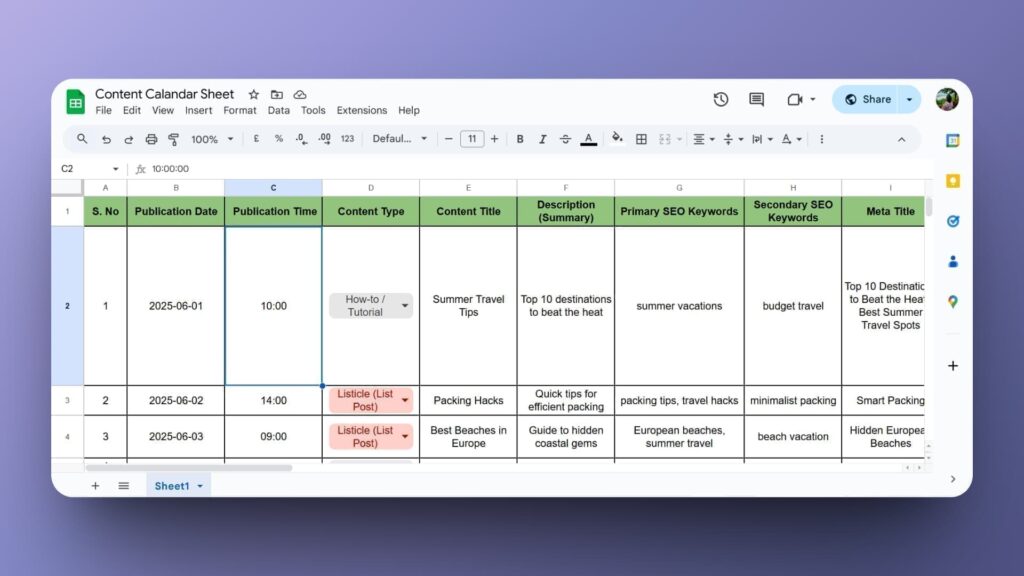
An AI editorial calendar transforms the way marketing teams plan, create, and distribute content. By embedding artificial intelligence directly into your scheduling workflow, data‑driven decisions replace guesswork, and repetitive tasks get handled in seconds. This powerful tool merges strategic thinking with machine efficiency, ensuring every piece of content aligns with audience needs, seasonal trends, and search intent. For editors and content managers tired of juggling spreadsheets, the AI editorial calendar offers a way to reclaim time, reduce errors, and skyrocket organic visibility without sacrificing creative control.
What Is an AI Editorial Calendar?
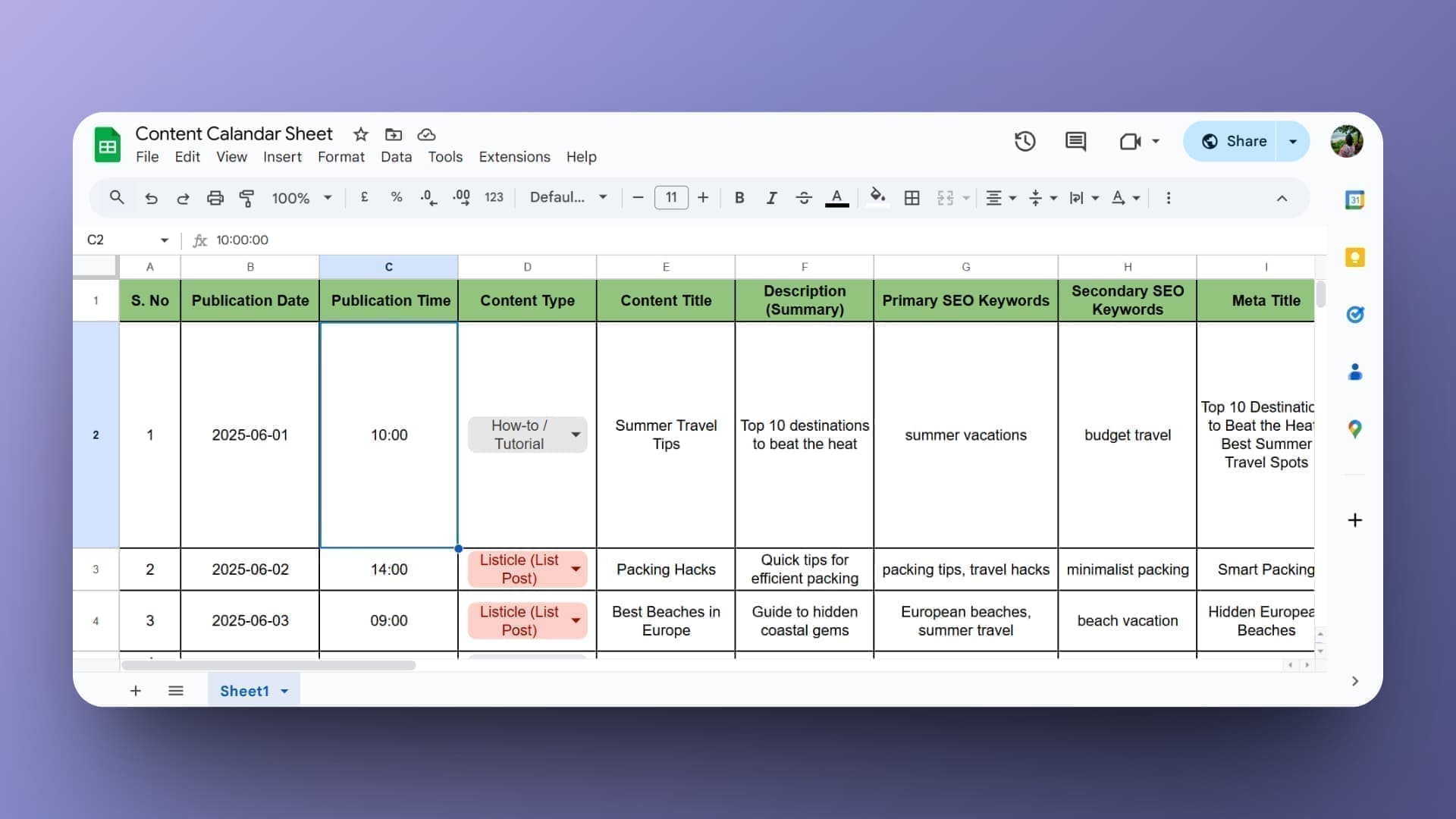
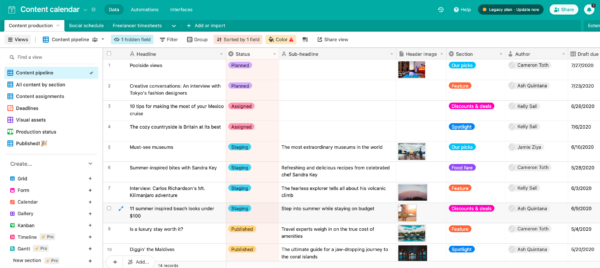
An AI editorial calendar is a dynamic planning system that uses machine learning, natural language processing, and predictive analytics to organise, optimise, and automate content production. Unlike static Google Sheets or Trello boards, it continuously learns from past performance, industry shifts, and audience behaviour to recommend topics, ideal publishing dates, and resource allocation. The calendar becomes more than a schedule—it acts as a strategic co‑pilot, flagging content gaps and suggesting high‑opportunity keywords before a human editor even opens the dashboard.
At its core, the system connects several data layers: your content repository, social media channels, SEO rankings, and even email open rates. The AI then processes this intelligence to generate a living timeline that adapts in real time. A marketing manager can approve, reject, or tweak suggestions, keeping ultimate creative control while leaning on algorithmic precision for timing and topic relevance.
Key Components of an AI‑Powered Editorial Workflow
Automated Topic Clustering and Ideation
Rather than brainstorming blindly, AI scrapes millions of data points—search queries, competitor content, forum questions, trending news—to surface topic clusters with proven demand. It analyses semantic relationships and user intent, giving you a map of pillar pages and supporting articles that build topical authority. Each cluster suggestion comes with estimated traffic potential and difficulty scores, helping you prioritise what to write first.
Intelligent Scheduling and Pacing
Algorithms examine historical engagement patterns to pinpoint the best days and hours for publishing specific content types. A long‑form guide might perform best on Tuesday mornings when professionals research; a quick social announcement could ignite shares on Thursday afternoons. The AI editorial calendar factors in time zones, platform algorithms, and even competitor posting cadences to schedule content when your audience is most receptive.
Resource and Workflow Optimisation
Beyond topics, the system tracks team capacity, writer expertise, and production bottlenecks. If a deadline looks risky, the AI re‑assigns tasks or suggests simplifying a piece without sacrificing core value. It can also auto‑generate briefs with target keywords, word counts, and structural outlines, cutting briefing time by more than half. This brings a project management layer that traditional calendars lack.
Performance Feedback Loops
Once content goes live, the AI monitors metrics—time on page, bounce rate, social shares, backlinks, conversions—and feeds those results back into future recommendations. A topic that underperforms triggers a review suggestion; a surprise breakout post prompts spin‑off ideas. Over time, the AI editorial calendar sharpens its accuracy, becoming a perpetual motion engine for content improvement.
Benefits That Make AI Editorial Calendars Indispensable
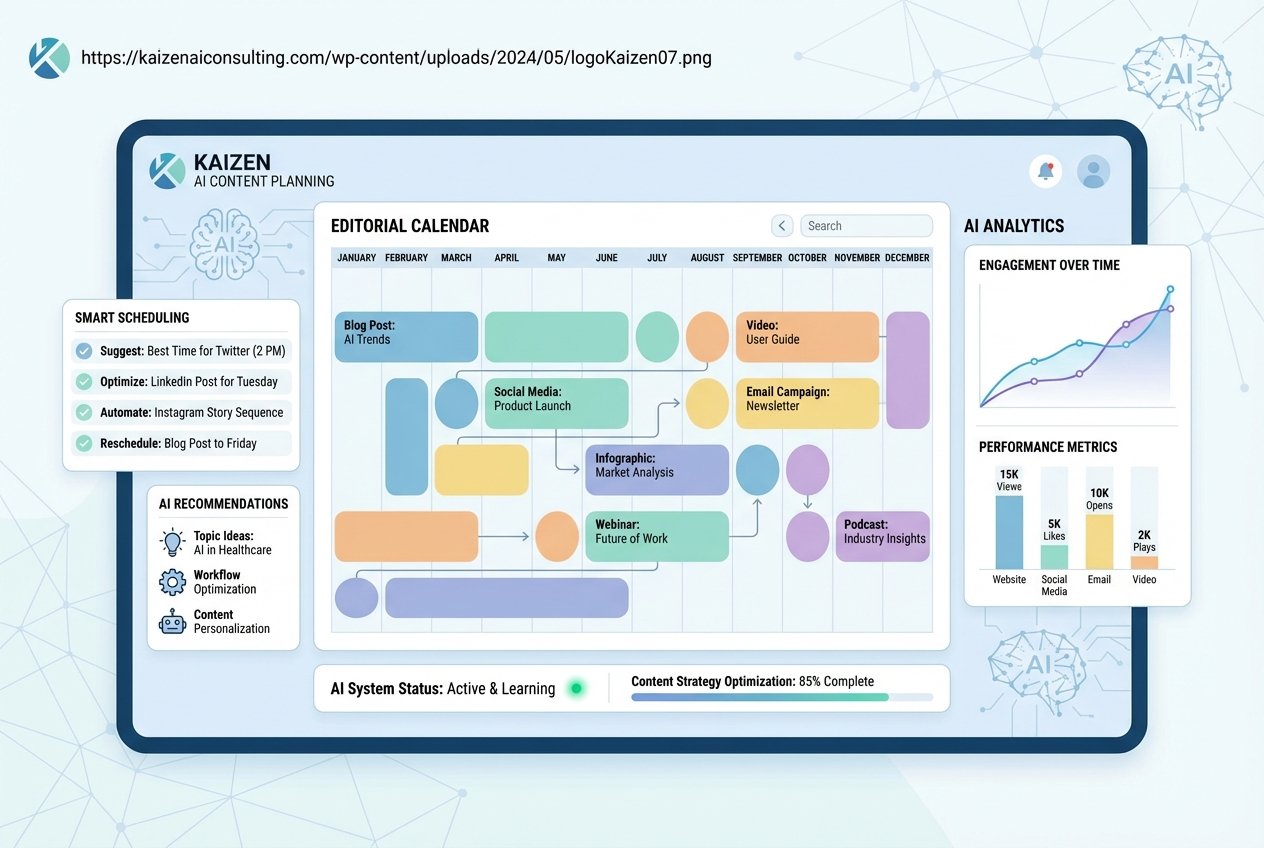
- Radical time savings: Manual topic research, keyword mapping, and deadline juggling consume hours each week. AI automates the heavy lifting so teams focus on creativity and strategy.
- Data‑driven consistency: Never again publish because “it feels right.” Every slot is backed by predictive signals, which builds trust with search engines and audiences alike.
- Reduced content fatigue and gaps: The system spots oversaturated areas and untouched subtopics, helping you maintain a fresh, diverse publication stream that avoids burnout.
- Higher organic reach: By aligning publish dates with peak demand and search trends, content earns more immediate traffic, which often translates into sustained rankings.
- Cross‑team alignment: Designers, videographers, and social media managers see a unified timeline with dependencies clearly marked, eliminating last‑minute scrambles.
- Scalable content operations: As your business grows, the AI calendar scales painlessly, handling hundreds of pieces without losing coherence.
- Treating the AI as an autopilot: All recommendations still need a human filter. Skipping editorial oversight leads to off‑brand or tone‑deaf content. Always review the “why” behind each suggestion.
- Feeding the system poor data: Outdated analytics, duplicate tags, or shallow user behaviour tracking will produce flawed calendars. Invest time in data hygiene before expecting accurate output.
- Ignoring long‑tail opportunities: AI often prioritises high‑volume keywords. But long‑tail phrases drive qualified traffic and conversions. Set custom rules to include lower‑volume, high‑intent terms.
- Over‑optimising for search engines alone: If you only chase SEO metrics, your calendar becomes dry and spammy. Balance algorithmic suggestions with audience‑first stories that spark genuine connection.
- Neglecting regular recalibration: Markets and algorithms shift. Review your AI’s parameters quarterly; update your training data with recent winners and losers to keep predictions sharp.
Limitations and Real‑World Caveats
No tool replaces human judgment. An AI editorial calendar cannot fully replicate brand voice, handle nuanced cultural moments, or spot ethical landmines. Its recommendations are based on past data, so entirely novel or disruptive ideas may get overlooked. Data quality matters too—if your analytics are incomplete or siloed, the AI’s predictions become less reliable. Teams must also invest time in initial training and configuration; out‑of‑the‑box models often need fine‑tuning to match your niche.
Over‑reliance can lead to formulaic content that feels machine‑made. The best results come when editors treat the AI as a supportive strategist, not a replacement. Regularly auditing suggested topics for originality and emotional resonance remains essential.
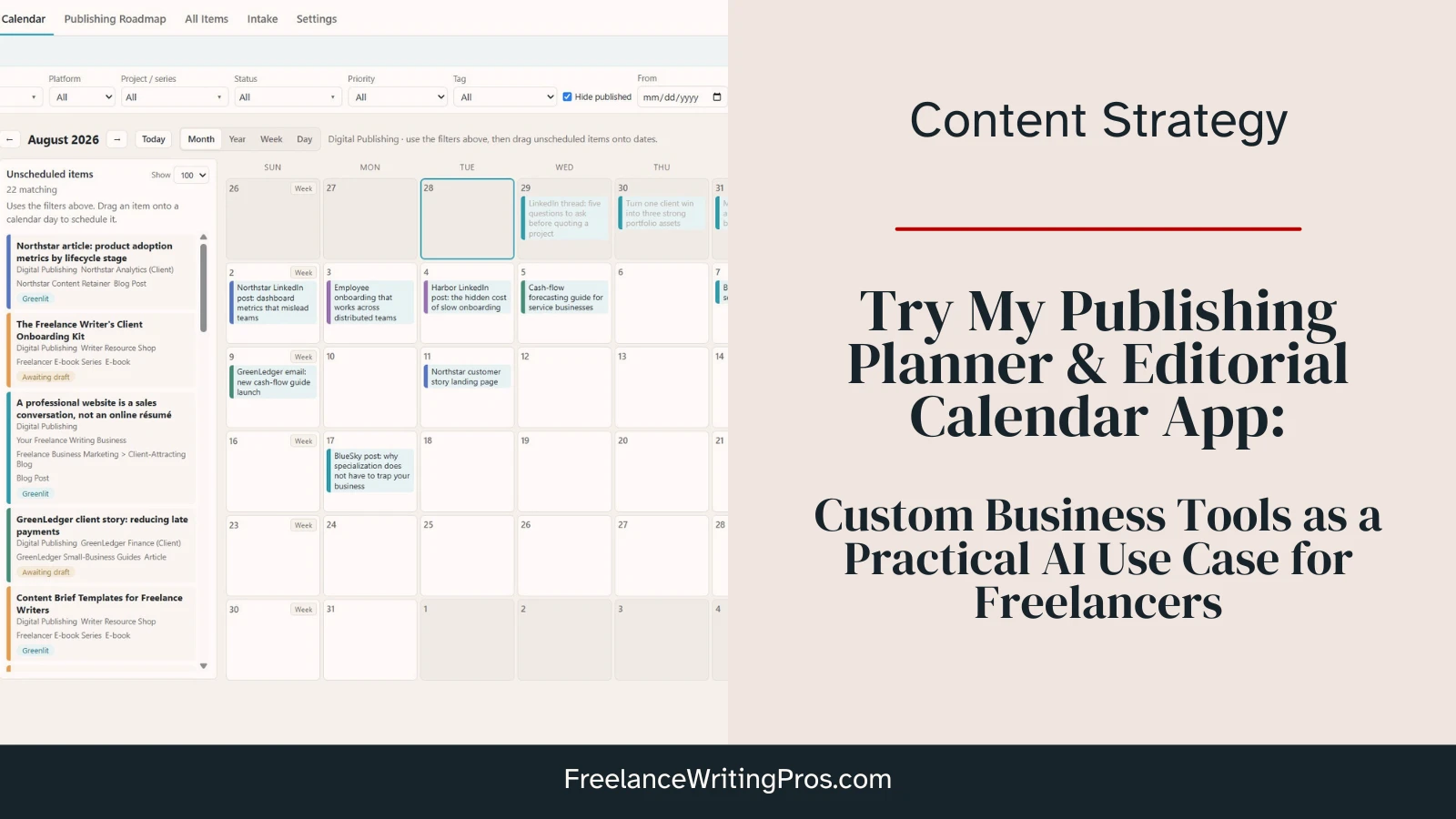
Traditional Editorial Calendar vs. AI Editorial Calendar
| Feature | Traditional Calendar (Spreadsheets, Basic Tools) | AI Editorial Calendar |
|---|---|---|
| Topic generation | Manual brainstorming, often guess‑based | Automated clusters backed by search demand and semantic analysis |
| Scheduling | Fixed slots; no optimisation for audience behaviour | Dynamic scheduling based on historical engagement and real‑time trends |
| Workflow management | Task lists with manual assignments | Smart resource allocation, auto‑briefs, and deadline risk alerts |
| Performance integration | Separate analytics review, rarely looped back into planning | Continuous feedback loops that adjust future recommendations |
| SEO integration | Keyword data must be researched externally | Built‑in keyword suggestions, gap analysis, and ranking projections |
| Scalability | Becomes chaotic with more than a few contributors | Designed to handle enterprise content volumes with ease |
How to Build and Implement an AI Editorial Calendar (Step‑by‑Step)
1. Audit Existing Content and Data Infrastructure
Start by cataloguing every published asset—blog posts, videos, podcasts, newsletters—and the metrics you track. Connect your AI calendar platform to Google Analytics, Search Console, CRM, and social media APIs. Clean data fuels accurate recommendations; incomplete tags or missing UTM parameters will mislead the model.
2. Define Strategic Pillars and Goal Metrics
An AI can only optimise toward the objectives you set. Choose clear content pillars (e.g., brand awareness, lead generation, thought leadership) and link them to measurable KPIs such as organic traffic, conversion rate, or newsletter sign‑ups. Feed these targets into the system so every suggestion aligns with business outcomes.
3. Configure AI Parameters and Train the Model
Most tools allow you to set brand guidelines, forbidden topics, tone preferences, and preferred content formats. Upload top‑performing pieces so the AI learns your voice. Set thresholds for minimum search volume, competition level, and content freshness. This training phase may take a few days but pays dividends in relevance.
4. Let the AI Propose an Initial Content Roadmap
Run a full scan. The AI editorial calendar will generate a 90‑day plan with titles, content types, keywords, and suggested deadlines. Review each proposal critically. Accept, discard, or merge ideas. Add seasonal campaigns and timely pieces that the AI might miss (like product launches or company news).
5. Set Up Automated Workflows and Assignments
Map your team roles—writer, editor, designer, SEO specialist—and define each stage’s deadline rules. The AI can auto‑assign tasks based on workload and expertise. When a writer completes a draft, the next stakeholder receives a notification, slashing idle time. You can also integrate with project management apps like Asana or Monday.com for a seamless experience.
6. Monitor, Refine, and Close the Loop
After the first month, compare predicted versus actual performance. Did a piece ranked higher than expected? Why? Feed these insights back so the AI improves its forecasting. Tweak topic preferences, adjust confidence thresholds, and gradually delegate more decisions to the algorithm as your confidence grows. The calendar evolves into a self‑correcting asset.
Top Uses of AI Editorial Calendars Across Industries
Media companies rely on AI calendars to manage breaking news and evergreen content simultaneously, automatically deprioritising stale stories. E‑commerce brands align blog posts, product descriptions, and email campaigns around seasonal demand spikes predicted by machine learning. B2B SaaS organisations use them to schedule case studies, whitepapers, and webinars that nurture leads through a complex sales funnel. Even solo creators leverage AI scheduling to maintain a consistent online presence without burning out.
In each case, the common thread is the removal of manual decision fatigue. The AI handles pattern recognition, leaving humans free to inject storytelling, personality, and strategic nuance.
Common Mistakes When Adopting an AI Editorial Calendar (and How to Avoid Them)
Important Notes for Long‑Term Success
Security and privacy must never be brushed aside. If you use a third‑party AI calendar tool, understand its data handling policies, especially when connecting sensitive customer information. Keep editorial teams involved—schedule monthly “AI‑human sync” meetings where content strategists and data analysts discuss what the machine learned and where intuition disagreed. That dialogue builds institutional knowledge no algorithm can replace.
Finally, remember that an AI editorial calendar does not exist in isolation. It must feed into a broader content marketing ecosystem that includes social listening, community engagement, and original research. Use its insights to create a feedback‑rich content loop where each published piece informs the next.
Frequently Asked Questions
What exactly does an AI editorial calendar do?
It automates topic research, suggests high‑potential content ideas, schedules publish dates based on audience behaviour, and tracks performance to refine future plans. Essentially, it replaces manual guesswork with data‑driven planning.
How does an AI editorial calendar improve SEO?
By identifying content gaps, targeting relevant keywords with proven demand, and timing publications when search interest peaks. It also prevents keyword cannibalisation and ensures topical authority grows organically over time.
Can I still maintain creative control with an AI calendar?
Absolutely. The AI proposes, but an editor decides. You can override suggestions, inject unexpected angles, and keep the voice distinctly human. The system learns from your approvals and adjustments, becoming a better partner.
Which tools offer an AI editorial calendar feature?
Several platforms integrate AI into content planning, including MarketMuse, Semrush’s Content Marketplace, Notion with AI extensions, HubSpot’s content strategy tool, and dedicated AI calendar startups. The right choice depends on your team size, budget, and existing tech stack.
How much time can I save with an AI editorial calendar?
Early adopters report saving 10–20 hours per month on planning and coordination tasks. As the AI matures and trust grows, that number often climbs, freeing strategists to focus on higher‑value creative work.
Is an AI editorial calendar only for large teams?
No. Solo creators, freelancers, and small businesses benefit equally. The AI helps maintain a steady publishing rhythm and uncovers topics that might otherwise go unnoticed, essential for anyone competing in crowded digital spaces.
Bringing Intelligence to Every Content Decision
An AI editorial calendar represents more than a scheduling upgrade; it is a re‑imagining of how content operations function in a data‑saturated world. By merging strategic oversight with machine precision, brands consistently deliver the right message to the right audience at the perfect moment. The learning curve is shallow, the time savings immediate, and the long‑term competitive advantage undeniable. As search engines grow smarter and audience attention becomes scarcer, adopting an AI‑powered approach to content planning shifts from a nice‑to‑have to a cornerstone of sustainable digital growth.
Xem thêm:
- AI SEO Seasonal Content: The Complete Playbook for Year-Round Organic Growth
- AI SEO Dwell Time: The 2025 Playbook for Boosting Rankings with Machine Learning
- AI SEO Keyword Forecasting: The Complete Guide to Predicting Search Trends
- AI Robots.txt: The Complete Guide to Controlling AI Crawlers on Your Website
- AI SEO AI Search Rankings: The Complete Guide to Winning in 2025
Bài viết cùng chủ đề:

AI SEO SEO Automation with Make: The Complete Workflow Guide

AI SEO SEO Automation with Zapier: The Complete Workflow Guide

AI SEO SEO Automation with n8n: The Complete Workflow Guide
AI SEO SEO Automation with Gemini: The Complete Guide to Scaling Organic Growth

AI SEO SEO Automation with Claude: The Complete Guide to Scaling Content in 2025

AI SEO SEO Automation with ChatGPT: The Complete Playbook for 2025

AI SEO & SEO Automation for Affiliate Sites: The 2025 Playbook for Passive Income Growth
AI SEO & SEO Automation for Bloggers: The Complete Guide to Scaling Your Content

AI SEO & SEO Automation for Agencies: The Complete 2025 Playbook

AI SEO and SEO Automation for Ecommerce: The Complete Playbook for 2025

AI SEO & SEO Automation for WordPress: The Complete Playbook for 2025
AI SEO SEO Automation Strategy: The Complete Playbook for 2025

Mastering the AI SEO SEO Automation Process: A Complete Guide to Scaling Organic Growth
AI SEO SEO Automation System: The Complete Guide to Scaling Organic Growth in 2025
AI SEO SEO Automation Platform: The Complete Guide to Scaling Organic Growth in 2025
AI SEO SEO Automation Software: The Complete Guide to Scaling Organic Growth in 2025















