
No products in the cart.
The Ultimate Guide to AI SEO Chrome Extensions: Work Smarter, Rank Higher
29
Jul
Jul
Search engine optimization no longer depends solely on manual audits and spreadsheet-based keyword research. Modern AI SEO Chrome extensions have changed the game, embedding powerful artificial intelligence directly into your browser. These tools analyze search results, optimize content, uncover keyword opportunities, and automate repetitive tasks in real time. This guide covers every angle of AI SEO Chrome extensions, from core concepts and real-world applications to common mistakes and expert-level workflows, helping you decide which extensions deserve a spot on your toolbar.
What Are AI SEO Chrome Extensions?
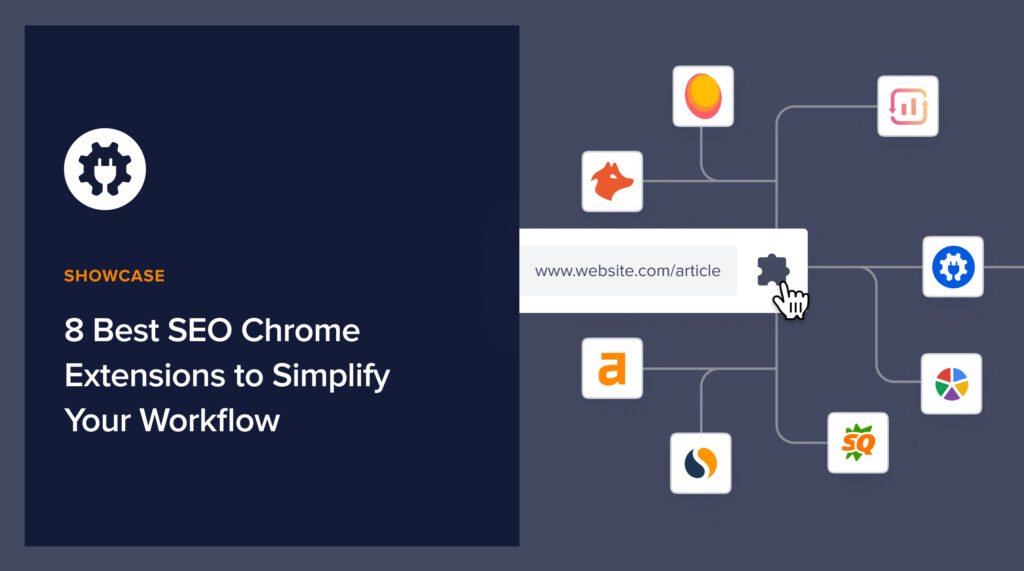
AI SEO Chrome extensions are lightweight browser add-ons that use machine learning, natural language processing, and large language models to perform or assist with search engine optimization tasks right inside Google Chrome. Instead of opening separate platforms, you can see on-page SEO scores, keyword data, backlink profiles, and content suggestions while browsing any website or working in Google Docs.
Unlike traditional SEO toolbars that only display static metrics, AI-powered versions interpret context, predict user intent, and offer actionable recommendations. They can rewrite sentences for better readability, suggest semantically related terms, or even generate meta descriptions that match the tone of top-ranking pages. The underlying models are often trained on massive web corpora and updated with fresh ranking signals.
Whether you are a content creator scanning a competitor’s article for missing entities or an agency evaluating a client’s technical health, these extensions put advanced SEO intelligence at your fingertips without slowing down your workflow.
How AI SEO Chrome Extensions Reshape Everyday Optimization
The biggest advantage AI SEO Chrome extensions bring is speed. In the past, a full content audit required copying text into an external tool, running a scan, and then switching back to make changes. Now, extensions like Surfer SEO’s Chrome add-on highlight content gaps and recommend keywords instantly while you edit inside Google Docs or WordPress. This real-time feedback loop slashes production time by up to 40% based on user reports from content teams.
Another transformation happens in SERP analysis. While conventional extensions only show monthly search volume, AI-driven ones predict traffic potential, detect featured snippet opportunities, and classify search intent (informational, commercial, navigational) with high accuracy. This allows you to decide within seconds whether a keyword is worth pursuing, directly from the Google results page.
Technical SEO also benefits. Extensions that use AI can crawl a page in the background, identify core web vitals issues, check for structured data errors, and suggest fixes—all accessible through an icon in your browser bar, reducing dependency on large crawling software.
Major Categories of AI SEO Chrome Extensions
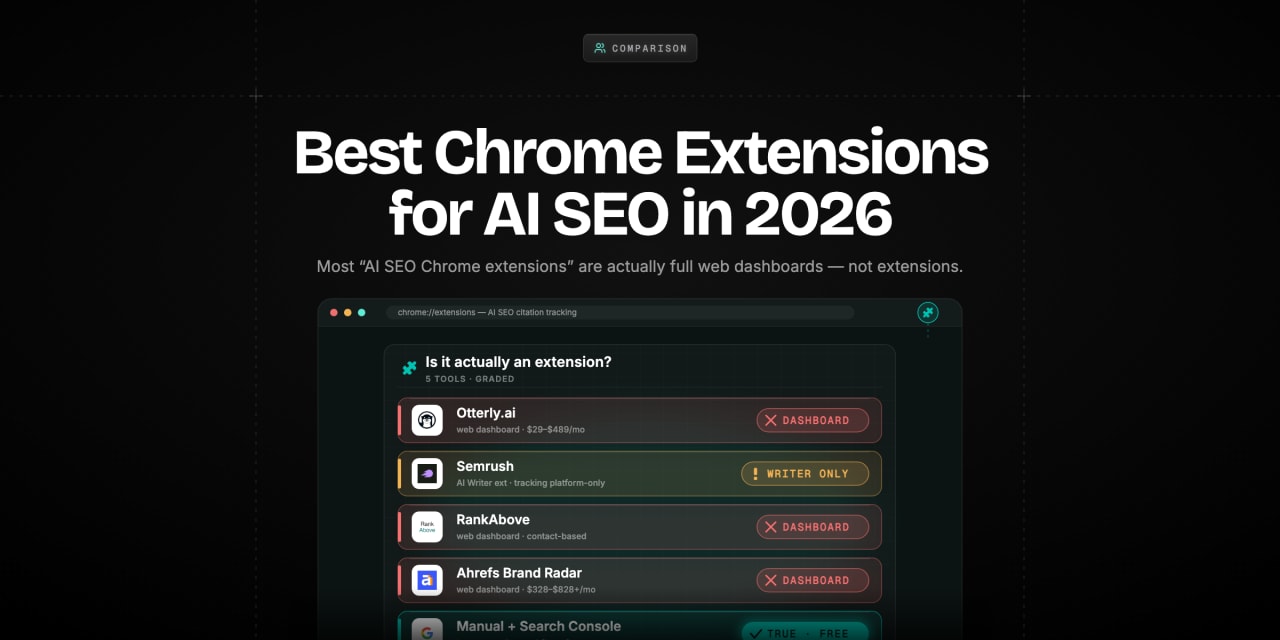
The ecosystem of AI SEO Chrome extensions divides into several functional categories. Each serves a distinct part of the SEO workflow, and power users often combine two or three to cover content, research, and technical auditing.
- Content optimization assistants: These analyze the top-ranking pages for a target keyword and compare your draft in real time. They provide NLP-driven suggestions for word count, heading structure, keyword density, and related terms. Examples include the Surfer SEO Extension and MarketMuse browser add-on.
- Keyword research tools: These overlay search volume, cost-per-click, and keyword difficulty directly on Google and even Amazon search pages. Some AI models inside these extensions generate related long-tail suggestions on the fly. Keyword Surfer is a well-known free option; Ahrefs’ SEO Toolbar delivers paid-tier metrics with AI-enriched traffic estimates.
- Technical SEO and structured data checkers: Extensions like SEO Minion and Merkle’s Schema Markup Validator now embed machine learning to detect missing schema types or flag JavaScript rendering issues that hurt indexing.
- AI writing and rewriting companions: While not exclusively SEO extensions, tools like Jasper’s Chrome add-on and Wordtune help rewrite on-page copy to meet search intent and maintain brand voice while optimizing for primary and secondary keywords.
- Competitor and backlink analyzers: With a single click, AI-powered extensions can display a snapshot of a page’s backlink profile, domain authority, and estimated organic traffic. Some even show the probability of outranking a competitor for a given query by evaluating historical ranking volatility.
- Instant in-browser insights: No tab switching means less friction, faster decisions, and fewer distractions during content creation or competitor research.
- Democratization of SEO data: Many powerful AI features are available in free versions, allowing freelancers and small business owners to access competitive intelligence once reserved for enterprise suites.
- Content scoring based on real ranking factors: Instead of guesswork, you receive recommendations derived from actual top-10 page characteristics, including entity usage, readability, and topical depth.
- Consistency across team workflows: When everyone in a content team uses the same extension, optimization guidelines stay uniform across articles, reducing editing back-and-forth.
- Data freshness and sampling: Some AI models update less frequently than core search engine algorithms, so a high content score does not guarantee a top ranking if Google has recently shifted its priorities.
- Over-optimization risk: Blindly following AI recommendations can lead to formulaic content that lacks originality and fails to build real E-E-A-T signals.
- Browser performance: Running multiple AI extensions simultaneously can consume memory and slow Chrome, especially on older machines.
- Privacy considerations: Extensions often require broad permissions to read site data or modify pages, so evaluating the developer’s reputation and data handling policies is essential.
- Treating AI scores as absolute truth: A content score of 85 might still rank behind a page scoring 72 if that page has stronger domain authority or better user engagement. Use scores as guides, not gospel.
- Installing too many extensions: Running five or more SEO add-ons simultaneously can crash Chrome or leak memory. Stick to a core set that covers keyword research, on-page optimization, and technical checks.
- Neglecting human editorial judgment: AI suggestions sometimes recommend awkward keyword insertions that hurt readability. Always read aloud and prioritize the user experience over a higher automation score.
- Ignoring extension permission prompts: Some tools request access to all website data. Installing unknown extensions without reviewing developer credentials can expose sensitive client or company information. Only install extensions from verified publishers with strong privacy policies.
- Failing to account for search intent shifts: AI classification of intent is good but not flawless. A keyword labeled “informational” might have commercial intent in certain contexts. Always manually examine the actual SERP layout and top-ranking page types.
Benefits and Limitations of Relying on AI SEO Chrome Extensions
The promise of these extensions is compelling, but balanced usage requires understanding both their strengths and their bottlenecks.
Key Benefits
Notable Limitations
Comparison of Top AI SEO Chrome Extensions
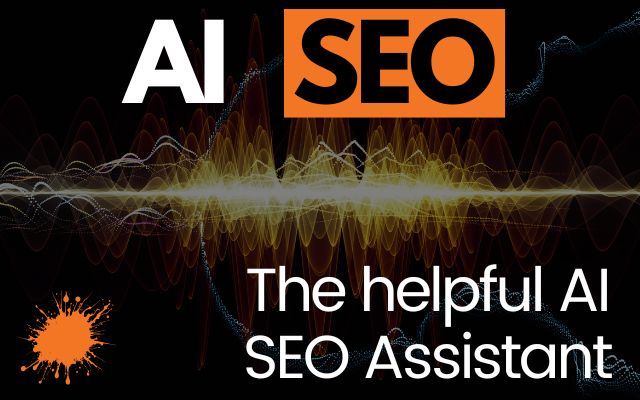
Not every extension fits every use case. The table below contrasts leading AI SEO Chrome extensions based on core AI capabilities, primary function, pricing, and ideal user profile.
| Extension Name | AI Capabilities | Primary SEO Function | Pricing | Best For |
|---|---|---|---|---|
| Surfer SEO Extension | NLP content scoring, entity suggestions, SERP analysis | On-page content optimization | Free with Surfer plan (starts at $49/mo) | Content writers, editors |
| Ahrefs SEO Toolbar | AI traffic estimation, keyword difficulty prediction | Backlink checking, SERP metrics | Free with Ahrefs subscription | SEO managers, agencies |
| Keyword Surfer | AI-powered keyword suggestions, volume clustering | Keyword research directly on Google | Free | Freelancers, bloggers |
| Detailed Extension | Content structure analysis, entity extraction | Competitive content breakdown | Free | SEO strategists, content planners |
| SEO Minion | Structured data validation, AI-driven broken link detection | Technical SEO audits | Free | Developers, technical SEOs |
| Jasper Chrome Extension | Generative AI for copywriting, tone adjustment | AI-assisted content creation | Requires Jasper subscription | Marketers, copywriters |
Practical Guide: Integrating AI SEO Chrome Extensions into a Daily Workflow
Maximizing these tools requires a structured routine. Below is a step-by-step approach that blends multiple AI-powered extensions into a seamless process, from finding a keyword to publishing an optimized piece.
Step 1: Uncover High-Potential Keywords While Browsing
Activate Keyword Surfer before conducting a Google search. As results load, observe volume and related queries next to each listing. When you spot a query with decent volume and low competition signals—shown via the extension’s green bars—click through to the top result and note the page’s structure. This takes under a minute and immediately reveals gaps in the current SERP.
Step 2: Analyze the Competition’s Content Architecture
With the Detailed Extension, open any high-ranking competitor page. The extension will display an outline of headings, entity mentions, and word count distribution. Look for subheadings you can expand upon and topics the competitor barely touched. Export these notes or keep the extension’s panel open as you draft your own outline in a separate tab.
Step 3: Optimize On-Page Elements in Real Time
Draft your article in Google Docs and launch the Surfer SEO Extension. Connect it to your target keyword and preferred location. A content score will appear alongside guidelines for term frequency, image count, and heading proportion. Write normally, but pay attention to terms marked as “missing” by the NLP engine. Adjust headings and body copy until the score rises into the green zone, but do not force unnatural phrasing—focus on readability first.
Step 4: Verify Technical Health Before Hitting Publish
Once the draft is ready and uploaded to your CMS preview, run SEO Minion on the preview URL. Check for broken links, missing alt attributes, and duplicate H1 tags. The AI-driven structured data module will also flag if your FAQ or HowTo schema contains errors. Fix issues instantly, then repreview.
Step 5: Monitor Performance and Iterate
After publishing, use the Ahrefs SEO Toolbar on the live page to confirm it correctly inherits internal links and checks the initial organic traffic estimate after a few weeks. Combine this with Google Search Console data to fine-tune based on real clicks, not just AI forecasts.
Common Mistakes When Using AI SEO Chrome Extensions
Even experienced professionals can fall into patterns that undercut the effectiveness of these tools. Recognizing these traps keeps your process clean and results sustainable.
Important Notes for Safe and Effective Use
Security and long-term reliability should never be an afterthought. Before adding any AI SEO Chrome extension, visit its Chrome Web Store page and read recent reviews. Look for any mention of data collection, frequent crashes, or sudden abandonment by the developer. Extensions that stop receiving updates may break after Chrome releases a new version, leaving a workflow gap.
Data privacy is another critical vector. If you handle proprietary client data in Google Docs or WordPress, avoid extensions that send entire page content to external servers unless you have explicit permission. Several reputable tools now process data locally in the browser using on-device models, minimizing exposure.
Finally, schedule a quarterly audit of your extension list. Remove tools you no longer use, check permissions, and replace them with superior alternatives that have matured. The AI SEO Chrome extension market moves fast, and what was best six months ago might be overtaken by a leaner, more accurate option.
Frequently Asked Questions
What are the best free AI SEO Chrome extensions?
Keyword Surfer, Detailed Extension, and SEO Minion provide strong AI-driven features at no cost. Keyword Surfer overlays search volume and generates related queries, Detailed extracts content structure and entities, and SEO Minion audits technical elements with machine-learning-enhanced detection. For content optimization, Surfer SEO’s extension offers limited free functionality tied to its trial. These tools can form a complete starter stack without any subscription.
Can AI Chrome extensions completely replace standalone SEO platforms?
AI Chrome extensions complement rather than replace full SEO suites. They excel at fast, in-browser insights and light audits, but platforms like Ahrefs, Semrush, and Surfer provide deeper backlink databases, rank tracking, and historical data that extensions cannot match. Many professionals use extensions for daily tactical decisions and reserve desktop platforms for strategic planning and reporting.
How do AI-powered SEO extensions improve keyword research?
By analyzing the current search engine results page in real time, AI extensions predict keyword difficulty, suggest semantically related terms, and cluster topics based on user intent. Instead of manually compiling a list of potential keywords, you see this data alongside the SERP, complete with estimated traffic ranges. The AI models factor in click-through rate curves and the presence of SERP features like featured snippets, giving a more nuanced view than traditional volume numbers alone.
Are there AI SEO Chrome extensions designed specifically for local SEO?
Yes. Several all-purpose extensions include location-specific settings. For example, Surfer SEO’s extension lets you set a country and language, which adjusts NLP recommendations to local ranking patterns. The Ahrefs SEO Toolbar shows localized backlink data and traffic estimates by domain-level location filters. There are also niche extensions like GMBspy that use machine learning to analyze Google Business Profile competitors, but they are less common as standalone AI tools.
Do AI SEO Chrome extensions slow down my browser?
Individually, most AI extensions are lightweight and consume minimal system resources during typical use. However, running multiple AI-powered tools together can accumulate memory usage, especially when each one scans pages in the background. To minimize performance hits, disable extensions you are not actively using and periodically clear extension caches. Using a capable device with at least 8GB of RAM and keeping Chrome updated also prevents lag.
Conclusion
AI SEO Chrome extensions have fundamentally changed how marketers, writers, and SEO specialists interact with search data. By merging intelligent algorithms with the convenience of a browser add-on, these tools cut through noise and deliver actionable insights right where decisions happen. The best results come from combining a keyword research extension, a content optimization assistant, and a lightweight technical checker into a single, disciplined workflow. Keep your extension list lean, continuously verify AI suggestions against human experience, and stay mindful of privacy. As Google’s ranking algorithms evolve, the extensions that adapt fastest—and the professionals who use them wisely—will maintain a significant competitive edge.
Xem thêm:
- AI SEO AI Search Visibility: The Complete Guide to Ranking in the Age of Generative Engines
- AI Topical Map: How to Build Unshakeable Topical Authority with Machine Intelligence
- AI SEO Split Testing: The Complete Guide to Data-Driven Search Optimization
- AI SEO Keyword Suggestions: The Complete Guide to Smarter Search Rankings
- AI SEO AI Brand Monitoring: The Complete Guide to Protecting Your Digital Reputation
Bài viết cùng chủ đề:

AI SEO SEO Automation with Make: The Complete Workflow Guide

AI SEO SEO Automation with Zapier: The Complete Workflow Guide

AI SEO SEO Automation with n8n: The Complete Workflow Guide
AI SEO SEO Automation with Gemini: The Complete Guide to Scaling Organic Growth

AI SEO SEO Automation with Claude: The Complete Guide to Scaling Content in 2025

AI SEO SEO Automation with ChatGPT: The Complete Playbook for 2025

AI SEO & SEO Automation for Affiliate Sites: The 2025 Playbook for Passive Income Growth
AI SEO & SEO Automation for Bloggers: The Complete Guide to Scaling Your Content

AI SEO & SEO Automation for Agencies: The Complete 2025 Playbook

AI SEO and SEO Automation for Ecommerce: The Complete Playbook for 2025

AI SEO & SEO Automation for WordPress: The Complete Playbook for 2025
AI SEO SEO Automation Strategy: The Complete Playbook for 2025

Mastering the AI SEO SEO Automation Process: A Complete Guide to Scaling Organic Growth
AI SEO SEO Automation System: The Complete Guide to Scaling Organic Growth in 2025
AI SEO SEO Automation Platform: The Complete Guide to Scaling Organic Growth in 2025
AI SEO SEO Automation Software: The Complete Guide to Scaling Organic Growth in 2025















