
No products in the cart.
WP Trove AI Content: The Complete Guide to Automated WordPress Publishing

31
Jul
Jul
WP Trove AI Content has emerged as a powerful solution for WordPress users who want to streamline their content creation workflow. This tool combines artificial intelligence with the familiar WordPress environment, allowing website owners to generate, optimize, and publish articles without switching between multiple platforms. As the demand for consistent, high-quality content grows, understanding how WP Trove AI Content works becomes essential for bloggers, digital marketers, and business owners alike. This guide explores every aspect of this AI-powered plugin, from its core functionality to practical implementation strategies.
What Is WP Trove AI Content?

WP Trove AI Content is a WordPress plugin designed to integrate artificial intelligence directly into the content management system. It leverages advanced language models to help users create articles, blog posts, product descriptions, and other written material right from the WordPress dashboard. The plugin aims to reduce the time spent on drafting, editing, and formatting content while maintaining a level of quality that resonates with readers and search engines.
The tool operates by connecting to AI providers through API keys, typically using services like OpenAI or similar language models. Once connected, users can input prompts, keywords, or outlines, and the plugin generates coherent, structured content that can be further refined. Unlike generic AI writing tools, WP Trove AI Content is built specifically for WordPress, meaning it understands post types, categories, tags, and other WordPress-specific elements.
How Does WP Trove AI Content Work?
Understanding the mechanics of WP Trove AI Content helps users maximize its potential. The plugin functions through a straightforward process that involves several key steps.
API Integration and Setup
To begin using WP Trove AI Content, you must first obtain an API key from a supported AI provider. The plugin supports multiple providers, giving users flexibility in choosing the model that best suits their needs. After entering the API key in the plugin settings, the connection is established, and the AI becomes accessible within the WordPress editor.
Content Generation Process
Once configured, users can generate content in several ways. The most common method involves entering a topic or keyword into the plugin’s interface. The AI then produces an article draft, complete with headings, paragraphs, and sometimes even meta descriptions. Users can specify parameters such as tone, length, and language to tailor the output to their audience.
Editing and Refinement
Generated content is not meant to be published immediately. WP Trove AI Content provides editing tools that allow users to modify sections, rewrite paragraphs, or expand on specific points. This human-in-the-loop approach ensures that the final output aligns with your brand voice and factual accuracy requirements.
Publishing Workflow
After refining the content, you can schedule or publish it directly from the plugin interface. The tool integrates with WordPress’s native publishing system, meaning you can assign categories, set featured images, and manage SEO settings without leaving the editor.
Key Features of WP Trove AI Content
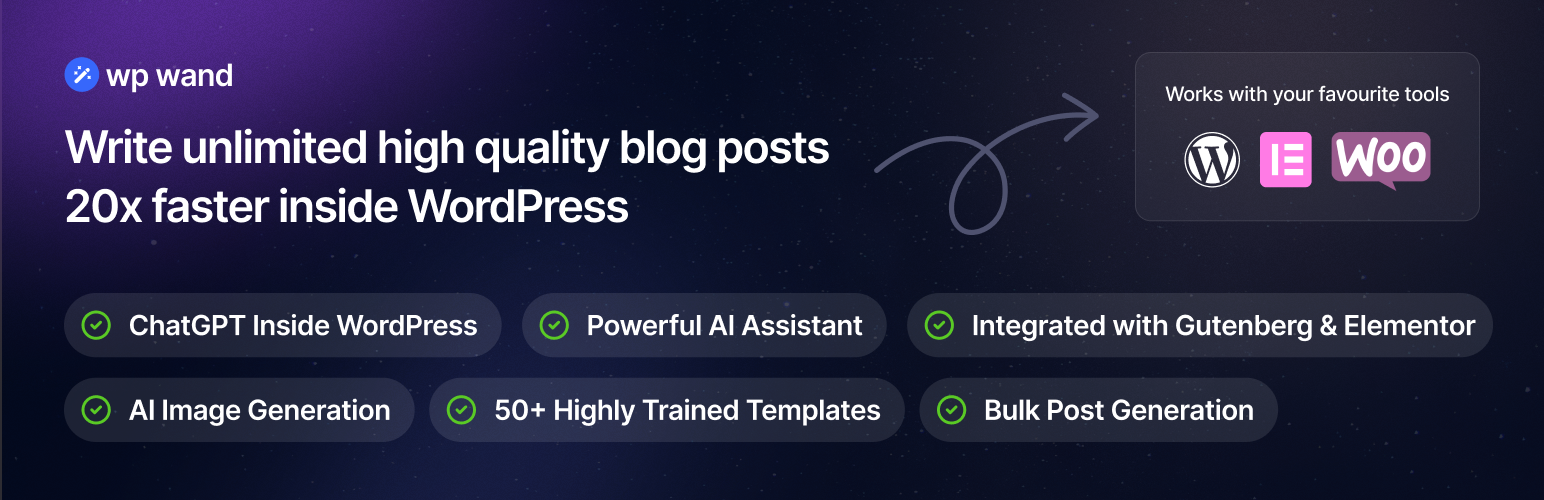
The plugin offers a range of features designed to simplify content creation. Each feature addresses a specific pain point in the writing process, making the tool valuable for both novice and experienced WordPress users.
- Bulk Content Generation: Create multiple articles at once by providing a list of topics or keywords. This feature is particularly useful for niche sites or content-heavy blogs that need to publish regularly.
- Custom Prompt Templates: Save frequently used prompts to maintain consistency across your content. Templates can include specific instructions for tone, structure, and target audience.
- SEO Integration: The plugin can generate meta titles, meta descriptions, and suggested keywords based on the content it creates. This helps with on-page optimization without requiring a separate SEO plugin.
- Multilingual Support: Generate content in multiple languages, making it easier to reach international audiences or manage multilingual websites.
- Content Rewriting: Existing articles can be rewritten or updated using the AI, which is helpful for refreshing old posts or creating variations of popular content.
- Image Suggestions: Some versions of the plugin recommend relevant images based on the generated text, streamlining the media selection process.
- Disclosure Requirements: Some jurisdictions and platforms require disclosure when content is AI-generated. Check Google’s guidelines and your local regulations to determine if you need to label AI-assisted content.
- API Costs: While the plugin itself may have a one-time or annual fee, API usage is typically billed per token or per request. High-volume generation can lead to significant costs. Monitor your usage to avoid unexpected bills.
- Version Updates: AI technology evolves rapidly. Keep the plugin updated to benefit from improvements in content quality and new features.
- Backup Your Content: Before using bulk generation, ensure you have a reliable backup system in place. If the AI produces poor-quality content, you may need to revert to a previous version.
- Combine with Human Expertise: The best results come from a partnership between AI and human creativity. Use the AI to handle the heavy lifting of drafting, but rely on your expertise to ensure accuracy, relevance, and authenticity.
Benefits of Using WP Trove AI Content
Adopting WP Trove AI Content brings numerous advantages to your content strategy. These benefits extend beyond simple time savings and touch on quality, consistency, and scalability.
Time Efficiency
Writing a 1,500-word article can take several hours, including research, drafting, and editing. WP Trove AI Content reduces this to minutes. The AI handles the initial draft, allowing you to focus on fact-checking, adding personal insights, and polishing the final version. For agencies or businesses managing multiple client sites, this efficiency translates into significant cost savings.
Consistency in Publishing
Maintaining a regular publishing schedule is critical for SEO and audience retention. Writer’s block, busy schedules, or lack of inspiration often disrupt this rhythm. With AI content generation, you can maintain a steady flow of articles, ensuring your site remains active and relevant.
Overcoming Writer’s Block
Even experienced writers face moments of creative stagnation. WP Trove AI Content serves as a brainstorming partner, generating ideas and opening sentences that can spark your own creativity. The AI’s output can be used as a starting point, which you then expand with your unique perspective.
Scalability
Growing a website from 50 to 500 articles requires substantial resources. WP Trove AI Content makes this scaling process feasible for solo entrepreneurs and small teams. The bulk generation feature allows you to produce a month’s worth of content in a single session, which you can then review and schedule over time.
Cost-Effectiveness
Hiring freelance writers or content agencies is expensive, often costing hundreds of dollars per article. While AI content requires a subscription or API fees, the cost per article is significantly lower. For budget-conscious website owners, this makes professional-level content accessible.
Limitations and Challenges

While WP Trove AI Content is a powerful tool, it is not without limitations. Understanding these constraints helps you set realistic expectations and avoid common pitfalls.
Factual Accuracy
AI models generate text based on patterns in their training data, which means they can produce plausible-sounding but incorrect information. This is especially problematic for topics that require up-to-date statistics, medical advice, or legal guidance. Always verify facts before publishing AI-generated content.
Lack of Personal Experience
Content that relies on personal anecdotes, hands-on testing, or unique experiences cannot be authentically generated by AI. For product reviews, travel stories, or opinion pieces, your own voice is irreplaceable. Use the AI for research and structure, but inject your personal insights to add value.
Repetitive Phrasing
AI models sometimes fall into repetitive patterns, using similar sentence structures or overused transitions. This can make content feel robotic if not edited properly. Reading the output aloud or using a paraphrasing tool can help identify and correct these issues.
SEO Risks
Search engines like Google have become sophisticated at detecting low-quality, mass-produced AI content. If you publish unedited AI articles, you risk being penalized in search rankings. The key is to use AI as a foundation, not a final product, and to ensure your content provides genuine value to readers.
WP Trove AI Content vs. Other AI Writing Tools
The market for AI writing assistance is crowded, with options like Jasper, Copy.ai, and Writesonic competing for attention. Comparing WP Trove AI Content to these alternatives highlights its unique positioning.
| Feature | WP Trove AI Content | Standalone AI Tools |
|---|---|---|
| Integration | Native WordPress plugin | Web-based or separate apps |
| Workflow | Generate and publish without leaving WP | Copy-paste between platforms |
| Bulk Generation | Yes, with topic lists | Varies by tool |
| SEO Features | Built-in meta generation | Often requires third-party integration |
| Learning Curve | Minimal for WP users | Requires learning new interface |
| Pricing | Plugin cost + API fees | Monthly subscription |
The primary advantage of WP Trove AI Content lies in its seamless integration. For users who live in the WordPress ecosystem, the ability to generate, edit, and publish without switching tabs is a significant workflow improvement. Standalone tools may offer more advanced editing features, but they add friction to the publishing process.
Practical Guide: How to Use WP Trove AI Content Effectively

To get the most out of WP Trove AI Content, follow this step-by-step approach. This guide assumes you have already installed and activated the plugin.
Step 1: Configure Your AI Provider
Navigate to the plugin settings page. Enter your API key from your chosen provider. Test the connection to ensure it works. Adjust default parameters such as language, tone, and creativity level to match your brand guidelines.
Step 2: Create a Content Brief
Before generating, outline what you want the article to achieve. Define the target keyword, the intended audience, and the key points you want covered. This preparation ensures the AI produces relevant content rather than generic filler.
Step 3: Generate the First Draft
Use the plugin’s interface to input your topic and parameters. For a single article, enter the keyword and click generate. For bulk creation, prepare a list of topics in a text file or spreadsheet and upload it to the plugin.
Step 4: Review and Edit Thoroughly
Read the generated content critically. Check for factual errors, awkward phrasing, and missing information. Add your own examples, data points, and insights. Ensure the article flows naturally and reflects your unique perspective.
Step 5: Optimize for SEO
Use the plugin’s SEO suggestions to refine your meta title and description. Check that your target keyword appears in the first 100 words, in at least one H2 heading, and naturally throughout the body. Add internal links to other relevant posts on your site.
Step 6: Add Visual Elements
Select or upload a featured image. Break up long paragraphs with relevant images, infographics, or embedded videos. Visual content improves user engagement and reduces bounce rates.
Step 7: Schedule and Publish
Once you are satisfied with the final version, schedule the post for a future date or publish it immediately. Use WordPress’s built-in scheduling to maintain a consistent publishing calendar.
Common Mistakes and How to Avoid Them
Many users make avoidable errors when integrating AI content into their workflow. Recognizing these mistakes early can save you time and protect your site’s reputation.
Publishing Without Editing
The most common mistake is treating AI output as a finished product. Raw AI content often contains inaccuracies, repetitive phrases, and a lack of depth. Always edit, fact-check, and add your own voice before hitting publish.
Ignoring Your Audience’s Needs
AI generates content based on patterns, not on an understanding of your specific readers. If you run a niche blog, generic AI content will miss the mark. Tailor the generated text to address your audience’s specific questions and pain points.
Overusing AI for Everything
Not all content types are suitable for AI generation. Breaking news, opinion pieces, and in-depth investigative articles require human judgment and real-world experience. Reserve AI for evergreen topics, how-to guides, and listicles.
Neglecting Fact-Checking
AI models can confidently state incorrect information, especially regarding recent events or specialized knowledge. Verify all statistics, quotes, and claims using reliable sources. This is particularly critical for YMYL (Your Money or Your Life) topics like health and finance.
Failing to Add Unique Value
If your content simply repeats what the AI generated, it offers nothing new to the reader. Add original research, personal case studies, expert quotes, or unique insights that cannot be found elsewhere. This differentiates your content from the thousands of other AI-generated articles online.
Important Notes for Using WP Trove AI Content
Several considerations should guide your use of this plugin to ensure long-term success and compliance with best practices.
Frequently Asked Questions
Is WP Trove AI Content suitable for beginners?
Yes, the plugin is designed with a user-friendly interface that requires no coding knowledge. Beginners can start generating content within minutes of installation. The learning curve is minimal, especially for those already familiar with WordPress.
Can I use WP Trove AI Content for commercial websites?
Absolutely. Many businesses use this plugin to create product descriptions, service pages, and blog posts for their commercial sites. The key is to ensure the generated content is edited to reflect your brand’s unique value proposition and to comply with any applicable advertising regulations.
Does WP Trove AI Content replace human writers?
No, it does not fully replace human writers. The tool is best used as an assistant that accelerates the drafting process. Human oversight is essential for fact-checking, adding personal experience, and ensuring the content meets quality standards. Sites that rely solely on unedited AI content often struggle with engagement and rankings.
What is the cost of using WP Trove AI Content?
The cost structure typically includes a fee for the plugin itself, which may be a one-time purchase or an annual subscription. Additionally, you will incur API usage costs from the AI provider. These costs vary based on the provider and the volume of content you generate. Many users find the total cost to be lower than hiring freelance writers.
How does WP Trove AI Content handle SEO?
The plugin assists with SEO by generating meta titles and descriptions, suggesting keywords, and structuring content with proper heading tags. However, it does not replace a dedicated SEO plugin like Yoast or Rank Math. For comprehensive SEO management, you should use WP Trove AI Content in conjunction with a full-featured SEO plugin.
Can I generate content in languages other than English?
Yes, the plugin supports multiple languages, depending on the capabilities of the underlying AI model. You can specify the language in the generation parameters. This feature is useful for multilingual websites or businesses targeting international markets.
Conclusion
WP Trove AI Content represents a significant advancement in the way WordPress users approach content creation. By integrating artificial intelligence directly into the publishing workflow, it offers a practical solution to the challenges of time, consistency, and scalability. The plugin’s ability to generate drafts, suggest SEO elements, and handle bulk tasks makes it a valuable asset for bloggers, marketers, and businesses.
However, the tool is most effective when used as part of a broader content strategy that prioritizes human oversight and editorial quality. The limitations of AI, including potential inaccuracies and lack of personal experience, mean that your role as an editor and subject matter expert remains crucial. By combining the efficiency of WP Trove AI Content with your own insights and rigorous fact-checking, you can produce content that ranks well, engages readers, and builds trust with your audience.
As AI technology continues to evolve, tools like WP Trove AI Content will likely become even more sophisticated. Staying informed about updates and best practices will help you maintain a competitive edge. Whether you are a solo blogger or a large content team, integrating this plugin into your workflow can transform your publishing process and help you achieve your content goals more efficiently.
Xem thêm:
- AI Search Traffic: Your Complete Guide to Organic Visibility in the Age of Generative AI
- AI SEO Best Practices: The Complete Guide to Smarter Search Optimization
- AI SEO PageRank Optimization: The Complete Guide to Modern Link Authority
- AI SEO AI Search Visibility: The Complete Guide to Ranking in the Age of Generative Engines
- AI SEO Editorial Workflow: The Complete Guide to Scaling Content Production
Bài viết cùng chủ đề:

AI SEO SEO Automation with Make: The Complete Workflow Guide

AI SEO SEO Automation with Zapier: The Complete Workflow Guide

AI SEO SEO Automation with n8n: The Complete Workflow Guide
AI SEO SEO Automation with Gemini: The Complete Guide to Scaling Organic Growth

AI SEO SEO Automation with Claude: The Complete Guide to Scaling Content in 2025

AI SEO SEO Automation with ChatGPT: The Complete Playbook for 2025

AI SEO & SEO Automation for Affiliate Sites: The 2025 Playbook for Passive Income Growth
AI SEO & SEO Automation for Bloggers: The Complete Guide to Scaling Your Content

AI SEO & SEO Automation for Agencies: The Complete 2025 Playbook

AI SEO and SEO Automation for Ecommerce: The Complete Playbook for 2025

AI SEO & SEO Automation for WordPress: The Complete Playbook for 2025
AI SEO SEO Automation Strategy: The Complete Playbook for 2025

Mastering the AI SEO SEO Automation Process: A Complete Guide to Scaling Organic Growth
AI SEO SEO Automation System: The Complete Guide to Scaling Organic Growth in 2025
AI SEO SEO Automation Platform: The Complete Guide to Scaling Organic Growth in 2025
AI SEO SEO Automation Software: The Complete Guide to Scaling Organic Growth in 2025















